• Which the release of FS2020 we see an explosition of activity on the forun and of course we are very happy to see this. But having all questions about FS2020 in one forum becomes a bit messy. So therefore we would like to ask you all to use the following guidelines when posting your questions:

    • Tag FS2020 specific questions with the MSFS2020 tag.
    • Questions about making 3D assets can be posted in the 3D asset design forum. Either post them in the subforum of the modelling tool you use or in the general forum if they are general.
    • Questions about aircraft design can be posted in the Aircraft design forum
    • Questions about airport design can be posted in the FS2020 airport design forum. Once airport development tools have been updated for FS2020 you can post tool speciifc questions in the subforums of those tools as well of course.
    • Questions about terrain design can be posted in the FS2020 terrain design forum.
    • Questions about SimConnect can be posted in the SimConnect forum.

    Any other question that is not specific to an aspect of development or tool can be posted in the General chat forum.

    By following these guidelines we make sure that the forums remain easy to read for everybody and also that the right people can find your post to answer it.

Caribsky: Barbados 2017

RicherSims

Resource contributor
Messages
574
Country
dominica
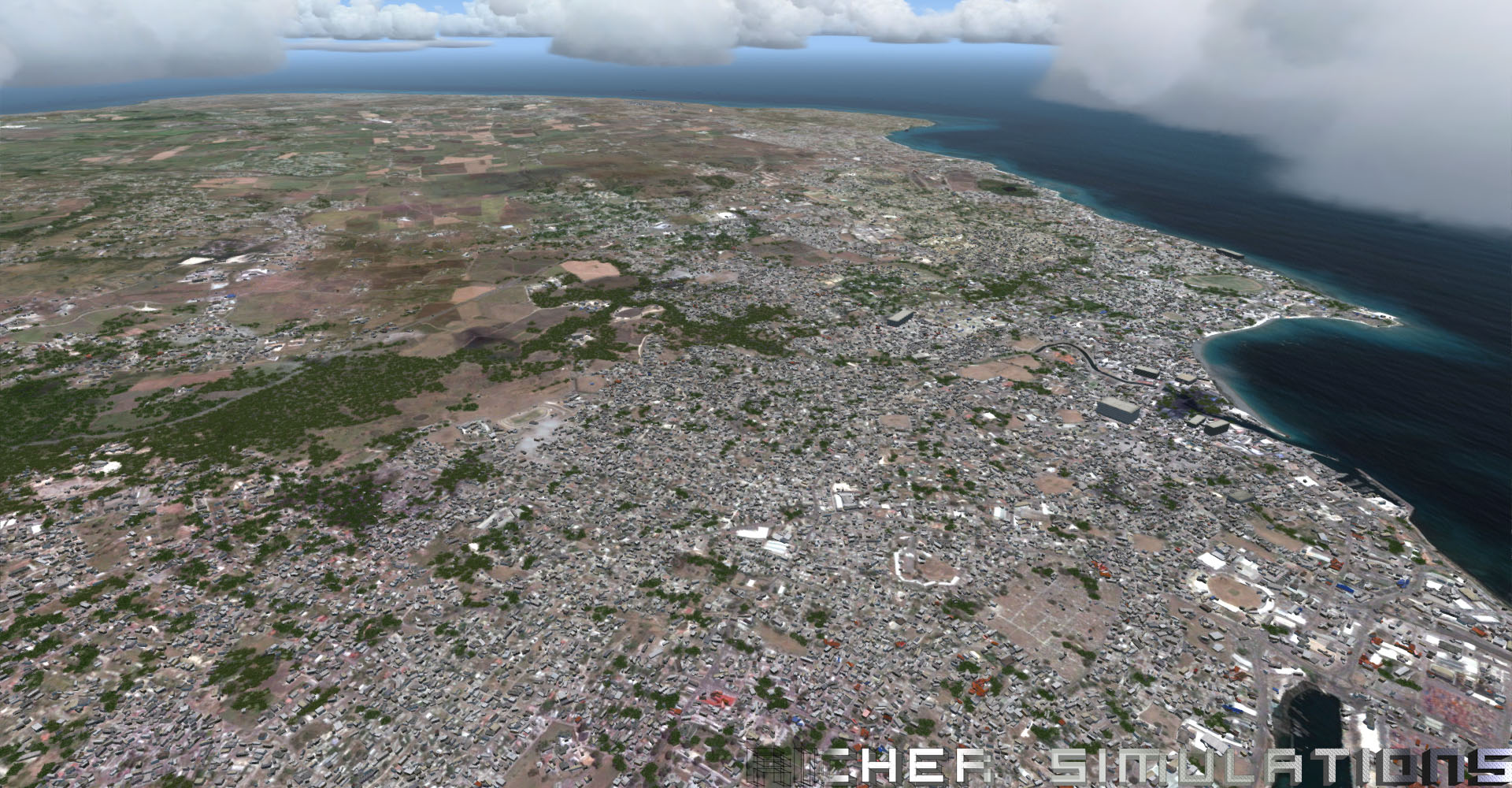
After the release of Caribsky: St. Kitts 2017 photoscenery which I dropped out of the blue, I'll be following up with Barbados 2017.
  • 0.5m/px photoscenery for entire island complete with 740,000+ custom autogen trees, buildings and lamp posts.
  • Wet, dry and transitional seasons, night lighting, reef coverage in photoscenery.
  • 19m mesh (2m mesh around airport).
  • Vector road traffic.
  • TBPB airport NOT included but will be compatible with the great freeware version.
Caribsky_Barbados.jpg
Caribsky_Barbados1.jpg
Caribsky_Barbados2.jpg


Still a work in progress. I have to optimize my autogen trees and ensure that it works well with my other products and future releases. Also have to cleanup a few stray buildings and cleanup the watermask near the airport. (No, don't ask for a release date or ETA. I won't give one! :p:D)
 
Awesome work! Your screenshots almost look like airial pictures of the actual area!.
 
Gorgeous! Might I ask how you went about making the 3D night lighting for a large area?
 
awesome work! I assume this will be up on simmarket?
Yes.

This one is a must buy for me for sure! Great Work :)
Thanks! I've been looking at your work as well!

Awesome work! Your screenshots almost look like airial pictures of the actual area!.
Thank you!


Gorgeous! Might I ask how you went about making the 3D night lighting for a large area?
http://fsdeveloper.com/forum/threads/place-lights.426682/

A synopsis:
1. Get OSM data of all roads for your area
2. Filter out tracks and trails that aren't likely to be lit.
3. Load them into scenproc.
4. PLACEPOINTSALONGLINE about 40-60m apart. (50m was my real world estimate). I filter by road types for different colours (example: orange for primary roads, yellow for secondary, white for tertiary)
5. POINTTOPOLYGON to make the points usable for the next step, which is...
6. CREATEAGNLIBOBJECT. A different libary object GUID for each type of light point.

Bonus: I'll let you in on a little secret that I figured out:
Export each different type of point created by scenproc to a shapefile that you can open in global mapper. In globalmapper change the colour of the rendered points to orange, yellow, or white, and export a raster image with dimensions and resolution equal to that of your satellite imagery. Open the resulting image in photoshop and expand them to smooth round soft circles. Use as your nightmap. Voila! Exactly matching lightsplashes under each of your autogen light posts!
 
Back
Top