• Which the release of FS2020 we see an explosition of activity on the forun and of course we are very happy to see this. But having all questions about FS2020 in one forum becomes a bit messy. So therefore we would like to ask you all to use the following guidelines when posting your questions:

    • Tag FS2020 specific questions with the MSFS2020 tag.
    • Questions about making 3D assets can be posted in the 3D asset design forum. Either post them in the subforum of the modelling tool you use or in the general forum if they are general.
    • Questions about aircraft design can be posted in the Aircraft design forum
    • Questions about airport design can be posted in the FS2020 airport design forum. Once airport development tools have been updated for FS2020 you can post tool speciifc questions in the subforums of those tools as well of course.
    • Questions about terrain design can be posted in the FS2020 terrain design forum.
    • Questions about SimConnect can be posted in the SimConnect forum.

    Any other question that is not specific to an aspect of development or tool can be posted in the General chat forum.

    By following these guidelines we make sure that the forums remain easy to read for everybody and also that the right people can find your post to answer it.

FS2004 Ground Poly seams and landclass.

Messages
52
Country
us-minnesota
I have a problem with my ground polys. There are highly visible seams between all the tiles. Here are some image examples.
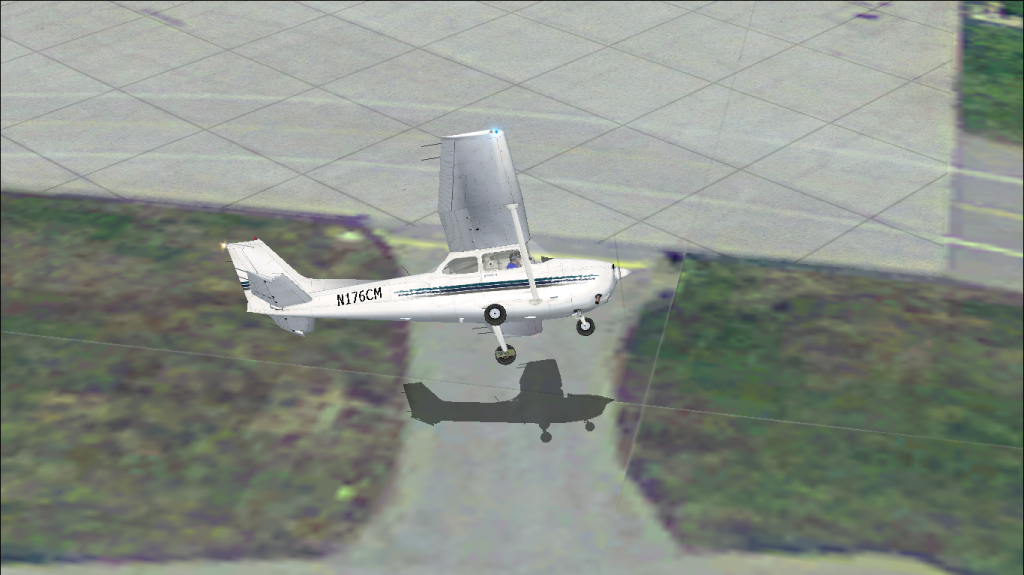


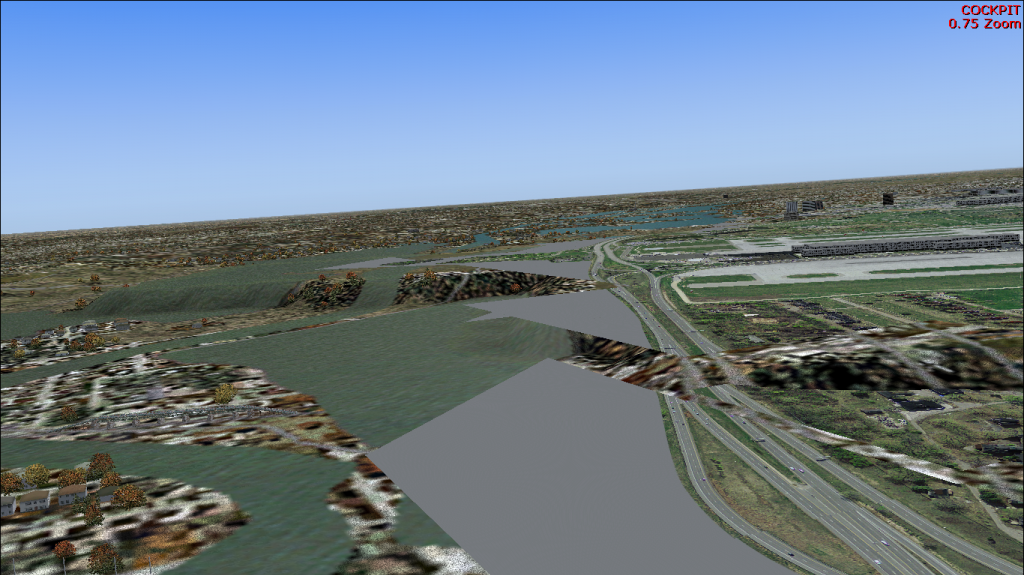
And another question. Some of my ground poly tiles are floating while others are half sunken into the ground. Is there a way to make them conform to the ground or do I have to flatten everywhere that is covered by my ground poly? There is a downward slope leading to the Minnesota River at the end of two of the runways that I would like to have in the scenery because flattening makes it unrealistic and also because the flattening causes water cliffs by the river.

Here is a screen shot.
 
Last edited:

Attachments

  • problema2.jpg
    problema2.jpg
    267.1 KB · Views: 789
  • Problema3.jpg
    Problema3.jpg
    502.4 KB · Views: 762
Hi,

If you search the forum a bit you'll find many threads about those seams, that's a very common issue.

The solution is to make sure you don't map the outer pixels of your texture. So instead of mapping the UV coordinates between 0.0 and 1.0, you map them between 0.001 and 0.999. Of course you need to modify the texture as well, so that all texture contents fits within the inner pixels.

About the flattens, yes you need to have a flatten under the entire area of your ground polygons.
 
Hi,
The first problem : I have the same problem you have about the visibility of some lines between the tiles. If you could fix this problem help me please! This is my thread :
http://www.fsdeveloper.com/forum/threads/problem-with-ground-texture.429557/
The second one : I think I can help you.
There is a sloped area near the airport, that's why some of your ground polygons can't be placed there.
According to my previous information, the only solution you have is to flat all the area that is covered by your ground poly using flatten polygon in ADEX, AFX or SBuilder.
But I've seen some of ground polygons that are placed in sloped places in the professional sceneries of AEROSOFT and FLYTAMPA but I don't know how. I've also seen a sloped runways but i don't know how does they create it.
I wish to create a sloped runway, because the airport that i'm designing now have a runway which his elevation at the start of it is 299 ft and at the end is 295. So if anybody knows how to make it, please tell me how!

Dayou
 
Last edited:
Back
Top