• Which the release of FS2020 we see an explosition of activity on the forun and of course we are very happy to see this. But having all questions about FS2020 in one forum becomes a bit messy. So therefore we would like to ask you all to use the following guidelines when posting your questions:

    • Tag FS2020 specific questions with the MSFS2020 tag.
    • Questions about making 3D assets can be posted in the 3D asset design forum. Either post them in the subforum of the modelling tool you use or in the general forum if they are general.
    • Questions about aircraft design can be posted in the Aircraft design forum
    • Questions about airport design can be posted in the FS2020 airport design forum. Once airport development tools have been updated for FS2020 you can post tool speciifc questions in the subforums of those tools as well of course.
    • Questions about terrain design can be posted in the FS2020 terrain design forum.
    • Questions about SimConnect can be posted in the SimConnect forum.

    Any other question that is not specific to an aspect of development or tool can be posted in the General chat forum.

    By following these guidelines we make sure that the forums remain easy to read for everybody and also that the right people can find your post to answer it.

FSX Airport appears as a tiny dot

connomar

Resource contributor
Messages
266
Country
us-minnesota
Hi Don,

I just discovered your AFLT4 system and have yet to grasp exactly what it does, but I hit a snag immediately I loaded my KORD bgl created via ADE. That tiny blue dot at the bottom is my airport. I suspect the reason maybe because KORD has had so many changes that the file contains a number of orphaned objects such as runways, ils etc. which ADE puts at the north pole or nearby. Is there a simple way to get around this?

Many thanks

Martin
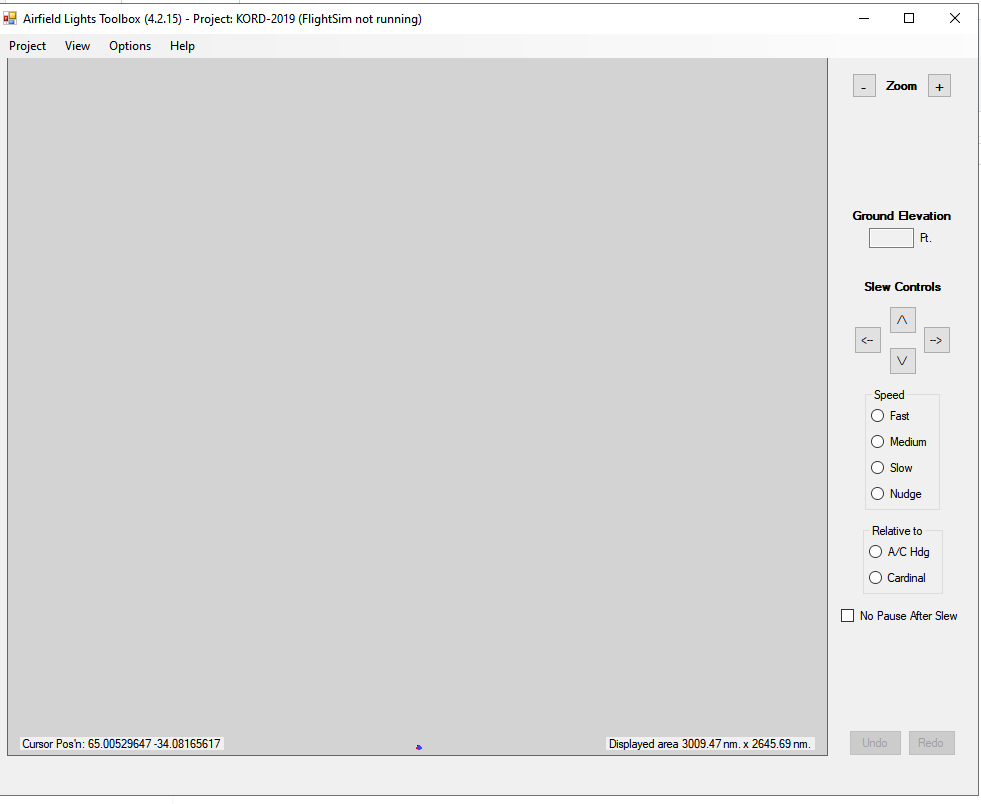

aflt Problem.jpg
 
Like you said, a blue dot - probably a collection of taxiway lights. This does suggest that AFLT is picking up on items that have been moved to (or near) the north pole. (Even though they may have been moved, they are still valid objects. AFLT has no way of "knowing" they should be ignored since there's nothing stopping someone from creating an airport at/near the north pole.)

There may indeed be a way around this, but I need the airport .bgl to even start to investigate. If these items have been moved to the north pole, it should be easy. If they have simply been moved near the pole, that's a different matter.

I suspect what I'll have to do is detect such situations (likely not difficult) and have the user confirm that anything more than n miles distant from the southern extreme should be ignored. Nonetheless, I still need the .bgl.

In the interim, you can expand the screen around the blue dot. AFLT should still do "it's thing", including placing lights at/near the north pole.

Don
 
Thanks Don,

Here is the bgl. I wondered if you could use the default 5000m limit to reduce the range? I reach the maximum zoom as it is without getting much detail. Fascinating program, thanks so much for all the work.

Martin
 

Attachments

The problem was due solely to crosswind runways. I have changed the code to ignore runways whose center is more than 10000 m from the ARP.

I'll re-release over the weekend

Incidentally, I have no problem expanding the current display so that it shows only a tiny portion of the airport.

Don
 
Back
Top