

Hi,
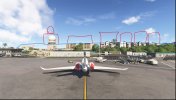
I really like the default scenery of TNCM from Gaya/Asobo. However, the terrain mesh is really not accurate and the little "hill" around the airport (see attachment) is way to flat and low. I would like to modify it and make it higher.
I tried via the sdk by creating a scenery project, but whenever I use a terraform polygon, it dosn't work. The 3D objects stay where they are but the hill height increase. So this creates a hole. I tried also to use an exckusion rectangle first, but can't place the objects afterward. So basically I am stuck.
So I was wondering if there was a workaround or a trick to reach my goal.
Thank you very much !
I really like the default scenery of TNCM from Gaya/Asobo. However, the terrain mesh is really not accurate and the little "hill" around the airport (see attachment) is way to flat and low. I would like to modify it and make it higher.
I tried via the sdk by creating a scenery project, but whenever I use a terraform polygon, it dosn't work. The 3D objects stay where they are but the hill height increase. So this creates a hole. I tried also to use an exckusion rectangle first, but can't place the objects afterward. So basically I am stuck.
So I was wondering if there was a workaround or a trick to reach my goal.
Thank you very much !

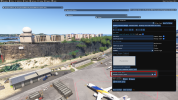
 eventhough I selected the right Package order hint as per your screenshot. See mine: Thanks