• Which the release of FS2020 we see an explosition of activity on the forun and of course we are very happy to see this. But having all questions about FS2020 in one forum becomes a bit messy. So therefore we would like to ask you all to use the following guidelines when posting your questions:

    • Tag FS2020 specific questions with the MSFS2020 tag.
    • Questions about making 3D assets can be posted in the 3D asset design forum. Either post them in the subforum of the modelling tool you use or in the general forum if they are general.
    • Questions about aircraft design can be posted in the Aircraft design forum
    • Questions about airport design can be posted in the FS2020 airport design forum. Once airport development tools have been updated for FS2020 you can post tool speciifc questions in the subforums of those tools as well of course.
    • Questions about terrain design can be posted in the FS2020 terrain design forum.
    • Questions about SimConnect can be posted in the SimConnect forum.

    Any other question that is not specific to an aspect of development or tool can be posted in the General chat forum.

    By following these guidelines we make sure that the forums remain easy to read for everybody and also that the right people can find your post to answer it.

missing model

Gaiiden

FSDevConf team
Messages
751
Country
unitedstates
Okay here's another one:

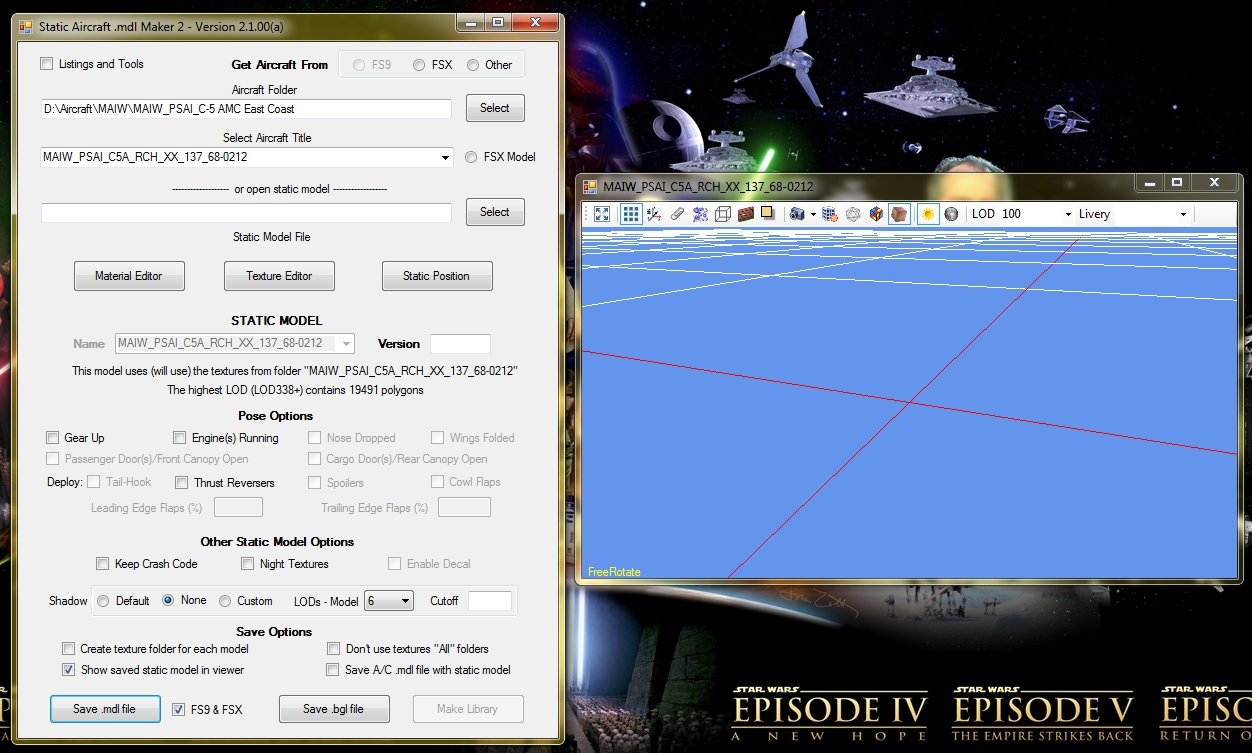
I export a model like this (click to embiggen):


I create a library like this:

samm-nomodel2.jpg


And the compiler output gives me this:

Code:
Parsing document: D:\Tools\SAMM\Test.xml

INTERNAL COMPILER ERROR:  #C2014: Failed to load model data in file: D:\Tools\SAMM\Models\FS9\MAIW_PSAI_C5A_RCH_XX_137_68-0212\MAIW_PSAI_C5A_RCH_XX_137_68-0212_FSX.MDL
INTERNAL COMPILER ERROR:  #C2149: Failed to load model data!  Does the file exist?
INTERNAL COMPILER ERROR:  #C2340: Failed to finalize MODEL_DATA!
INTERNAL COMPILER ERROR:  #C2032: XML Parse Error!  Element tree follows:

ERROR: <FSData 
ERROR: 	version = 9.0
ERROR: >
ERROR: 	<ModelData 
ERROR: 		sourceFile = Models\FS9\MAIW_PSAI_C5A_RCH_XX_137_68-0212\MAIW_PSAI_C5A_RCH_XX_137_68-0212_FSX.MDL
ERROR: 	>
ERROR: 
INTERNAL COMPILER ERROR:  #C2024: Failed to process closing element tag <ModelData> near line 5!
INTERNAL COMPILER ERROR:  #C2607: Compilation errors detected, compilation failed!


Parse complete!

As an aside, in the first screenshot you see the "Make Library" button is disabled - this happened after I opened and closed the Texture Editor. Why is that? I had to re-export the model to enable it.
 
Some time ago, I asked for volunteers to help me test SAMM2 so as to eliminate as many errors as possible (from a very complex program) prior to general release. The response was positively underwhelming. As a result, SAMM2 received only limited testing prior to release. Now, the entire user community is subjected to whatever errors remain.

If you send me the aircraft folder or a link to the archive, I'll investigate.

To all users: When you report problems with a particular aircraft other than stock aircraft, please e-mail me the aircraft folder or a link to the archive. Without it, there's likely nothing I can do.

Don
 
In the next release, the Make Library button will no longer be disabled after running the Texture Editor. (SAMM assumed you'd changed something while you were there.)

Regarding the compile error, in retrospect it has nothing to do with the aircraft model - which appears to have been created properly. The error message says a file can't be found even though it is obviously there. Similar operations complete successfully on my development system. It might be an "access privileges" issue.

If you can repeat it, please copy out the entire compiler error message (portions on your report are truncated) and also send me the file
D:\Tools\SAMM\libraryname.xml and a screenshot of your FS9 models folder.

The other strange situation with your initial report is that neither the FSX nor the Other radiobutton on your Main Panel are checked. How did you manage that?

Don
 
If you can repeat it, please copy out the entire compiler error message (portions on your report are truncated) and also send me the file
D:\Tools\SAMM\libraryname.xml and a screenshot of your FS9 models folder.
Easily repeatable, happens every time. I emailed you the files. The original model is part of this library:
http://www.militaryaiworks.com/Released_Packages/MAIW AMC East C5s.zip

The other strange situation with your initial report is that neither the FSX nor the Other radiobutton on your Main Panel are checked. How did you manage that?
Open SAMM, click on Other and open an aircraft. Now close and re-open SAMM and the radio buttons should all be blank. Goes to main drive tree when I click on Select. At least, that's how I got it to behave after I deleted the 4 folders and the INI file to "reset" the program
 
There's something in the FS9 static model file that the FSX compiler doen't like. The problem appears to be specific to aircraft models that use multiple vertex buffers. Others compile OK.

With no useful diagnostic information from the compiler, this could take a while.

(I was wondering what I was going to do this weekend):p

Don
 
Back
Top