• Which the release of FS2020 we see an explosition of activity on the forun and of course we are very happy to see this. But having all questions about FS2020 in one forum becomes a bit messy. So therefore we would like to ask you all to use the following guidelines when posting your questions:

    • Tag FS2020 specific questions with the MSFS2020 tag.
    • Questions about making 3D assets can be posted in the 3D asset design forum. Either post them in the subforum of the modelling tool you use or in the general forum if they are general.
    • Questions about aircraft design can be posted in the Aircraft design forum
    • Questions about airport design can be posted in the FS2020 airport design forum. Once airport development tools have been updated for FS2020 you can post tool speciifc questions in the subforums of those tools as well of course.
    • Questions about terrain design can be posted in the FS2020 terrain design forum.
    • Questions about SimConnect can be posted in the SimConnect forum.

    Any other question that is not specific to an aspect of development or tool can be posted in the General chat forum.

    By following these guidelines we make sure that the forums remain easy to read for everybody and also that the right people can find your post to answer it.

shapefile with holes (islands) in it

Hi Heinrich,

I'll try to do a test polygon here and see if I can reproduce your problems with the holes. And I will check your sources.
 
Hi,

I just did a test and I am a bit surprised with the results.

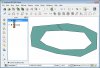
I made a polygon in QGIS and added a ring to it to have a hole. See first picture.

I then read it into scenProc and export it back to shape to check how the tool read it. To my surprise it had made a seam already to remove the ring (like you did in your editor). See second picture.

In FSX the autogen created from this shapefile shows correctly with a gap inbetween. See third picture.
 

Attachments

  • Image2012-12-24 1605.40.932.jpg
    Image2012-12-24 1605.40.932.jpg
    136 KB · Views: 542
  • Image2012-12-24 1606.03.136.jpg
    Image2012-12-24 1606.03.136.jpg
    137.5 KB · Views: 502
  • Image2012-12-24 1606.41.503.jpg
    Image2012-12-24 1606.41.503.jpg
    201.2 KB · Views: 588
Hi,

I see that for features with more than 1 hole, it does not work anymore. In that case you get weird polygons.

In QGIS I can't find a function like you used to remove the holes.
 
I'm using 'Global Mapper', it has such functionallity. It's quite well hided under a context menu and its called 'Create Single Vertex List Area From Selected Area(s) With Islands'
 
Hi Arno,
Mike from GlobalMapper support did a new build and it works perfectly, look at the screenshot.
GlobalMapper now removes islands by 'chopping' the polygons as long as there are no more 'islands' left. Maybe you can do the same in scenProc.

FSX now has no problems with this chopped polygons.

Regards,
Heinrich
 

Attachments

  • chopped.jpg
    chopped.jpg
    538.7 KB · Views: 619
Hi,

Good to hear it is working. I guess I have to do the same when I support shapefiles with holes indeed.
 
Back
Top