

- Messages
- 34,551
- Country

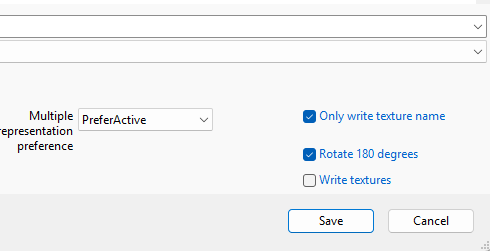
I have added a new feature to ModelConverterX. On export of objects and scenery you can now also write the textures that are used on the object. This function can be enabled with the options that available in dialog where you select the location to export to. Below you see the section of the dialog with the “Write textures” option.
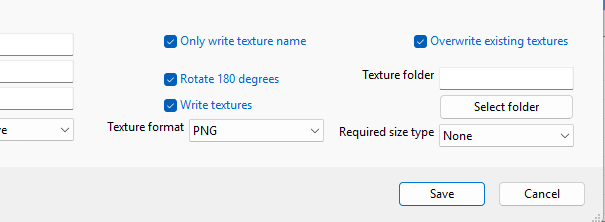
Once you select this option, additional settings appear (see screenshot below) where you can select how the textures should be written. For example which format is used, if existing textures are overwritten and also to which folder. One small note, when exporting as MSFS scenery package the option to select the folder is not available, since the texture folder has a fixed location in the package sources, so that is determined automatically for you.
Continue reading...
Once you select this option, additional settings appear (see screenshot below) where you can select how the textures should be written. For example which format is used, if existing textures are overwritten and also to which folder. One small note, when exporting as MSFS scenery package the option to select the folder is not available, since the texture folder has a fixed location in the package sources, so that is determined automatically for you.
Continue reading...

