• Which the release of FS2020 we see an explosition of activity on the forun and of course we are very happy to see this. But having all questions about FS2020 in one forum becomes a bit messy. So therefore we would like to ask you all to use the following guidelines when posting your questions:

    • Tag FS2020 specific questions with the MSFS2020 tag.
    • Questions about making 3D assets can be posted in the 3D asset design forum. Either post them in the subforum of the modelling tool you use or in the general forum if they are general.
    • Questions about aircraft design can be posted in the Aircraft design forum
    • Questions about airport design can be posted in the FS2020 airport design forum. Once airport development tools have been updated for FS2020 you can post tool speciifc questions in the subforums of those tools as well of course.
    • Questions about terrain design can be posted in the FS2020 terrain design forum.
    • Questions about SimConnect can be posted in the SimConnect forum.

    Any other question that is not specific to an aspect of development or tool can be posted in the General chat forum.

    By following these guidelines we make sure that the forums remain easy to read for everybody and also that the right people can find your post to answer it.

Aerofly 2 Released; Beta; Steam Games

Notice the use of "for personal and non-commercial" in their request letter example. Plus they want contact information.
I downloaded the SDK for P3D before I had a copy of the sim and LM never even asked me the time of day. They didn't have my contact info until I purchased.
I'll have to see how things develop before I consider this sim.
 
Christmas comes early from Aerofly user Jet-pack

Hello everyone,

I hope you are as excited as I am when I hear a title like this one
biggrin.png

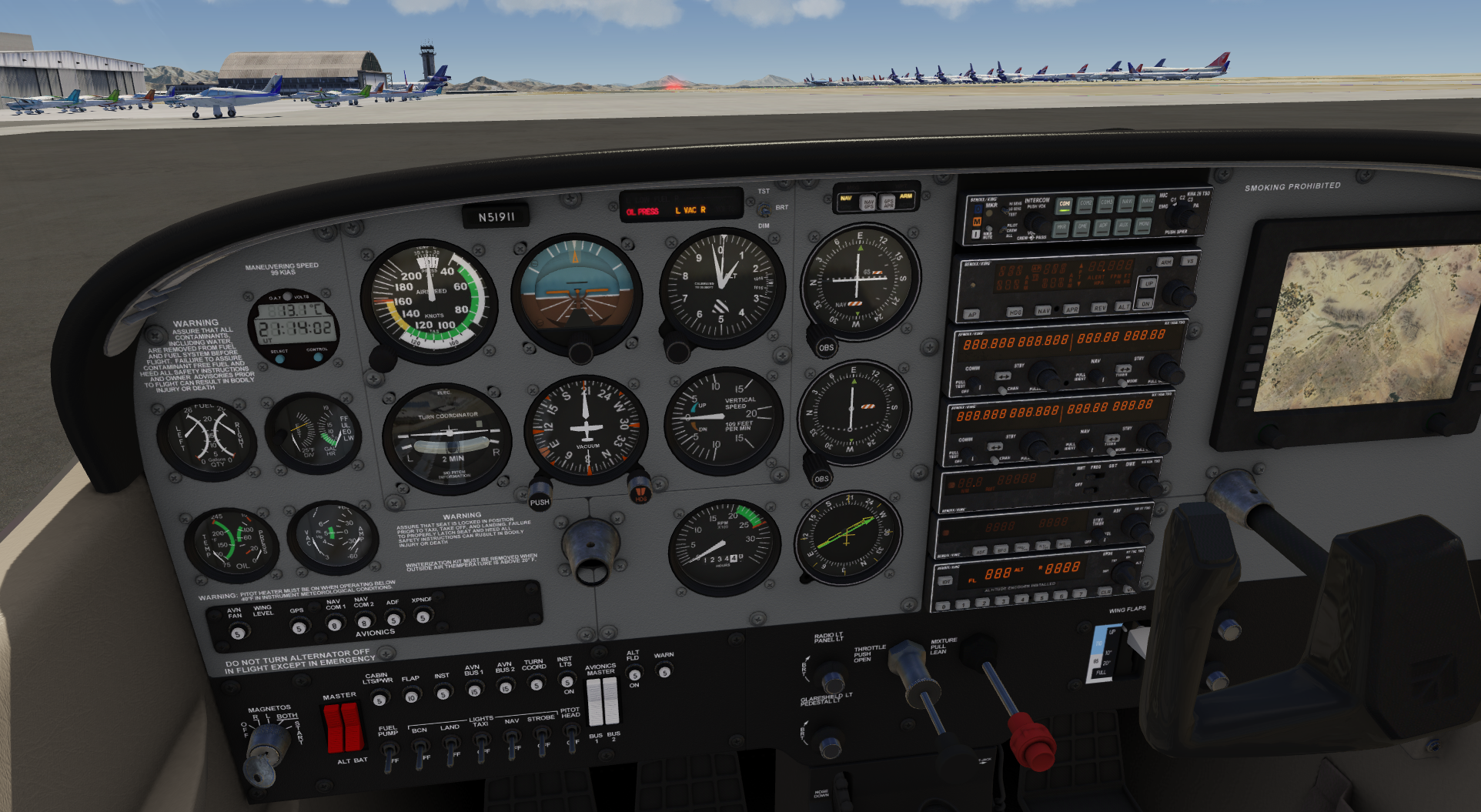
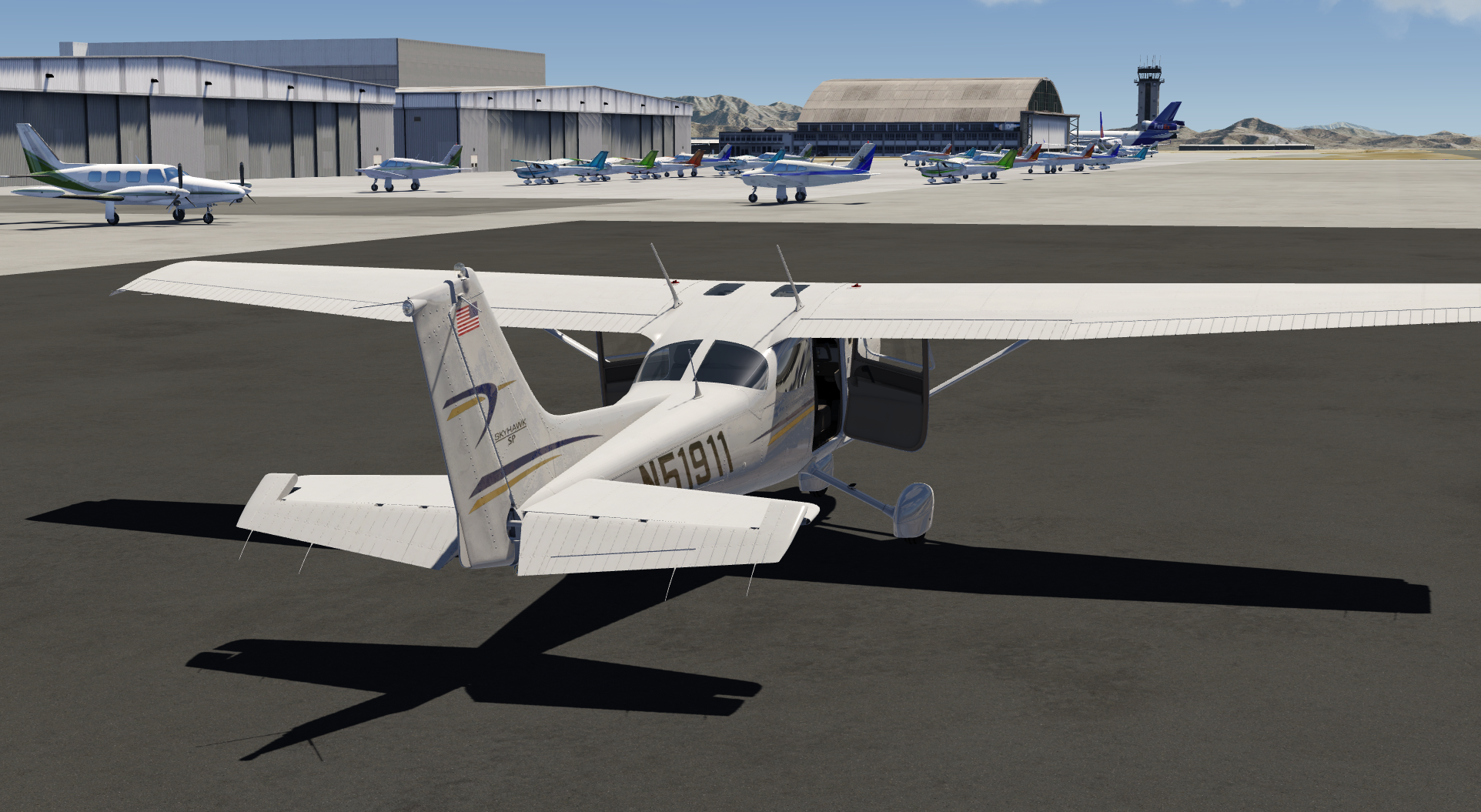
Over the weekend I've been busy and made the my first modification for the Aerofly FS 2 Flight Simulator: a cold and dark capable Cessna 172 mod.

Not only can it do engine start/stop, you can also set the master battery, alternator and avions to off and enjoy a dark cockpit. Plus you can turn off individual panels like the COM1, NAV1 panel.
I also included a lot of small gimmics like opening doors and windows (they create drag when opened in the air) and also moveable sunshades. Almost all instruments in the cockpit are now working, including fuel flow and egt and so on. Their indications are faked at the moment but I am sure you could improve them a lot if you put in more time and effort. I was really impressed that all these things are possible in the Aerofly FS 2 and it wasn't any harder than I was used to from the previous Aerofly simulators.

aerofly_fs_screenshot_04_20160705-211725.bmp

aerofly_fs_screenshot_02_20160705-211417.bmp


This mod only requires the Aerofly FS 2 Flight Simulator Steam edition to run and I will try to update this Cessna mod for future version that will come.

I hope you will have a lot of fun with this mod, here is your download link from my personal website:
http://www.aerofly-sim.de/af2_c172_download
 
Downloaded it, backed it up, installed, flew from Deer Valley to Prescott airport. Very nice. Windows and doors open, mixture will kill the engine. Key operates the starter, etc. Light switches all function.

I think he added a handling tune as well. Its feisty now, not smooth flying. Kind of bucks up and down going over the mountains to Prescott. I was at 9000', but still it could have been thermals and drafts going over the mountains, if the system is programmed for that.

Best $50.00 I have spent on a sim in ages............! Best....

aerofly_fs_screenshot_08_20160705-200512.jpg


About to take on the mountain ranges that separate Phoenix from Prescott. I didnt know it was that intense with mountain ranges. Many trails. I wonder if those roads are widely used or old mining trails?

aerofly_fs_screenshot_10_20160705-201632.jpg


Prescott City coming up. I cant believe how much this city has grown.

aerofly_fs_screenshot_11_20160705-201838.jpg


Entering Prescott airport airspace.

aerofly_fs_screenshot_14_20160705-202436.jpg


Click by the collar for the yoke control shaft and the yoke disappears. Allows you to get to the electrics panel. Rockers and toggles function great. Electrics will turn off all screens as shown.


As usual, I was just going to do some pattern touch and goes at Deer Valley in the newest tune of the Cessna. I spotted Lake Pleasant.. Oh why not. Then I spot these weird mesa mountains. Sure, lets check them out. Then the mountains to Prescott were right there. Hmm... I can almost see it.. (could not). Off I go.

Great flight.
 
Concerning repaints;

I see in the aircraft/c172 folder that the textures are in TTX format. Anyone hear of this before? I tried to open it in Photoshop CS6, no go... Googling it found many things. One was that it is a Maya material. That might make sense. But the SDK is setup for Max.

I tried to open my SDK that Torsten sent, but it wouldnt open. Its a RAR file. ZARC should have been able to open it. I'll ask and see what to do.

I went through a TMD file. Torsten says these are read by Notepad, very basic and straight forward. Some similarities to XML. I found the config and browsed through it. One long document. But... Cool if its the entire airfile set all in one document. It is a very long list and it appears that animation tags are done in this as well in the top section. I think the models are also designed to break apart, from what I was seeing, and how I was able to disassemble 200+ Pitts biplanes at Deer Valley airport in 2 days. (Sale on parts there).
 
TTX is an encrypted texture compiled from a BMP source so we need the developer tools to make the repaints.
 
Here you go. It's a pdf from the ipacs forum. Hope the link works I used cut and paste on my Kindle.

convert to cylinder58_auv_color.bmp, ... Compile all model files (BMP and MQO) to aerofly format (TTX and TGC files).

http://www.google.com/url?sa=t&source=web&cd=4&ved=0ahUKEwj344P9kd_NAhWH8j4KHazOCVgQFgglMAM&url=http://www.ipacs.de/forum/attachment.php?attachmentid=3747&d=1434359806&usg=AFQjCNEl1xiRPyazEMTz6H-9hBR_sadMtA&sig2=h8nF_-pfGTk1scWrlX3cQA


Thanks Paul!
 
I have the SDK downloaded now.

Versions of Max supported;
* Max 2010
* Max 2012
* Max 2013
* Max 2014
* Max 2016
and...
* Cinema4d_r17

Nice....
 
I have the SDK downloaded now.

Versions of Max supported;
* Max 2010
* Max 2012
* Max 2013
* Max 2014
* Max 2016
and...
* Cinema4d_r17

Nice....
Why the skip over 2015? Possibly 2014 or 2016 will work for 2015? You have 2015, can you test it?
 
Did you know... All animations for planes are done in the model config file? Interesting... Flight handling, click points, and animations are all in the config file.
owirnowired.JPG
 
If you all get a chance, check out the airport in Sedona. For love of runways that are not perfectly glass flat, this baby is a nice curve. Pretty cool to have non-flat runways like the real thing. When you land, check out the air conditioners on the roofs of the buildings on the far end. Really well done. Thats one thing I noticed on their scenery buildings were that they all have AC units on them.
 
Back
Top