• Which the release of FS2020 we see an explosition of activity on the forun and of course we are very happy to see this. But having all questions about FS2020 in one forum becomes a bit messy. So therefore we would like to ask you all to use the following guidelines when posting your questions:

    • Tag FS2020 specific questions with the MSFS2020 tag.
    • Questions about making 3D assets can be posted in the 3D asset design forum. Either post them in the subforum of the modelling tool you use or in the general forum if they are general.
    • Questions about aircraft design can be posted in the Aircraft design forum
    • Questions about airport design can be posted in the FS2020 airport design forum. Once airport development tools have been updated for FS2020 you can post tool speciifc questions in the subforums of those tools as well of course.
    • Questions about terrain design can be posted in the FS2020 terrain design forum.
    • Questions about SimConnect can be posted in the SimConnect forum.

    Any other question that is not specific to an aspect of development or tool can be posted in the General chat forum.

    By following these guidelines we make sure that the forums remain easy to read for everybody and also that the right people can find your post to answer it.

AGN Merge Tool error

Messages
55
Country
germany
Hello,

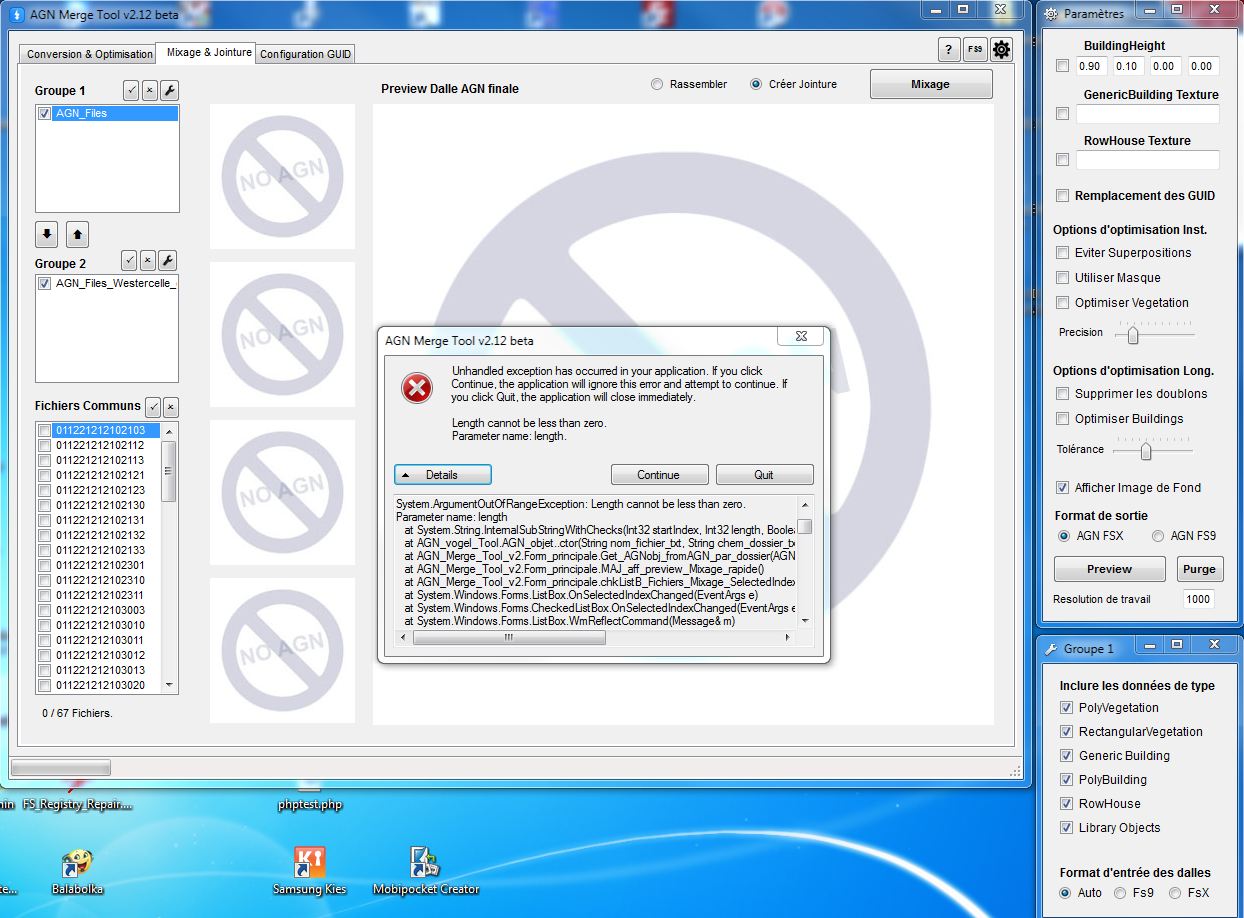
I get an unhandled exception error when using Vogels AGM Merge Tool.
See here:
mergetoolerror.jpg

It occurs when clicking the checkbox of any agn file in the "Fichiers Communs" list.

What can it be?

My system:
Win7 64bit

Tool started as Administrator, checked it on different hardware, same result.

Thanks for helping,

Carsten
 
Hi Carsten,

Follow those advice:
1/ install the tool near root of drive. Ex: d:\fsTool\
2/ never use "space" in folder name. Prefer underscore "_"
3/ agn2txt, txt2agnx & txt2agn9, agndump.exe, and Arno's dll must be in the same folder of the tool.

In your case it seem to fail in 2/. So edit and replace " " by "_" in your folder name.

Normaly you must see the polygon when you select a line.

Thx to try my tool :)
 
If it work now... You can select a folder and clic on the down arrow to get it in the "groupe 2". after that you will have the possibility to select only vegetation or building feature of each folder before merge it.
 
Okay, did 1/ , 2/ and 3/
and your tool is in Arno's latest development release package root folder.

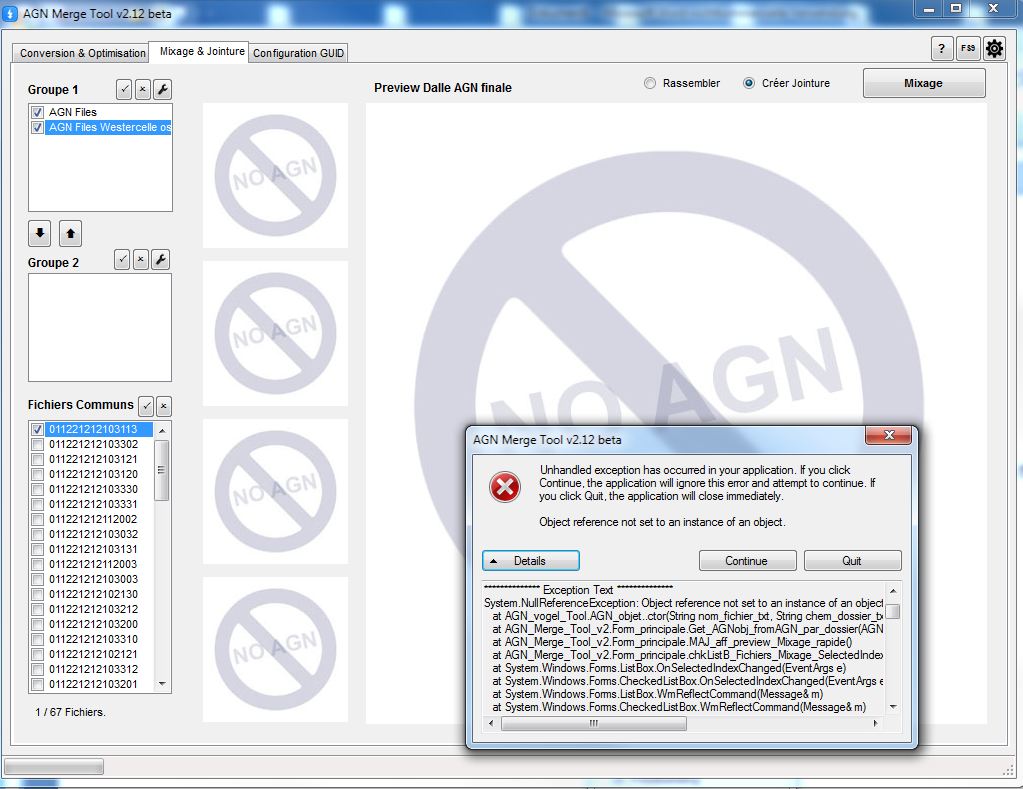
Same situation, different error message:

mergetoolerror_2.jpg


I got to bed now, more luck tomorrow?

Carsten
 
:confused: may be check Arno's tool root path: no space in please. &/Or may be try to use 8 letters max in your folder path.

I Will try to add ms-dos name support in my tool soon.

Just one more question: there is file named like xxxxxxxan.txt file where xxxxxx is Tile number in work/groupes_dalles/your_folder ? If yes can you edit it & post it please ?
 
Last edited:
If it still don't work you can try to unpack at c: or d: root this AGN Merge Tool ready to use version packed by Filipo (f-bmpl.com) downloadable here
 
In Windows operating systems, File/Folder names are permitted to have included spaces.
 
In Windows operating systems, File/Folder names are permitted to have included spaces.

Surely but i use DOS command Line in my tool and for example:
C:/FStool/agn2txt.exe c:/FStool/Groupes_dalles/AGN Files/021231212an.agn
is not right because DOS think there are 2 arguments and not only one (the second one would be "Files/021231212an.agn").
 
Hello:

AFAIK, whether one uses a Windows CMD.exe "command mode task session" or the Windows "pre-install environment", one must use quotation marks around file or folder names which include 'spaces' in between segments of a multi-word file or folder name ...rather than a hyphen ('dash') or a underline ('underscore') character. ;)


IMHO, Vogel makes a very good suggestion in recommending the use of the underline or 'underscore' character instead of an empty 'space' (the one generated by the 'Space Bar' key) when choosing file or folder names.


BTW: Once within a ex: Windows Start > Run (or Search) > CMD.exe 'command mode' task session window, one can press the Cursor Up arrow key to recall previously used command line strings, and then use the Cursor Left and Cursor Right arrow keys to navigate the command line character positions to facilitate editing of one's command line strings.


Hope this helps ! :)

GaryGB
 
Hi Folks,

okay, I put the tool folder in c:\arnos.
ThePath to the txt File is: C:\arnos\work\Groupes_Dalles\AGN_Files\txt
Its conent:
Code:
Location 011221212102103
Variant 0
GenericBuildingTexture Default
RowHouseTexture Default
BuildingHeights 1 0 0 0
VegetationClasses 0 0
VegetationDensity 0 0
VegetationHeights 0 0 0 0
AGNPolyVegetation {c9dc45ae-f240-42a9-a137-b7617452a308} 0.87153148651123 1 0.873274862766266 0.969081461429596 0.879425704479218 0.735190749168396 0.887904405593872 0.531601369380951 1 0.530582666397095 1 1 0.87153148651123 1

For one of the files.

Any idea?
Carsten
 
Hi again,

I've tried some more. Maybe it is some kind of version conflict, because after using the Filipo package, I got "some" result. Though there are still errors with some AGN Files.
I'll get in to it in more detail after work.
I'll keep you updated about my progress. Next problem will be handling the tool right. (The French, you know:o)
 
Well, it's sad and funny.
Right after a fresh download of the Filipo package, I once was able to click a few of my agn files without errors.
Others returned errors. First error: "agx2txt" doesn't work anymore, clicking that file a second time, the general exception error returns.
In the work folder, however, the .txt file was created.

Very strange.
Carsten
 
Very strange... I can't try on my computer before sunday but if you CAN send me some of your AGN files i will test it at home. My mail Vogel69 at free.fr
 
Oups !!!! I've just seen where the problem is... In your txt file there is a new line that i don't know: "variant 0" may be added by the last agn2txt version of Arno's tools. I need to integrate it in the next version of AGN Merge tool. Sorry must wait sunday...:o
 
Hi Vogel,

okay, sounds good. But let me give you some more information on your way, and
here’s what I figured out about your tool so far, please correct me if I’m wrong.

When starting, the Merge Tool looks inside the "Groupes_Dalles" folder for any sub-folders.
There, in “Conversion & Optimisation” I can check the found folders and in “Fichiers” the containing agn files are shown.

As soon as I check one of them, the agn2txt tool crashes and the “Object reference not set to an instance of an object.” Error occurs.

If I go to “Mixage & Jointure”, I can put agn folders into group 1 or 2, and in “Fichiers Communs” some agn Files are shown. I think that are the files with duplicate buildings or overlapping areas, right?

As soon as I click one of them, the same errors occur.

You can have my agn files for testing, I’ll send them shortly.
Thanks
Carsten
 
You are all right. "Conversion..." To work on a file without merging and "mixage..." To merge common file of 2 or more folder.
 
hi, Vogel
Impossible to run correctly the soft (AGN Merge Tool v2.12b downloaded ysterday), same error as Carsten. Try all the night ... So i download from Filipo with the link "here" and !miracle! for the 1st time i saw polygons. youppi !
I look at the differents files between "my" version and Filipo's version :
- ObjectModrl3D.dll, same version (1.4.0.0) but mine is 156160 bytes vs 155136 bytes for filipo one
- Filipo has AgnMergeTool.ini, i havn't
Other files seem the same !
Hope it will be used for someone
System : Vista -64bits
Thx for the tool. I'll fly over Franche-Comté with Filipo next Thusday !
 
Hi Albert,

Yes, It seems that m'y Tool don't support correctly the last version of Arno's tool AgnMergetool.ini was used in v1.x of the Tool but not in the the v2.x

Thanx for your comment Albert :) And have a good travel with Filipo ;)
 
Back
Top