• Which the release of FS2020 we see an explosition of activity on the forun and of course we are very happy to see this. But having all questions about FS2020 in one forum becomes a bit messy. So therefore we would like to ask you all to use the following guidelines when posting your questions:

    • Tag FS2020 specific questions with the MSFS2020 tag.
    • Questions about making 3D assets can be posted in the 3D asset design forum. Either post them in the subforum of the modelling tool you use or in the general forum if they are general.
    • Questions about aircraft design can be posted in the Aircraft design forum
    • Questions about airport design can be posted in the FS2020 airport design forum. Once airport development tools have been updated for FS2020 you can post tool speciifc questions in the subforums of those tools as well of course.
    • Questions about terrain design can be posted in the FS2020 terrain design forum.
    • Questions about SimConnect can be posted in the SimConnect forum.

    Any other question that is not specific to an aspect of development or tool can be posted in the General chat forum.

    By following these guidelines we make sure that the forums remain easy to read for everybody and also that the right people can find your post to answer it.

MSFS20 Aircraft Editor : How to fix position fuselage white volume

Messages
79
Country
france
Hi,

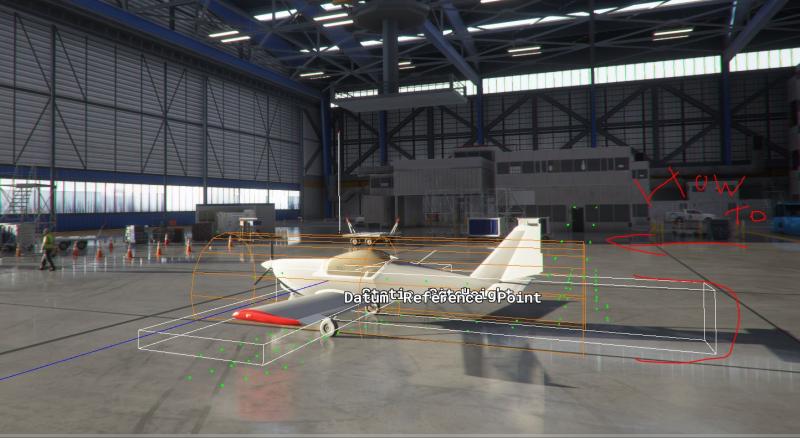
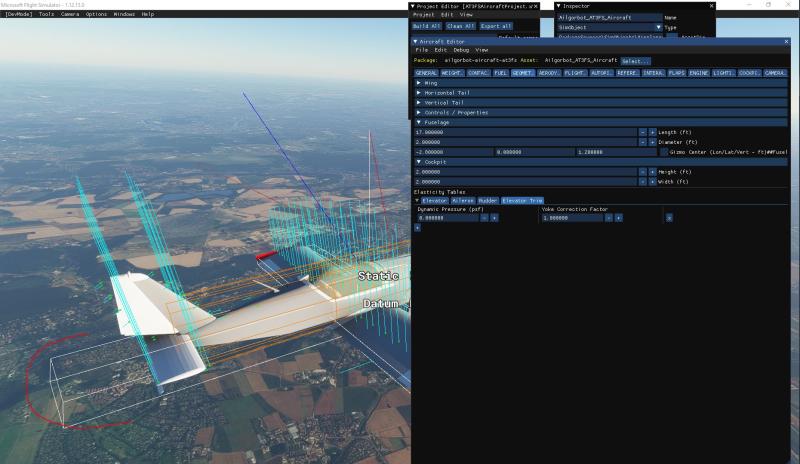
I have tried several parameter in Aircraft Editor, however I haven't found out how to move and scale this white volume for Fuselage.

Any idea ?


Did you have any luck with this ailgorbot?

I have an issue in Aircraft Editor where the fuselage representation and white boxes are off centre for my model, but the datum is in the centre. When I check the SDK Simple Aircraft example it is also off centre.

Anyone have any ideas?

Rm85zc.jpg


ncFqOB.jpg
 
You have to set render scaling in the graphical options to 100%

You probably lowered it from there to get better performance, but it distorts the visuals in the Dev mode :-(
 
You have to set render scaling in the graphical options to 100%

You probably lowered it from there to get better performance, but it distorts the visuals in the Dev mode :-(

Thank you jcomm. That has fixed my problem perfectly.

Tyler
 
@ailgorbot I'd say your model has the 3d not in sync with whatever vales are in the "flight_model.cfg" reference file.

Check such stuff as fuselage length, aircraft / model reference point setup.

Usually, given well defined generic 3d parameters of the real aircraft, the reference toroid, wings, stabilizers, should align
acceptably with the 3d representation.

Of course in MFS you can't define aircraft with multiple wings / tails / ... and other variants because the core reference model is always
that "baked" raw model, but you can try to play with it to get more adequate pitching moments, rates, etc....

You can't unfortunately do much about the wing aerodynamics though :-(
 
Back
Top