

- Messages
- 34,546
- Country

Imagine you have some vector data of gas stations and you want to use that to place autogen library objects. But your vector data only contains the location of the gas stations and no information about the heading at all. How to place these objects realistically in your scenery?
I have added a new step to scenProc last week already that helps in this situation. With this new step you can add a heading attribute to such features. And the heading will be derived from the direction of the nearest line to the point feature. So for the example here, that means you will align the gas station objects with the nearest road. That’s exactly what you want!
The small scenProc configuration below shows the basic usage of this new command:
IMPORTOGR|roads.shp|*|*|NOREPROJ
IMPORTOGR|gas_station.shp|*|*|NOREPROJ
#
HEADINGFROMNEARESTLINE|FROMFILE=gas_station.shp|FROMFILE=roads.shp|HDG
#
SPLITGRID|AGN|*
#
CREATEAGNLIBOBJ|FROMFILE=gas_station.shp|{117278df-5ce4-4765-8369-02dd363b08db}|HDG|0|18;2
You might notice I put the HEADINGFROMNEARESTLINE step before the SPLITGRID step. I did that on purpose, because the step only looks for lines within the same cell. So if you first split the objects, it might be that the closest line is not in the same cell anymore and you get the wrong heading.
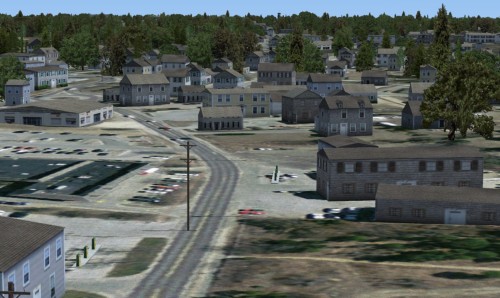
And below is a picture to show it really works. In this blog post I have been talking about gas stations only, but I’m sure you can imagine many other types of objects that will benefit from this.
Continue reading...
I have added a new step to scenProc last week already that helps in this situation. With this new step you can add a heading attribute to such features. And the heading will be derived from the direction of the nearest line to the point feature. So for the example here, that means you will align the gas station objects with the nearest road. That’s exactly what you want!
The small scenProc configuration below shows the basic usage of this new command:
IMPORTOGR|roads.shp|*|*|NOREPROJ
IMPORTOGR|gas_station.shp|*|*|NOREPROJ
#
HEADINGFROMNEARESTLINE|FROMFILE=gas_station.shp|FROMFILE=roads.shp|HDG
#
SPLITGRID|AGN|*
#
CREATEAGNLIBOBJ|FROMFILE=gas_station.shp|{117278df-5ce4-4765-8369-02dd363b08db}|HDG|0|18;2
You might notice I put the HEADINGFROMNEARESTLINE step before the SPLITGRID step. I did that on purpose, because the step only looks for lines within the same cell. So if you first split the objects, it might be that the closest line is not in the same cell anymore and you get the wrong heading.
And below is a picture to show it really works. In this blog post I have been talking about gas stations only, but I’m sure you can imagine many other types of objects that will benefit from this.
Continue reading...


