• Which the release of FS2020 we see an explosition of activity on the forun and of course we are very happy to see this. But having all questions about FS2020 in one forum becomes a bit messy. So therefore we would like to ask you all to use the following guidelines when posting your questions:

    • Tag FS2020 specific questions with the MSFS2020 tag.
    • Questions about making 3D assets can be posted in the 3D asset design forum. Either post them in the subforum of the modelling tool you use or in the general forum if they are general.
    • Questions about aircraft design can be posted in the Aircraft design forum
    • Questions about airport design can be posted in the FS2020 airport design forum. Once airport development tools have been updated for FS2020 you can post tool speciifc questions in the subforums of those tools as well of course.
    • Questions about terrain design can be posted in the FS2020 terrain design forum.
    • Questions about SimConnect can be posted in the SimConnect forum.

    Any other question that is not specific to an aspect of development or tool can be posted in the General chat forum.

    By following these guidelines we make sure that the forums remain easy to read for everybody and also that the right people can find your post to answer it.

Animation related

Messages
8
Country
unitedkingdom
This is my first post here so hello every one.
I’ve been searching around for some answers to enable my project which involves an aircraft to move forward.

I’ve used the Douglas_DC3 3ds-max scene as an example to model my plane with the wing-flex animations which works fine in FSX, however the problems begin when I turn off the advanced animations in FSX options, it then disables the animation of the skinned objects, like flaps and ailerons that is unlike the default FSX planes.

For the solution to that problem I then decided to animate and tag those objects as well as their bones and the end result made all those objects to become dislocated in the sim, I have to mention that the pivots of the bones have the same alignment as their associated objects and no matter what I tried it appears that the compound animation of bones and their objects doesn’t work in FSX correctly.

Since the sample scene of Douglas_DC3 does not cover for any clues to support this part of the development I was hoping that some of you guys could offer some info.

Thank you.
 
The simple answer is that you must have "Advanced Animations" turned on for I-K Skinned Animations to work...

...there is no other way.
 
Thanks for you input n4gix.
I have to say that this is not the case for the default FSX aircraft I.e. the flaps and ailerons still animate even with advanced animations switched off.

We start with max scene and consequently end up with MLD file which in essence responsible for the correct animations in FSX.
At this point I discovered that the MLD file is the nuts and it appears that no other files play any part on it’s animation code, I did that by replacing the original Douglas_DC3.mdl with the exported sample version of Douglas_DC3.mdl.

I suppose it wouldn’t matter having the advanced animations turned on at all times but if I ever decide to release my freeware model to the end users I would like it to be close enough to the FSX standards or it would be rather cool to get it up to the all round working condition.

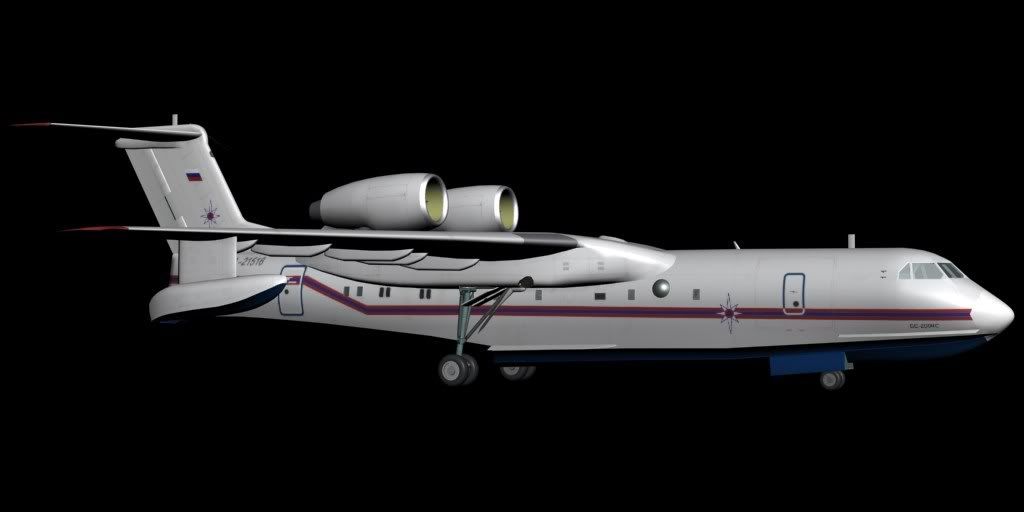
Be-200-2-1.jpg
 
I really do not understand what your on about, since the Max DC-3 example IS the default .mdl in FSX...

The Max DC-3 file has been converted to a GMax file (.gmax) so that GMax folks now have the same a/c model to learn from. :cool:
 
I’m gona try to simplify it a little I know it’s a bit confusing.
You’ve previously mentioned that objects with the skin modifier do not animate with advanced animations option turned off right?
Ok now when we run FSX simulation and select DC_3 aircraft with the original Douglas_DC3.mdl file, then go to the display options menu and uncheck the advanced animations option, the result of this set up does not render the flaps and ailerons useless however these objects have skin modifiers shown in the example 3ds max scene, I can’t describe it in a simpler way sorry.

The second test I did was I exported the example of DC_3 from the scene into .X format and then into .mld format and placed it in \SimObjects\Airplanes\Douglas_DC3\model folder I then run the simulation with advanced animations switched on, selected DC_3 then observed the animation of the flaps and ailerons which worked fine I then switched off the advanced animations and discovered that the flaps and ailerons did not animate.

The conclusion to this is that the contents of the compared .mld files are not the same and therefore must have had different configuration in their scene files.
(I wouldn’t go into LOD comparison at this point)
 
Back
Top