

- Messages
- 204
- Country

Anyone know why Blender would be assigning the wrong part of the UV Map when doing a Cycles render preview?
From the screenshots below, you can see it's generating a white line because it thinks the UV Island is over the white part of the image, when it is not.
Now I've had this issue before, but I've always solved it using standard methods, but this time it will not go away.
It seems to work (sometimes) in Material Preview. Note that I am only using an Albedo texture, very simple, yet Blender refuses to map the UV properly.
Also note that it worked originally, then the issue cropped up out of nowhere. I've tried recal'n normals and scale and rotation.
Tried unwrapping in multiple ways, it's almost like no matter where I move that UV island to, it always thinks it is on the other side.
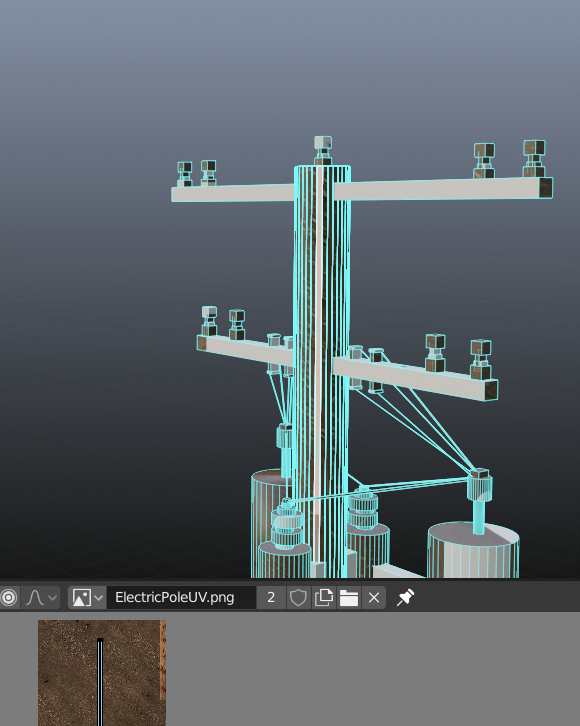
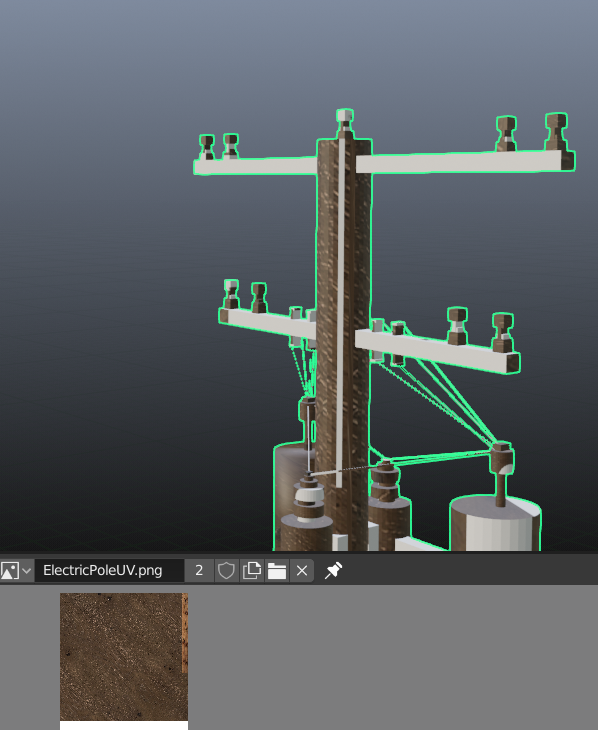
From the screenshots below, you can see it's generating a white line because it thinks the UV Island is over the white part of the image, when it is not.
Now I've had this issue before, but I've always solved it using standard methods, but this time it will not go away.
It seems to work (sometimes) in Material Preview. Note that I am only using an Albedo texture, very simple, yet Blender refuses to map the UV properly.
Also note that it worked originally, then the issue cropped up out of nowhere. I've tried recal'n normals and scale and rotation.
Tried unwrapping in multiple ways, it's almost like no matter where I move that UV island to, it always thinks it is on the other side.
