

F747fly
Resource contributor
- Messages
- 1,713
- Country

This is an issue that has been bugging me ever since my failed A350 project. I thought about this long and hard and can't get my head around this one, the pieces just don't come together for me here so maybe some of you guys can help.
What's the issue?
The issue I'm facing concerns the tagging and rigging of the multi-movement sidesticks as used on modern day Airbus aircraft (A32X, A33X, A34X, A35X and A388). The movement of such a stick includes two motions, forward/backward and left/right. Normally these motions would be included in two different objects, forward/backward would be in the "stick" (vertical part) and the left/right would be in the "yoke" (part allowing for "steering"). As the concerned type of sidestick does not have separate parts to control these individual inputs on the elevators and ailerons/spoilers it would seem necessary to tag this part with two animation tags which is obviously impossible.
Addition to the issue
Additionally, this type of controller features a rubber housing to protect the underlying mechanisms. This non-rigid surface would require an armature animation rigging. This is what I've been focussing on thus far, as the sidestick itself is rigid and would simply be an extension to this part. Therefore I have modeled a simple example of this part:

First thought
My first thought on this problem was to somehow incorporate the two animation tags required for the individual motions in the rigging. I had two thoughts on this, both of which resulted in nothing for me. The first idea was to somehow use empties to imply one of these tags on the armature, which itself would be tagged with the remaining tag. The second thought was to have two identical armatures, both influencing the same parts of the mesh, and tag and rig those with the two animations required. Both of these thoughts seem to be flawed but let me know if anyone has any idea if either of them might work somehow.
Other then that I'm at a complete loss....
Technicalities
Here are some technical things that might be useful:
Front
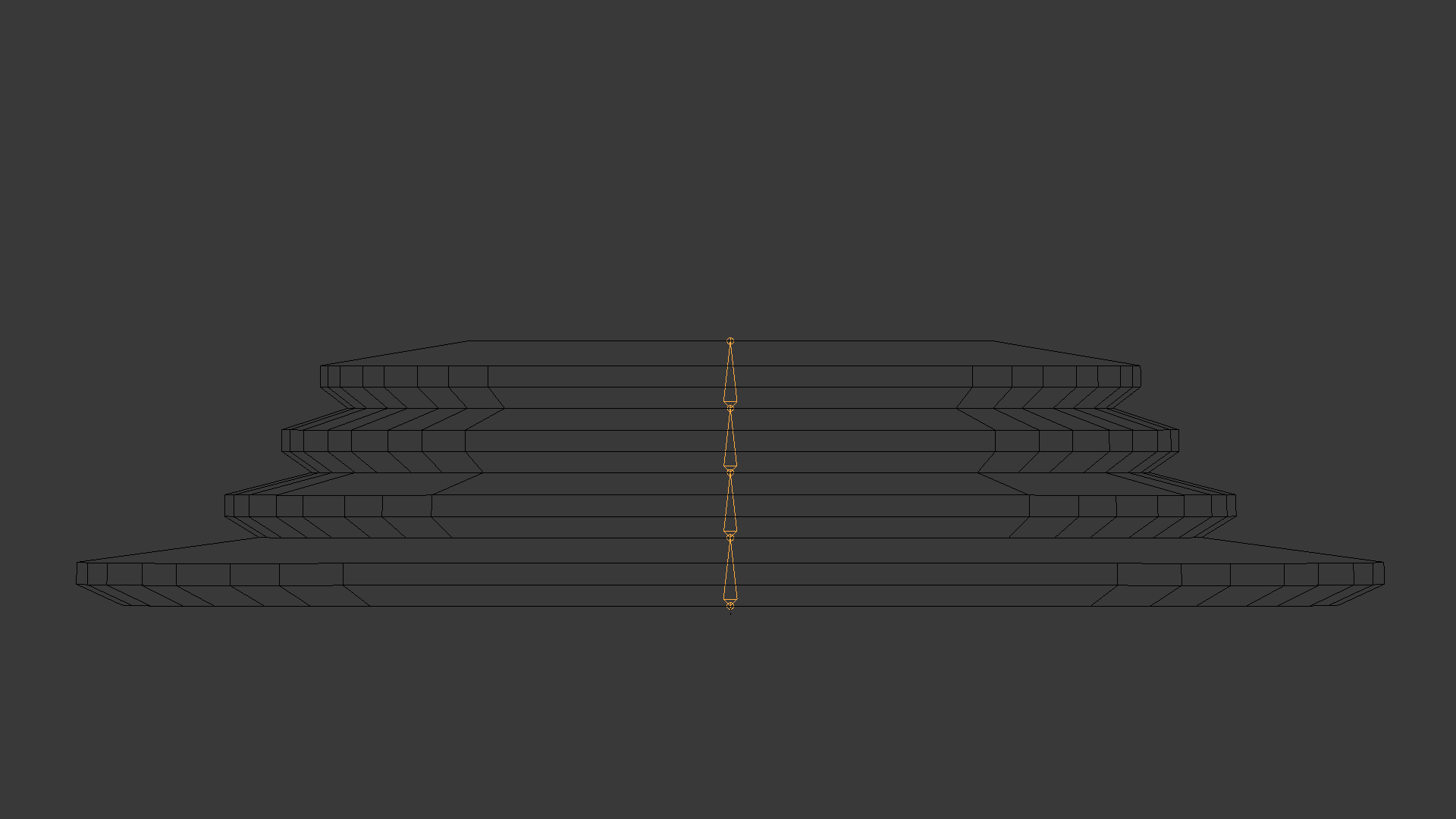
Side

Top

Note: The orange object is the armature, located in the centre of the object,
What's the issue?
The issue I'm facing concerns the tagging and rigging of the multi-movement sidesticks as used on modern day Airbus aircraft (A32X, A33X, A34X, A35X and A388). The movement of such a stick includes two motions, forward/backward and left/right. Normally these motions would be included in two different objects, forward/backward would be in the "stick" (vertical part) and the left/right would be in the "yoke" (part allowing for "steering"). As the concerned type of sidestick does not have separate parts to control these individual inputs on the elevators and ailerons/spoilers it would seem necessary to tag this part with two animation tags which is obviously impossible.
Addition to the issue
Additionally, this type of controller features a rubber housing to protect the underlying mechanisms. This non-rigid surface would require an armature animation rigging. This is what I've been focussing on thus far, as the sidestick itself is rigid and would simply be an extension to this part. Therefore I have modeled a simple example of this part:
First thought
My first thought on this problem was to somehow incorporate the two animation tags required for the individual motions in the rigging. I had two thoughts on this, both of which resulted in nothing for me. The first idea was to somehow use empties to imply one of these tags on the armature, which itself would be tagged with the remaining tag. The second thought was to have two identical armatures, both influencing the same parts of the mesh, and tag and rig those with the two animations required. Both of these thoughts seem to be flawed but let me know if anyone has any idea if either of them might work somehow.
Other then that I'm at a complete loss....
Technicalities
Here are some technical things that might be useful:
Front
Side
Top
Note: The orange object is the armature, located in the centre of the object,


