• Which the release of FS2020 we see an explosition of activity on the forun and of course we are very happy to see this. But having all questions about FS2020 in one forum becomes a bit messy. So therefore we would like to ask you all to use the following guidelines when posting your questions:

    • Tag FS2020 specific questions with the MSFS2020 tag.
    • Questions about making 3D assets can be posted in the 3D asset design forum. Either post them in the subforum of the modelling tool you use or in the general forum if they are general.
    • Questions about aircraft design can be posted in the Aircraft design forum
    • Questions about airport design can be posted in the FS2020 airport design forum. Once airport development tools have been updated for FS2020 you can post tool speciifc questions in the subforums of those tools as well of course.
    • Questions about terrain design can be posted in the FS2020 terrain design forum.
    • Questions about SimConnect can be posted in the SimConnect forum.

    Any other question that is not specific to an aspect of development or tool can be posted in the General chat forum.

    By following these guidelines we make sure that the forums remain easy to read for everybody and also that the right people can find your post to answer it.

FS2004 CAT - Conditional Animation Tool (New?)

  • Thread starter Thread starter Aviasim
  • Start date Start date
A

Aviasim

Guest
Hi, this is really a message and request for Arno,

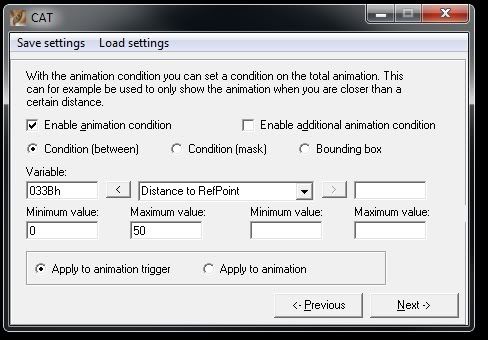
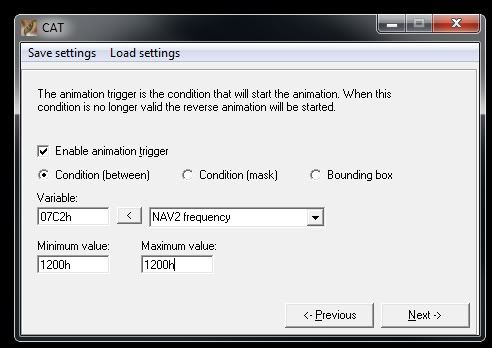
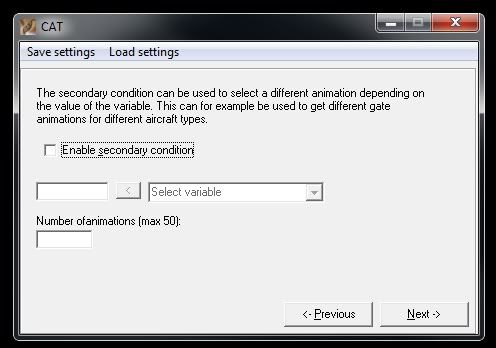
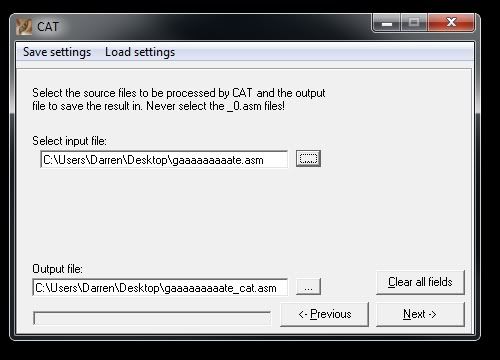
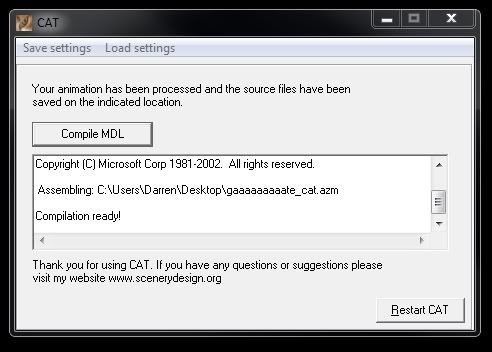
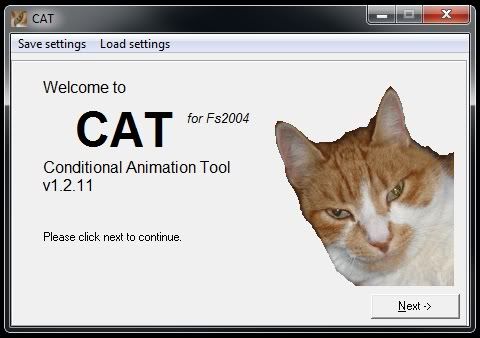
Arno, I have followed your video tutorial on CAT, it seems the prog has changed since then, more options on the first screen etc... basically I have a normal gate (NOT a jetway)... My plan is to get this gate to open when I am within 50 meters and NAV2 Frequency set to 112.00... I have done (i think) correct in CAT - however, the gate doesnt move at all, using the same MDL I can get the gate to open when I am within 50 meters, but it does not reverse close, besided, I'ld really like to control when it opens and closes (reverse animation) with that NAV2 frequency inside the distance.. Here are some screenshots of CAT:

Welcome
1-1.jpg


2-1.jpg


3-1.jpg


4-1.jpg


5.jpg


6.jpg


That is the exact process I took to try and accomplish what I wanted, so from that, you would be expecting to see a gate that opens when the user is within 50 meters of the gate with NAV2 turned to 112.00 wouldn't you? Well, nope, for some reason, this gate doesnt even move!

Please, this CAT appears to have new interface, please new tutorial Mr. Arno!!
 
Fixed it, working good now, just that for some reason this gate is now upside down and opens/rotates on a Z axis... this is not the case in GMax though. In GMax the gate is the rite way up ofcourse and opens/rotates on the Y axis...strange! However, the animation triggers now work thanks to these threads:

http://www.fsdeveloper.com/forum/showthread.php?t=75366
http://www.fsdeveloper.com/forum/showthread.php?t=98690

All the best, and I have just learnt something new again in scenery design; animations! :D:o:rolleyes:
 
Hi,

Does your object has transparency? That is often the reason for inverted animated objects.
 
Not fixed, this is just crazy

I make a perfect animation on my gates only, these should open upwards... but in FS, i get other objects rotating with it, but shouldnt be, such as the little fences either side of my gate, I applied no animation to these, just the gates.

What's the issue there?
From GMax, how can I make it to give me the ASM and _0.ASM files? because now when I export it only gives me a .MDL file which I have to run through MCX, which MCX seems to be messing everything up with the model and animation and also adding animations to objects which shouldnt have an animation.

When I export, MakeMDL doesnt stay open so I can not check the box to save the ASM and _0.ASM files... is there something I should do? so complicated I been up all night and morning and afternoon on this
 
Hi,

Does your object has transparency? That is often the reason for inverted animated objects.

Nope, no transparency at all... I personally think it is MCX that is screwing up my model and animation but I have to run through MCX to get the ASM and _0.ASM files... see above post
 
Thanks Arno,

I was sure I had to make this file as I done it before but completely forgot as I switched over to Max 9

Thankyou for refreshing my memory!
 
Back
Top