• Which the release of FS2020 we see an explosition of activity on the forun and of course we are very happy to see this. But having all questions about FS2020 in one forum becomes a bit messy. So therefore we would like to ask you all to use the following guidelines when posting your questions:

    • Tag FS2020 specific questions with the MSFS2020 tag.
    • Questions about making 3D assets can be posted in the 3D asset design forum. Either post them in the subforum of the modelling tool you use or in the general forum if they are general.
    • Questions about aircraft design can be posted in the Aircraft design forum
    • Questions about airport design can be posted in the FS2020 airport design forum. Once airport development tools have been updated for FS2020 you can post tool speciifc questions in the subforums of those tools as well of course.
    • Questions about terrain design can be posted in the FS2020 terrain design forum.
    • Questions about SimConnect can be posted in the SimConnect forum.

    Any other question that is not specific to an aspect of development or tool can be posted in the General chat forum.

    By following these guidelines we make sure that the forums remain easy to read for everybody and also that the right people can find your post to answer it.

Compiled objects not visible in FSX

Messages
6
Country
unitedkingdom
I am running FSX sp2 in windows 10.
ADE appears to compile new airports and runways etc and taxiways display in fsx but recently the objects (hangers trees vehicles etc) are compiling ok in ADE, but are not visible in FSX.
I have de installed sp1 and sp2, repaired FSX, reinstalled sp1 and sp2. I have removed ADE 175 and installed ADE 176, all in an attempt to solve the problem without success. Any thoughts please?
Alan
 
Hi,

Are you using default library bgl files for the hangars or are they objects you made yourself?
 
Or are they in library BGL files you downloaded? If so, they need to be in an active scenery folder - the ADE file does not contain the library objects themselves, only references to them.
 
Hi
Thanks for the replies.
They are library objects e.g. hanger01 23a60e33-ef8e-4a31-8d8b-a74e3b791d3b
 
Sorry I sent that too soon, Another example is
arcacia1 set 10m hw dd424aa1-4374-4acf-ae86-d846a7d06dec from vegitation.bgl file
hanger01 is in the airport_objects file
I have not included any objects that I have made and or any downloaded bgl files to my knowledge.
Thanks
 
There are many reasons why this might be happening.

To help us to help you, please attach your .ad4 file to your reply.
 
Please find the attached ad4 file. Most files were too large to attach so I have attached Drayton St Leonard: A GA airfield west of London Heathrow. VOR,'s - LON 293/26.9 - BNN 260/21.8 - CPT 019/18.9
I added the hanger01 and arcacia set as I had mentioned them earlier.
Thanks
Alan
 

Attachments

Thanks for the reply George.
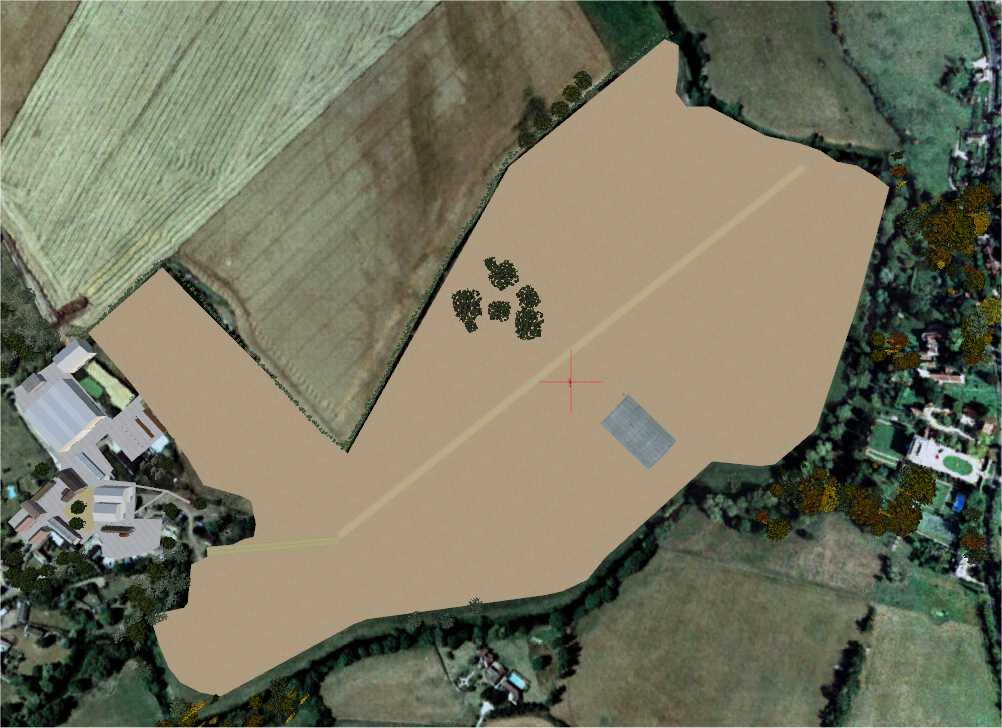
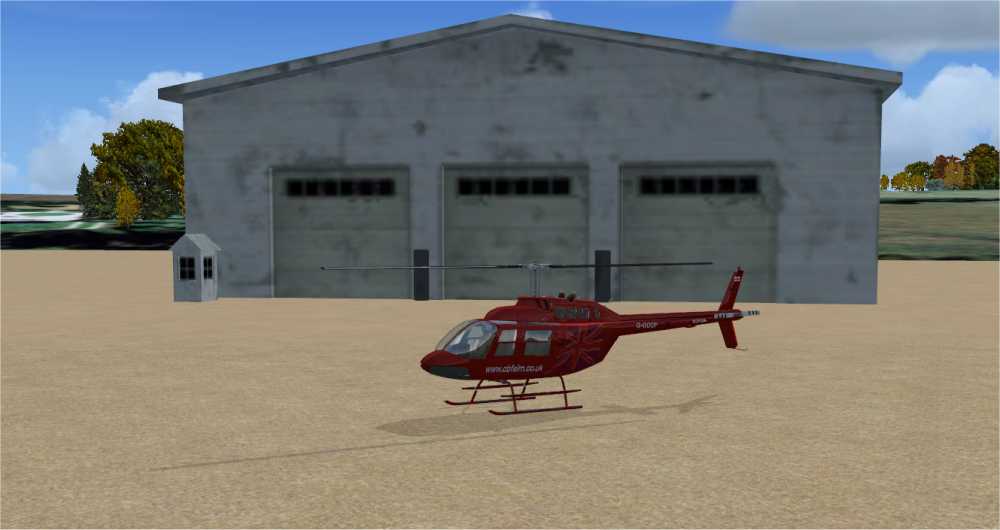
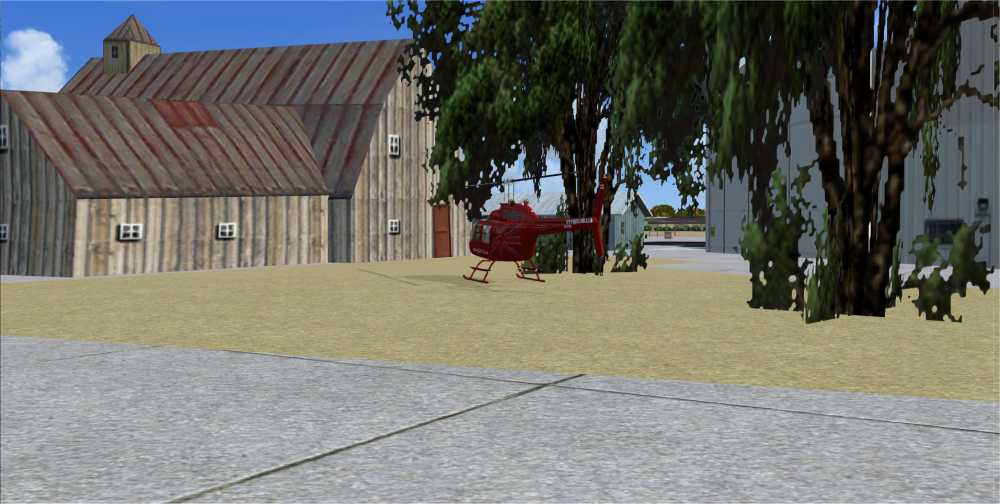
For info here are the same views that I have in FSX
No library objects visible
1569927783002.png


In the second photo the hanger is completely missing

1569927880996.png

and the farm buildings are missing in the 3rd photo

1569927984212.png


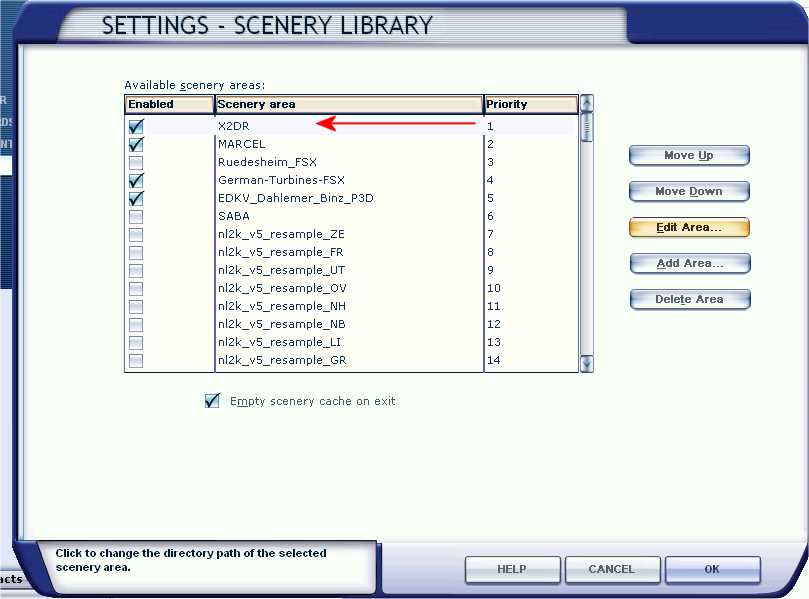
The fourth screen shot below shows the ADE file of the airfield with all the objects.

1569931486125.png


These objects appear in your first screenshot but not in mine.
The same is true for shots 3 and 4.
Therefore I surmise, that as you are able to see the objects in your fsx programme, my ADE programme must be compiling correctly.
So the problem must lie within my FSX programme.

Whilst I agree that the exclusions must be in an active folder. It must be a folder that affects all library objects in all add on airfields. My FSX programme does not appear to be reading my OBJ.bgl files.

Does this point to the scenery.CFG file ? If so, what am I looking for as Library Objects does not appear in it?
Or are the library objects not installed in FSX? (because I cannot find a folder with them in it.)
Many Thanks
Alan
 
Exclusion recrangles will exclude objects in their areas from any scanery area below them in the scenery library.

I would suggest that you move your X2DR bgl files from where you now have them now to a new area, say, X2DR\Scenery\ then add this as a new scenery area at the top of the library:


All of the objects you have used are either generic objects or are defined the the default FSX libraries such as Scener\World\Global\Scenery.
 
One other thing to check is your scenery density slider. When you add a library object with ADE it sets the scenery density of the object to Normal. You can change this of course. Make sure that your scenery density slider is set to Extremely Dense to ensure that all objects will be shown.
 
Gentlemen
Thank you. Problem solved. The slider that Ed mentioned was set to sparse. I doubt if I would have found th solution as quickly without your help.
Now to add the start points!!!
Many thanks again
Alan
 
I'm having the same issue, except mine is with objects I made. I have the .bgl and the .mdl files. I've checked them and they appear to be working fine without any errors. they are simple objects, just some flowers. I have the .mdl,.bgl,and the textures all in the same folder as the rest. I have some signs that are also in the same folder, I can import those into ADE and add them and they show fine in FSX, the flowers which were all done the exact same way, simply don't show up when I compile the airport. I've tried different settings of sliders, I've tried even bringing the elevation up to see if they were getting burried under the polys or something, still I just can't get them to show up. I must be missing something here. These are objects I used way back when and they worked fine. For some weird reason they don't work now.
 
You write you have the BGL and textures in the same folder, but I hope the BGL is in the scenery folder of your project and the textures in the texture folder?
 
Back
Top