• Which the release of FS2020 we see an explosition of activity on the forun and of course we are very happy to see this. But having all questions about FS2020 in one forum becomes a bit messy. So therefore we would like to ask you all to use the following guidelines when posting your questions:

    • Tag FS2020 specific questions with the MSFS2020 tag.
    • Questions about making 3D assets can be posted in the 3D asset design forum. Either post them in the subforum of the modelling tool you use or in the general forum if they are general.
    • Questions about aircraft design can be posted in the Aircraft design forum
    • Questions about airport design can be posted in the FS2020 airport design forum. Once airport development tools have been updated for FS2020 you can post tool speciifc questions in the subforums of those tools as well of course.
    • Questions about terrain design can be posted in the FS2020 terrain design forum.
    • Questions about SimConnect can be posted in the SimConnect forum.

    Any other question that is not specific to an aspect of development or tool can be posted in the General chat forum.

    By following these guidelines we make sure that the forums remain easy to read for everybody and also that the right people can find your post to answer it.

MSFS20 Custom Wind Turbine

Messages
105
Country
ukraine
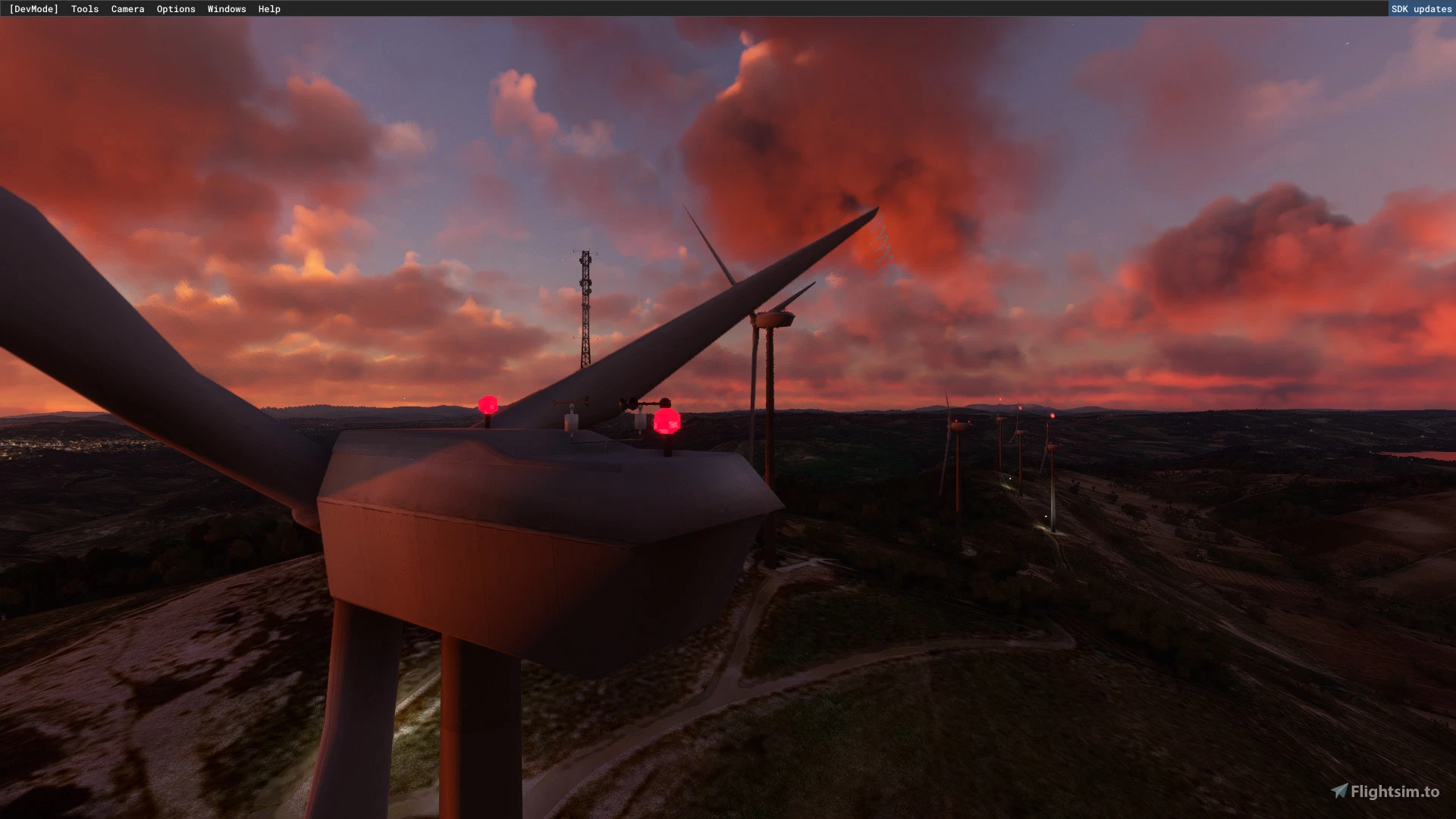
Has anyone had any success creating a model of a wind turbine? I intended to use Asobo's one from their library but it looks hideous. My guess is that it works like a windsock but problem is I can't even get a custom wind sock to work :D
 
Has anyone had any success creating a model of a wind turbine? I intended to use Asobo's one from their library but it looks hideous. My guess is that it works like a windsock but problem is I can't even get a custom wind sock to work :D
if you work with 3ds Max, it's not much different than a flag or windsock; you can use the sample in the SDK

I suppose I'd do it like this:
create a container and put the model in there
-Child one top of the turbine in another container
-Child two the fan blades in another container (make sure all pivots are in the center etc)

4 animations like the windsock,
- 1 Child one 360 degrees rotation 360 frames for wind direction
- 2 Child two speed 1 (low wind)
- 3 Child two speed 2 (med wind)
- 4 Child two speed 3 (high wind)

And then export as sim object, you can use the template provided with the windsock sample, copy the animation names and make sure that they are linked to the same name as you give them in the Babylon animations window.
 
Has anyone had any success creating a model of a wind turbine? I intended to use Asobo's one from their library but it looks hideous. My guess is that it works like a windsock but problem is I can't even get a custom wind sock to work :D
If you need some inspiration and code


Be aware that the "random" used in the animations since su10 is causing a glitch when wind speed changes


Inviato dal mio Mi 9 Lite utilizzando Tapatalk
 
If you need some inspiration and code


Be aware that the "random" used in the animations since su10 is causing a glitch when wind speed changes


Inviato dal mio Mi 9 Lite utilizzando Tapatalk
if you work with 3ds Max, it's not much different than a flag or windsock; you can use the sample in the SDK

I suppose I'd do it like this:
create a container and put the model in there
-Child one top of the turbine in another container
-Child two the fan blades in another container (make sure all pivots are in the center etc)

4 animations like the windsock,
- 1 Child one 360 degrees rotation 360 frames for wind direction
- 2 Child two speed 1 (low wind)
- 3 Child two speed 2 (med wind)
- 4 Child two speed 3 (high wind)

And then export as sim object, you can use the template provided with the windsock sample, copy the animation names and make sure that they are linked to the same name as you give them in the Babylon animations window.
Thank you guys for your help here. I'll try to come up with something now :)
 
Back
Top