
-
Which the release of FS2020 we see an explosition of activity on the forun and of course we are very happy to see this. But having all questions about FS2020 in one forum becomes a bit messy. So therefore we would like to ask you all to use the following guidelines when posting your questions:
- Tag FS2020 specific questions with the MSFS2020 tag.
- Questions about making 3D assets can be posted in the 3D asset design forum. Either post them in the subforum of the modelling tool you use or in the general forum if they are general.
- Questions about aircraft design can be posted in the Aircraft design forum
- Questions about airport design can be posted in the FS2020 airport design forum. Once airport development tools have been updated for FS2020 you can post tool speciifc questions in the subforums of those tools as well of course.
- Questions about terrain design can be posted in the FS2020 terrain design forum.
- Questions about SimConnect can be posted in the SimConnect forum.
Any other question that is not specific to an aspect of development or tool can be posted in the General chat forum.
By following these guidelines we make sure that the forums remain easy to read for everybody and also that the right people can find your post to answer it.
You are using an out of date browser. It may not display this or other websites correctly.
You should upgrade or use an alternative browser.
You should upgrade or use an alternative browser.
MSFS20 Decal materials in Blender
- Thread starter TangoGolf
- Start date

I think I will probably need to understand both and I'm not sure if there are two types or 'Decals' or if I am just getting confused.
In the MSFS SDK I see where a Decal can be like a placard or insignia placed on a texture, but I also see that there is a 'Decal' material in Blender for mesh.
Should I make a mesh rivet head in Blender and apply the Decal material to it and then replicate that mesh item over the fuselage or is this the wrong approach?

In the MSFS SDK I see where a Decal can be like a placard or insignia placed on a texture, but I also see that there is a 'Decal' material in Blender for mesh.
Should I make a mesh rivet head in Blender and apply the Decal material to it and then replicate that mesh item over the fuselage or is this the wrong approach?

Pyscen
Resource contributor
- Messages
- 3,040
- Country

I would forget about the MSFS SDK for this for a moment. The Decals are no more than textures in this case.
For Substance Painter, they are either called material stamps, decals, or stencils. I use material stamps the most. Watch this video:
. It will explain the differences between each of them.
Within Blender, take a look at these tutorials:
BlenderBlender 2.8 Tutorial - How to Add Decals/Stickers to Any Surface -
Workflow for Creating Normal Map Decals in Blender -
How to Add Decals/Logos to Any Model in Blender -
Within Blender, it is a little more time-consuming as you might find out.
For Substance Painter, they are either called material stamps, decals, or stencils. I use material stamps the most. Watch this video:
Within Blender, take a look at these tutorials:
BlenderBlender 2.8 Tutorial - How to Add Decals/Stickers to Any Surface -
Within Blender, it is a little more time-consuming as you might find out.
Last edited:
Substance Painter alpha decals work well when the texture resolution is high. The texture size for the aft canopy below is 4096 x 4096, but when the mesh UV is smaller on the sheet, such as with the larger fuselage, I can't maintain the same detail.
From reading the MSFS SDK, it refers to the Decals being a material and in Blender there is a MSFS Material Params selection for MSFS Decal.
Do I need to make thousands of copies of the rivets, using a decal texture sheet and place them on the mesh?

From reading the MSFS SDK, it refers to the Decals being a material and in Blender there is a MSFS Material Params selection for MSFS Decal.
Do I need to make thousands of copies of the rivets, using a decal texture sheet and place them on the mesh?
- Messages
- 113
- Country

From reading the MSFS SDK, it refers to the Decals being a material and in Blender there is a MSFS Material Params selection for MSFS Decal.
Do I need to make thousands of copies of the rivets, using a decal texture sheet and place them on the mesh?
In practical terms, msfs decals are created with textures that have special properties that identify them as such, along with the drawing order (in case of multiple decal sheets). As I understand it, msfs draws decal textures on a separate rendering pass (after the base textures).
You would probably not place each and every rivet individually. Many would be placed with thin strips (of geometry) onto which the rivet [decal] texture would be drawn. The decal texture would likely contain a row of rivet decals, and the texture would be made to repeat.
- Messages
- 113
- Country
"Decal" is the term used by the developers, and adopted by the community. Easier to avoid confusion if the same term is used.
Moreover, if one examines (for example) the default A320, it will be found that the rivets are being applied to the model with a "decal" texture.
Moreover, if one examines (for example) the default A320, it will be found that the rivets are being applied to the model with a "decal" texture.
Pyscen
Resource contributor
- Messages
- 3,040
- Country
The term "Decals" was used long prior or before developers of 3D modeling. They were used to cut cost, such as pin-stripes or racing stripes on cars. Generally, used to cut cost. Stickers were used for the same reasons.
Yes, my age is showing
No matter what they are called, they both use resources!
Yes, my age is showing
No matter what they are called, they both use resources!
I seem to have run out of available scale in SP for decals. My brush size for the rivet decals on the canopy was 0.05 and due to the smaller size of the fuselage sections relative to the texture sheet, I needed to be down to a brush size of 0.02, but this does not provide any clarity for the fuselage rivets.
When I look at the MSFS default A320 aircraft 'Decals' are being used to create rivets on the structure.

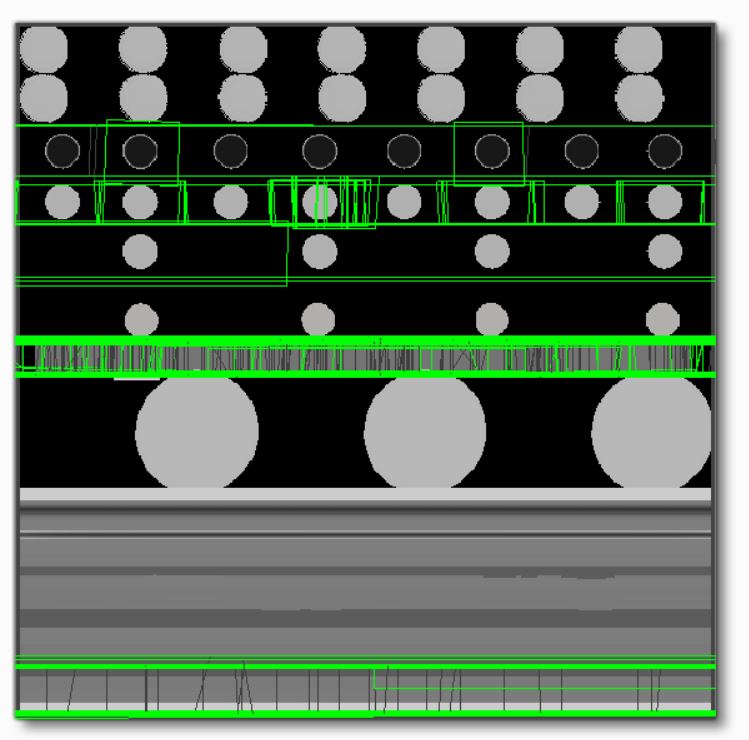
If I import the MSFS A320 model into Blender, then I can see that the rivet 'decals' are being applied as a separate mesh on top of the aircraft structure. I can't see all the material settings as they are not imported fully into Blender, but it does show that there are three DDS textures for Albedo, Normal and Comp named Ribbons used for the Decal material. I have tried converting them to DDS and have attached them to this post for reference.

When I look at the MSFS default A320 aircraft 'Decals' are being used to create rivets on the structure.
If I import the MSFS A320 model into Blender, then I can see that the rivet 'decals' are being applied as a separate mesh on top of the aircraft structure. I can't see all the material settings as they are not imported fully into Blender, but it does show that there are three DDS textures for Albedo, Normal and Comp named Ribbons used for the Decal material. I have tried converting them to DDS and have attached them to this post for reference.
Attachments


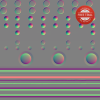
I have made a test panel in SP with some decals and applied them to a test section of my Blender model's fuselage as a separate part with a MSFS Decal material mode selected as shown below. Test panel textures are also attached for reference.

The test panel decals display in MSFS, but don't seem to have as much 'depth' as in SP or when MSFS Standard material is selected in Blender.
Also, the decal seems to be effecting the fuselage normals direction and the fuselage is semi-transparent instead of solid.


The test panel decals display in MSFS, but don't seem to have as much 'depth' as in SP or when MSFS Standard material is selected in Blender.
Also, the decal seems to be effecting the fuselage normals direction and the fuselage is semi-transparent instead of solid.
Attachments
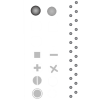

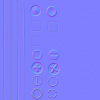

Here are my decals:
This shot in blender should show the material setup. I'd check the blend properties on your material. I also have the decals part of the same mesh as the fuselage. I can't remember if this is necessary for the decals to work properly.

Also, check your material in the Shading tab. I think, by default the alpha_multiply output is not connected to the alpha of the bsdf. No alpha multiply would render your material as a solid like in your screenshots.

Attached are the textures. I found that making a single large texture with many variations the best way to test which was the best formula. What you see in MSFS will not necessarily match what you see in Blender so the best way is to make a whole lot of variations and check them against each other in MSFS.
This shot in blender should show the material setup. I'd check the blend properties on your material. I also have the decals part of the same mesh as the fuselage. I can't remember if this is necessary for the decals to work properly.
Also, check your material in the Shading tab. I think, by default the alpha_multiply output is not connected to the alpha of the bsdf. No alpha multiply would render your material as a solid like in your screenshots.
Attached are the textures. I found that making a single large texture with many variations the best way to test which was the best formula. What you see in MSFS will not necessarily match what you see in Blender so the best way is to make a whole lot of variations and check them against each other in MSFS.
Attachments


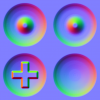
- Messages
- 113
- Country
<snip> I also have the decals part of the same mesh as the fuselage. I can't remember if this is necessary for the decals to work properly.
<snip>
It is not necessary. I do not claim to be an expert, but I use separate geometry for "decals," following the Asobo usage and numerous discussions. In fact, the general use case is to separate them so that the texturing of the main mesh can be simplified and detail added only where it exists. (Also makes creating LODs for scenery objects a bit easier.)
In any case there can be z-plane conflict so the decal is usually slightly raised (seems to me to be less of an issue than earlier sims).
I checked the material in the shading tab and found that the alpha_multiply was not connected to the Alpha and also the albedo_tint was not connected to the albedo_tint_mix.
After connecting those nodes I exported the Blender model to MSFS using Anthony's rivet textures in the decal 'test' panel and as part of the same mesh as the fuselage, but it still does not display a '3D' image.
I tried making the fastener sizes smaller and making the decal a separate part to the fuselage, but still the decal does not seem to be in '3D'.
I must still be doing something wrong.


After connecting those nodes I exported the Blender model to MSFS using Anthony's rivet textures in the decal 'test' panel and as part of the same mesh as the fuselage, but it still does not display a '3D' image.
I tried making the fastener sizes smaller and making the decal a separate part to the fuselage, but still the decal does not seem to be in '3D'.
I must still be doing something wrong.