

arwasairl
Resource contributor
- Messages
- 39
- Country

I am texturing a simobject with the detail texture, but for whatever reason, in MSFS2020, the sim applies the detail texture throughout the entire object when I very clearly set vertex colors to 0 for the areas where I do not want this texture to appear.
In the below example, the tan-ish part is set to 0.0 alpha vertex color in the vertex color property within 3dsmax.

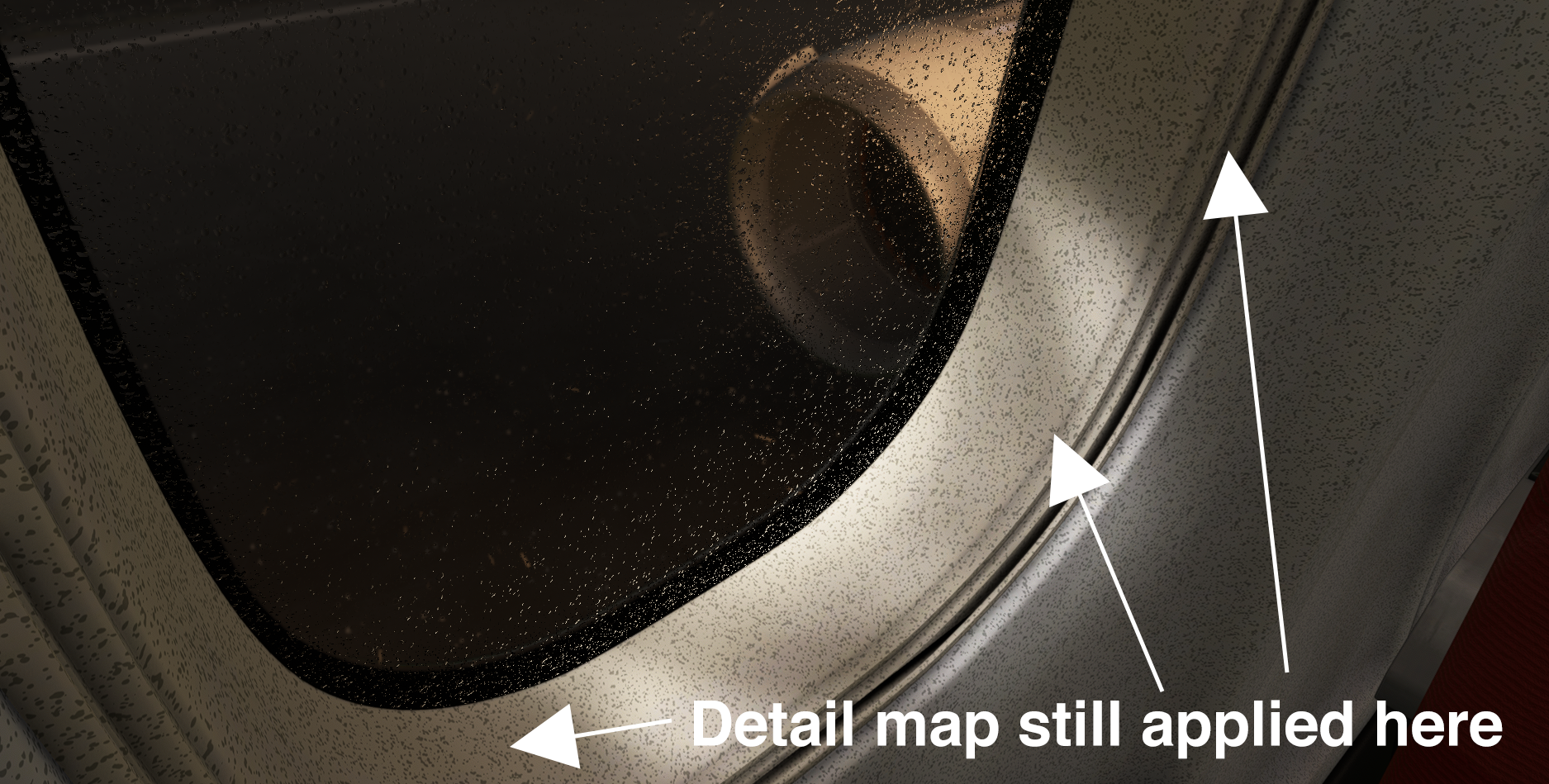
In the sim however, the very areas that I clearly marked to not have a detail map still has the detail map applied. I have re-exported the model about 3 times, with no changes in terms of the detail map issue. In the 3dsmax viewport, the detail map is not applied, but in the sim, it is. The object I am applying this to is not a part of a multi-material but is an instanced object (in case if that matters).
In the below example, the tan-ish part is set to 0.0 alpha vertex color in the vertex color property within 3dsmax.
In the sim however, the very areas that I clearly marked to not have a detail map still has the detail map applied. I have re-exported the model about 3 times, with no changes in terms of the detail map issue. In the 3dsmax viewport, the detail map is not applied, but in the sim, it is. The object I am applying this to is not a part of a multi-material but is an instanced object (in case if that matters).