• Which the release of FS2020 we see an explosition of activity on the forun and of course we are very happy to see this. But having all questions about FS2020 in one forum becomes a bit messy. So therefore we would like to ask you all to use the following guidelines when posting your questions:

    • Tag FS2020 specific questions with the MSFS2020 tag.
    • Questions about making 3D assets can be posted in the 3D asset design forum. Either post them in the subforum of the modelling tool you use or in the general forum if they are general.
    • Questions about aircraft design can be posted in the Aircraft design forum
    • Questions about airport design can be posted in the FS2020 airport design forum. Once airport development tools have been updated for FS2020 you can post tool speciifc questions in the subforums of those tools as well of course.
    • Questions about terrain design can be posted in the FS2020 terrain design forum.
    • Questions about SimConnect can be posted in the SimConnect forum.

    Any other question that is not specific to an aspect of development or tool can be posted in the General chat forum.

    By following these guidelines we make sure that the forums remain easy to read for everybody and also that the right people can find your post to answer it.

EGCB - City Airport (Barton Aerodrome, Manchester UK)

Messages
85
Country
unitedkingdom
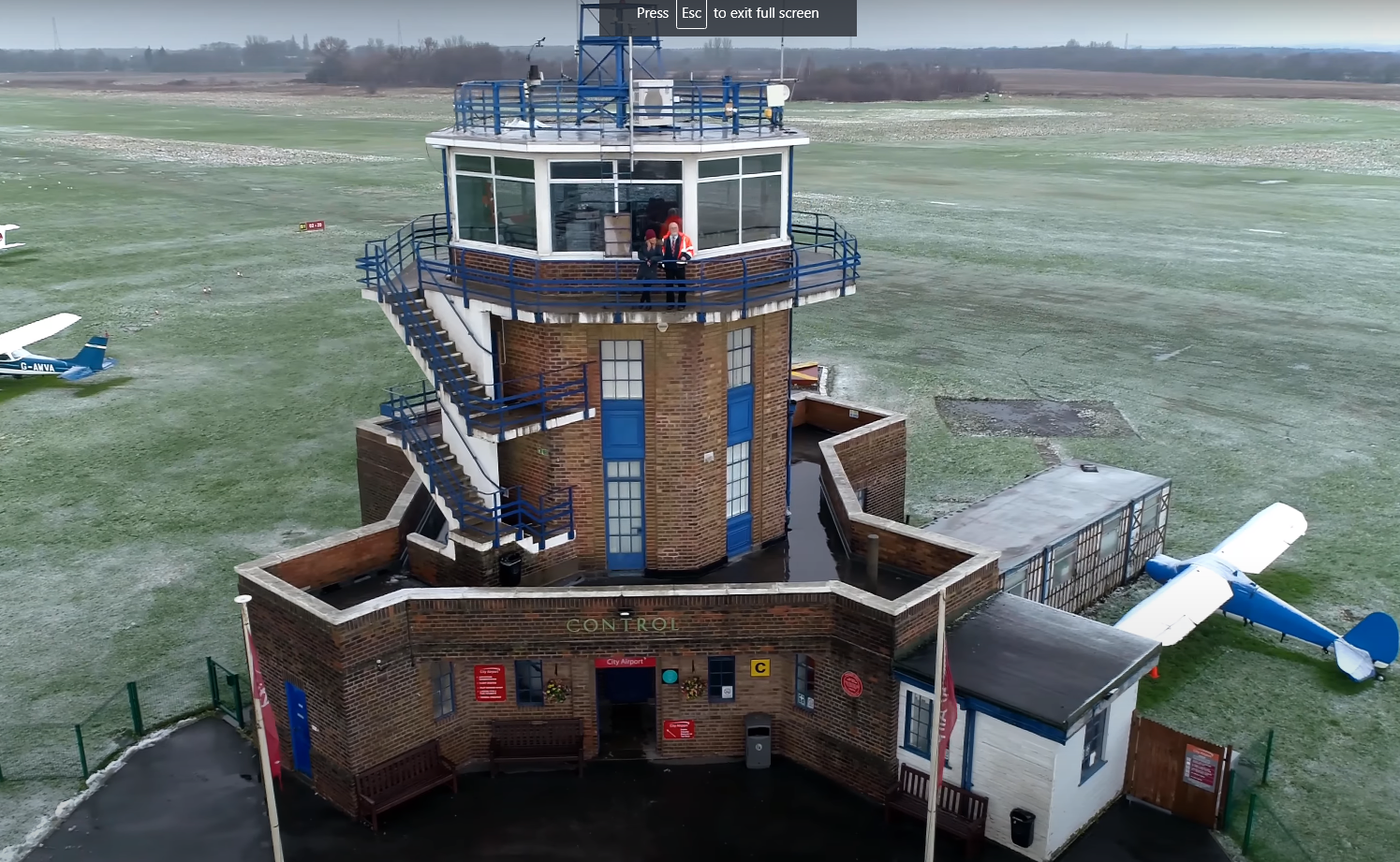
First steps. That staircase is by far the hardest thing I have ever had to model.

1602632491183.png


1602632527847.png
 
may you post a screenshot with the wireframe overlay of the tower? :)

do you model the tower as 1 completle connected object or is the staircase a loose part?
Most of the time the complexity decrease if you make the objects in different parts.

There can even be 2 approaches for this.

2 or more Blender objects or
1 Blender object with different parts in edit mode which are not connected to each other.

btw this tower is very cool! :)
 
Nope. The textures are just taken from photos, with a normal map generated from a greyscale version of the same texture that I've edited a bit.
Nice. I never tried to generate a normal map from a greyscale version. I'll take a look at it, since i do have lots of 4k plain textures.
 
I start with the colour texture, then greyscale it make a heightmap, changing any parts I need to (for example on the below I negative-ised* the bricks to make the mortar lower in the heightmap). I then use this site to turn the heightmap into a normal map.

*totally a word

topPart.png
topPart_bump.png
topPart_norm.png
 
I've also heard good things about Materialize which does a similar thing but with an organised workflow and a bit more finesse, and is free,

 
Last edited:
I've also heard good things about Materialize which does a similar thing but with an organised workflow and a bit more finesse, and is free,

Yea...forgot about it. Materialize is really nice if you need to create maps asap.
If you need Roughness/Metal workflow. just be sure to get a smothness map (and invert it)
 
I'm REALLY enjoying using Materialize for the textures. The fact that FS2020 has roughness, metallic and AO maps makes it hard to visualise how they all work together and Materialize is perfect for that.

1603592821389.png
 
Really nice.
Are you making your Textures sheets based off your Baked AO map? or just a generic one to later use on Blender??
 
I make my texture sheets by hand and then move the UVs in Blender to fit them.

I'm not baking anything at the moment. I'll see how the sim handles the SSAO and if it doesn't look good then I'll look at baking the AO in using Blender. I'm not convinced about getting blender to process low-res textures because any time it resizes them it'll blur them slightly.
 
@Tangerine I've had a play with baking AO, it looks really promising. One thing, I had to unwrap to a new set of UVs to do it - is there any way to get FS to use these UVs for the AO, but use the original UVs for all the other parts? I have my objects unwrapped so that a lot of the texture is used in more than one place, to keep the texture sizes down. If I have to use a new unwrap then it's going to mess all that up.

I can see this being hard to do as FS wraps up the AO into the roughness and metallic map too, so presumably they'd all have to use the same UVs, even if the diffuse is able to use a different set.
 
Last edited:
Back
Top