Basicly I did this already ... could say read the SDK cos everything is explaind there ... but ok:
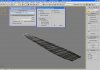
In 3DS Max
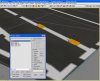
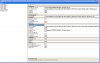
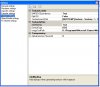
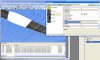
1. go to "Aces Tools" --> "ExportLOD" in there on "File Properties" and set a GUID and Friendly Name. Friendly Name should be the same as the File name.
2. If you click in the Export LOD Tool on Verify --> Verify! you might get some error messages about wrong LOD and stuff. Some of them can be ignored some not (would be to much to explain now with u can ignore)
I would suggest to not export your model over the ExportLOD tool. I use this one to give GUID and FN only.
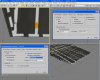
3. Go to File -> Export and choose .X file (Depending on the version of your Max plug-in it might be ESP .X file). Name the .X file as you have named the Friendly Name of your File. In the dialog choose what to export. Default is ok. If you have animations in your file click on "Export animations"
4. Click ok. Max writes a .x file and .xanim file.
5. Go to the folder where you have exported the files --> place a new .txt file copy and paste the code I gave you into the .txt file addapt the paths to what you need, save the .txt file and rename .txt to .bat.
6. Execute the .bat and an MDL should be placed in the folder with your .x and .xanim files.
7. Convert the textures with the the ImageTool from the SDK
If you would like to convert the Textures with your .bat file as well add the following to the .bat as well.
Code:
"C:\YOUR_PATH_TO_THE IMAGETOOL\Imagetool.exe" -batch -nogui -o "C:\YOUR_PATH_WHERE_TEXTURES_SHOULD_BE_SAVED\FILENAME.dds" -dds -DXT5 -nomip "C:\YOUR_TEXTURE_PATH_OF_THE_MAX_MODEL\FILENAME.tga"
Paste that before the "pause"
This converts a .tga to DXT5 .dds file with no mipmaps. If you want a DXT1 .dds file just replace that.
If you have more than 1 texture for your model simply add another line to the batch file.
Thats it - MDL is done.
Hope that helps