• Which the release of FS2020 we see an explosition of activity on the forun and of course we are very happy to see this. But having all questions about FS2020 in one forum becomes a bit messy. So therefore we would like to ask you all to use the following guidelines when posting your questions:

    • Tag FS2020 specific questions with the MSFS2020 tag.
    • Questions about making 3D assets can be posted in the 3D asset design forum. Either post them in the subforum of the modelling tool you use or in the general forum if they are general.
    • Questions about aircraft design can be posted in the Aircraft design forum
    • Questions about airport design can be posted in the FS2020 airport design forum. Once airport development tools have been updated for FS2020 you can post tool speciifc questions in the subforums of those tools as well of course.
    • Questions about terrain design can be posted in the FS2020 terrain design forum.
    • Questions about SimConnect can be posted in the SimConnect forum.

    Any other question that is not specific to an aspect of development or tool can be posted in the General chat forum.

    By following these guidelines we make sure that the forums remain easy to read for everybody and also that the right people can find your post to answer it.

MSFS20 Gauge animation jumping

Messages
28
Country
newzealand
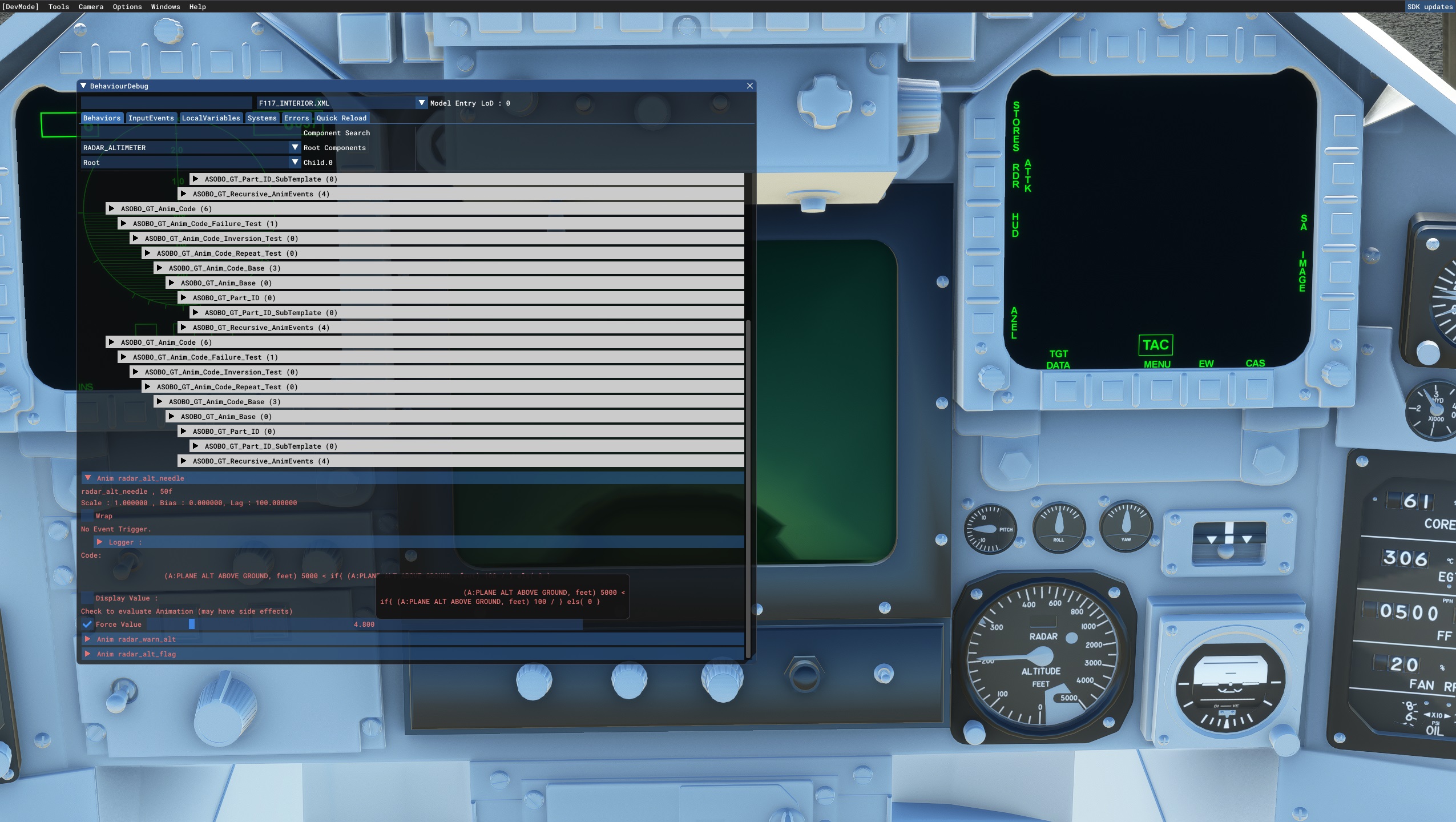
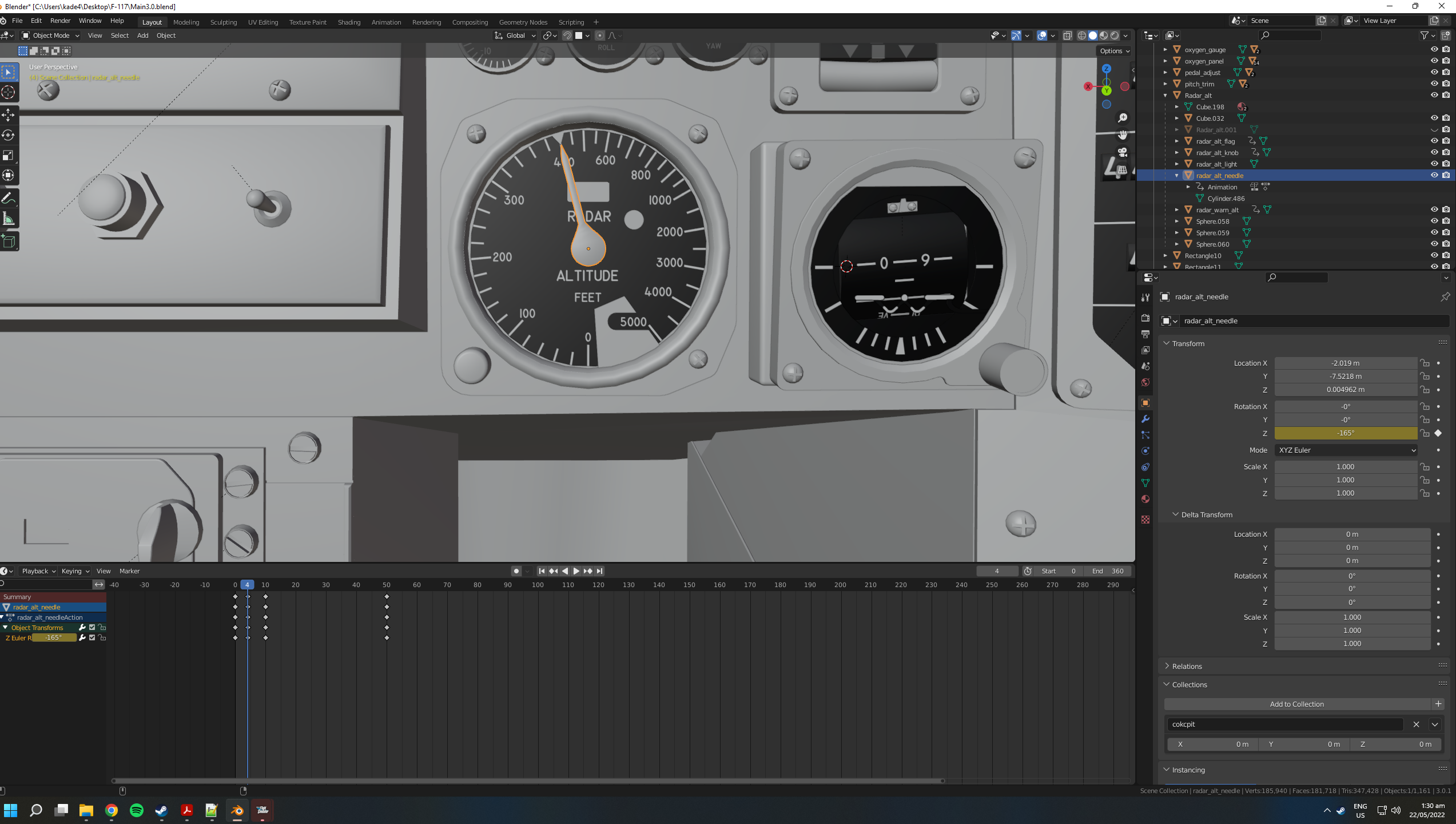
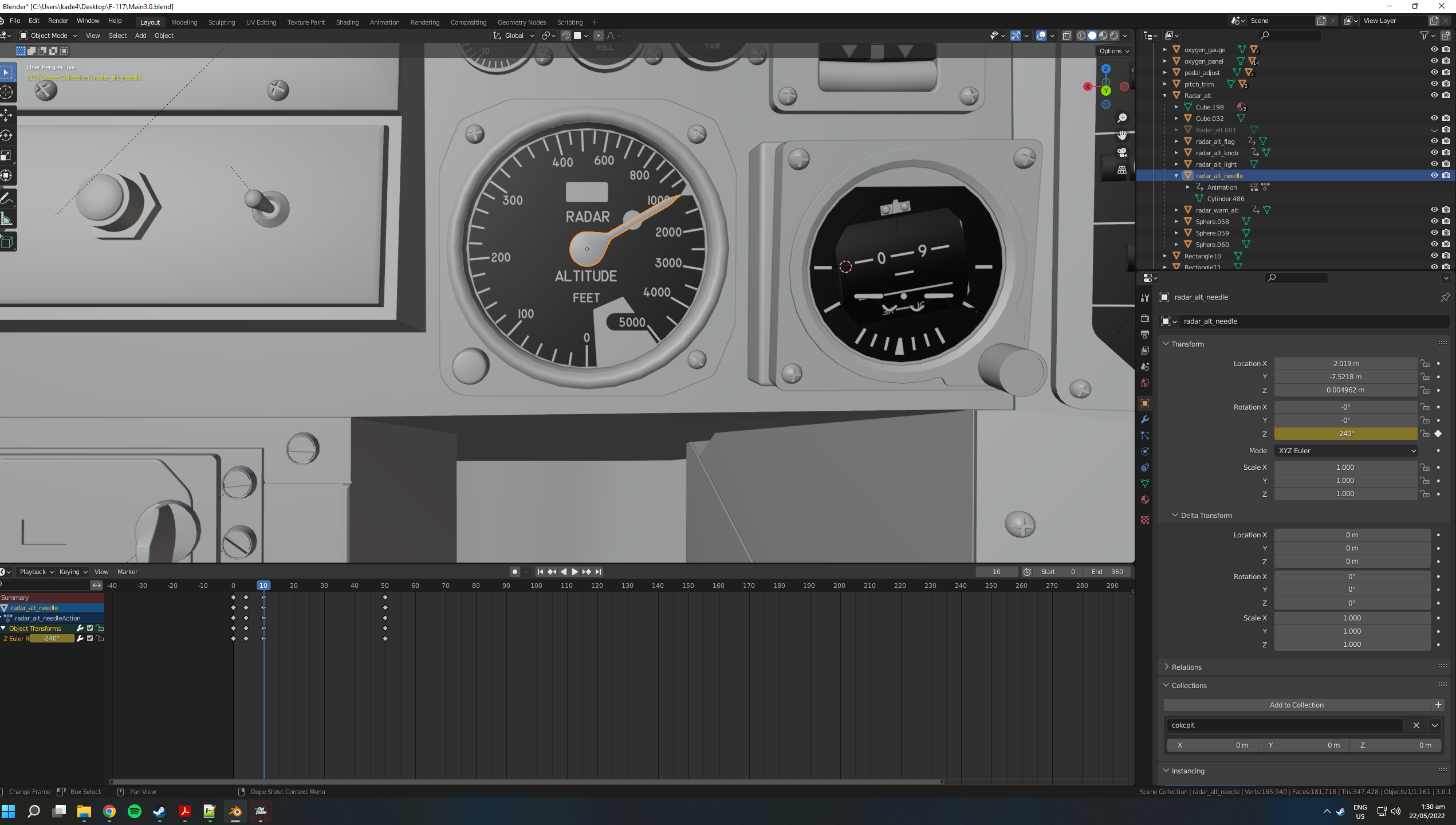
I'm having an issue where an animation is not playing as it is in Blender, the animation code is giving the right values, but the keyframes are in different places when exported to the sim. It seems not to play the top 180 of the gauges animation. Has anyone got a solution for this?
Screenshot (86).jpg
Screenshot (87).jpg
Screenshot (88).png
Screenshot (89).png
Screenshot (90).png
Screenshot (91).png
 
1 - Just an MSFS2020 SDK (test)idea that comes to mind: I see that your current animation runs between 0-50 frames)
- Make a full backup of this blender (file / animation)
- Create a couple of test blend files
- Alter the length of the embedded animations so the same animation in for example
-- 0-25 frames (compress it)
-- 0-75 or 0-100 frames (expand it)
- Export the compressed animation into MSFS2020 and see what happens
- Export the e x p e n d e d animation into MSFS2020 and see what happens


2nd Idea: Add more keyframes in your current animation:
I now only see keyframe at 0, 4?/5? 10 - then a huge gap - and then at 50
- Add keyframe for example at every 5 frames over the length of your entire animation
This enables Blender to calculate a much smoother, less jumpier animation sequence
- Export that animate into MSFS2020 and see what happens next

Why? These two animation variation enable you to find out what causes the trigger inside MSFS2020 that causes your current challenge
- Is it the Blender export script?
- Is it an internal MSFS2020 error?
I'm looking forward to the result of your experiments
 
Thanks for the help Ronald! I think it ended up being an issue with the needles origin, as in that pic it actually setback about 10cm. I moved it to the actual middle of the needle and reanimated it and it worked. I had tried your second idea but it still seemed to ignore half the keyframes. I also tried parenting it to an empty but that brought its own problems. At one point there were 4 needles all animated in different ways trying to see what one worked😂
 
I think it ended up being an issue with the needles origin, as in that pic it actually setback about 10cm.
1 - Blender calculates the animation around an objects (3D) Origin. so you need to make sure the origin is placed at the location where entire needs to revolve around. In your case in the centre of the needle axis.


I also tried parenting it to an empty but that brought its own problems. At one point there were 4 needles all animated in different ways trying to see what one worked
2 - LOL! TIP: If you parent an object that you want to animate for example by rotation to an empty, you first need to:
- remove the original animation from the object
- start to animate the empty instead of the object itself.
otherwise you will end up with multiple animation of that same object :)


3 - Regarding animations, Have you taken a look at the famous Krispy1001 Blender2FSX tutorials video on GoogleTube over here?
-https://www.youtube.com/user/kpgamemods/videos?view=0&sort=da&flow=grid

4 - NOTE: Start watching from episode 21 "How To Use Blender For Making Flight Simulator X Models (FSX) Blender2FSX Part 21"

From this tutorial on forward, Kris shows what you need to know, how to create an animated 3D needle inside an FSX virtual cockpit model gauge.

I hope these tips and the Krispy1001 materials help to finisch your cokpit and the rest of your jet fighter.
 
Last edited:
Back
Top