• Which the release of FS2020 we see an explosition of activity on the forun and of course we are very happy to see this. But having all questions about FS2020 in one forum becomes a bit messy. So therefore we would like to ask you all to use the following guidelines when posting your questions:

    • Tag FS2020 specific questions with the MSFS2020 tag.
    • Questions about making 3D assets can be posted in the 3D asset design forum. Either post them in the subforum of the modelling tool you use or in the general forum if they are general.
    • Questions about aircraft design can be posted in the Aircraft design forum
    • Questions about airport design can be posted in the FS2020 airport design forum. Once airport development tools have been updated for FS2020 you can post tool speciifc questions in the subforums of those tools as well of course.
    • Questions about terrain design can be posted in the FS2020 terrain design forum.
    • Questions about SimConnect can be posted in the SimConnect forum.

    Any other question that is not specific to an aspect of development or tool can be posted in the General chat forum.

    By following these guidelines we make sure that the forums remain easy to read for everybody and also that the right people can find your post to answer it.

GMax + FSX + Windows 7 64 bit

Messages
639
Country
panama
I have both FS9 and FSX but am only interested in developing scenery for FSX. I have Windows 7 Premium 64 bit on my PC as well.

My question is, does anybody knows if there are any compatibility issues between this old GMax product (pre Windows XP) and Windows 7 ? I don't want to corrupt my OS with things that just don't work.
 
I've encountered absolutely no problems whatever...
 
The only problem I ever had that when I left the computer for a minute and came back several hours later :D it had fallen asleep and GMAX had problems to wake up again, I had to go back to the last saved version - so save your work before going for the famous minute...
 
The only problem I ever had that when I left the computer for a minute and came back several hours later :D it had fallen asleep and GMAX had problems to wake up again, I had to go back to the last saved version - so save your work before going for the famous minute...

By default, GMax will "autosave" three timed copies of the project to the ..\gmax\autoback folder. They have a .gx extension...

I've (re)configured the autoback feature to save five iterations at 10 minute intervals, so the most I'll ever loose is <10 minutes of work. :D

In addition, I've (re)configured the normal Save function to automatically increment my saved filenames...

...eliminating the possibility of overwriting my previously saved copy.

With CDs and DVDs being so cheap these days, about once a month I copy all of the "ancient saved files" to disk, so I could go back in time to retrieve the CJ1_exterior_001.gmax if there were any need to do so. :D

Right now, the latest iteration of that part of the project is:
CJ1_exterior_1604.gmax :rotfl:
 
I installed Win7 and gmax this week, I've found that when creating a second material that gamx crashes (it puts a message first saying that I can save me work).

Tried WinXP SP3 compat mode but didn't get any better. Apart from that it works find. Anyone else seen this behaviour?

Take care

Mark
 
Hi Mark,

It is a well known bug that GMax sometimes crashes when you try to edit the material name. I think that happens on any OS :). If I have to rename a material I usually press save first just in case.
 
The simple workaround for this problem is to have both the Material Editor and the Material Library windows open at the same time.

The "bug" is because when you "name" a Material in the Material Editor, it is saved in a variable which isn't even created until the Material Library script has been run at least once...

...attempting to save data to a non-existent variable is an excellent way to cause program crashes... :banghead:
 
Last edited:
Hi Mark,

It is a well known bug that GMax sometimes crashes when you try to edit the material name. I think that happens on any OS :). If I have to rename a material I usually press save first just in case.

Well thats a relief, well not a relief it's still annyoing but at least it's not Win7.
 
good morning,

excuse me to pull up this old thread again, but i think it's better than to start a new one.

I don't know if this is realy a bug or i made a mistake.

I took up working my old scenery for EDAC again to finish it(some of you might remember my old thread about it)... i think 4 years developing is a long time. So i listened again to Daniel's video-tutorial "creating a simple object with gmax". Only thing was.. while he is bilding his church for the 3.billion time i tried to build the Tower.

Now the problem:

- when putting an unwrap UVW modifier on my object i normaly should see the Polygon i had chosen to apply with. This is not happening, it's like i'm looking from topview on the whole object.

- consequently the texture does not fit in gmax. even if i put the vertices to the right position.

when this is done an i try to choose an other Polygon the texture disappears completely again.

last but not least... in FSX the whole object is black. No texture.. nothing

any suggestions?

My system


Laptop Lenovo ideapad Y570
Win7 home 64bit
FSX
ADE
gmax
gimp


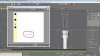
EDITH: Here a picture of my screen where you can see what gmax does

EDITH'S sister: I have also seen that gmax makes triangles of my polygones when i edit the mapping

gmax Prob4.jpg
 
Last edited:
Ensure Desktop Composition is Off (Windows Aero interface) when running Gmax.

Perhaps that is it.

Otherwise, I doubt it is an O/S compatibility issue.
 
Ensure Desktop Composition is Off (Windows Aero interface) when running Gmax.

Perhaps that is it.

Otherwise, I doubt it is an O/S compatibility issue.

I have disabled Aero Interface for gmax since it causes troubles with rendering in gmax

any other?

EDITH: I also use gmax in comp mode (XP)
 
I've had this happen. My solution is to save my work, close the program and restart.

hrm...:scratchch

i can asure you i have tried this many times. Not that i wanted to do that, but i am working since days on this. So i opened it several times.

But thanks for your comment
 
Not terribly sure what you're doing, why apply a UVW Mapping modifier after UVW Unwrap? If you're going that route, the method is
  1. select polys with Poly Select modifier (or Mesh Select)
  2. apply UVW Mapping modifier
  3. apply UVW Unwrap modifier and then edit UVs to taste
 
How did you come to this idea i first put the unwrapper on it and then the mapping?
 
hm :scratchch

Maybe it shows that way.. but i first applied the mapping than the unwrap

EDITH: Wanted to upload a zip compressed video, but Forum software din't let me
 
Last edited:
Maybe, but the stack order is the order in which the modifiers are applied by Gmax. Modifiers at the top of the stack are applied by Gmax after modifiers at the bottom.

The UVW Mapping is above the Unwrap in the stack, so the Unwrap is applied first, the Mapping second.
 
so, wth to do now..

1. it doesn't change the order in which i apllied mapping and unwraper
2. I still can't see the texture.


EDITH: Cancel 2.

I don't know how, but i can see the texture with the last try out for today. (it's 0000lcl meanwhile and 0500 my alarm clock will ring to tell me i have to work 15 hours again)

Is it true that a cylinder is different from other objects? that i have to apply it to every part it self? (you can see in the picture that my Tower is made of one cylinder with different radius')
 
Last edited:
I think what you are seeing in your unwrap window is exactly how you have mapped that series of polygons.

This is the effect of a horizontally oriented plane map, or sometimes the default map for a shape.

Those two lines are the vertices for those polygons stacked on top of each other, if I am not mistaken.

I am not sure there is anything wrong with the way gMax is functioning.

Perhaps post your Gmax file, and one of us might take a look.


Sent with Tapatalk for iPhone
 
Back
Top