

Hi Arno (or anybody else that can help),
I have hit another roadblock.
Having managed to create my ground poly in gmax and successfully texture it, I have manged to export it nicely into FS2004.
I created a flatten in Sbuilder and a new AFCAD ensuring everything was set at the same altitude.
Of course my ground poly bgl exported with the FS2004 gamepack had texture flashing and flickering so I decided to use MCX to overcome this issue.
However nothing I do with it makes the ground poly display properly in FS.
Either this happens:
The terrain is no longer flat and there are small hills that break through the photo (This I don't understand because I have my flatten bgl in the scenery folder)

Or
I get absolutely horrendous flickering, obliterating most of the scenery

If I just leave the as compiled FS2004 gamepack bgl I get this
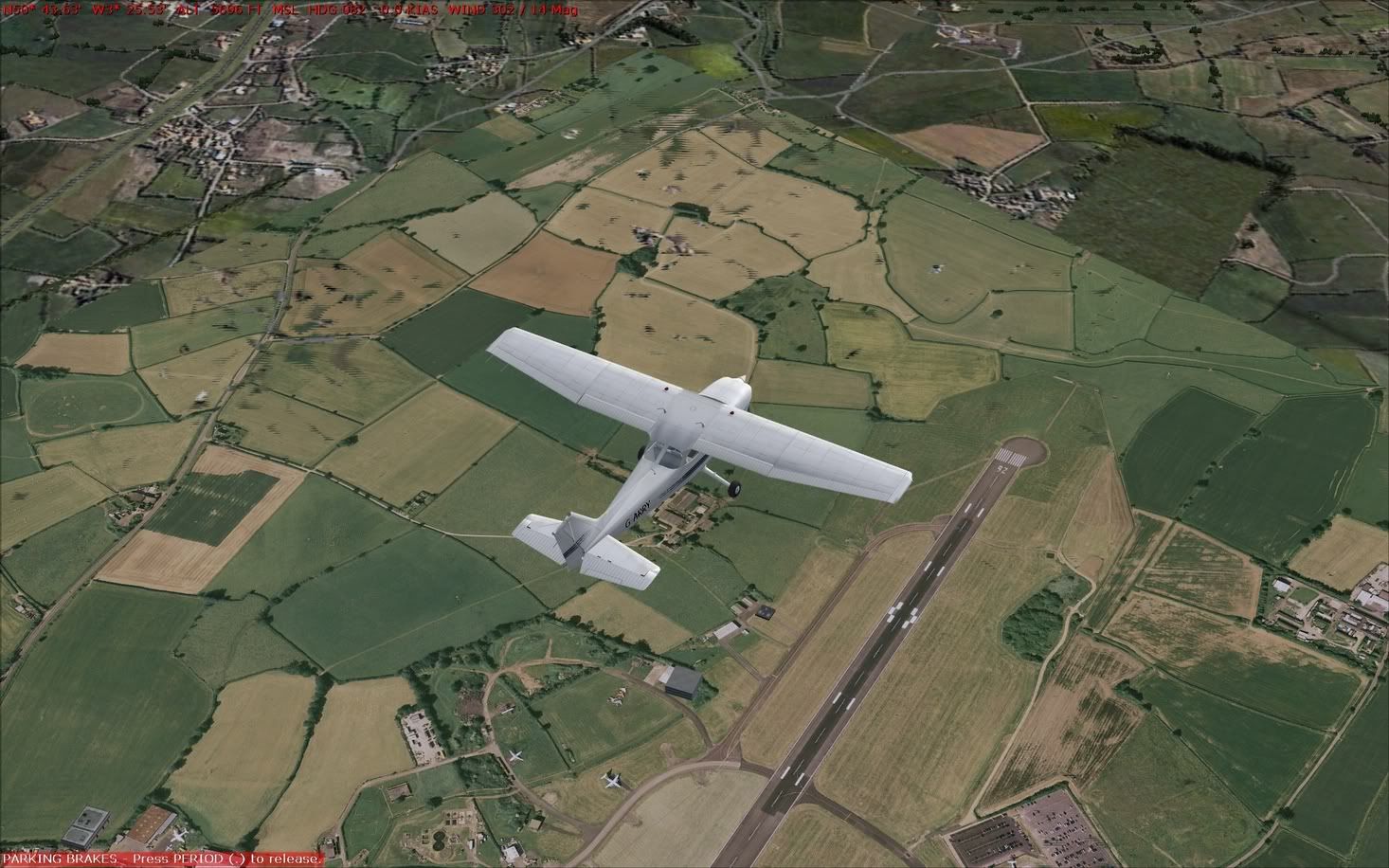
I have tried converting with the mdl that gmax created I have tried converting with the bgl that the mdl and xml created using bglcomp, and I always end up with one of the above results.
There must be something I am doing wrong because MCX seems to work for everyone else, but when I use it, I just end up with terrible results that look far worse than just leaveing a basic FS2004 compile.
Can you please help, I would love to get rid of the flickering and I have absolutely no idea where I am going wrong.
Thanks
Garry
I have hit another roadblock.
Having managed to create my ground poly in gmax and successfully texture it, I have manged to export it nicely into FS2004.
I created a flatten in Sbuilder and a new AFCAD ensuring everything was set at the same altitude.
Of course my ground poly bgl exported with the FS2004 gamepack had texture flashing and flickering so I decided to use MCX to overcome this issue.
However nothing I do with it makes the ground poly display properly in FS.
Either this happens:
The terrain is no longer flat and there are small hills that break through the photo (This I don't understand because I have my flatten bgl in the scenery folder)
Or
I get absolutely horrendous flickering, obliterating most of the scenery
If I just leave the as compiled FS2004 gamepack bgl I get this
I have tried converting with the mdl that gmax created I have tried converting with the bgl that the mdl and xml created using bglcomp, and I always end up with one of the above results.
There must be something I am doing wrong because MCX seems to work for everyone else, but when I use it, I just end up with terrible results that look far worse than just leaveing a basic FS2004 compile.
Can you please help, I would love to get rid of the flickering and I have absolutely no idea where I am going wrong.
Thanks
Garry


