
- Messages
- 4
- Country

Hi everyone,
I made a building in Blender and exported it to MSFS.
In Blender the scene is rendered fine without any flaws. In MSFS I can see through my object. But it´s not like its a problem with the alpha mapping or so. I can only see through it if my object is behind itself.
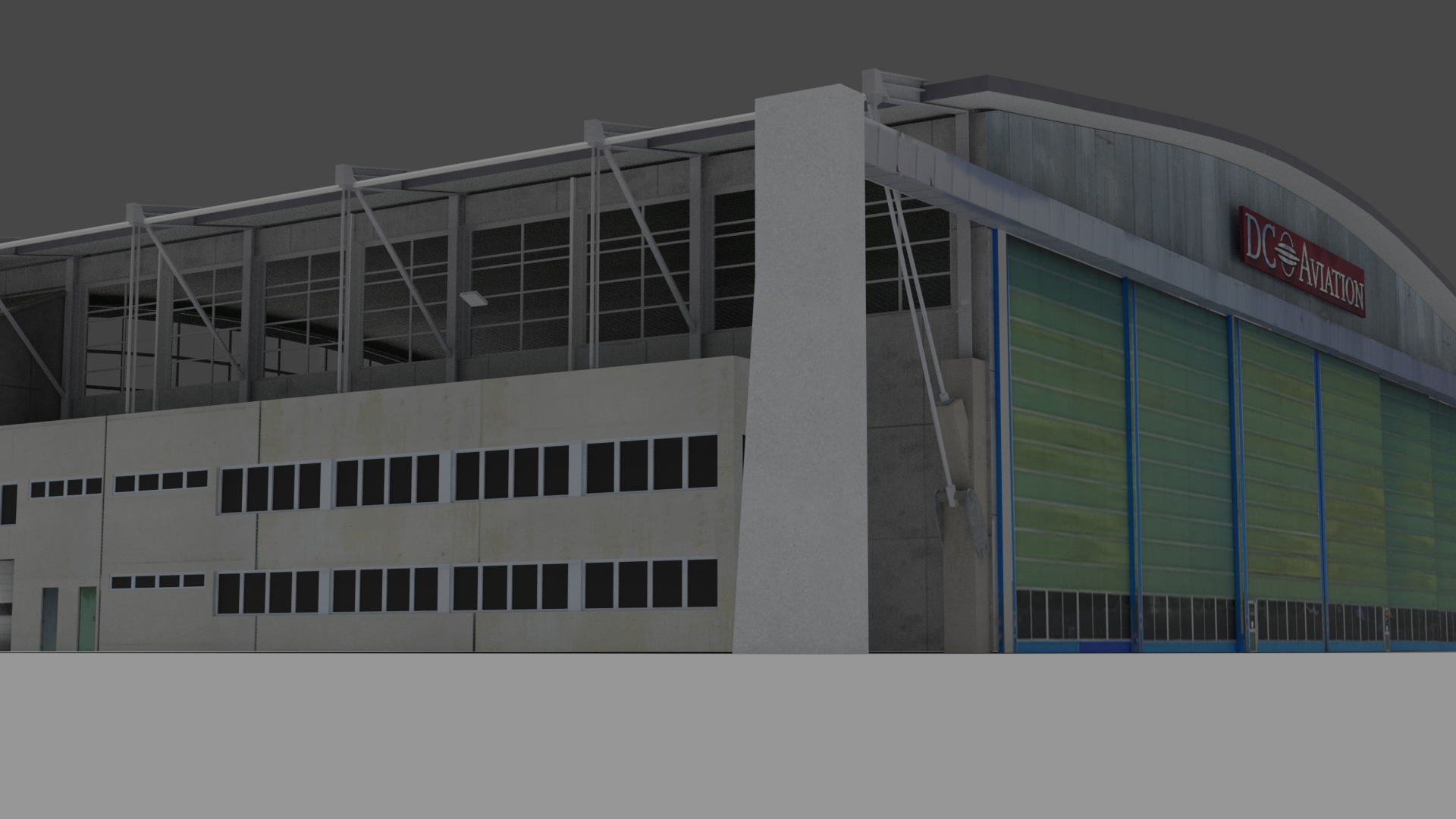
The first picture is a rendering from Blender.
The second one is with removed textures inside MSFS (I removed them to see if its a problem of a texture). It looks a bit if it´s a problem with the normals, but I checked them several times and they are definitely pointing outwards, I also flipped them, recalculated outsides and all things Blender offers in that matter. It
I dont know what is the problem and how I can solve it. Any suggestion is very welcome!

I made a building in Blender and exported it to MSFS.
In Blender the scene is rendered fine without any flaws. In MSFS I can see through my object. But it´s not like its a problem with the alpha mapping or so. I can only see through it if my object is behind itself.
The first picture is a rendering from Blender.
The second one is with removed textures inside MSFS (I removed them to see if its a problem of a texture). It looks a bit if it´s a problem with the normals, but I checked them several times and they are definitely pointing outwards, I also flipped them, recalculated outsides and all things Blender offers in that matter. It
I dont know what is the problem and how I can solve it. Any suggestion is very welcome!
