• Which the release of FS2020 we see an explosition of activity on the forun and of course we are very happy to see this. But having all questions about FS2020 in one forum becomes a bit messy. So therefore we would like to ask you all to use the following guidelines when posting your questions:

    • Tag FS2020 specific questions with the MSFS2020 tag.
    • Questions about making 3D assets can be posted in the 3D asset design forum. Either post them in the subforum of the modelling tool you use or in the general forum if they are general.
    • Questions about aircraft design can be posted in the Aircraft design forum
    • Questions about airport design can be posted in the FS2020 airport design forum. Once airport development tools have been updated for FS2020 you can post tool speciifc questions in the subforums of those tools as well of course.
    • Questions about terrain design can be posted in the FS2020 terrain design forum.
    • Questions about SimConnect can be posted in the SimConnect forum.

    Any other question that is not specific to an aspect of development or tool can be posted in the General chat forum.

    By following these guidelines we make sure that the forums remain easy to read for everybody and also that the right people can find your post to answer it.

MSFS20 Latest update

  • Thread starter Thread starter GHD
  • Start date Start date

GHD

Messages
12,244
Country
england
On starting MSFS, it states that a madatory update is avaiavle.

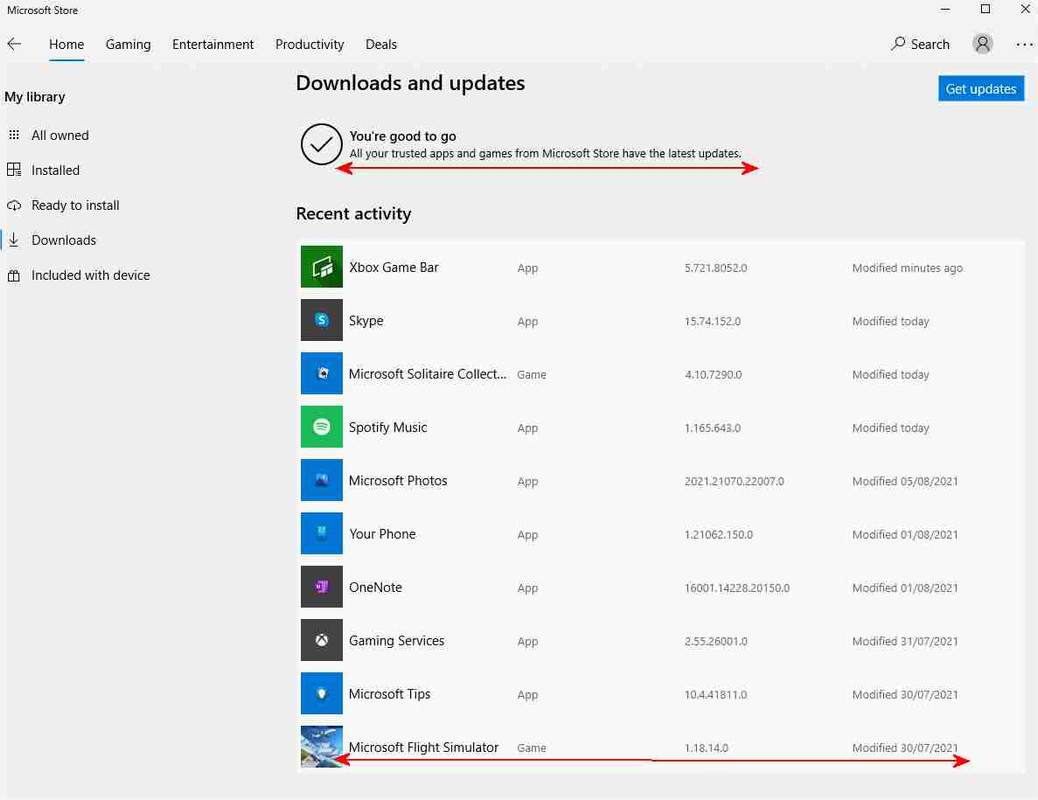
On pressing OK, then checking "Get Updates" MS Store states that there is no update :confused:


There is no way past this.
 
I have the same problem. I guess just wait?

EDIT: Got it working! In the MS Store, install the "XBox" App, then launch it. After you launch the app, try the MS Store update again!

 
Last edited:
I had to take the merry-go-round trip a few times. Even after installing the XBox app, there was still no sign of the update in the "Downloads and Updates" after Store restart.

It finally showed up when I selected (mouse click) on Microsoft Flight Simulator in my "All Owned" list.
 
How do I find the installed version?

Found it ;)

"Settings"
"Apps"
"Appsand Features
"MSFS"
"Advanced Options"
"Specifications"
"Version"

:eek:
 
Last edited:
Why is it so bloody difficult?
For the same reason one can never disprove a negative, "prove to me more people would buy my software, offsetting my losses through relaxed security;" we are like virtual refugees huddling on the front lines of the digital battlespace. Even the borders are blurred, we're uncertain of our affiliation. Whose done this to us? Microsoft, Asobo? and for us, the people, or against us, the keyboard/joystickers. Is that a hacker, or a freedom fighter? Hard to tell, these days.
 
Back
Top