
-
Which the release of FS2020 we see an explosition of activity on the forun and of course we are very happy to see this. But having all questions about FS2020 in one forum becomes a bit messy. So therefore we would like to ask you all to use the following guidelines when posting your questions:
- Tag FS2020 specific questions with the MSFS2020 tag.
- Questions about making 3D assets can be posted in the 3D asset design forum. Either post them in the subforum of the modelling tool you use or in the general forum if they are general.
- Questions about aircraft design can be posted in the Aircraft design forum
- Questions about airport design can be posted in the FS2020 airport design forum. Once airport development tools have been updated for FS2020 you can post tool speciifc questions in the subforums of those tools as well of course.
- Questions about terrain design can be posted in the FS2020 terrain design forum.
- Questions about SimConnect can be posted in the SimConnect forum.
Any other question that is not specific to an aspect of development or tool can be posted in the General chat forum.
By following these guidelines we make sure that the forums remain easy to read for everybody and also that the right people can find your post to answer it.
You are using an out of date browser. It may not display this or other websites correctly.
You should upgrade or use an alternative browser.
You should upgrade or use an alternative browser.
MSFS20 Make PBR-textures react to environmental effects
- Thread starter Nordscape
- Start date

- Messages
- 413
- Country

I cannot remember exactly from which site, and I can't seem to find the right one based on its name... . But I believe it was one of the asphalt textures from this site: https://cc0-textures.com/search?q=asphaltI would need to see the asphalt texture you used.to determine why it is not.

Hello:
If you know which textured 3D object shows the environmental display anomaly, open its compiled Model library BGL in MCX.
Then ID the mapped texture using MCX Material Editor with the "Highlight Selected in Red" option in MCX' 3D preview pane.
Although it would seem to be an initial obstacle if a mapped texture Material name has changed, MCX shows PBR "properties".
If you can ID the mapped PBR texture, create a Material Profile, save it to disk, then ID the 'new' texture name here to be checked.
Federico Pinotti (aka "mamu") has a video tutorial on this subject matter here:
GaryGB
If you know which textured 3D object shows the environmental display anomaly, open its compiled Model library BGL in MCX.
Then ID the mapped texture using MCX Material Editor with the "Highlight Selected in Red" option in MCX' 3D preview pane.
Although it would seem to be an initial obstacle if a mapped texture Material name has changed, MCX shows PBR "properties".
If you can ID the mapped PBR texture, create a Material Profile, save it to disk, then ID the 'new' texture name here to be checked.
Federico Pinotti (aka "mamu") has a video tutorial on this subject matter here:
GaryGB
Last edited:

Pyscen
Resource contributor
- Messages
- 3,040
- Country

You don't have to use the texture as a ground texture to get the effects. If this is a texture from else where (3rd party), this could be the cause you are not getting the proper reactions ( they were not properly used or assigned ).
.You can though use the pre-made textures used within Developer Mode (DEVMOde) of the sim. This is much easier than recreating the wheel, so to speak. This can be done in multiple ways, either a polygon or by apron. Using the apron requires being within an airport ( asset ).
.You can though use the pre-made textures used within Developer Mode (DEVMOde) of the sim. This is much easier than recreating the wheel, so to speak. This can be done in multiple ways, either a polygon or by apron. Using the apron requires being within an airport ( asset ).
Last edited:
- Messages
- 413
- Country
I see, but I do not want to replace the helipad textures with the devmode pre-made textures, so then I understand that I am probably unable to get any effect on them, or?You don't have to use the texture as a ground texture to get the effects. If this is a texture from else where (3rd party), this could be the cause you are not getting the proper reactions ( they were not properly used or assigned ).
.You can though use the pre-made textures used within Developer Mode (DEVMOde) of the sim. This is much easier than recreating the wheel, so to speak. This can be done in multiple ways, either a polygon or by apron. Using the apron requires being within an airport ( asset ).
IIRC, before MSFS Helos and Helipads were implemented, the Alpha of ADE20 and early drafts of MSFS SDK Docs recommended using small sections of "hardened / collide-able" Road for Helipads.
You can find default / create custom 2D and/or 3D objects mapped with MSFS default Road Asphalt textures.
Import them and compare / save their Material Properties in MCX Material Editor, and you should be able to duplicate the PBR attributes.
GaryGB
You can find default / create custom 2D and/or 3D objects mapped with MSFS default Road Asphalt textures.
Import them and compare / save their Material Properties in MCX Material Editor, and you should be able to duplicate the PBR attributes.
GaryGB
Last edited:
Pyscen
Resource contributor
- Messages
- 3,040
- Country
The default helipad are more like decals, in other words, they can be placed on top of anything, they can be placed with or without by making them transparent.
In your case make a material asset with the markings you want or need and this gives you the freedom to use any surface, concrete, asphalt, or anything you wish. Aprons, I believe is the only way.
There are a number of tutorials on how to create material assets.
In your case make a material asset with the markings you want or need and this gives you the freedom to use any surface, concrete, asphalt, or anything you wish. Aprons, I believe is the only way.
There are a number of tutorials on how to create material assets.
- Messages
- 413
- Country
Perfect! Will do!The default helipad are more like decals, in other words, they can be placed on top of anything, they can be placed with or without by making them transparent.
In your case make a material asset with the markings you want or need and this gives you the freedom to use any surface, concrete, asphalt, or anything you wish. Aprons, I believe is the only way.
There are a number of tutorials on how to create material assets.

- Messages
- 413
- Country
I am sorry to bring this up again, but I need to clarify something:
When adjusting textures of aprons within the developer mode they are stuck to the ground surface. From what I understood above I need to add the needed PBR-texture used in the model to the material asset within the developer mode, and then layer it on top of the relevant area?
How do I do that when aprons are stuck to the ground?
How do I also avoid the developer mode texture replacing textures which have been placed within Sketchup? For example; the ground markings on the helipad specifically? Will these have to be replaced and redone within the sim developer?
If I understand the above mentioned procedure correctly there is really no need to add textures to objects which are faced upwards within Sketchup and where I want it to react to the environment due to having to replace them anyway within the sim?
Edit: Asking Mamu on the discord page (working excellent, btw.) clarifies that custom made 3d buildings should not be able to receive rain effects, only autogen does.
When adjusting textures of aprons within the developer mode they are stuck to the ground surface. From what I understood above I need to add the needed PBR-texture used in the model to the material asset within the developer mode, and then layer it on top of the relevant area?
How do I do that when aprons are stuck to the ground?
How do I also avoid the developer mode texture replacing textures which have been placed within Sketchup? For example; the ground markings on the helipad specifically? Will these have to be replaced and redone within the sim developer?
If I understand the above mentioned procedure correctly there is really no need to add textures to objects which are faced upwards within Sketchup and where I want it to react to the environment due to having to replace them anyway within the sim?
Edit: Asking Mamu on the discord page (working excellent, btw.) clarifies that custom made 3d buildings should not be able to receive rain effects, only autogen does.
Last edited:
Hi Vetle:
Your ENSX Helipad surface is a custom 3D 'ModelPart', distinct from any MSFS default 2D "terrain" surface 'mesh-clinging' object.
IIRC, the latest build of that object I have seen via a PM link here is dated December 14, 2024; it has no "Platform" attached by MCX.
I have not yet identified the method you used to "harden" the Helipad surface via MCX, since AFAIK, you do not export glTF's via Blender.
IIUC, it 'could' be hardened with a default "terrain" surface Material using properties seen in MCX ex: for default Road objects
Otherwise one may substitute a MSFS default Apron or Road object placed onto a terra-formed "terrain" surface as a Helipad surface; this would IMHO not be a desirable option to use if compared to a "Platform" attached to a Helipad ModelPart surface using MCX' Attached Object Editor.
You may wish to review this thread:
https://www.fsdeveloper.com/forum/threads/landable-platform-for-msfs.452755/
...and review this pertinent section of MCX' Manual "ModelConverterX.pdf" file:
4.5 Add a landable platform to an object (Page 20 of 151 ...in November 19, 2024 build of MCX)
NOTE: The Attached object editor is the 8th button from the Left on the icon toolbar in the November 19, 2024 build of MCX
BTW: Keyword searches are faster / more efficient if we view PDFs in a web browser rather than Adobe Acrobat Reader DC PDF viewer
[EDITED]
PS: AFAIK, 3D models 'should' be able to display environmental effects such as rain via specified settings in MCX via Material Properties.
Statements by MSFS Developer support personnel- and near absence of search results- suggest non-SimObject 3D models can not show "Rain".
But one might wonder whether that admonishment refers to animated rain "drops", as otherwise seen on specially configured 3DSMAX MSFS 'Materials' applied to user aircraft windscreens ...per MSFS SDK Docs.
Obviously, we will not be inside the Helipad object looking at rain 'drops' on its surface; we only need to see a "wet" in rain effect.
IIUC, there may be ways to implement a Helipad surface as a SimObject with code to specify "wet" in rain effect display parameters.
This post infers there may be a way to achieve a 3D model surface effect (...suggestive of ?) "rain":
https://www.fsdeveloper.com/forum/threads/3d-geometry-in-sim-with-texture.451964/post-878041
This post provides screenshots of the "Wet Look" on surfaces during / after rain in MSFS (not rain 'drops' like on wind screens):
https://devsupport.flightsimulator.com/t/3ds-water-with-precipitation/5271/3
"hello guys I realized that 3DS default has a wet effect when it rains in the same way as the aprons, I looked in all the documentation for some guidance on how to do this effect, could anyone give me a tip?"
During the rain:

After the rain:
After drying:

Regarding how long surfaces stay "wet" after rain, this thread's video shows that is only ~40 seconds real time (see the 10x speed ):
):
https://forums.flightsimulator.com/t/wet-ground-reflections-after-its-been-raining/537991/36
As for Parallel 42's Helicopter "Downwash On Water" wave / wake Effects for Helicopters, IIUC, actual 'terrain water' is required.
But, AFAIK, on a Helipad, one should still see water spray Effect in propwash local to the Helo.:
Check out this video:
[END_EDIT]
GaryGB
Your ENSX Helipad surface is a custom 3D 'ModelPart', distinct from any MSFS default 2D "terrain" surface 'mesh-clinging' object.
IIRC, the latest build of that object I have seen via a PM link here is dated December 14, 2024; it has no "Platform" attached by MCX.
I have not yet identified the method you used to "harden" the Helipad surface via MCX, since AFAIK, you do not export glTF's via Blender.
IIUC, it 'could' be hardened with a default "terrain" surface Material using properties seen in MCX ex: for default Road objects
Otherwise one may substitute a MSFS default Apron or Road object placed onto a terra-formed "terrain" surface as a Helipad surface; this would IMHO not be a desirable option to use if compared to a "Platform" attached to a Helipad ModelPart surface using MCX' Attached Object Editor.
You may wish to review this thread:
https://www.fsdeveloper.com/forum/threads/landable-platform-for-msfs.452755/
...and review this pertinent section of MCX' Manual "ModelConverterX.pdf" file:
4.5 Add a landable platform to an object (Page 20 of 151 ...in November 19, 2024 build of MCX)
NOTE: The Attached object editor is the 8th button from the Left on the icon toolbar in the November 19, 2024 build of MCX
BTW: Keyword searches are faster / more efficient if we view PDFs in a web browser rather than Adobe Acrobat Reader DC PDF viewer
[EDITED]
PS: AFAIK, 3D models 'should' be able to display environmental effects such as rain via specified settings in MCX via Material Properties.
Statements by MSFS Developer support personnel- and near absence of search results- suggest non-SimObject 3D models can not show "Rain".
But one might wonder whether that admonishment refers to animated rain "drops", as otherwise seen on specially configured 3DSMAX MSFS 'Materials' applied to user aircraft windscreens ...per MSFS SDK Docs.
Obviously, we will not be inside the Helipad object looking at rain 'drops' on its surface; we only need to see a "wet" in rain effect.
IIUC, there may be ways to implement a Helipad surface as a SimObject with code to specify "wet" in rain effect display parameters.
This post infers there may be a way to achieve a 3D model surface effect (...suggestive of ?) "rain":
https://www.fsdeveloper.com/forum/threads/3d-geometry-in-sim-with-texture.451964/post-878041
This post provides screenshots of the "Wet Look" on surfaces during / after rain in MSFS (not rain 'drops' like on wind screens):
https://devsupport.flightsimulator.com/t/3ds-water-with-precipitation/5271/3
"hello guys I realized that 3DS default has a wet effect when it rains in the same way as the aprons, I looked in all the documentation for some guidance on how to do this effect, could anyone give me a tip?"
During the rain:
After the rain:
After drying:
Regarding how long surfaces stay "wet" after rain, this thread's video shows that is only ~40 seconds real time (see the 10x speed
):https://forums.flightsimulator.com/t/wet-ground-reflections-after-its-been-raining/537991/36
As for Parallel 42's Helicopter "Downwash On Water" wave / wake Effects for Helicopters, IIUC, actual 'terrain water' is required.
But, AFAIK, on a Helipad, one should still see water spray Effect in propwash local to the Helo.:
Check out this video:
[END_EDIT]
GaryGB
Last edited:
- Messages
- 413
- Country
Thanks Gary! The only Gameplay parameters I've changed within MCX are to set the collision and road material to true. I have not yet tried to add a helipad platform and will experiment with that function. Thanks!Hi Vetle:
Your ENSX Helipad surface is a custom 3D 'ModelPart', distinct from any MSFS default 2D "terrain" surface 'mesh-clinging' object.
IIRC, the latest build of that object I have seen via a PM link here is dated December 14, 2024; it has no "Platform" attached by MCX.
I have not yet identified the method you used to "harden" the Helipad surface via MCX, since AFAIK, you do not export glTF's via Blender.
IIUC, it 'could' be hardened with a default "terrain" surface Material using properties seen in MCX ex: for default Road objects
Otherwise one may substitute a Apron or Road object placed onto a terra-formed "terrain" surface as a Helipad surface; this would IMHO not be a desirable option to use if compared to a "Platform" attached to a Helipad ModelPart surface using MCX' Attached Object Editor.
You may wish to review this thread:
https://www.fsdeveloper.com/forum/threads/landable-platform-for-msfs.452755/
...and review this pertinent section of MCX' Manual "ModelConverterX.pdf" file:
4.5 Add a landable platform to an object
NOTE: The Attached object editor is the 8th button from the Left on the icon toolbar in the November 19, 2024 build of MCX
BTW: PDF searches are faster and more efficient if viewed in a web browser rather than Adobe Acrobat DC PDF viewer
PS: AFAIK, 3D models 'should' be able to display environmental effects such as rain via specified settings in MCX via Material Properties.
IIUC, there are also ways to implement a Helipad surface as a SimObject with code to specify environmental effect display parameters.
GaryGB
Many thanks to Arno for implementing the same "Platform" GUI dialog / procedure for MSFS as previously done for prior versions of FS.
PS: IIRC, you could also attach light objects as ModelParts to the Helipad using MCX' Attached Object Editor, thus eliminating a need to place light objects at a assigned AMSL Altitude as separate 3D model library objects.
GaryGB
PS: IIRC, you could also attach light objects as ModelParts to the Helipad using MCX' Attached Object Editor, thus eliminating a need to place light objects at a assigned AMSL Altitude as separate 3D model library objects.
GaryGB
Last edited:
- Messages
- 413
- Country
I will certainly check that function out as well. Currently working in MCX to get it all ready for the sim!Many thanks to Arno for implementing the same "Platform" GUI dialog / procedure for MSFS as previously done for prior versions of FS.
PS: IIRC, you could also attach light objects as ModelParts to the Helipad using Attached Object Editor, thus eliminating a need to place them at a assigned AMSL Altitude as separate 3D model library objects.
GaryGB
Pyscen
Resource contributor
- Messages
- 3,040
- Country
Hello...I am sorry to bring this up again, but I need to clarify something:
When adjusting textures of aprons within the developer mode they are stuck to the ground surface. From what I understood above I need to add the needed PBR-texture used in the model to the material asset within the developer mode, and then layer it on top of the relevant area?
How do I do that when aprons are stuck to the ground?
How do I also avoid the developer mode texture replacing textures which have been placed within Sketchup? For example; the ground markings on the helipad specifically? Will these have to be replaced and redone within the sim developer?
If I understand the above mentioned procedure correctly there is really no need to add textures to objects which are faced upwards within Sketchup and where I want it to react to the environment due to having to replace them anyway within the sim?
Edit: Asking Mamu on the discord page (working excellent, btw.) clarifies that custom made 3d buildings should not be able to receive rain effects, only autogen does.
The material asset is used with the default apron material such as asphalt. What are you having trouble with specifically? The material asset has nothing to do with SketchUp. SketchUp can not do a material asset such as any ground markings. Only Photoshop, GIMP, or Krita is needed along with the Developer mode. With SketchUp and MCX you will still need to use the Developer Mode to bring in any 3d object to the sim. I suggest you take a look at this tutorial along with other of this gentleman's tutorials:
- Messages
- 413
- Country
Thanks for the video. I am familiar with that guy. Great tutorials if one has the time to see through themHello...
The material asset is used with the default apron material such as asphalt. What are you having trouble with specifically? The material asset has nothing to do with SketchUp. SketchUp can not do a material asset such as any ground markings. Only Photoshop, GIMP, or Krita is needed along with the Developer mode. With SketchUp and MCX you will still need to use the Developer Mode to bring in any 3d object to the sim. I suggest you take a look at this tutorial along with other of this gentleman's tutorials:
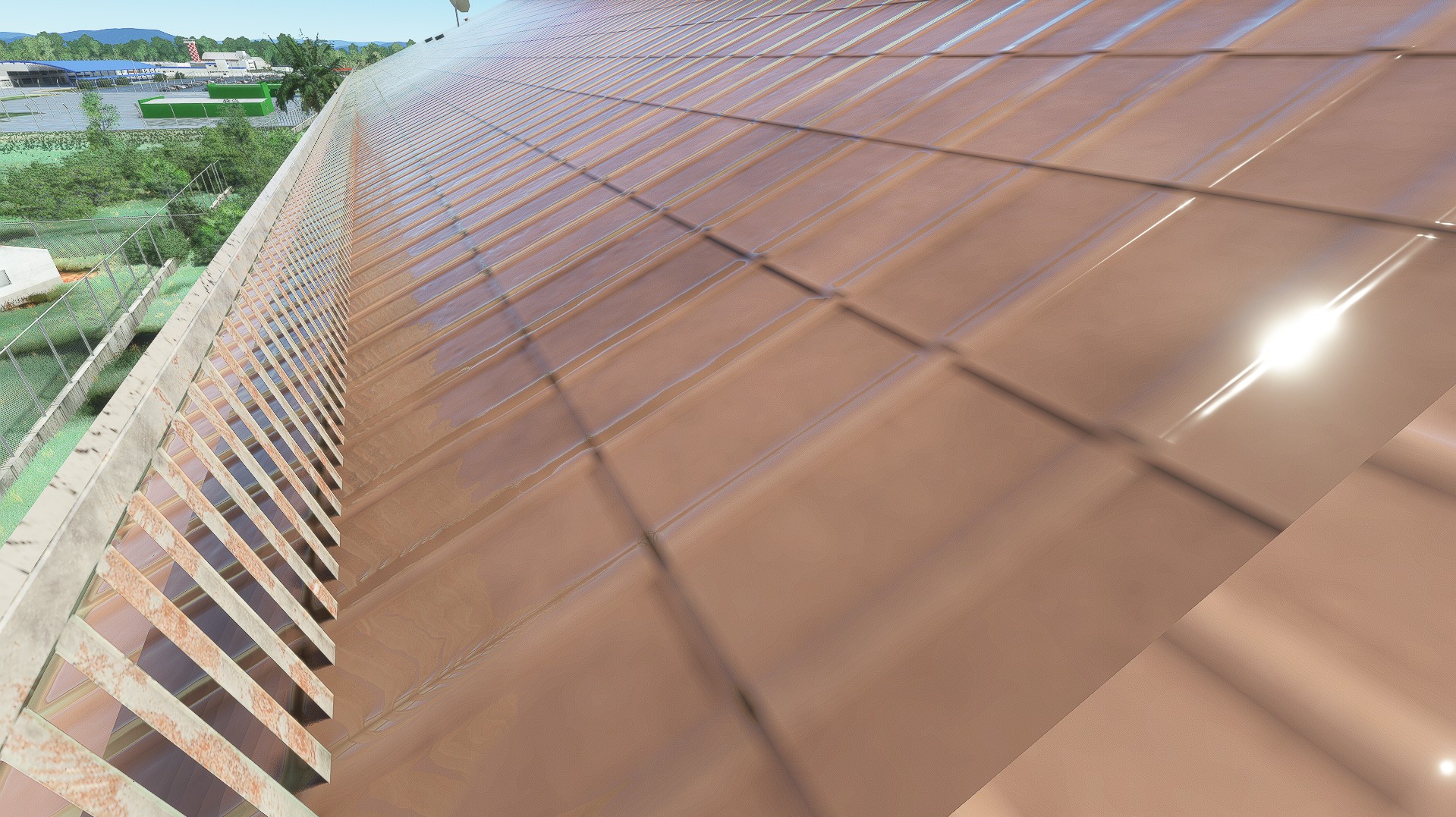
I think however this is more of an issue on understanding how textures actually work within the sim. I am starting to understand how all the sdk assets work, but as far as I am aware all material assets only render on the ground, so they are unusable to me unless I want to add some sort of pavement or such - where I have succeeded. The issue is in other words not implementing specific PBR-textures to the sim and into the material asset, but more on getting PBR-textures used on a custom made geometry to render environmental rain (snow works!) on the surface of the geometry. I have yet to make that work with any material asset within the SDK because only the world ground surface get the textured applied.
Take this image of an older version of the helipad. All surfaces facing upward have the snow effect. Now I also want the same areas to render rain effects.
Here I have added a polygon with a generic asobo texture. Both the road and the polygon recieve the rain effects, but the 3d building does not. Also note that the top surface have been given the "helipad platform" assignment within MCX, with no results to rendering rain effects.
Hi Vetle:
I am inclined to agree with your approach to testing whether / how one may implement "rain" effects on custom 3D library objects.
I would consider testing a prospective workflow, such as this one...
In a new instance of MCX:
Load a MSFS default Apron object with a default Asphalt surface texture in MCX Material Editor, and save a Material Template.
Leave that MCX Material Editor instance of a loaded MSFS default Apron object with a default Asphalt surface texture to run in Windows
In a separate new instance of MCX:
Load a copy of your custom ENSX Helipad 3D object mapped with the same MSFS default Apron object / default Asphalt surface texture
Test if the above Material Template for MSFS' default Apron object with a default Asphalt surface texture can be 'applied' to your Helipad.
Verify that all Texture Material Properties (aka 'attributes') match between MSFS' default Apron object and your Helipad surface Material.
Process the ENSX Helipad 3D object with the texture Material edit, to test if it is rendered with "Rain" effects in MSFS at run time.
GaryGB
I am inclined to agree with your approach to testing whether / how one may implement "rain" effects on custom 3D library objects.
I would consider testing a prospective workflow, such as this one...
In a new instance of MCX:
Load a MSFS default Apron object with a default Asphalt surface texture in MCX Material Editor, and save a Material Template.
Leave that MCX Material Editor instance of a loaded MSFS default Apron object with a default Asphalt surface texture to run in Windows
In a separate new instance of MCX:
Load a copy of your custom ENSX Helipad 3D object mapped with the same MSFS default Apron object / default Asphalt surface texture
Test if the above Material Template for MSFS' default Apron object with a default Asphalt surface texture can be 'applied' to your Helipad.
Verify that all Texture Material Properties (aka 'attributes') match between MSFS' default Apron object and your Helipad surface Material.
Process the ENSX Helipad 3D object with the texture Material edit, to test if it is rendered with "Rain" effects in MSFS at run time.
GaryGB
Last edited:
- Messages
- 413
- Country
Will try that approach. Would you happen to know where the msfs objects are placed so that I can import them to MCX?Hi Vetle:
I am inclined to agree with your approach to testing whether / how one may implement "rain" effects on custom 3D library objects.
I would consider testing a prospective workflow, such as this one...
In a new instance of MCX:
Load a MSFS default Apron object with a default Asphalt surface texture in MCX Material Editor, and save a Material Template.
Leave that MCX Material Editor instance of a loaded MSFS default Apron object with a default Asphalt surface texture to run in Windows
In a separate new instance of MCX:
Load a copy of your custom ENSX Helipad 3D object mapped with the same MSFS default Apron object / default Asphalt surface texture
Test if the above Material Template for MSFS' default Apron object with a default Asphalt surface texture can be 'applied' to your Helipad.
Verify that all Texture Material Properties (aka 'attributes') match between MSFS' default Apron object and your Helipad surface Material.
Process the ENSX Helipad 3D object with the texture Material edit, to test if it is rendered with "Rain" effects in MSFS at run time.
GaryGB