• Which the release of FS2020 we see an explosition of activity on the forun and of course we are very happy to see this. But having all questions about FS2020 in one forum becomes a bit messy. So therefore we would like to ask you all to use the following guidelines when posting your questions:

    • Tag FS2020 specific questions with the MSFS2020 tag.
    • Questions about making 3D assets can be posted in the 3D asset design forum. Either post them in the subforum of the modelling tool you use or in the general forum if they are general.
    • Questions about aircraft design can be posted in the Aircraft design forum
    • Questions about airport design can be posted in the FS2020 airport design forum. Once airport development tools have been updated for FS2020 you can post tool speciifc questions in the subforums of those tools as well of course.
    • Questions about terrain design can be posted in the FS2020 terrain design forum.
    • Questions about SimConnect can be posted in the SimConnect forum.

    Any other question that is not specific to an aspect of development or tool can be posted in the General chat forum.

    By following these guidelines we make sure that the forums remain easy to read for everybody and also that the right people can find your post to answer it.

FSX making autos

Messages
2,388
Country
us-washington
I was wondering if anyone could steer me to a good tutorial on how to make a car. I've tried tubes and shaping ala a fuselage. I've tried a series of thin boxes staqcked on top of each other and reshaping length and width.

I do realize that the first step is getting a perfect side view and front (or back) view which , also, after scaling in backdrop the roof is the same highth in each backdrop view.

The worst part is trying to apply textures which tend to wrap all over the place! Poly mode /textures is a bit better, but then I end up with a gazillion polys to texturize..... applying a bmp or a part of a bump to 200+ little squares!

Oh BTW- I can't seem to access my chm ? help files in FSDS anymore. Adam sent me some pdf files which helped much, but does anyone know why help quits working? This is most likely an XP problem. Just thought someone might have run into this annoyance. :) Bob
 
Hi,
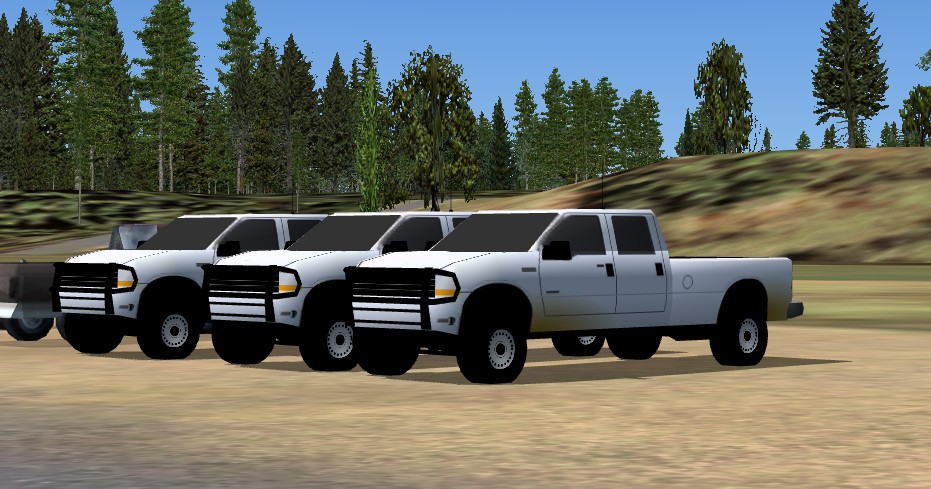
I made these F250 pick-up using 780 polygones (122 each tire; I like round tires...). 19 objects.
f250.jpg


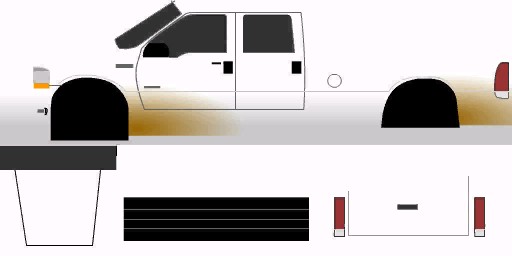
Texturing the car body in part mode with a simple file.
f250_texture.jpg
 
Those look great! Well done! I make a good tire as well.... hate those choppy looking things. Now- if I could only learn how to do this.

I have Instant Object Maker but the cars come out looking boxy because there is no way to bend the flat polys.

I wish there were a way to actually choose certain polys then apply a texture to those polys only and not others. Bob
 
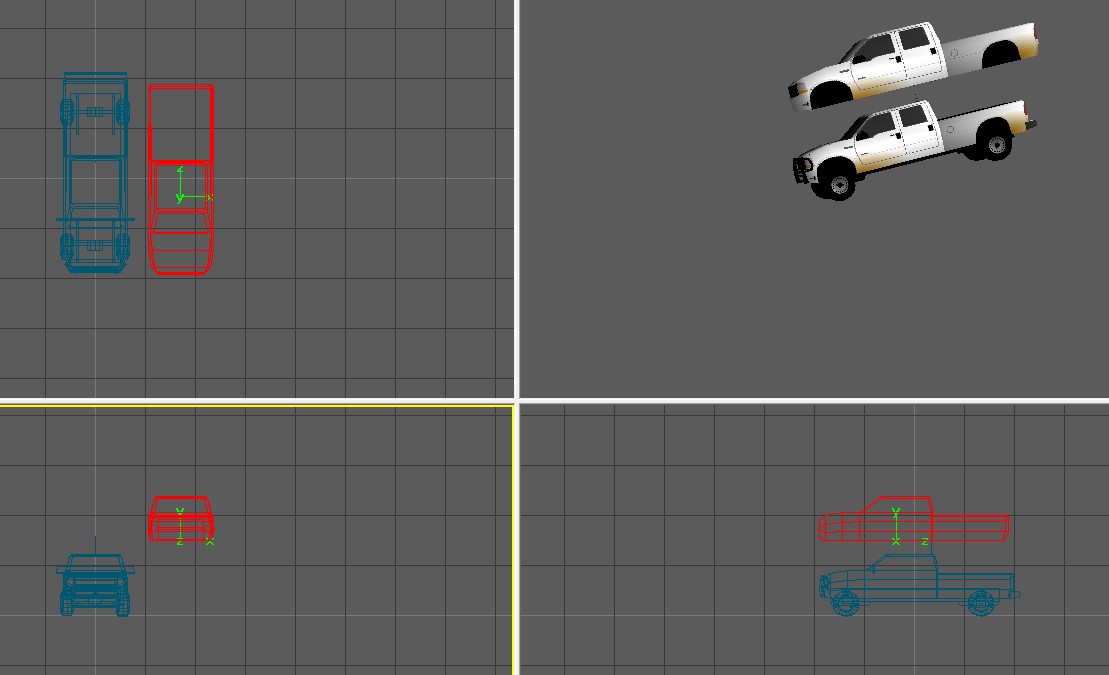
f250_fsds.jpg

I hope you will understand my novice english writing...

The main car body

I used a 12-points 4-segments vertical tube to do the main part (motor end cabin), a 8-points 2-segments vertical tube to do the top part and a 6-points 4-segments vertical tube to do the box part.

Then I joined all these parts to make one.

I applied the left and right texture in part mode, then the hood, front and back texture in poly mode.

Other parts

20-points 4-segments lateral tube for the tires and texture in poly mode only on the sides.

All others parts had no texture but just material colors.
 
I just made these 3 parts. don't know how to manipulate them. They are all 20 ft long... sure this will change. smooth the poly, I assume?

When you say segments I assume you mean sections? maybe step by step. I report back to you my progress with pics? Or I can pl you with my e-mail and we can go from there. I do use Skype. I am jyarddog on skype. This would be the easiest. Bob
 
Last edited:
Got it. The yellow one is mine. Did a series of part, point, and cross section modes. Bob
 
Last edited:
Good! Same way, but different number of points/sections, for the main and the box part. Then joint them, apply texture and add other parts!
 
Got it done and it looks better than anything I've done previously; but I still can't get the textures right.... like yours. Most likely too many polygons which messes things up.

I would like the next two steps like the zip file you sent if you're not too busy.

I'm too embarrased to send a screenshot of what I ended up with even though it's a heck of a lot better that my previous efforts! Bob
 
Got the first part as I said. Will keep trying. I could be making this more complicated than it needs to be. I tend to do that sometimes. :) Bob
 
I didn't get the backdrop, but that's ok.

Questioin- I nnotice you did not use a boolean operation, so how did you do the wheel cut outs for the tires to show?

Should I add more cross sections in the tube and then move the points to get a smooth arc on the front body and also rear box? My second guess is that the bmp will take care of this? Bob
 
Last edited:
Look at the texture, the wheel holes are black. I simply put the wheel against the hole and overflow them a little bit.
 
I saw that. I thought the black might have been trans, but it wasn't. My wheels were partially covered; so I just pulled them outward a bit...works fine.

I had to really fuss with the textures to get the lines for the doors and windows right. I got close... not perfect, but I'm betting there.

The front end I really had trouble with, as you can see. I haven't yet made the black bumper bars in front, and I plan to make some headlights.

I made a nice axle front and rear and bent a bar to act as front and rear suspention springs but due to the black under carriage I can't see them.... oh well... it was fun to do.

Anyway- the zip file shows 2 screenshots of what I have so far. My truck isn't perfect by far and not nearly as good as yours, but this is 1,000% better than I ever have done before, and I thank you very much. If yoiu have any tips from time to time, let me know.

I think my problem with the front end stems from errors of mine in making the front end. I chose poly mode to do textures on it and the texture seems to wrap around. Anyway I didn't see any front end in F-250.bmp to use so I just chose something I thought was close to what I wanted. Bob
 
Last edited:
Thats a pleasure to help you,

Your truck look good!

For the front and rear, you have to clear front and rear textures in part mode then add texture in front and rear polygones in poly mode.

When I made the truck, first I draw the texture according to the real shape of the truck. Then after I adjust the MDL on the texture.
 
Thanx. I'm gettin' there! :) Yes, I made sure my part texture was cleared, then I did the poly texture procedure. It can get tricky sometimes. Bob
 
Back
Top