• Which the release of FS2020 we see an explosition of activity on the forun and of course we are very happy to see this. But having all questions about FS2020 in one forum becomes a bit messy. So therefore we would like to ask you all to use the following guidelines when posting your questions:

    • Tag FS2020 specific questions with the MSFS2020 tag.
    • Questions about making 3D assets can be posted in the 3D asset design forum. Either post them in the subforum of the modelling tool you use or in the general forum if they are general.
    • Questions about aircraft design can be posted in the Aircraft design forum
    • Questions about airport design can be posted in the FS2020 airport design forum. Once airport development tools have been updated for FS2020 you can post tool speciifc questions in the subforums of those tools as well of course.
    • Questions about terrain design can be posted in the FS2020 terrain design forum.
    • Questions about SimConnect can be posted in the SimConnect forum.

    Any other question that is not specific to an aspect of development or tool can be posted in the General chat forum.

    By following these guidelines we make sure that the forums remain easy to read for everybody and also that the right people can find your post to answer it.

MSFS20 MSFS models distorted in MCX

Messages
34
Country
sweden
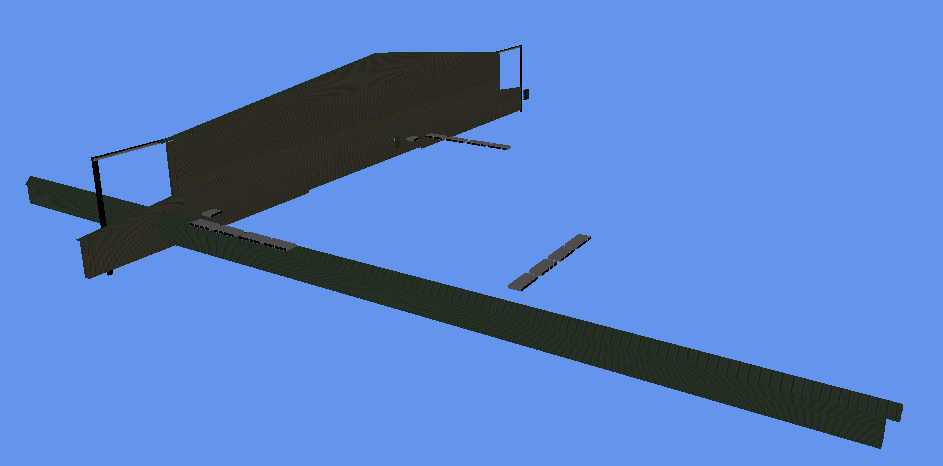
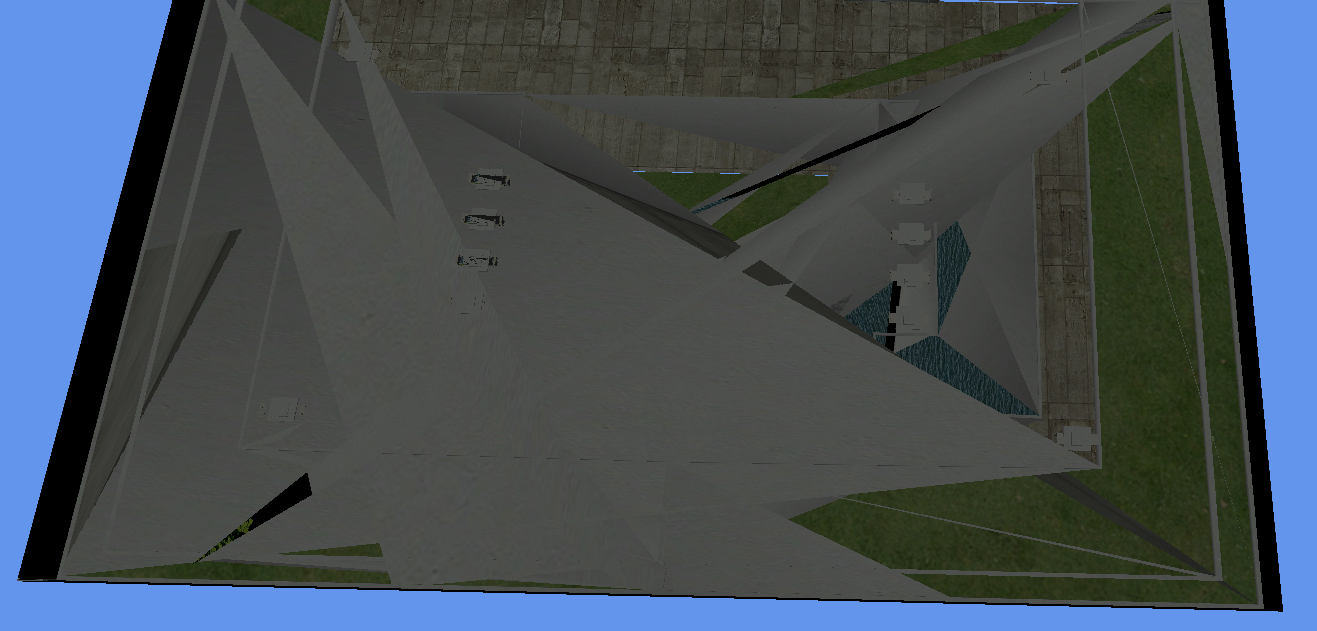
When I load MSFS BGL files into MCX some models show up perfectly while others are either slightly or severely distorted, sometimes beyond recognition. It doesn't seem to be related to model complexity, since some complex models look perfect while others don't. I've tried this with both MSFS BGL files and gLTF files and by different developers, in both the latest dev version of MCX and an older one. Below are just some examples. Does anyone know a solution?

This one is supposed to be a light pole:
2.png


This one should be a hangar:
3.png


And God only knows what this is :eek:
1.png
 
Hi,

Most likely this is a bug in how MCX reads the glTF objects. Can you point me to a model that had this problem, so I can debug it?
 
Certainly, here are a few examples (by the way I'm very impressed with the faster loading times for MSFS files in the latest dev versions of MCX, very nice!):

modelLib.BGL from copilot8-ksjc.zip: https://library.avsim.net/download.php?DLID=220515
KSJC.png


modelLib.BGL from copilot8-krhv.zip: https://library.avsim.net/download.php?DLID=220513
(here most buildings and objects show up correctly except they are severely stretched and twisted)
KHRV1.png


modelLib.BGL from fsscenedk-ekrk.zip: https://library.avsim.net/download.php?DLID=219679
(I found several dozen distorted models in this one, so hopefully it's useful for debugging)
ekrk1.png


ekrk2.png

1611905514163.png
 
Thanks, I'll have a look at those samples to see if I can find the bug.
 
Hi,

Humm, I can remember. I'm afraid I forgot to check this one. Thanks for reminding me.
 
OK, I have downloaded some of the files tonight and started to check this bug. It seems there is an issue with applying the scaling and translation on some of the nodes. But I need to figure out exactly why they end up wrong.
 
Hi,

Just a little update. I am still working on this, it is probably caused by some optimizations that the MSFS package tool does.
 
Hi,

I have been able to fix most of the distortions. It seems the MSFS package tool does very special things when non-uniform scale values are used. In the next development release MCX will use similar logic as MSFS, so that the objects show correct again.

The helicopter you showed still has issues, that is probably another kind of distortion.
 
Hi,

I did also find the issue with the helicopter now, that was because it has more than 65535 vertices in one part. The way the package tool optimizes that was not supported by MCX correctly.

I have just triggered the build of a new development release, so within 30 minutes a new build with both fixes should be online.
 
Back
Top