

- Messages
- 79
- Country

Hello,
I have try to follow this video :
But I fail to rotate my object, the spaceship from Independence Day, in its axis Z
Blender
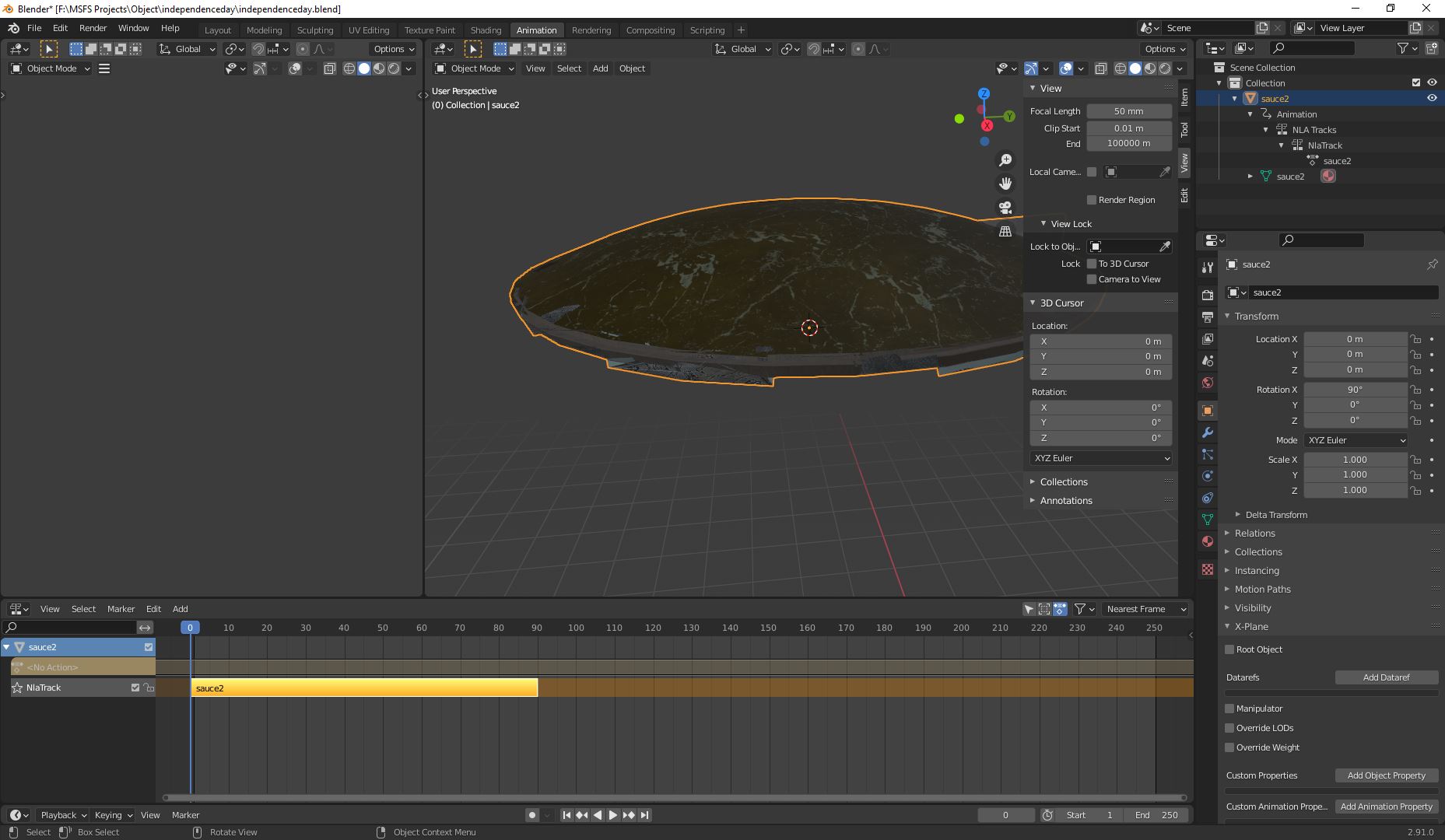

SDK console
Even I export again like in the video. It doesn't move
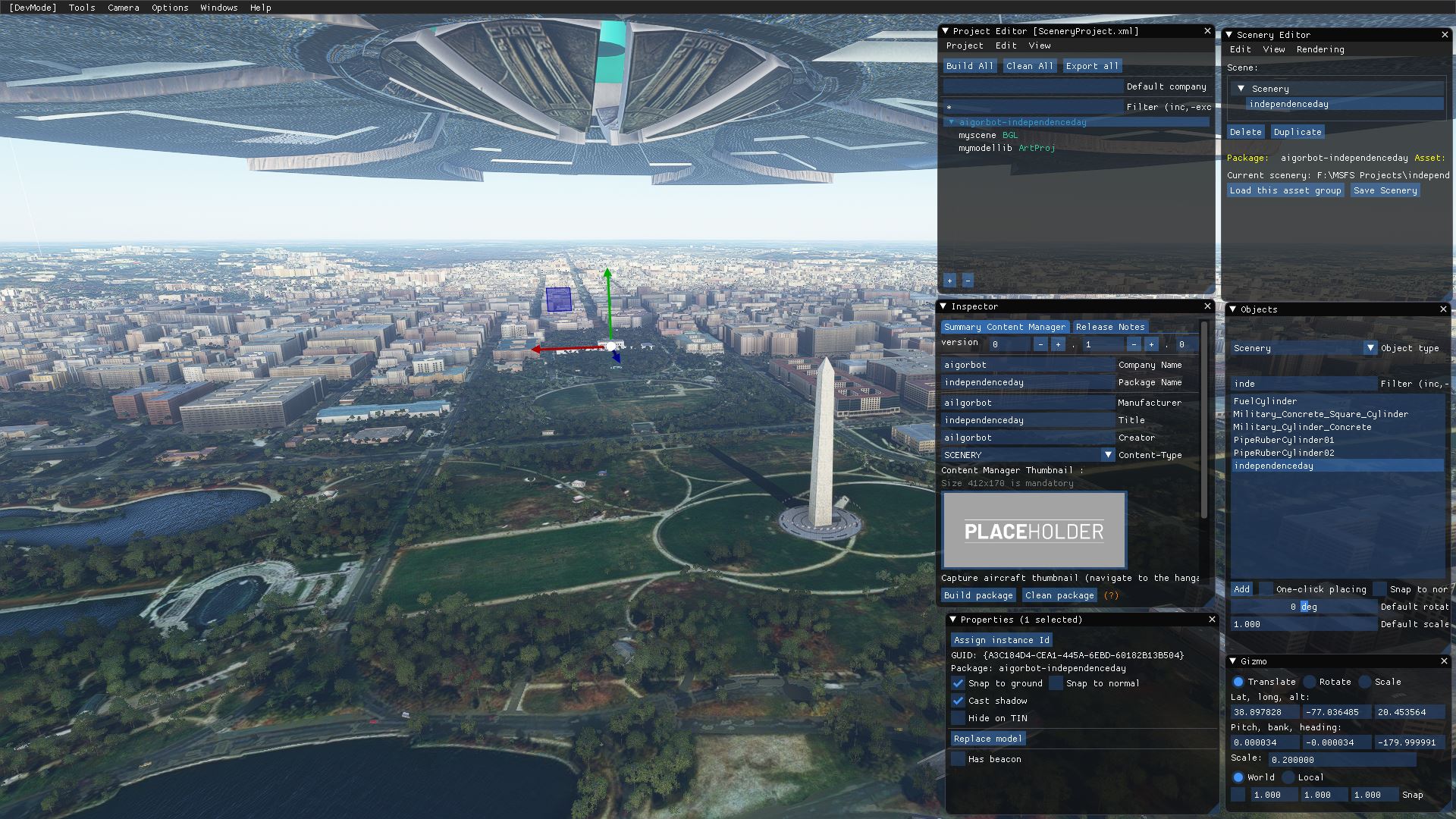
Any idea ?
I have try to follow this video :
Blender
SDK console
PackageBuilder | Reading F:\MSFS Projects\independenceday\SceneryProject.xml...
PackageBuilder | Preparing asset groups...
PackageBuilder | Done, 4 asset groups registered.
PackageBuilder | Generating commands for package aigorbot-independenceday...
PackageBuilder | Preparing commands for asset group ContentInfo...
PackageBuilder | Preparing commands for asset group myscene...
PackageBuilder | Preparing commands for asset group mymodellib...
PackageBuilder | Ready, 9 commands added.
PackageBuilder | Starting the build...
PackageBuilder | Building assets for the package aigorbot-independenceday...
Copying files from source folder F:\MSFS Projects\independenceday\PackageDefinitions\aigorbot-independenceday\ContentInfo\...
Compiling texture file TEXTURE\SAUCE_LIT.PNG...
Compiling texture file TEXTURE\SAUCE_NRM.PNG...
Compiling texture file TEXTURE\SAUCE_ALB.PNG...
Compiling GLTF data file independenceday.gltf...
[sauce2_primitive[0]] Primitive defines "TANGENT" data, but we do not currently support importing tangents. The data is ignored.
Copying files from source folder F:\MSFS Projects\independenceday\PackageSources\modelLib\...
Compiling BGL file from in-memory data to output file modelLib.BGL...
Compiling BGL from file objects.xml...
PackageBuilder | Validating Package 'aigorbot-independenceday'...
PackageBuilder | Reloading assets for the package aigorbot-independenceday...
Copying files from source folder F:\MSFS Projects\independenceday\PackageDefinitions\aigorbot-independenceday\ContentInfo\...
Compiling texture file TEXTURE\SAUCE_LIT.PNG...
Compiling texture file TEXTURE\SAUCE_NRM.PNG...
Compiling texture file TEXTURE\SAUCE_ALB.PNG...
Compiling GLTF data file independenceday.gltf...
Copying files from source folder F:\MSFS Projects\independenceday\PackageSources\modelLib\...
Compiling BGL file from in-memory data to output file modelLib.BGL...
Compiling BGL from file objects.xml...
PackageBuilder | Finished, 1 skipped, 8 done and 0 failed, took 4s497ms.
[BITMAP CONVERTED] 2D BM_BC1_UNORM 4096x4096 5300651783902854212
[BITMAP CONVERTED] 2D BM_BC5_SNORM 4096x4096 6801016988370686129
[BITMAP CONVERTED] 2D BM_BC1_UNORM 4096x4096 14530660746727323292
Node 'Right_Hand' has non-uniform scale with children, its children may behave/render incorrectly.
[glTF] Model lod loaded: [LOD0] SimObjects\Humans\Pilot\model.Pilot_Female_Casual\Pilot_Female_Casual_LOD01.gltf
[glTF] Model lod loaded: [LOD1] SimObjects\Humans\Pilot\model.Pilot_Female_Casual\Pilot_Female_Casual_LOD02.gltf
[glTF] Model lod loaded: [LOD2] SimObjects\Humans\Pilot\model.Pilot_Female_Casual\Pilot_Female_Casual_LOD03.gltf
[glTF] Model lod loaded: [LOD3] SimObjects\Humans\Pilot\model.Pilot_Female_Casual\Pilot_Female_Casual_LOD04.gltf
[glTF] Model lod loaded: [LOD4] SimObjects\Humans\Pilot\model.Pilot_Female_Casual\Pilot_Female_Casual_LOD05.gltf
[glTF] Model lod loaded: [LOD5] SimObjects\Humans\Pilot\model.Pilot_Female_Casual\Pilot_Female_Casual_LOD06.gltf
Loading object from BGL FAILED: {822311E7-D7C3-4344-A68B-32ED2953D273}
at LLA: 38.897655�X - -77.036411�X - -127.020767
with source identifier: 'Mission: '
[glTF] Model lod loaded: [0] independenceday.gltf | {A3C184D4-CEA1-445A-6EBD-60182B13B504}
PackageBuilder | Done, 4 asset groups registered.
PackageBuilder | No partial lister for asset type BGL
PackageBuilder | Partial build : nothing to do
PackageBuilder | Reading F:\MSFS Projects\independenceday\SceneryProject.xml...
PackageBuilder | Preparing asset groups...
PackageBuilder | Done, 4 asset groups registered.
PackageBuilder | Generating commands for package aigorbot-independenceday...
PackageBuilder | Preparing commands for asset group ContentInfo...
PackageBuilder | Preparing commands for asset group myscene...
PackageBuilder | Preparing commands for asset group mymodellib...
PackageBuilder | Ready, 9 commands added.
PackageBuilder | Starting the build...
PackageBuilder | Building assets for the package aigorbot-independenceday...
Compiling BGL file from in-memory data to output file modelLib.BGL...
Compiling BGL from file objects.xml...
PackageBuilder | Validating Package 'aigorbot-independenceday'...
PackageBuilder | Reloading assets for the package aigorbot-independenceday...
Compiling BGL file from in-memory data to output file modelLib.BGL...
Compiling BGL from file objects.xml...
PackageBuilder | Finished, 7 skipped, 2 done and 0 failed, took 0s068ms.
Even I export again like in the video. It doesn't move
Any idea ?


