• Which the release of FS2020 we see an explosition of activity on the forun and of course we are very happy to see this. But having all questions about FS2020 in one forum becomes a bit messy. So therefore we would like to ask you all to use the following guidelines when posting your questions:

    • Tag FS2020 specific questions with the MSFS2020 tag.
    • Questions about making 3D assets can be posted in the 3D asset design forum. Either post them in the subforum of the modelling tool you use or in the general forum if they are general.
    • Questions about aircraft design can be posted in the Aircraft design forum
    • Questions about airport design can be posted in the FS2020 airport design forum. Once airport development tools have been updated for FS2020 you can post tool speciifc questions in the subforums of those tools as well of course.
    • Questions about terrain design can be posted in the FS2020 terrain design forum.
    • Questions about SimConnect can be posted in the SimConnect forum.

    Any other question that is not specific to an aspect of development or tool can be posted in the General chat forum.

    By following these guidelines we make sure that the forums remain easy to read for everybody and also that the right people can find your post to answer it.

need help: landable deck

Wow! I never knew that.

I suppose that's how FlyTampa made their Lukla scenery. Hmm, this has very good implications for my current project :D
 
Yes, it is possible to you the platform for non-flat objects. Or actually such a jump is constructed of several flat segments, forming that total shape.

Try to use the XML code like this, you need to remove the comments around the placement code:

Code:
<?xml version="1.0" encoding="ISO-8859-1"?>
<FSData version="9.0" xmlns:xsi='http://www.w3.org/2001/XMLSchema-instance' xsi:noNamespaceSchemaLocation="bglcomp.xsd">

<SceneryObject lat="47 25.89" lon="-122 18.43" alt="0" pitch="0" bank="0" heading="0" altitudeIsAgl="TRUE" imageComplexity="NORMAL">
<LibraryObject name="83EBEE7740381BCF1399B48DF8C2A5CB" scale="1.0" />
</SceneryObject>

<ModelData name="83EBEE7740381BCF1399B48DF8C2A5CB" sourceFile="sky3.mdl" />
</FSData>

Of course you also need to enter the coordinates of the position where you want the object to be.
 
I've also used the platform to create a runway with a gentle slope at both ends, so that the runway crossed another runway...

...over a bridge! :cool:
 
Hi Alberto

Have you had any success
with hardening your ski jump for 'Principe de Asturias' ?

Look forward to her release.

ATB
Paul
 
Hi. We finally had success and created our first Gmax landable surfaces. We´re using Ez-scenery to place them.

Thanks to everybody. And,Arno, you´re a great teacher.
 
can you explain to me step by step How did your Skyjump?
I understood you:
1. did a carrier with a skyjump
2.you cloned the skyjump surface
3. applied attachtool script to the cloned platform
than
4. compiled all
Is this right?
thanks in advance
 
Hi,

The steps you describe are right. So just try it.
 
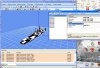
here you have a frigate where i tried to add a landable deck
I tried to export but MakeMDL gave an error fail to convert the model....
in the attached file you have the main file lender exocet01.gmax
and the leander exocet03.gmax I didnt able to export
Makemdl failure...bah
look at the log and gtext
an help to solve will be appreciate thanks

question:
If I convert ONLY the landable deck as an new MDL how can I use it with the ship?
I have the ship , I have the landable platform as 2 MDL and than?
 

Attachments

here you have a frigate where i tried to add a landable deck
I tried to export but MakeMDL gave an error fail to convert the model....
in the attached file you have the main file lender exocet01.gmax
and the leander exocet03.gmax I didnt able to export
Makemdl failure...bah
look at the log and gtext
an help to solve will be appreciate thanks

question:
If I convert ONLY the landable deck as an new MDL how can I use it with the ship?
I have the ship , I have the landable platform as 2 MDL and than?

Assuming that you are using EZ Scenery or Instant Scenery to place the ships and platforms, and that the landable platform is invisible, it is always going to be problematic to place the platform on top of another scenery object because...... it's invisible.

Using both EZ Scenery and Instant Scenery, I have had good results by making a matching visible platform which is used to place the invisible version.

With both platforms on the same library .bgl it is easy to select and position the visible platform at a point where it is just merging with the surface of the scenery object it is being placed on top of, then, when the visible platform is in position, simply switch to the invisible platform and place it at that position.

I made sets for both FS9 and FSX in varying sizes, each size with both a visible and invisible platform, they were very handy for hardening surfaces quickly.

Hope this helps
Gman
 
thanks,
I understood your answer,
still not able to export....I think is the plugin MadeMDL.exe (2004...as date)
anyway my Idea is :
If the script AttachToolGmax works well (and worked...I think) the choise Concrete for instance
should give a parameter , not only a feature as texture, to say fs2004 or MadeMDL that this polygon is Like an "INVISIBLE HARD APRON"
MadeMDL creates a fs2004 flight Model; a MDL that doesnt need any hard part inside
so It should modify the tool to have such result OR to use ModelConverter to see this platform and Modify it or add a feature to check to have such platform " hard " when exported in fs2004 as scenery.
what do you think about
 
Good news, guys,
I solved the export problem so here you have the frigate (with platform)
But when In fs2004 as BGL the invisible platform does not work....and the Helicopter sink!
I gave a look with modelconverter and I found that all platforms are lenght=0, width=0 but I saw concrete as property
I suppose , on my opinion it is strange...platforms do not have dimensions
It is possible to solve?
 

Attachments

  • platform11.jpg
    platform11.jpg
    311.1 KB · Views: 361
Hi Cobber,
I am a bit confused about what you are trying to do and how you are doing it (in Gmax?), or how you are placing the ship into FS9 (EZ Scenery?) so about all I can add at this time is to remind you that once you place your ship with the hardened platform in FS9, you have to restart FS9 for the hardened platform to be activated.

I don't have Gmax (FS9) currently installed and cannot remember the specifics of creating hardened platforms from memory, much less talk you through adding a hardened platform to the frigate in Gmax.

If you are using EZ Scenery or Instant Scenery, you can go to AVSIM and download Shawn Lund's Fire Scenery Objects Part II + EZ_Platforms. (fire_scenery_objects_part_2_original.zip) within that kit you will find my set of FS9 invisible hardened platforms and their visible placement tool versions.

And remember, a hardened platform does not become active until FS9 is restarted.

Cheers
Gman
 
Btw, you should also try the auto platform function of modelconverterx. If your model has no complex animations or so, that's probably the easiest way to add a platform.

 
Thank you so much NOW I have understood!
I didnt restart fs9 so this was my first fault
Yes I used Gmax to add Hardplatform....and now I'm going to ue ModelConverter : it is an easier way
I will try to study and use ez scenry tool as you , Gman, siggested
thanks guys for your help I appreciated
all my best
Cobber
 
Yes of course, if you can add the hardened platform in MCX, the frigate will be modified for all future placements.

I still think you will find the EZ Platforms useful to harden rooftops on random buildings you can't modify in MCX.

And don't forget to restart FS9 after placing any scenery object with a hardened platform before you try landing on it.

Let us know how it all worked out.

Cheers
Gman
 
Back
Top