• Which the release of FS2020 we see an explosition of activity on the forun and of course we are very happy to see this. But having all questions about FS2020 in one forum becomes a bit messy. So therefore we would like to ask you all to use the following guidelines when posting your questions:

    • Tag FS2020 specific questions with the MSFS2020 tag.
    • Questions about making 3D assets can be posted in the 3D asset design forum. Either post them in the subforum of the modelling tool you use or in the general forum if they are general.
    • Questions about aircraft design can be posted in the Aircraft design forum
    • Questions about airport design can be posted in the FS2020 airport design forum. Once airport development tools have been updated for FS2020 you can post tool speciifc questions in the subforums of those tools as well of course.
    • Questions about terrain design can be posted in the FS2020 terrain design forum.
    • Questions about SimConnect can be posted in the SimConnect forum.

    Any other question that is not specific to an aspect of development or tool can be posted in the General chat forum.

    By following these guidelines we make sure that the forums remain easy to read for everybody and also that the right people can find your post to answer it.

MSFS20 Net texture visibility

Messages
111
Country
portugal
Hi

In my projects I'm using a texture of real net.
The probem is in visibility. The net is not visible after 1 or 2 meters.

For example, in my project;

Braga airfield
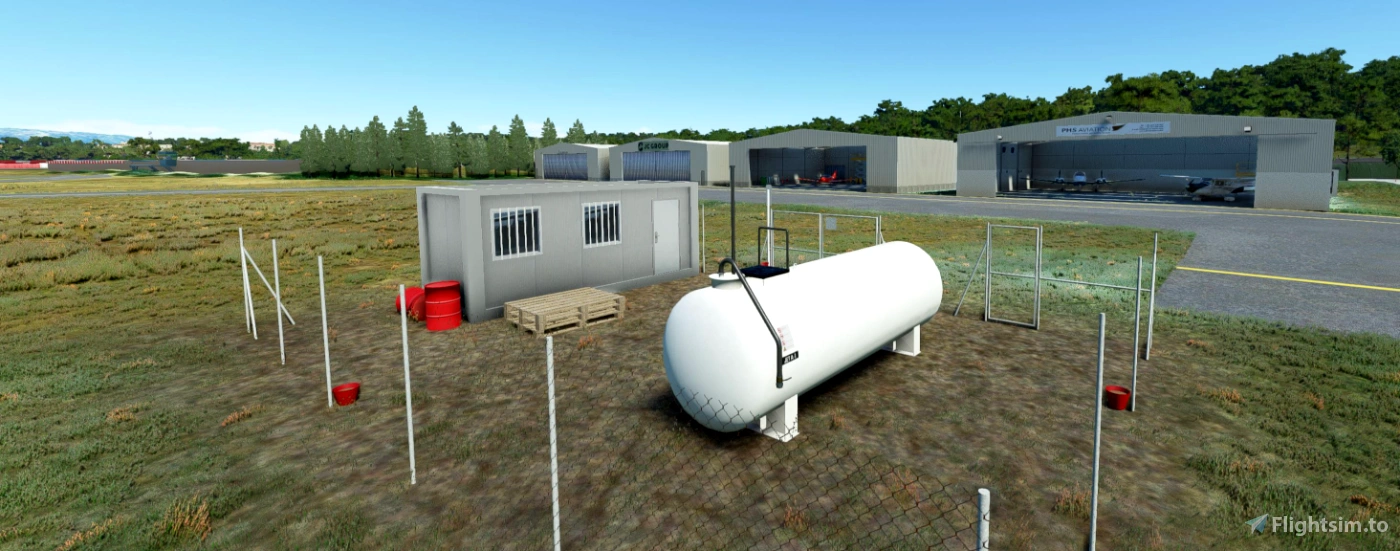
1625667068035.png


1625667249313.png


There are anyone with ideias how to overcome this?

Does someone have a texture that can share which visibility is better at longer distance?

Best regards
Mário
 
I suggest you substitute a model for lower levels of detail (LOD) that uses a different texture.
I am guessing a semi transparent, single color, would work best.
 
Or you could try to modify the lower mipmaps of your texture to make the fence more visible in them
 
This one has some good visibility for quite a few metres but it might be too thick for you.
 

Attachments

  • Fencing.png
    Fencing.png
    138.1 KB · Views: 195
By the way.
Which process are you using to create LOD's ?

I was using the amazing ModelConverterX but after object export, the PBR materials always lose his properties. So I don't know another way to produce the LOD's.
 
I was using the amazing ModelConverterX but after object export, the PBR materials always lose his properties. So I don't know another way to produce the LOD's.
Which format are you exporting to and which properties are being lost? Sounds like that might be a bug.
 
Hi Arno

I think that is more an issue from my side than from the tool himself, because I'm the only one who haves it! ☺️


One sphere exported from 3ds.

The one with metal is direct insert through simulator (no LOD).
The second that looks like milk, have been used in ModelConverterX, LOD's calculated and exported back to glft.

1.jpg


Attached the 3ds file, textures and exported files.

What am I doing wrong?

Thank you.
 

Attachments

I'll try to have a look tonight.
 
Hi,

I see that MCX adds more attributes to the material, I think it is one of those that gives the difference. I suspect it might be the metallic value which defaults to 0, could you try to change that to 1 with a text editor to see if that helps?
 
I can confirm it's possible to export reflective material with multi LOD's using MCX.

domein.JPG


The main textures were too large to include, but I included the dome textures if the OP wants to work with that.
 

Attachments

Sorry for late feedback. Personal work does not help.

Thank you RK.
I have tested your textures and the result is the same. :(

So I have follow Arno instructions and changed manually. It was:

1628020907494.png


For material:

1628020942893.png


Replace by 1 and now It's metallic. :)


EDIT: BY the way, it's only in materials that have Metallic= 1.0., If it's metallic=0.5, it keeps.
 
Last edited:
Hi,

Thanks for the feedback. I sounds like the default value for metallic in MSFS when it is not specified (like in your model) is 1, while MCX assumes it is 0. I might have to modify this default value in MCX to match MSFS more closely.
 
Hi,

I have updated MCX now so that the default metallic value is 1.0. It will be in the next development release.
 
Back
Top