- Messages
- 216
- Country

I've posted this as Prepar3D v2.2. but I imagine it also applies to FSX and FSXA...
Here is the situation:
This all works fine (and perfectly with default and other 3rd party scenery), except it appears that the textures on the Orbx terrain object appear above (as if with a greater priority) than the airfield ground polygon we created.
Does anyone know how to prevent this from happening?
Our scenery is No 1 in the scenery priority list, with the Orbx scenery way down the list.
Many thanks in advance.
Andy
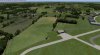
Here it is with default scenery:

airfield default by Andy L.J. Ford, on Flickr
Here it is with Orbx EU England installed (note that the whole area is flattened to the same elevation). Note the Orbx texture showing through:

airfield Orbx by Andy L.J. Ford, on Flickr
Here is the situation:
- Orbx scenery installed (EU England)
- Developing an airfield using a flattened blended mesh (to avoid "cliff edges")
- Airfield uses ground polygons for textures (no orthophoto available)
- Airfield flatten (within the boundary of the flattened part of the blended mesh) included to ensure the 3D object (can't think of a better way to describe it) Orbx created for the airfield (presumably so they can bake ambient occlusions from vehicles, buildings etc. onto it?) can't appear "above" (i.e. poke through) the flattened blended mesh.
This all works fine (and perfectly with default and other 3rd party scenery), except it appears that the textures on the Orbx terrain object appear above (as if with a greater priority) than the airfield ground polygon we created.
Does anyone know how to prevent this from happening?
Our scenery is No 1 in the scenery priority list, with the Orbx scenery way down the list.
Many thanks in advance.
Andy
Here it is with default scenery:
airfield default by Andy L.J. Ford, on Flickr
Here it is with Orbx EU England installed (note that the whole area is flattened to the same elevation). Note the Orbx texture showing through:
airfield Orbx by Andy L.J. Ford, on Flickr
Last edited: