

- Messages
- 22
- Country

Hey,
I was working on SODE Jetways fro my scenery project and I was able to export the .x and .xanim from 3DS Max and everything works except the texturing. When I enable PBR textures with Render Mode "Translucent", I seem to get some glitches/see-through opaque faces.
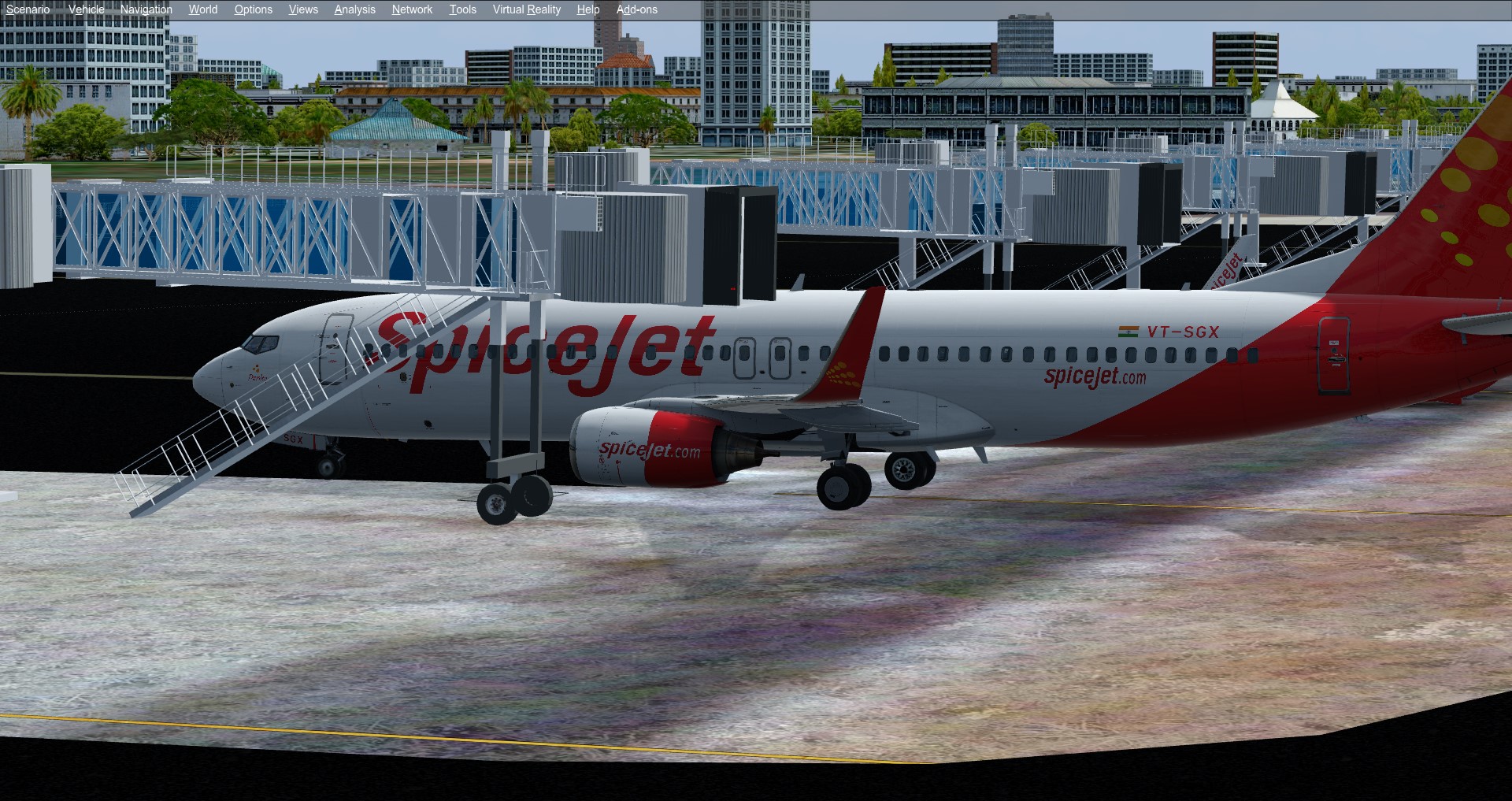
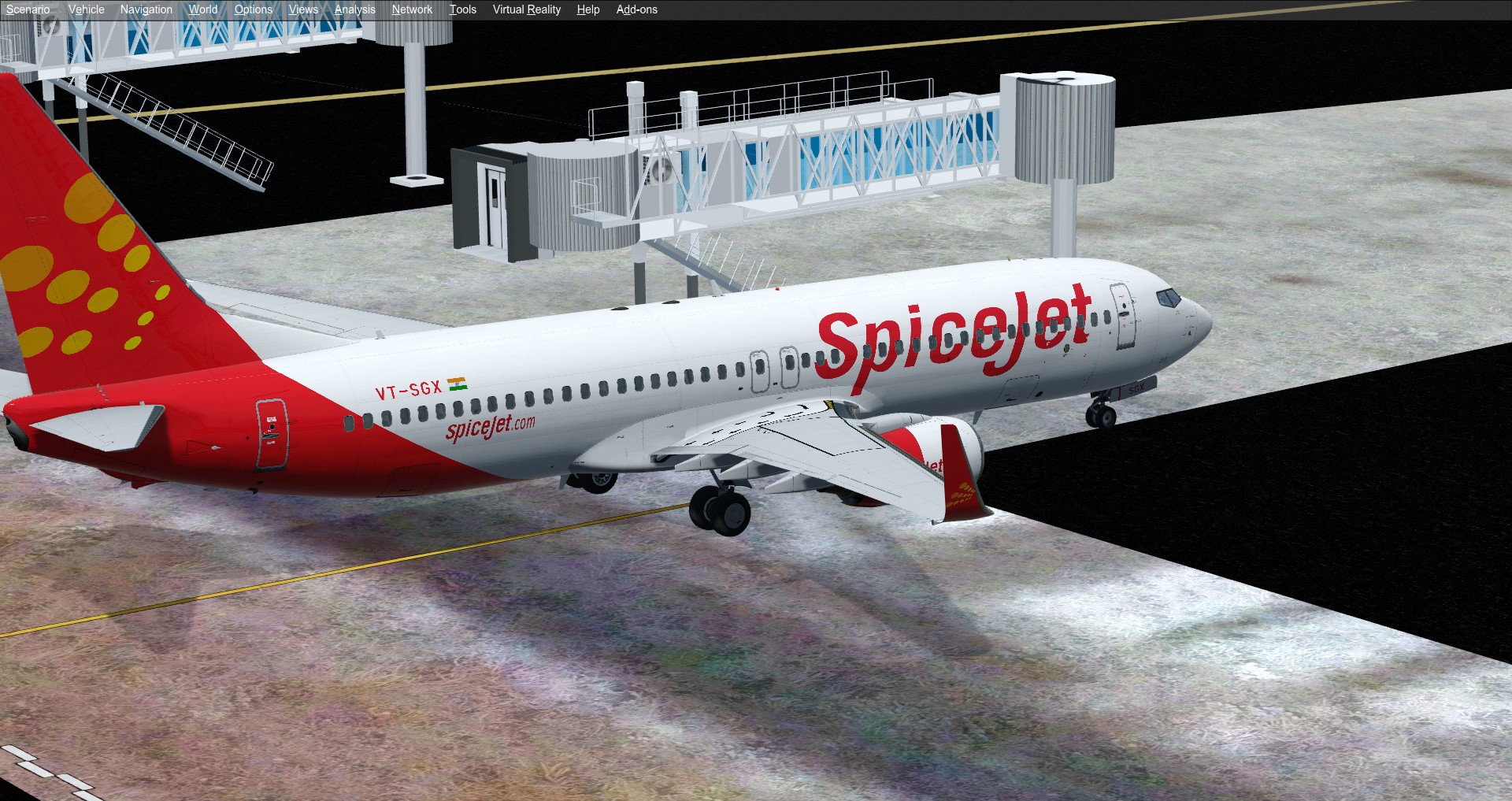
The staircase and railings on the other side of the jetway are visible through the opaque faces of the jetway. It's all well and good in the Opaque Render Mode, I might be missing something in the PBR settings.
Opaque Render Mode:


Here are the settings I used:

I also experimented with a few other settings that I found on various threads on this forum but it didn't seem to resolve this issue.
Here are some of the settings I tried:
Alpha Test Function: GreaterEqual
Alpha Test Level: 128
Z-Test Alpha: True
Allow Bloom: False
Z-Write Alpha: False
Destination Blend: Zero
Source Blend: One
Emissive Mode: AdditiveNightOnly
Is PBR Material: True
Render Mode: Translucent
Z-Bias: Zero
I would really appreciate help with this issue in Translucent PBR Materials. I am using Prepar3D v4.5 and its corresponding SDK with the 01-08-2020 build of ModelConverterX
Warm Regards,
Apoorv
I was working on SODE Jetways fro my scenery project and I was able to export the .x and .xanim from 3DS Max and everything works except the texturing. When I enable PBR textures with Render Mode "Translucent", I seem to get some glitches/see-through opaque faces.
The staircase and railings on the other side of the jetway are visible through the opaque faces of the jetway. It's all well and good in the Opaque Render Mode, I might be missing something in the PBR settings.
Opaque Render Mode:
Here are the settings I used:
I also experimented with a few other settings that I found on various threads on this forum but it didn't seem to resolve this issue.
Here are some of the settings I tried:
Alpha Test Function: GreaterEqual
Alpha Test Level: 128
Z-Test Alpha: True
Allow Bloom: False
Z-Write Alpha: False
Destination Blend: Zero
Source Blend: One
Emissive Mode: AdditiveNightOnly
Is PBR Material: True
Render Mode: Translucent
Z-Bias: Zero
I would really appreciate help with this issue in Translucent PBR Materials. I am using Prepar3D v4.5 and its corresponding SDK with the 01-08-2020 build of ModelConverterX
Warm Regards,
Apoorv

