-
Which the release of FS2020 we see an explosition of activity on the forun and of course we are very happy to see this. But having all questions about FS2020 in one forum becomes a bit messy. So therefore we would like to ask you all to use the following guidelines when posting your questions:
- Tag FS2020 specific questions with the MSFS2020 tag.
- Questions about making 3D assets can be posted in the 3D asset design forum. Either post them in the subforum of the modelling tool you use or in the general forum if they are general.
- Questions about aircraft design can be posted in the Aircraft design forum
- Questions about airport design can be posted in the FS2020 airport design forum. Once airport development tools have been updated for FS2020 you can post tool speciifc questions in the subforums of those tools as well of course.
- Questions about terrain design can be posted in the FS2020 terrain design forum.
- Questions about SimConnect can be posted in the SimConnect forum.
Any other question that is not specific to an aspect of development or tool can be posted in the General chat forum.
By following these guidelines we make sure that the forums remain easy to read for everybody and also that the right people can find your post to answer it.
You are using an out of date browser. It may not display this or other websites correctly.
You should upgrade or use an alternative browser.
You should upgrade or use an alternative browser.
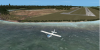
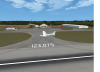
Pearl Simulations - Everglades Airpark
- Thread starter Mark Papp
- Start date


- Messages
- 61
Looks great!Thanks for the help William123with this tutorial I've finally managed to create the volumetric grass. here is the picture:View attachment 27102
Thanks for the info!BTW, I use ORBX HD TreesD I really placed them one by one)

Have you used the gPoly wizard of MCX with the right info (Altitude...etc)? This should calculate the curves of the earth and will result in a perfect gPoly without flickering.I've tried doing that but it didn't help... That shitty piece of rwy keeps popping up even if I put the layer priority to 16 what should I do??
One more thing: Try to use the MCX v1.3 stable rather than the development one v1.4. Because I always face the same kind of problems when using using gPoly wizard of MCX v1.4.

Hope this helps!

- Messages
- 61
Please take a look at this tutorial: PART V: which describes how to make water (Hydro Polys): http://www.flightsim.com/vbfs/showthread.php?250762-How-to-create-photoreal-scenery-for-FSX/page2BTW, Can you help me on how to create water where the default scenery has land?
Or: There is another way which is to use WaterMasks in your PhotoScenery!
Hope this helps a bit more!


- Messages
- 86
- Country

No, I used gmax.Did you use blender?
- Messages
- 61
Do you have a Flatten CVX under your airport? Have you already used MCX v1.3 when using gPoly wizard? Try also to untick "Group Polygons" as @Shaun said above. Maybe this will solve the problem?the bug is still there :S

- Messages
- 61
I don't know! Your problem is really strangeWhen I used 1.3 I got the whole default runway over the custom one, so that was even worse :S
 ModelConverterX should calculate the curves of the earth which will result in a perfect gPoly as I told you earlier.
I think you should post a new thread at the ModelConverterX forum... Maybe Arno can help you!

- Messages
- 410
- Country

BTW, I use ORBX HD Trees
Does that mean, that I must own OrbX HD Trees to use this scenery?
- Messages
- 61
That's great!THE PROBLEM IS RESOLVED WITH A SEPARATE RWY MASK!!!! Thanks for your help guys I really do appreciate it!!!!! Watch out for the release on simmarket
Good luck with your future projects No, ORBX HD Trees is just an addon that improves the default trees textures provided by FS. So it doesn't have any relationship with this scenery. Correct me if I'm wrongDoes that mean, that I must own OrbX HD Trees to use this scenery?
Last edited:

Severin
Resource contributor
- Messages
- 251
- Country

Hi,Mark. What do you mean by a seperate "Runway Mask"?THE PROBLEM IS RESOLVED WITH A SEPARATE RWY MASK!!!! Thanks for your help guys I really do appreciate it!!!!! Watch out for the release on simmarket
- Messages
- 86
- Country
Pearl Simulations - Everglades Airpark is released!!!! I would like to thank everyone who helped me creating my first commercial scenery!!! It will be available on Simmarket soon