

- Messages
- 1,451
- Country

Hello lasses and lads
First of all: Merry Christmas!!!
I am looking forward if a kind soul would point me in the right direction. A few weeks ago, many of you came to help and what I've learn was how to avoid using mask images. However, the lader is the one and only that requieres one in the entire PFD.
This has been driving me crazy for weeks: The Bell 429 PFD's Artificial Horizon. It behaves weird and just don't know what's grong. The image below resembles the problem:
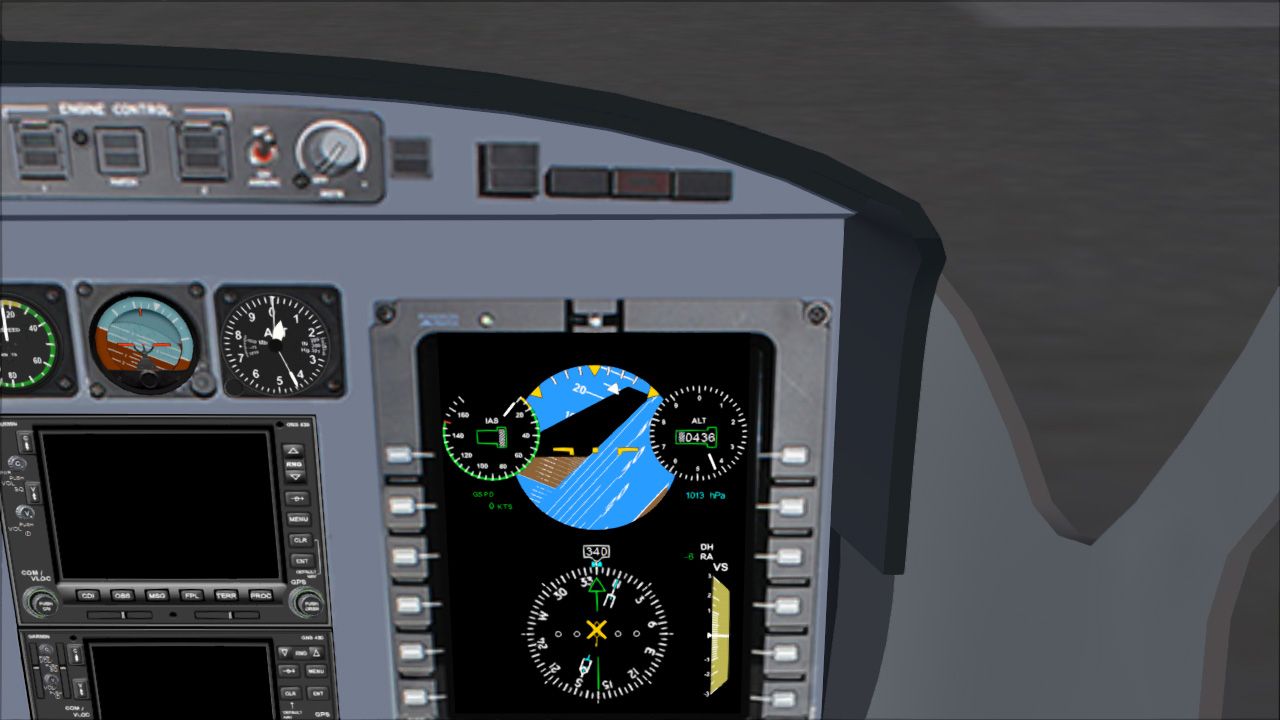
I will try to be as breaf as possible: it is the first gauge in the PFD, is perfectly centered and the mask image is working "like it should"; it only shows the circle in the artificial horizon. This extrange gizmo, only happens when I turn to the right and only at certain angles
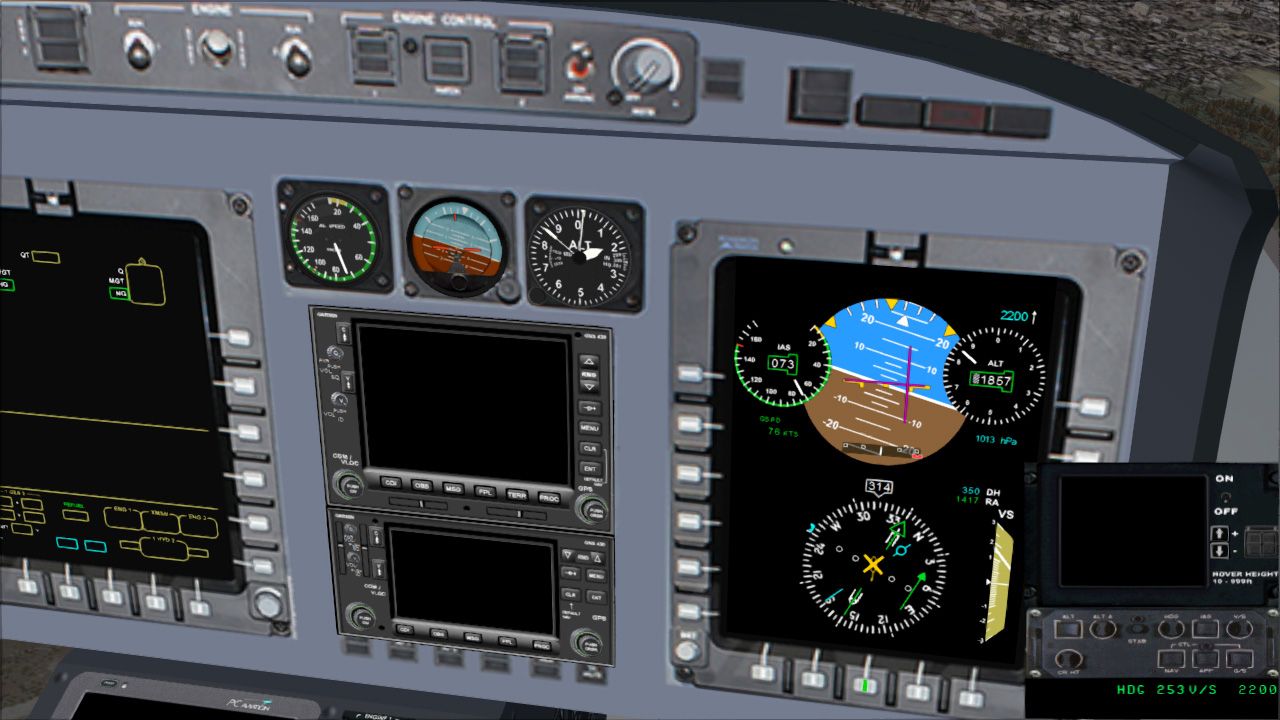
As far as I know, the images can be in any size and mine are meant to be in high resolution. The entire gauge in the panel.cfg entries has been resiezed down and I am starting to thing that is a scaling issue... However, when I set the gauge in a larger scale in other window, the problem remains.
The next images, shows the gauge in a larger window:
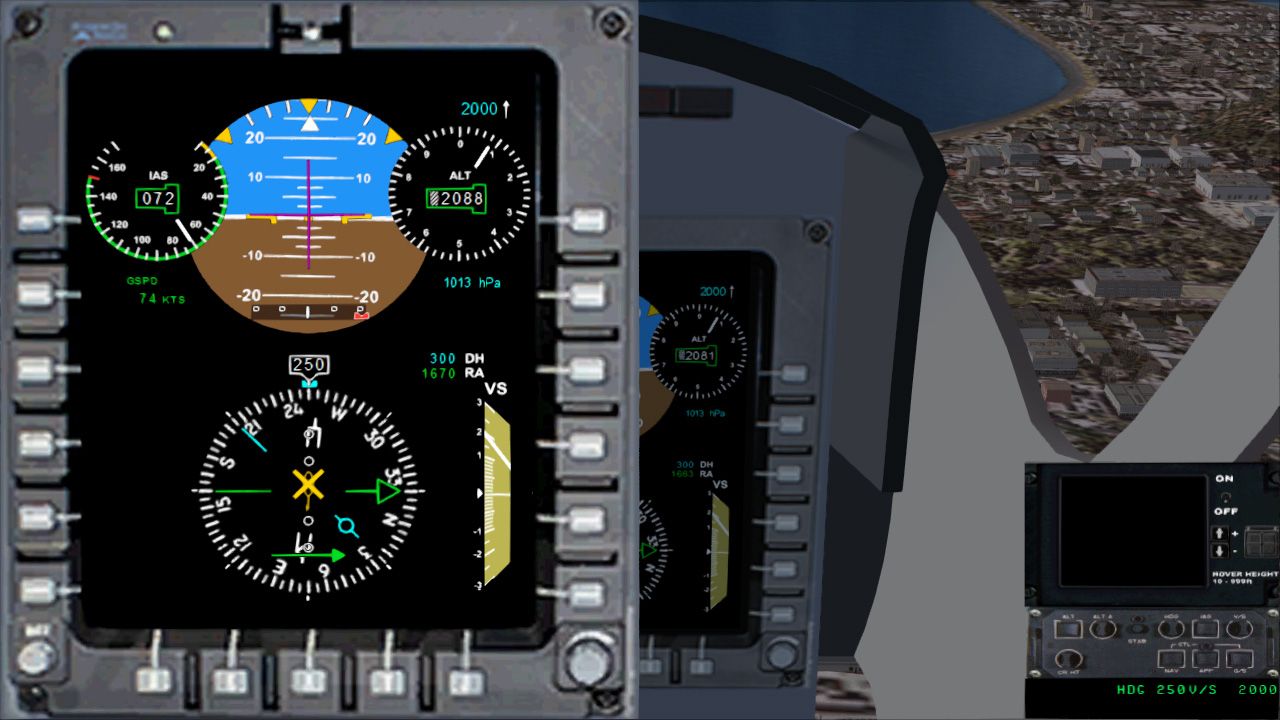
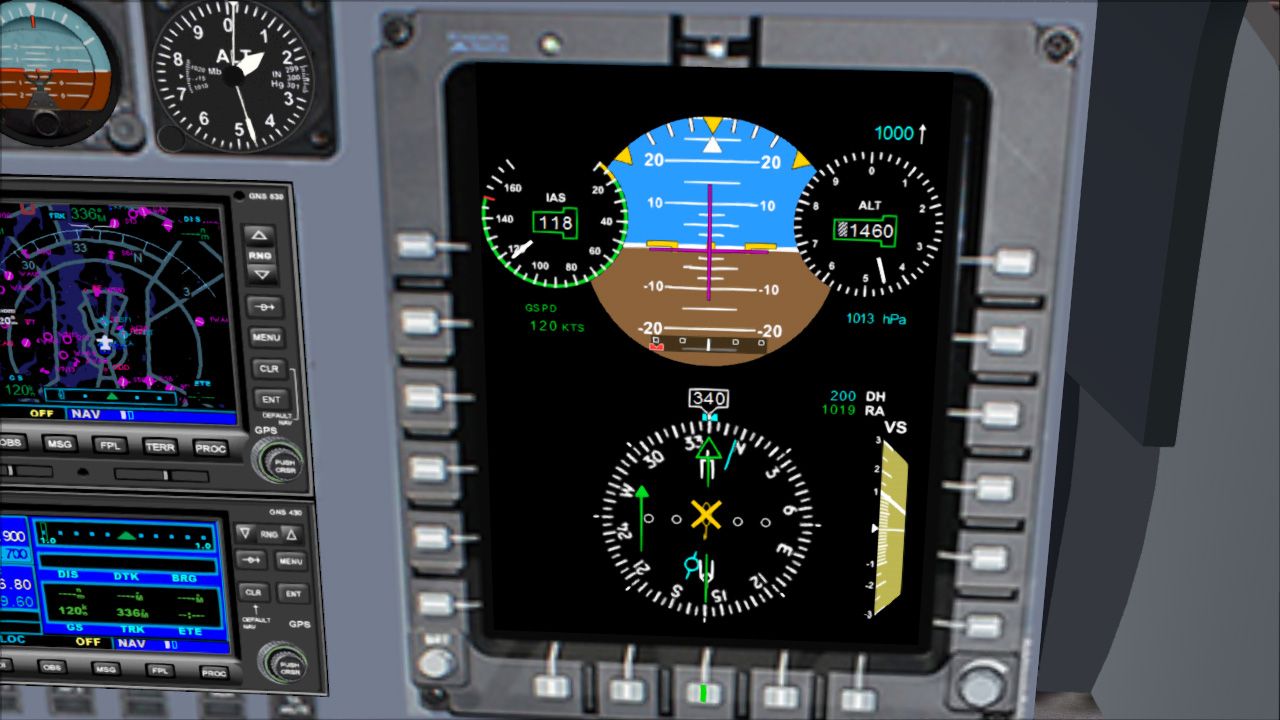
As you may see, the layout looks fine; the vertical speed works like a charm (thans to you guys) and nothing else is having issues. The image drawing order and their sizes are as follows:
1.- pfd_background (772x1028 pixels)
2.- attitude_card_mask (772x1028 pixels) in the same size as the background.
3.- attitude_card (1290x2505 pixels).
Now, the first lines of code (the full gauge is attached to this thread)
In advance, thank you.
Sergio.
First of all: Merry Christmas!!!
I am looking forward if a kind soul would point me in the right direction. A few weeks ago, many of you came to help and what I've learn was how to avoid using mask images. However, the lader is the one and only that requieres one in the entire PFD.
This has been driving me crazy for weeks: The Bell 429 PFD's Artificial Horizon. It behaves weird and just don't know what's grong. The image below resembles the problem:
I will try to be as breaf as possible: it is the first gauge in the PFD, is perfectly centered and the mask image is working "like it should"; it only shows the circle in the artificial horizon. This extrange gizmo, only happens when I turn to the right and only at certain angles
As far as I know, the images can be in any size and mine are meant to be in high resolution. The entire gauge in the panel.cfg entries has been resiezed down and I am starting to thing that is a scaling issue... However, when I set the gauge in a larger scale in other window, the problem remains.
The next images, shows the gauge in a larger window:
As you may see, the layout looks fine; the vertical speed works like a charm (thans to you guys) and nothing else is having issues. The image drawing order and their sizes are as follows:
1.- pfd_background (772x1028 pixels)
2.- attitude_card_mask (772x1028 pixels) in the same size as the background.
3.- attitude_card (1290x2505 pixels).
Now, the first lines of code (the full gauge is attached to this thread)
HTML:
  <Gauge Name="Primary Flight Display Bell 429" Version="1.0">
        <Element>
            <Visible>(A:Circuit general panel on, bool)</Visible>
              <Image Name="pfd_background.bmp" Bright="Yes" Luminous="Yes"/>
                    <Failures>
                      <SYSTEM_ELECTRICAL_PANELS Action="0"/>
                  </Failures>

      <!-- 1.0 ======================= Artificial Horizon ================== -->
          <Element>
                    <Position X="0" Y="0"/>
                        <MaskImage Name="attitude_card_mask.bmp">
                              <Axis X="386" Y="514"/>
                        </MaskImage>
                        <Image Name="attitude_card.bmp">
                              <Axis X="645" Y="1506"/>
                        </Image>
                        <Shift>
                            <Value Minimum="-90" Maximum="90">(A:Attitude indicator pitch degrees,degrees) /-/</Value>
                            <Scale Y="7.13"/>   <!-- +/- pixels Y over +/- 90 degrees pitch = 7.13 pixels per degree -->
                        </Shift>
                        <Rotate>
                            <Value>(A:Attitude indicator bank degrees,radians) </Value>
                        </Rotate>
               </Element>

      <!-- 1.1 ======================= Roll Sticks ======================== -->
          <Element>
              <Position X="126" Y="0"/>
              <Image Name="attitude_roll_ticks.bmp" Bright="Yes"/>
          </Element>

      <!-- 1.2 ======================= Attitude scroll arrow ================= -->
                 <Element>
                  <Position X="386" Y="215"/>
                  <Image Name="attitude_scroll_arrow.bmp" Bright="Yes">
                      <Axis X="19.5" Y="185"/>
                  </Image>
                  <Rotate>
                      <Value Minimum="-57" Maximum="57">(A:Attitude indicator bank degrees, degrees)</Value>
                      <Nonlinearity>
                            <Item Value="-57" Radians="-0.9948373"/>
                            <Item Value="0" Radians="0"/>
                            <Item Value="57" Radians="0.9948373"/>
                      </Nonlinearity>
                  <Delay DegreesPerSecond="0"/>
                  </Rotate>
                </Element>

      <!-- 1.3 ======================= Flight Director ================= -->
      <!--        Artificial Horizon center of coordinates x=386, y=253) -->

              <Element>
              <Position X="384" Y="256"/>
                  <Image Name="attitude_fd_bar_pitch.bmp" Bright="Yes">
                     <Axis X="100" Y="0"/>
                  </Image>
                  <Visible>(A:Autopilot flight director active, bool)</Visible>
                  <Shift>
                     <Value Minimum="-15" Maximum="15">(A:Autopilot flight director pitch, degrees) (A:Attitude indicator pitch degrees:1, degrees) -    </Value>
                     <Scale Y="6.66666"/>
                  </Shift>
             </Element>

              <Element>
                    <Position X="382" Y="253"/>
                        <Image Name="attitude_fd_bar_roll.bmp" Bright="Yes">
                          <Axis X="0" Y="100"/>
                        </Image>
                    <Visible>(A:Autopilot flight director active, bool)</Visible>
                    <Shift>
                       <Value Minimum="-20" Maximum="20">(A:Autopilot flight director bank, degrees) (A:Attitude indicator bank degrees:1, degrees) - /-/</Value>
                       <Scale X="3.75"/>
                    </Shift>
              </Element>
                  <!-- Artificial Horizon end -->
.
.
.

  <!-- ======================= PFD end ================= -->
        </Element>
    </Gauge>
In advance, thank you.
Sergio.


