• Which the release of FS2020 we see an explosition of activity on the forun and of course we are very happy to see this. But having all questions about FS2020 in one forum becomes a bit messy. So therefore we would like to ask you all to use the following guidelines when posting your questions:

    • Tag FS2020 specific questions with the MSFS2020 tag.
    • Questions about making 3D assets can be posted in the 3D asset design forum. Either post them in the subforum of the modelling tool you use or in the general forum if they are general.
    • Questions about aircraft design can be posted in the Aircraft design forum
    • Questions about airport design can be posted in the FS2020 airport design forum. Once airport development tools have been updated for FS2020 you can post tool speciifc questions in the subforums of those tools as well of course.
    • Questions about terrain design can be posted in the FS2020 terrain design forum.
    • Questions about SimConnect can be posted in the SimConnect forum.

    Any other question that is not specific to an aspect of development or tool can be posted in the General chat forum.

    By following these guidelines we make sure that the forums remain easy to read for everybody and also that the right people can find your post to answer it.

MSFS20 Possible to remove a certain area from a 3rd party photogrammetry area?

Hi again:

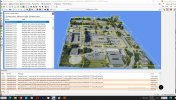
MCX shows the "Enjoy" ENSX_GE_RIP_BGL_Object-34 Tile has numerous ModelParts in Hierarchy Editor (7 are removed here):
View attachment 95077

AFAIK, one would need to request the "Enjoy" author to release- or grant permission to make- an edited version of that 3D Tile BGL.

< Hmmm... one may also wonder whether "visibility condition" options can be used for ModelPart excludes and seasonal texture changes.>


Otherwise one would need to create a substitute placement BGL that excludes a minimum of full 3D tiles local to ENSX Helipad.

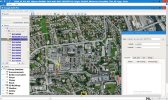
ENSX_GE_RIP_BGL_Object-34 Tile Origins extracted via MCX Plc2SHP in Google Earth shows a Minimum of (4) Exclude-able Tiles:

View attachment 95075

IIUC, there are separate placement coordinates for the (4) 3D tile origins in the XML, but MCX displays them as (1) 'library' meta-object.


I do still plan to test using (4) separate ExclusionRectangles to prevent run-time rendering of those (4) 3D tiles local to ENSX Helipad.


Alternatively, I shall omit 'placing' those (4) separate 3D tiles local to ENSX Helipad ...to prevent their run-time rendering.

This is likely to result in a slightly greater area of scenery objects requiring replacement with custom- or MSFS default- objects.


Additionally, one may wish to substitute a CVX Vector BGL to reduce "Enjoy" flatten extents local to ENSX Helipad.


More to come as time permits. :cool:

GaryGB
Fantastic work! Hope something works out! :)
 
Hi Vetle:

Success (...incrementally). :)

I have ID'd (4) "EnjoyItFly-Stavanger" 3D tiles that can be excluded via minimum extents ExclusionRectangles added using MSFS DevMode GUI:

ENSX_GE_RIP_BGL_Object-34_All_4_Origins_Plc2SHP_Minimum_Excludable_Tiles_MSFS20-1.jpg


As previously shown in MCX, 3D Tile Origin (aka Datum aka Reference Point) for placement is the lower Left (aka SouthWest) corner of each object.

One must add an ExclusionRectangle with its Property set to "excludeLibraryObjects" (only) at each of these (4) coordinates:

ENSX_GE_RIP_BGL_Object-34_8b755d4b-31ae-4afd-ac04-872458b18107_Origin_Plc2SHP_Minimum_Excludab...jpg


ENSX_GE_RIP_BGL_Object-e1bb6801-3b1d-4ed7-b567-38f29f7f7165_Origin_Plc2SHP_Minimum_Excludable_...jpg


ENSX_GE_RIP_BGL_Object-34_b27dd746-5836-4737-8b9e-879b09468b75_Origin_Plc2SHP_Minimum_Excludab...jpg


ENSX_GE_RIP_BGL_Object-34_ac78883f-a23d-429c-8b79-11364491b46e_Origin_Plc2SHP_Minimum_Excludab...jpg


One must ensure each ExclusionRectangle's vertical N-S and E-W extent is set to ~around a Yellow Rectangle size shown in GE to exclude 3D tiles. :pushpin:

This will eliminate not only the (4) "EnjoyItFly-Stavanger" 3D tiles, but also the need to create a substitute placement BGL for that add-on's 3D tiles.


It may be more practical to leave underlying flatten(s) in place from the "EnjoyItFly-Stavanger" 3D tiles add-on.

Then, when you place your ENSX Helipad substitute 3D tiles, after their extents are trimmed, you can position them using AMSL Altitude method.

[EDITED]

You may wish to use TIG's Section Cut Face plugin to slice / size custom 3D object replacements for excluded "Enjoy" 3D objects:

https://sketchucation.com/pluginstore?pln=SectionCutFace

https://sketchucation.com/plugin/744-sectioncutface

1492207262743Plugin-7.gif


You may also use TIG's Slicer plugin to slice & size custom 3D object replacements for excluded "Enjoy" 3D objects:

https://sketchucation.com/pluginstore?pln=TIG_Slicer

https://sketchucation.com/plugin/781-tig_slicer


Alternatively, you may use Whaat: Zorro2 v2.0_beta to slice & size your custom 3D object replacement content:

https://sketchucation.com/pluginstore?pln=Zorro2

https://community.sketchucation.com/topic/109440/plugin-zorro2-beta#p124862

https://community.sketchucation.com/uploads/imported_attachments/sTC0_Zorro2Tutorial.pdf

[END_EDIT]


NOTE: Substitute Terra-forming Rectangles in layers may allow for straight upper edges instead of a sloped flatten:

"IMPORTANT! When stacking terraforming rectangles, the falloff will only be used for the lowest priority rectangle. All rectangles on top will have their falloff behave as if it was set to 0 and so give the sharpest transition possible"

https://docs.flightsimulator.com/html/Developer_Mode/Scenery_Editor/Objects/Rectangle_Objects.htm


That may allow easier positioning of your own 3D objects used to replace the (4) "Enjoy" tiles extent area cited above without adding "Terrain Skirts" along edges of custom 3D objects in order to overlap / obscure the flatten area edges.


I plan to further test what minimum size a "Priority 0" Terra-forming Rectangle may use when under super-imposed higher Priority Terra-forming Rectangles ...in order to eliminate having sloped edges in flatten areas. :coffee:


BTW: MCX Heirarchy Editor shows that "EnjoyItFly-Stavanger" 3D tiles have no seasonal textures or 'true' FS water within their coverage area.

These are "Faux" Photogrammetry, and use "Fake" Terrain and "Bogus" Water; thus they are "FauxPho-FakeTer-BogusWat-" ...pseudo-scenery. :stirthepo


The "Best Practice" for an aspiring MSFS scenery developer is to follow a basic rule:

Exclude and Replace (...with fully SDK compliant scenery content). :teacher:


While there are some perceived advantages of "IRL Look-and-Feel" if using a local "EnjoyItFly" scenery add-on compared to local default 3D objects, it is possible in a modified "GEDOT" workflow cited above for "EnjoyItFly" scenery add-ons, to use custom 3D and terrain content ...rather than Google's. :idea:


If / when you are ready to further learn how to perform a SDK compliant "Exclude and Replace" for your MSFS project(s), feel free to ask. :cool:

GaryGB
 

Attachments

  • ENSX_GE_RIP_BGL_Object-34_b27dd746-5836-4737-8b9e-879b09468b75_Origin_Plc2SHP_Minimum_Excludab...jpg
    ENSX_GE_RIP_BGL_Object-34_b27dd746-5836-4737-8b9e-879b09468b75_Origin_Plc2SHP_Minimum_Excludab...jpg
    516.4 KB · Views: 131
Last edited:
Hi Vetle:

Success (...incrementally). :)

I have ID'd (4) "EnjoyItFly-Stavanger" 3D tiles that can be excluded via minimum extents ExclusionRectangles added using MSFS DevMode GUI:

View attachment 95085

As previously shown in MCX, 3D Tile Origin (aka Datum aka Reference Point) for placement is the lower Left (aka SouthWest) corner of each object.

One must add an ExclusionRectangle with its Property set to "excludeLibraryObjects" (only) at each of these (4) coordinates:

View attachment 95086

View attachment 95087

View attachment 95090

View attachment 95089

One must ensure each ExclusionRectangle's vertical N-S and E-W extent is set to ~around a Yellow Rectangle size shown in GE to exclude 3D tiles. :pushpin:

This will eliminate not only the (4) "EnjoyItFly-Stavanger" 3D tiles, but also the need to create a substitute placement BGL for that add-on's 3D tiles.


It may be more practical to leave underlying flatten(s) in place from the "EnjoyItFly-Stavanger" 3D tiles add-on.

Then, when you place your ENSX Helipad substitute 3D tiles, after their extents are trimmed, you can position them using AMSL Altitude method.

You may use TIG's Slicer plugin to 'size' your custom 3D object replacement content for excluded "Enjoy" 3D objects:

https://sketchucation.com/pluginstore?pln=TIG_Slicer

https://sketchucation.com/plugin/781-tig_slicer


Alternatively, you may wish to use Whaat: Zorro2 v2.0_beta to slice your your custom 3D object replacement content:

https://sketchucation.com/pluginstore?pln=Zorro2

https://community.sketchucation.com/topic/109440/plugin-zorro2-beta#p124862

https://community.sketchucation.com/uploads/imported_attachments/sTC0_Zorro2Tutorial.pdf
Thank you so much for experimenting with this. I have not yet recieved feedback about this being an issue, so I will have to prioritize the detailing of the rest of the hospital. But I will look into all of this when I have the capacity. Thank you! :)
https://community.sketchucation.com/uploads/imported_attachments/sTC0_Zorro2Tutorial.pdf
NOTE: Substitute Terra-forming Rectangles in layers may allow for straight upper edges instead of a sloped flatten:

"IMPORTANT! When stacking terraforming rectangles, the falloff will only be used for the lowest priority rectangle. All rectangles on top will have their falloff behave as if it was set to 0 and so give the sharpest transition possible"

https://docs.flightsimulator.com/html/Developer_Mode/Scenery_Editor/Objects/Rectangle_Objects.htm


That may allow easier positioning of your own 3D objects used to replace the (4) "Enjoy" tiles extent area cited above without adding "Terrain Skirts" along edges of custom 3D objects in order to overlap / obscure the flatten area edges.


I plan to further test what minimum size a "Priority 0" Terra-forming Rectangle may use when under super-imposed higher Priority Terra-forming Rectangles ...in order to eliminate having sloped edges in flatten areas. :coffee:


BTW: MCX Heirarchy Editor shows that EnjoyItFly-Stavanger" 3D tiles have no seasonal textures or 'true' FS water within their coverage area.

These are "faux" Photogrammetry, and use "Fake" Terrain and "Bogus" Water; thus they are "FauxPho-FakeTer-BogusWat-" ...pseudo-scenery. :stirthepo


The "Best Practice" for an aspiring MSFS scenery developer is to follow a basic rule:

Exclude and Replace (...with fully SDK compliant scenery content). :teacher:


While there are some perceived advantages of "IRL Look-and-Feel" if using a local "EnjoyItFly" scenery add-on compared to local default 3D objects, it is possible in a "GEDOT" workflow cited above for "EnjoyItFly" scenery add-ons, to use custom 3D and terrain content ...rather than Google's. :idea:


If / when you are ready to further learn how to perform a SDK compliant "Exclude and Replace" for your MSFS project(s), feel free to ask. :cool:

GaryGB
If I understand correctly, this is also possible to adress my less optimal way of handling terraforming, with multiple terraforming rectangles? I was not aware of the possiblities to adjust a terrain profile out of a rectangle. I will have to experiment with that feature which will be a bullseye in terrain adjustment! Thank you so much, again...!

I am a little unsure what you mean about the best practice in reference to the "exclude and replace"? I love best practices :) Do you mean I should add a exclude rectangle within the area relevant for my custom scenery?
 
[EDITED]

Thank you so much for experimenting with this. I have not yet received feedback about this being an issue, so I will have to prioritize the detailing of the rest of the hospital. But I will look into all of this when I have the capacity. Thank you! :)

I like where you are prioritizing your current efforts; the new Hospital campus building geometry is already looking quite good. ;)

If I understand correctly, this is also possible to address my less optimal way of handling terraforming, with multiple terraforming rectangles? I was not aware of the possibilities to adjust a terrain profile out of a rectangle. I will have to experiment with that feature which will be a bullseye in terrain adjustment! Thank you so much, again...!

When I get some more time free, I shall do some tests with the elevation and vector data you so kindly downloaded and linked via PM, to see if one might substitute a new terrain configuration via perhaps, both TIN and Rectangle methods, so that the Helipad building and surrounding environment fits into / onto MSFS run time rendered terrain in a way more compatible with that seen IRL.

I am a little unsure what you mean about the best practice in reference to the "exclude and replace"? I love best practices :).

Do you mean I should add a exclude rectangle within the area relevant for my custom scenery?

No worries; you are already showing a solid commitment to "Best Practices" by making scenery that is more true-to-life than many other add-ons that limit the scope of their projects to meet the needs of those who may always be at higher flight level Altitudes, and who may never see the ground because they are always inside a cockpit that obstructs ones view of the local scenery at / near ground level.

I am confident that you are likely to keep up that great work, as your endeavors progress further at this- and other- locations.

As time permits, one may find ways to still allow others' work to contribute to "The Big Picture", while using SDK compliant methods with one's own work, to yield a 3D world render at run time in MSFS that is more true-to-life.

When you are ready, I do believe it would be a good idea to implement the 'ExcludeRectangles' within the area relevant for your custom scenery, so that your own work can be seen instead of the MSFS default, or by local 3D tiles imposed by end users who have the "EnjoyItFly-Stavanger" add-on installed.

No rush, but that latter modification I described above, can essentially be a quick procedure using your own existing Project files.

As time permits, you may wish to also correct a small number of fixes for the non-SDK compliant local terrain rendering super-imposed onto MSFS default scenery, by end users who have the "EnjoyItFly-Stavanger" 3D tiles add-on installed; I can show you how to do that, again, via using your own existing Project files.

[END_EDIT]

Regarding this quote from the MSFS20 SDK Docs:

"IMPORTANT! When stacking terraforming rectangles, the falloff will only be used for the lowest priority rectangle. All rectangles on top will have their falloff behave as if it was set to 0 and so give the sharpest transition possible"

https://docs.flightsimulator.com/html/Developer_Mode/Scenery_Editor/Objects/Rectangle_Objects.htm


I just read that yesterday (AFAIK, it is a new implementation by Asobo);

You never know what you will stumble across reading through the SDK Docs. :wizard:

I plan to test it, as I have not yet tried that method of placing a base level terra-forming Rectangle at "Priority 0", then "stacking" / superimposing (1) or more Rectangles on top at a higher Priority.

I hope the base terra-forming Rectangle can be made 1 Meter smaller per each side from its center point, to offset from the minimum 1 Meter sloped "falloff" area, then we would have a smooth and straight Rectangular hole in the ground in which to place 3D objects like the ENSX Helipad. :scratchch

I'll bet you get a chance to test that before I do, what with all my Holiday commitments. :)

GaryGB
 
Last edited:
"IMPORTANT! When stacking terraforming rectangles, the falloff will only be used for the lowest priority rectangle. All rectangles on top will have their falloff behave as if it was set to 0 and so give the sharpest transition possible"

https://docs.flightsimulator.com/html/Developer_Mode/Scenery_Editor/Objects/Rectangle_Objects.htm


I just read that yesterday (AFAIK, it is a new implementation by Asobo).

You never know what you will stumble across reading through the SDK Docs. :wizard:

I plan to test it, as I have not yet tried that method of placing a base level terra-forming Rectangle at "Priority 0", then "stacking" / superimposing (1) or more Rectangles on top at a higher Priority.

I hope the base terra-forming Rectangle can be made 1 Meter smaller per each side from its center point, to offset from the minimum 1 Meter sloped "falloff" area, then we would have a smooth and straight Rectangular hole in the ground in which to place 3D objects like the ENSX Helipad. :scratchch

I'll bet you get a chance to test that before I do, what with all my Holiday commitments. :)

GaryGB
Several relevant points for my project there, indeed. Especially the priority and profile functions. Excellent.
 
When you are ready, I do believe it would be a good idea to implement the 'ExcludeRectangles' within the area relevant for your custom scenery, so that your own work can be seen instead of the MSFS default, or by local 3D tiles imposed by end users who have the "EnjoyItFly-Stavanger" add-on installed.

No rush, but that latter modification I described above, can essentially be a quick procedure using your own existing Project files
As time permits, you may wish to also correct a small number of fixes for the non-SDK compliant local terrain rendering super-imposed onto MSFS default scenery, by end users who have the "EnjoyItFly-Stavanger" 3D tiles add-on installed; I can show you how to do that, again, via using your own existing Project files.
I already had one exclusion rectangle in, but I saw no effect when testing it with the Enjoyitfly photogrammetry, so I removed it, only implementing exclusion rectangles removing tress and buildings in the relevant area. Maybe I am doing something wrong here...
 
I had a similar initial run time failure to exclude 3D tiles from the EnjoyItFly-Stavanger add-on using a single large ExclusionRectangle, even when positioned 'near' the Reference Point for placement of the 3D tile closest to ENSX Helipad.

In the sequence of my multiple posts and screenshots above in this particular thread, I was ultimately able to ID precise Geographic coordinates for the center points and N-S / E-W bounds of "minimum extent" ExclusionRectangles drawn in the GUI of MSFS SDK DevMode.

You may note I refer to "minimum extents" for those ExclusionRectangles; these were determined via trial-and-error by manually positioning their center point Geographic coordinates in the Gizmo dialog Lat / Lon fields of MSFS SDK DevMode GUI.

[EDITED]

That process requires one to copy and paste Geographic coordinates into the Gizmo dialog; note that after pasting each separate Lat and Lon into its respective Lat / Lon field of MSFS SDK DevMode GUI, one must press the < Enter > key to 'commit' / Apply that value to the field as a data string.

Note as well, that if using an assigned Altitude AMSL, one must follow the same procedure as above to 'commit' / Apply that value to the field as a data string. ;)

After one has entered and 'committed' the above data into fields within the Gizmo, the 'primitive' ExclusionRectangle 'jumps' to its assigned place.

[END_EDIT]


Then I selected and moved each N-S / E-W boundary line of ExclusionRectangles drawn in the GUI of MSFS SDK DevMode, until I was able to see the adjacent 3D tile dynamically "exclude" and disappear from view within the MSFS DevMode run time render session.

It must be noted that even when zoomed in on my current moderately high performance computer build, the run time rendering burden in MSFS SDK DevMode GUI made the process rather slow to respond.

Thus, after selecting each ExclusionRectangle boundary line 'handle', one must make small movements while incrementally changing those N-S / E-W bounds for ExclusionRectangles, and patiently assessing for any response in the 3D tile scene display as it (re-)renders.

When I get some more time free (Friday morning ?), I shall PM you with the details of Geographic coordinates for the central reference points and N-S / E-W bounds of ExclusionRectangles required to successfully exclude the (4) EnjoyItFly-Stavanger 3D tiles local to ENSX Helipad. :)

GaryGB
 
Last edited:
Hi Vetle:

My Holiday week commitments pre-empted my anticipated time availability again today, so I shall have to defer to a time over the weekend to put together, not just a list of Reference Point and ExclusionRectangle N-S / E-W boundary line Geographic coordinates in the correct GIS projection, but a ready-to-import *.SHP file that can be loaded into MSFS SDK DevMode GUI.

I also plan to supply *.KML / *.KMZ files for Google Earth, so you can view / access data used in my GE screenshots above.


I anticipate you also may not yet be ready to work with this optional extra consideration for those who have both EnjoyItFly-Stavanger 3D tile buildings and your ENSX Helipad scenery installed, since you are still working on those (excellent !) 3D models of University Hospital campus surrounding ENSX ...which will be pertinent as replacements (enhancements) for both MSFS default and EnjoyItFly-Stavanger.

https://www.fsdeveloper.com/forum/threads/ensx-stavanger-ems-helicopter.459356/post-930353


I believe your priorities in that thread are quite practical in first providing replacements for just the MSFS default buildings.

Then, as time (and motivation ?) permits, to provide replacements for EnjoyItFly-Stavanger 3D tile buildings in the (4) tiles surrounding / overlapping ENSX Helipad for those who prefer to have installed, both that Stavanger add-on ...and yours as well.

I'll try to test the "Projected Texture" procedure on a Q&D proxy on Layer Zero for multiple buildings in a Sketchup 'scene', as I prepare the cited data for manual entry and/or shape 'primitives' containing data for import to a Project ...in MSFS SDK DevMode GUI.

Keep up the great work. :)

GaryGB
 
Last edited:
Hi Vetle:

My Holiday week commitments pre-empted my anticipated time availability again today, so I shall have to defer to a time over the weekend to put together, not just a list of Reference Point and ExclusionRectangle N-S / E-W boundary line Geographic coordinates in the correct GIS projection, but a ready-to-import *.SHP file that can be loaded into MSFS SDK DevMode GUI.

I also plan to supply *.KML / *.KMZ files for Google Earth, so you can view / access data used in my GE screenshots above.


I anticipate you also may not yet be ready to work with this optional extra consideration for those who have both EnjoyItFly-Stavanger 3D tile buildings and your ENSX Helipad scenery installed, since you are still working on those (excellent !) 3D models of University Hospital campus surrounding ENSX ...which will be pertinent as replacements (enhancements) for both MSFS default and EnjoyItFly-Stavanger.

https://www.fsdeveloper.com/forum/threads/ensx-stavanger-ems-helicopter.459356/post-930353


I believe your priorities in that thread are quite practical in first providing replacements for just the MSFS default buildings.

Then, as time (and motivation ?) permits, to provide replacements for EnjoyItFly-Stavanger 3D tile buildings in the (4) tiles surrounding / overlapping ENSX Helipad for those who prefer to have installed, both that Stavanger add-on ...and yours as well.

I'll try to test the "Projected Texture" procedure on a Q&D proxy on Layer Zero for multiple buildings in a Sketchup 'scene', as I prepare the cited data for manual entry and/or shape 'primitives' containing data for import to a Project ...in MSFS SDK DevMode GUI.

Keep up the great work. :)

GaryGB
Thanks Gary, and I will certainly look into your approach to making the scenery compatible with photogrammetry! :)
 
Hello again. I need to lift this issue again to see if it is possible to investigate other possible solutions.

I am currently working on ENAX Aalesund hospital air ambulance base ( 62.46293254219104, 6.312387389786523 ). There is no "default" photogrammetry scenery present, but it is possible to download a 3rd party addon by "demoken" from flightsim.to.

I have identified a tile which covers the relevant area, but unfortunately it is covering the whole hospital, meaning I will have to remove the whole tile and replace with a custom made hospital. I would love to spare myself of the work to make it from scratch...

When in MCX, I see that the relevant tile is consisting of several smaller tiles, and I wonder: Is it possible to exclude only some of the smaller tiles?

Screenshot 2026-01-17 113328.png


Orange outline: The area I want to remove
Red outline: The area which I alternatively want to remove.

Screenshot 2026-01-16 123301.png
 
Hi Vetle:

Hello again. I need to lift this issue again to see if it is possible to investigate other possible solutions.

I am currently working on ENAX Aalesund hospital air ambulance base ( 62.46293254219104, 6.312387389786523 ). There is no "default" photogrammetry scenery present, but it is possible to download a 3rd party addon by "demoken" from flightsim.to.

I have identified a tile which covers the relevant area, but unfortunately it is covering the whole hospital, meaning I will have to remove the whole tile and replace with a custom made hospital. I would love to spare myself of the work to make it from scratch...

When in MCX, I see that the relevant tile is consisting of several smaller tiles, and I wonder: Is it possible to exclude only some of the smaller tiles?

View attachment 98732

Orange outline: The area I want to remove
Red outline: The area which I alternatively want to remove.

View attachment 98733

FYI: Some GIS apps / web map viewers instead use X, Y (Longitude,Latitude) for referencing Geographic Coordinates.

If so, yours would be:

6.312387389786523,62.46293254219104 :teacher:


Indeed, as seen in:

https://flightsim.to/file/58852/alesund-city-norway

Alesund_ajR4X\demoken-alesund03\scenery\world\scenery\objects.bgl

62.46280660308206, 6.311666965484519
(Bottom Left Corner of Tile is RefPt Location)

Alesund_ajR4X_demoken-alesund03-modelLib_BGL_30606250427171725_041e6c37-e411-43e1-969d-024f3a7...jpg


Alesund_ajR4X\demoken-alesund03\scenery\global\scenery\alesund03-modelLib.BGL

30606250427171725

041e6c37-e411-43e1-969d-024f3a734723


Alesund_ajR4X_demoken-alesund03-modelLib_BGL_30606250427171725_041e6c37-e411-43e1-969d-024f3a7...jpg


ENAX Alesund hospital air ambulance base is in separate ModelParts from Alesund Hospital, and can be excluded separately via (1) or more carefully sized ExclusionRectangles created in MSFS DevMode Scenery Editor GUI, as was previously discussed above:

https://www.fsdeveloper.com/forum/threads/possible-to-remove-a-certain-area-from-a-3rd-party-photogrammetry-
area.459478/post-930253


FYI: Later I'll study ModelParts in MCX Hierarchy Editor further to see if it displays a sub-tile name or a sub-GUID / UuID.


Arno has a way to read Geographic coordinates of ExclusionRectangles from placed ModelPart coordinates to save manual sizing work.


In a separate instance of MCX, import the Alesund_ajR4X\demoken-alesund03\scenery\world\scenery\objects.bgl

In MCX Object Placement feature, set background aerial imagery to Bing Satellite.


Zoom in on Green push-pins for ModelPart Placement Reference Points (aka "RefPt") to be excluded ...(1) at a time.

Geographic coordinates of selected ModelPart Placement RefPts are read in Right Pane of Object Placement dialog.,


Verify MCX Object Placement dialog GUID pop-up of selected ModelPart with the MCX Scenery Objects Editor dialog GUID


In MCX Object Placement dialog, Copy Geographic coordinates of selected ModelPart Placement RefPt.

In MSFS DevMode Scenery Editor GUI, Paste Geographic coordinates of selected ModelPart Placement RefPt into Gizmo dialog.


Add a ExclusionRectangle at placed ModelPart RefPt coordinates and perform manual sizing work until the unwanted tile disappears.


Allow sufficient time for MSFS DevMode GUI to render any ExclusionRectangle edge border movements to set precise sizing.


Repeat the above process for each ModelPart Placement RefPt to be excluded.


Let me know how this works for you. :)

GaryGB
 
Last edited:
Hi Vetle:

Indeed, as seen in:

https://flightsim.to/file/58852/alesund-city-norway

Alesund_ajR4X\demoken-alesund03\scenery\world\scenery\objects.bgl

62.46280660308206, 6.311666965484519 (Bottom Left Corner of Tile is RefPt Location)


View attachment 98747


Alesund_ajR4X\demoken-alesund03\scenery\global\scenery\alesund03-modelLib.BGL

30606250427171725

041e6c37-e411-43e1-969d-024f3a734723


View attachment 98734

ENAX Alesund hospital air ambulance base is in separate ModelParts from Alesund Hospital, and can be excluded separately via (1) or more carefully sized ExclusionRectangles created in MSFS DevMode Scenery Editor GUI, as was previously discussed above:

https://www.fsdeveloper.com/forum/threads/possible-to-remove-a-certain-area-from-a-3rd-party-photogrammetry-
area.459478/post-930253


FYI: Later I'll study ModelParts in MCX Hierarchy Editor further to see if it displays a sub-tile name or a sub-GUID / UuID.


Arno has a way to read Geographic coordinates of ExclusionRectangles from placed ModelPart coordinates to save manual sizing work.


In a separate instance of MCX, import the Alesund_ajR4X\demoken-alesund03\scenery\world\scenery\objects.bgl

In MCX Object Placement feature, set background aerial imagery to Bing Satellite.


Zoom in on Green push-pins for ModelPart Placement Reference Points (aka "RefPt") to be excluded ...(1) at a time.

Geographic coordinates of selected ModelPart Placement RefPts are read in Right Pane of Object Placement dialog.,


Verify MCX Object Placement dialog GUID pop-up of selected ModelPart with the MCX Scenery Objects Editor dialog GUID


In MCX Object Placement dialog, Copy Geographic coordinates of selected ModelPart Placement RefPt.

In MSFS DevMode Scenery Editor GUI, Paste Geographic coordinates of selected ModelPart Placement RefPt into Gizmo dialog.


Add a ExclusionRectangle at placed ModelPart RefPt coordinates and perform manual sizing work until the unwanted tile disappears.


Allow sufficient time for MSFS DevMode GUI to render any ExclusionRectangle edge border movements to set precise sizing.


Repeat the above process for each ModelPart Placement RefPt to be excluded.


Let me know how this works for you. :)

GaryGB
Thank you so much Gary. I have used the exclusionrectangle already, but the issue is that the whole area is removed, so I am unable to isolate the relevant single yellow boxes... . I assume I will have to edit the area somehow outside of the msfs developer mode, but I do not want to edit other peoples work so that is out of the question. If I understood you correctly...:scratchch
 
You should not need to use anything more than a tiny "micro-exclude" to eradicate display of the ModelPart in question.

Perhaps I can post another 'proof-of-concept', and before I make a prototype MSFS project from scratch, I'll check to see if you have posted a MSFS SceneryEditor project.


I may have an opportunity later this afternoon, to test use of a very small and very carefully placed ExclusionRectangle surrounding only the RefPt of the ModelPart cited in my post above.

It would save some time and work if you are willing to ZIP and attach / link via DM, a MSFS Project for ENAX; that way I can more quickly test the generation of the ExclusionRectangle for the RefPt of the ModelPart in question. :-)

GaryGB
 
You should not need to use anything more than a tiny "micro-exclude" to eradicate display of the ModelPart in question.

Perhaps I can post another 'proof-of-concept', and before I make a prototype MSFS project from scratch, I'll check to see if you have posted a MSFS SceneryEditor project.


I may have an opportunity later this afternoon, to test use of a very small and very carefully placed ExclusionRectangle surrounding only the RefPt of the ModelPart cited in my post above.

It would save some time and work if you are willing to ZIP and attach / link via DM, a MSFS Project for ENAX; that way I can more quickly test the generation of the ExclusionRectangle for the RefPt of the ModelPart in question. :-)

GaryGB
I see. I did try using micro-exclusion rectangles, but that did not work for me. I hope you are able to prove me wrong :)
 
So, when you stated that you tried using micro-exclusion rectangles, but that did not work for you, what exclude attributes and priority number did you assign to the ExclusionRectangle in its Properties dialog ?

Or are you saying you were unable to limit the extent of the exclusion impact to force only (1) ModelPart tile to disappear while previewing live in MSFS DevMode Scenery Editor ?

Do you have a test Project for ENAX you could link to expedite my examination and testing of this ?

GaryGB
 
So, when you stated that you tried using micro-exclusion rectangles, but that did not work for you, what exclude attributes and priority number did you assign to the ExclusionRectangle in its Properties dialog ?
I have just started the project within the developer mode so I have only tried with one Exclusionrectangle. It does not compete with any other inputs. I have tried both with excluding all, and only using the exclude building attributes.
Or are you saying you were unable to limit the extent of the exclusion impact to force only (1) ModelPart tile to disappear while previewing live in MSFS DevMode Scenery Editor ?
I have not been able to do this. If a modelpart tile are the the yellow squares in the photogrammetry scenery you showed an image of above (just to verify I understand what a modelpart is), then I have not been able to isolate and remove them. I am only able to remove the whole model part of the scenery. So, either everything, or nothing.
Do you have a test Project for ENAX you could link to expedite my examination and testing of this ?
I am away from the home computer at the moment, but I guess you need to download the photogrammetry scenery anyway and just start a project with the intent to try to remove the relevant photogrammetry scenery parts. You do not need any other specific addons to test.
I have used both of these addons to test, and they both give me the same result: and
 
Just to be clear, you did not attempt to exclude more than (1) sub-tile ModelPart with each individual ExclusionRectangle ?

IIRC, if you place an ExclusionRectangle surrounding the RefPt at the bottom Left corner of the entire tile group (aka"object" in MCX), that corner point is regarded as the Datum for the entire tile group (a multi-object scene in MCX), and it may cause the entire tile to not display in MSFS.,

We must apply a tiny ExclusionRectangle only to the RefPt for each individual sub-tile (ModelPart) to exclude only that sub-tile.

Thus, to exclude the multiple sub-tiles (ModelParts) shown in your latest OP for the sub-topic of ENAX in Post 31 above:

https://www.fsdeveloper.com/forum/t...-party-photogrammetry-area.459478/post-938007


...each (ModelPart) to be excluded requires a tiny ExclusionRectangle to be applied to only the RefPt for each of those sub-tiles.


I shall need to review how I first sorted this out for Stavanger Heliport before creating a ENAX MSFS project to test ExclusionRectangles.

It is possible we are required to manually compute each sub-tile ModelPart lower Left corner RefPt, from the tile grid array using known Geographic coordinates for the lower Left corner of each such tile grid array object MCX displays in sequence as numbered objects, when we advance through the containing 3D model library BGL.

https://www.fsdeveloper.com/forum/t...-party-photogrammetry-area.459478/post-929869


PS: I have thus far only looked at Alesund City addon as cited above in Post 32:

https://www.fsdeveloper.com/forum/t...-party-photogrammetry-area.459478/post-938008


I have already downloaded both the larger Alesund City addon and the other smaller GEDOT tile group in Alesund - Norway

https://flightsim.to/file/11199/alesund-norway


Were you planning to accommodate the GEDOT tile array in that latter Alesund - Norway addon as well ?

If so, please let me know.

I have also taken a look at its structure to see which tiles overlap ENAX: ;)

alesund_jmari_alesund_alesund-2_scenery-objects_bgl_enax_mcx_plc-jpg.98756


alesund_jmari_alesund_jmari_alesund_alesund-2_scenery-objects_bgl_enax_mcx_tile-jpg.98757


alesund_jmari_alesund_jmari_alesund_alesund-2_scenery-objects_bgl_enax_mcx_tile-jpg.98758


alesund_jmari_alesund_jmari_alesund_alesund-2_scenery-objects_bgl_enax_mcx_hierarchy_editor_tile-jpg.98759


NOTE: Separate Exclusion Rectangles may be needed for the latter addon as object and ModelPart tile coordinates differ. :alert:

GaryGB
 

Attachments

  • Alesund_JmaRi_Alesund_Alesund 2_scenery-Objects_BGL_ENAX_MCX_PLC.jpg
    Alesund_JmaRi_Alesund_Alesund 2_scenery-Objects_BGL_ENAX_MCX_PLC.jpg
    135.3 KB · Views: 138
  • Alesund_JmaRi_Alesund_JmaRi_Alesund_Alesund 2_scenery-Objects_BGL_ENAX_MCX_TILE.jpg
    Alesund_JmaRi_Alesund_JmaRi_Alesund_Alesund 2_scenery-Objects_BGL_ENAX_MCX_TILE.jpg
    347.3 KB · Views: 125
  • Alesund_JmaRi_Alesund_JmaRi_Alesund_Alesund 2_scenery-Objects_BGL_ENAX_MCX_Hierarchy_Editor_TILE.jpg
    Alesund_JmaRi_Alesund_JmaRi_Alesund_Alesund 2_scenery-Objects_BGL_ENAX_MCX_Hierarchy_Editor_TILE.jpg
    299.6 KB · Views: 125
Last edited:
Just to be clear, you did not attempt to exclude more than (1) sub-tile ModelPart with each individual ExclusionRectangle ?
Yes I did, but I was unsuccsessful. I was only able to remove the whole tile covering the hospital area.
IIRC, if you place an ExclusionRectangle surrounding the RefPt at the bottom Left corner of the entire tile group (aka"object" in MCX), that corner point is regarded as the Datum for the entire tile group (a multi-object scene in MCX), and it may cause the entire tile to not display in MSFS.,

We must apply a tiny ExclusionRectangle only to the RefPt for each individual sub-tile (ModelPart) to exclude only that sub-tile.

Thus, to exclude the multiple sub-tiles (ModelParts) shown in your latest OP for the sub-topic of ENAX in Post 31 above:

https://www.fsdeveloper.com/forum/t...-party-photogrammetry-area.459478/post-938007


...each (ModelPart) to be excluded requires a tiny ExclusionRectangle to be applied to only the RefPt for each of those sub-tiles.


I shall need to review how I first sorted this out for Stavanger Heliport before creating a ENAX MSFS project to test ExclusionRectangles.

It is possible we are required to manually compute each sub-tile ModelPart lower Left corner RefPt, from the tile grid array using known Geographic coordinates for the lower Left corner of each such tile grid array object MCX displays in sequence as numbered objects, when we advance through the containing 3D model library BGL.

https://www.fsdeveloper.com/forum/t...-party-photogrammetry-area.459478/post-929869


PS: I have thus far only looked at Alesund City addon as cited above in Post 32:

https://www.fsdeveloper.com/forum/t...-party-photogrammetry-area.459478/post-938008


I have already downloaded both the larger Alesund City addon and the other smaller GEDOT tile group in Alesund - Norway

https://flightsim.to/file/11199/alesund-norway


Were you planning to accommodate the GEDOT tile array in that latter Alesund - Norway addon as well ?
If so, please let me know.
I have no particular considerations regarding this. If the method to exclude the relevant area is easy to do I may make three versions of this project. 2 for each photogrammetry sceneries, and one without.
I have also taken a look at its structure to see which tiles overlap ENAX: ;)

alesund_jmari_alesund_alesund-2_scenery-objects_bgl_enax_mcx_plc-jpg.98756


alesund_jmari_alesund_jmari_alesund_alesund-2_scenery-objects_bgl_enax_mcx_tile-jpg.98757


alesund_jmari_alesund_jmari_alesund_alesund-2_scenery-objects_bgl_enax_mcx_tile-jpg.98758


alesund_jmari_alesund_jmari_alesund_alesund-2_scenery-objects_bgl_enax_mcx_hierarchy_editor_tile-jpg.98759


NOTE: Separate Exclusion Rectangles may be needed for the latter addon as object and ModelPart tile coordinates differ. :alert:

GaryGB

So, if I understand you correctly, I need to place small exclusion rectangles over each corner I would like to remove, as with the blue colored circles here?:
Screenshot 2026-01-19 140519.png
 
Yes I did, but I was unsuccsessful. I was only able to remove the whole tile covering the hospital area.

I got the same result before I began refreshing my memory on a need to manually calculate RefPts for ModelPart sub-tiles. :oops:

I have no particular considerations regarding this. If the method to exclude the relevant area is easy to do I may make three versions of this project. 2 for each photogrammetry sceneries, and one without.

Quite generous of you to do so; looks like another one of your outstanding scenery packages in process here. :)

So, if I understand you correctly, I need to place small exclusion rectangles over each corner I would like to remove, as with the blue colored circles here?:
View attachment 98764

Yes; but we must manually calculate RefPts for ModelPart sub-tiles.

Green Push-Pins in MCX' Object Placement dialog are RefPts of an entire array.


Note that the ModelPart sub-tile grid array differs between the (2) Alesund addons: 8x8 (as seen previously), versus 4x4.

This morning I am refreshing my memory on how I manually calculate RefPts for ModelPart sub-tiles; stay tuned for updates. :coffee:


Probably I will need some more coffee before I "Do The Math". :scratchch

GaryGB
 
Last edited:
Back
Top