

- Messages
- 17
Hello all,
So I have made basic shape of my ground polygons in Blender. When I try to make edges, something wierd happens. I followed Austin Sass's tutorial on YT on ground polys in blender.
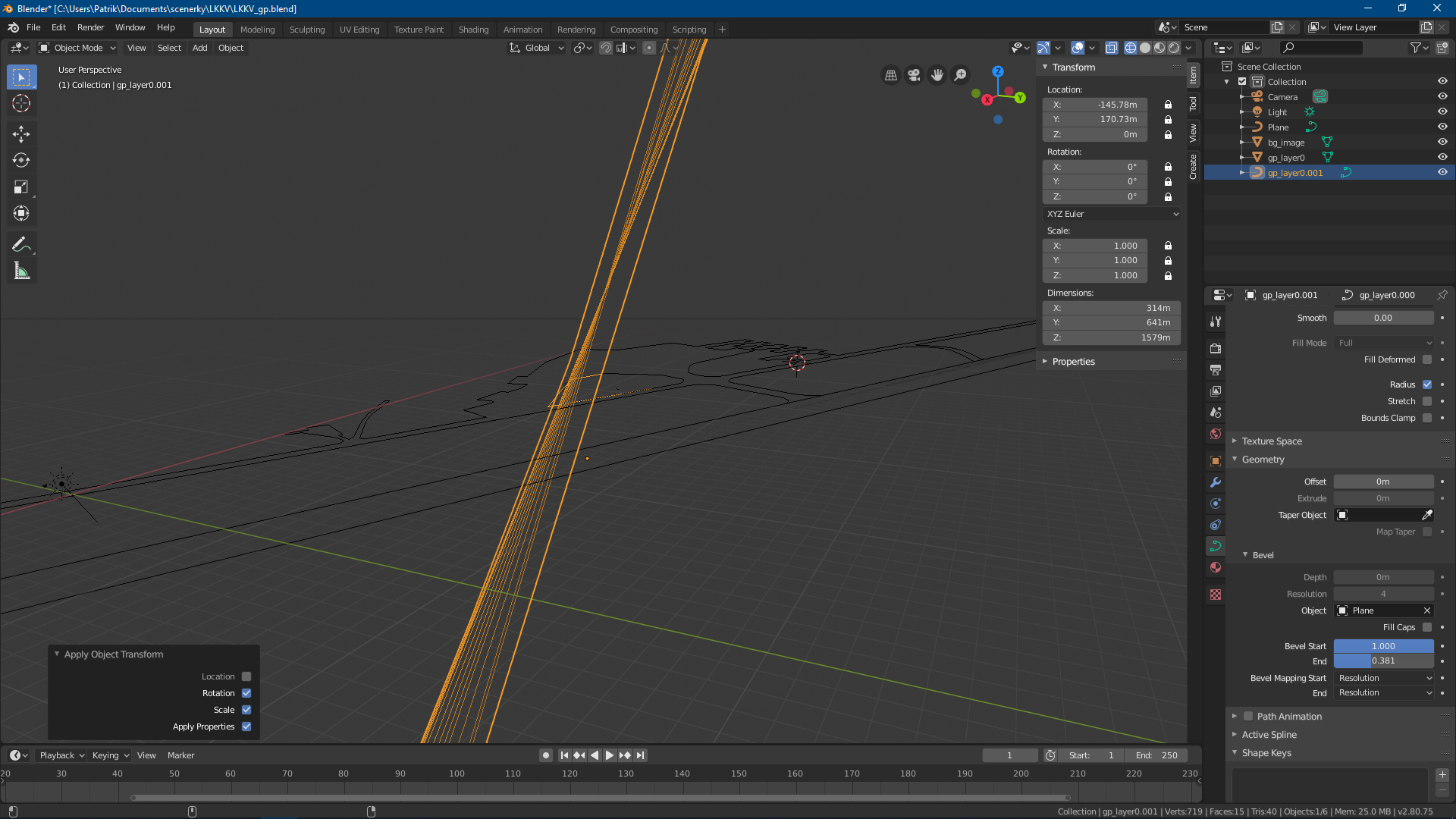
I made a tamplate as a separate object, converted it to a curve and applied rotation and scale. Then duplicated and seperated one edge and converted it too. On last two images below you can see my problem after beveling the edge.
It is wierd that the result I get actually looks like a bigger version of the edge that I should get. And it is pointing upwards.
Thanks
Patrik P.
My separated edge

My template to bevel

Result I get:

So I have made basic shape of my ground polygons in Blender. When I try to make edges, something wierd happens. I followed Austin Sass's tutorial on YT on ground polys in blender.
I made a tamplate as a separate object, converted it to a curve and applied rotation and scale. Then duplicated and seperated one edge and converted it too. On last two images below you can see my problem after beveling the edge.
It is wierd that the result I get actually looks like a bigger version of the edge that I should get. And it is pointing upwards.
Thanks
Patrik P.
My separated edge
My template to bevel
Result I get:
