
I used scenproc to create a level 19 photoreal scenery. The TIF is level 19 and very clear, but after exporting the BGL file and importing it into Prepar3D, it becomes very blurry. During the creation process, I did not compress it. How can I solve the blurriness issue?

-
Which the release of FS2020 we see an explosition of activity on the forun and of course we are very happy to see this. But having all questions about FS2020 in one forum becomes a bit messy. So therefore we would like to ask you all to use the following guidelines when posting your questions:
- Tag FS2020 specific questions with the MSFS2020 tag.
- Questions about making 3D assets can be posted in the 3D asset design forum. Either post them in the subforum of the modelling tool you use or in the general forum if they are general.
- Questions about aircraft design can be posted in the Aircraft design forum
- Questions about airport design can be posted in the FS2020 airport design forum. Once airport development tools have been updated for FS2020 you can post tool speciifc questions in the subforums of those tools as well of course.
- Questions about terrain design can be posted in the FS2020 terrain design forum.
- Questions about SimConnect can be posted in the SimConnect forum.
Any other question that is not specific to an aspect of development or tool can be posted in the General chat forum.
By following these guidelines we make sure that the forums remain easy to read for everybody and also that the right people can find your post to answer it.
You are using an out of date browser. It may not display this or other websites correctly.
You should upgrade or use an alternative browser.
You should upgrade or use an alternative browser.
resample.exe
- Thread starter zhangzz
- Start date

[EDITED]
Arno would be best qualified to assist you with troubleshooting this workflow when performed with ScenProc.
You may also post your INF file here, along with display slider settings from P3D GUI, so we can offer some other troubleshooting info.
Also include your results from inspecting the BGL output by P3D SDK Resample in P3D SDK TMFViewer:
The first thing I should recommend that you try, is opening the BGL(s) in SDK TmfViewer:
[FSX SDK install path]\SDK\Environment Kit\Terrain SDK\TmfViewer.exe
...or:
[Prepar3D SDK install path]\World\Terrain\tmfviewer.exe
Next, check to see what LOD's are present within the BGL compiled by SDK Resample
TmfViewer Menu > View > Level of Detail
If the available LOD's range from 6 or less through 19 or greater, you should have a MIPMAP available to display on the ground inside the visual display radius of the user aircraft camera at its current altitude AGL.
https://www.fsdeveloper.com/forum/threads/flattens.425495/page-2
LOD-19 is less than 1 Meter resolution at 0.075 =(7.5 cm).
IIRC, P3D's GUI display settings slider only shows a 1 Meter minimum value.
So you must manually edit your 'active' Prepar3D.Cfg file so P3D can display higher resolution aerial imagery at LOD-19.
LOD-19 = QMID-29 ,which requires a Prepar3D.Cfg setting of Texture_Resolution=29:
https://fsxtimes.wordpress.com/2011/07/16/fsx-cfg-scenery/
AFAIK, one should find the 'active' Prepar3D.Cfg file in:
C:\ProgramData\Lockheed Martin\Prepar3D v4\ (...or other P3D version # path name)
[END_EDIT]
GaryGB
Arno would be best qualified to assist you with troubleshooting this workflow when performed with ScenProc.
You may also post your INF file here, along with display slider settings from P3D GUI, so we can offer some other troubleshooting info.
Also include your results from inspecting the BGL output by P3D SDK Resample in P3D SDK TMFViewer:
The first thing I should recommend that you try, is opening the BGL(s) in SDK TmfViewer:
[FSX SDK install path]\SDK\Environment Kit\Terrain SDK\TmfViewer.exe
...or:
[Prepar3D SDK install path]\World\Terrain\tmfviewer.exe
Next, check to see what LOD's are present within the BGL compiled by SDK Resample
TmfViewer Menu > View > Level of Detail
If the available LOD's range from 6 or less through 19 or greater, you should have a MIPMAP available to display on the ground inside the visual display radius of the user aircraft camera at its current altitude AGL.
https://www.fsdeveloper.com/forum/threads/flattens.425495/page-2
LOD-19 is less than 1 Meter resolution at 0.075 =(7.5 cm).
IIRC, P3D's GUI display settings slider only shows a 1 Meter minimum value.
So you must manually edit your 'active' Prepar3D.Cfg file so P3D can display higher resolution aerial imagery at LOD-19.
LOD-19 = QMID-29 ,which requires a Prepar3D.Cfg setting of Texture_Resolution=29:
https://fsxtimes.wordpress.com/2011/07/16/fsx-cfg-scenery/
AFAIK, one should find the 'active' Prepar3D.Cfg file in:
C:\ProgramData\Lockheed Martin\Prepar3D v4\ (...or other P3D version # path name)
[END_EDIT]
GaryGB
Last edited:

- Messages
- 34,608
- Country

It would also help to know which settings you entered in the scenproc SPC script.
And did you load the bgl in the tmfviewer tool to see what resample produced (if that really contains the LOD you expected)?
And did you load the bgl in the tmfviewer tool to see what resample produced (if that really contains the LOD you expected)?
Last edited:
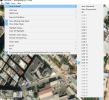
This is my scenproc SPC script. When I view it with TimfViewer, the clarity of LOD0 and LOD27 seems to be the same.It would also help to know which settings you entered in the scenproc SPC script.
And did you load the bgl in the tmfviewer tool to see what resample produced (if that really contains the LOD you expected)?
Attachments

This is my scenproc SPC script. When I view it with TimfViewer, the clarity of LOD0 and LOD27 seems to be the same.
Attachments
- Messages
- 34,608
- Country
So the imagery has been made as LOD 16, is that what you expected? You talked about level 19, did you mean LOD 19 there?
LOD 16 should give you a resolution of about 60 cm per pixel. What resolution do you see in the aim when you call it blurry?
LOD 16 should give you a resolution of about 60 cm per pixel. What resolution do you see in the aim when you call it blurry?
Hi Aron,Maybe the resolution I see is also level 16, but when my viewpoint is closer to the ground, the ground becomes very blurry, just like in the picture. May I ask, is it possible to export terrain at a higher resolution? Or is there any way to make the terrain clearer?So the imagery has been made as LOD 16, is that what you expected? You talked about level 19, did you mean LOD 19 there?
LOD 16 should give you a resolution of about 60 cm per pixel. What resolution do you see in the aim when you call it blurry?
Attachments

- Messages
- 34,608
- Country
Hi,
That looks like the resolution you would expect for LOD 16 if you ask me. Are you sure that your input GeoTIFF imagery has a much higher resolution? Resample will automatically pick the right level based on the input normally.
That looks like the resolution you would expect for LOD 16 if you ask me. Are you sure that your input GeoTIFF imagery has a much higher resolution? Resample will automatically pick the right level based on the input normally.
My TIF file has 19 levels. Where can I set the value for the resampling channel? I've never set the resampling value before.Hi,
That looks like the resolution you would expect for LOD 16 if you ask me. Are you sure that your input GeoTIFF imagery has a much higher resolution? Resample will automatically pick the right level based on the input normally.
I mean, my GeoTIFF file has 19 levels, so why does the exported scenery BGL only have 16 levels?What do you mean with 19 levels? If you check the meta data of the GeoTIFF file, for example with gdalinfo what kind of information do you get?
The only aerial imagery I found for Shenzhen Bao'an International Airport that is not very "Off-Nadir" is ESRI ArcGIS Clarity via SASPlanet.
However, it is not a Zoom level-19 native resolution, and may actually be Zoom level-16.
It is reasonably clear, and could be up-sampled after graphic editing to sharpen and color correct it ...before submission to SDK Resample.
If it is not first up-sampled, SDK Resample, as Arno points out, will read its internal resolution and limit the output BGL to LOD 16.
It is generally difficult to find aerial imagery of China that is not low resolution and Off-Nadir.
GaryGB
However, it is not a Zoom level-19 native resolution, and may actually be Zoom level-16.
It is reasonably clear, and could be up-sampled after graphic editing to sharpen and color correct it ...before submission to SDK Resample.
If it is not first up-sampled, SDK Resample, as Arno points out, will read its internal resolution and limit the output BGL to LOD 16.
It is generally difficult to find aerial imagery of China that is not low resolution and Off-Nadir.
GaryGB