

- Messages
- 1,807
- Country

I have been putting the finishing touches to a 3d model of a hotel using Blender and now when I update the model library and add the model the entire screen goes a yellow color and the 'handle' of the model (to enable rotation) is off screen (see image below). The footprint of the model can be seen and can be dragged around the screen.
Until the last update to my model in Blender this was NOT happening and I think the last update to my model in Blender was moving the 3D cursor to the world origin point.
There are NO errors reported when I update the model library.
Any ideas what is the cause and how to fix it?
[added later]
AND even though the footprint displays in ADE, after building (no errors) and placing in the community folder, the building does NOT display in MSFS
Looking at all the meshes listed for my model in Blender I noticed that there was an entry for an .fbx model I had imported even though I had selected it and deleted it (the entry still existed). Also the model origin point had become screwed up so I corrected that and now it works ok.
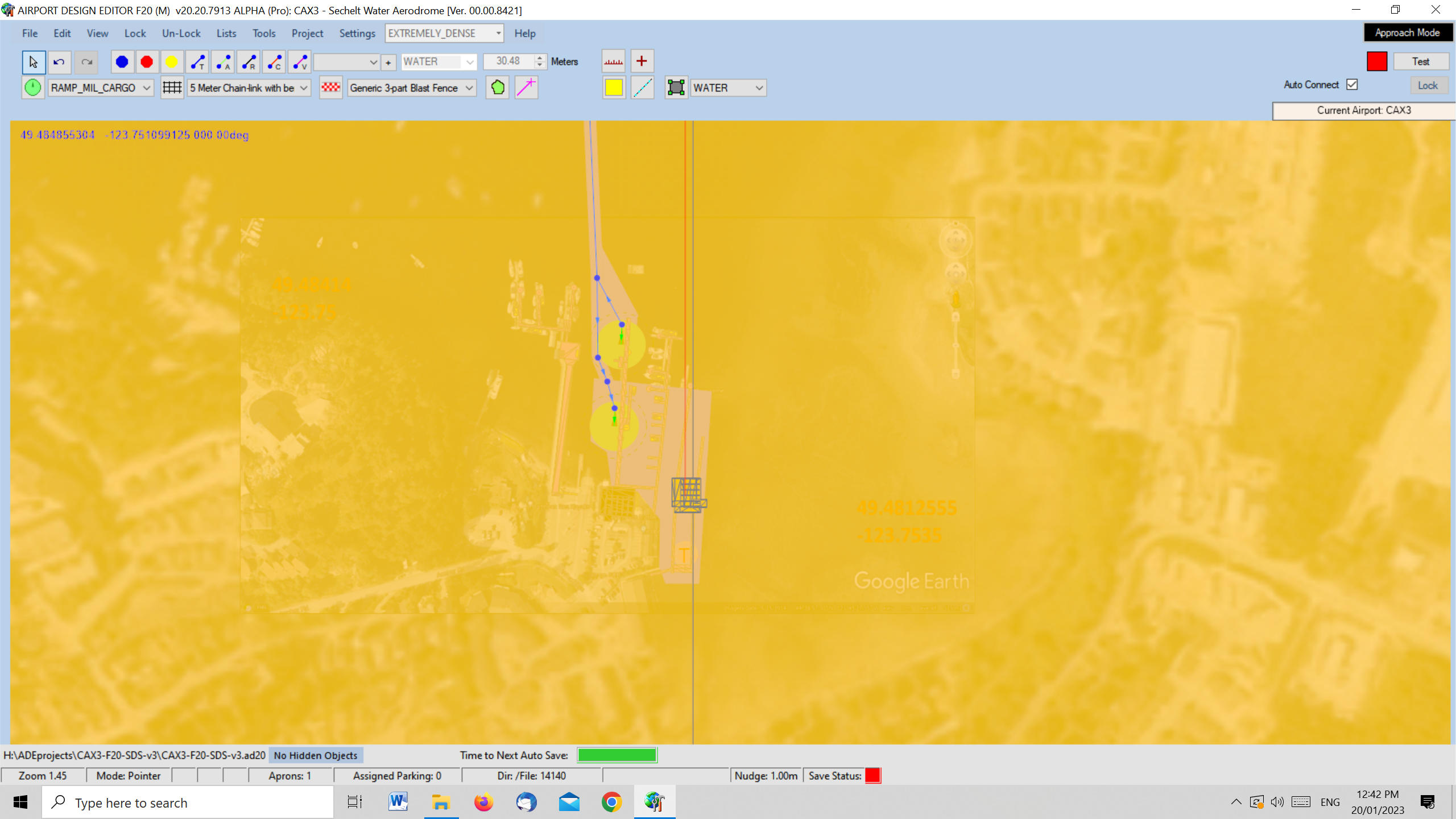
Until the last update to my model in Blender this was NOT happening and I think the last update to my model in Blender was moving the 3D cursor to the world origin point.
There are NO errors reported when I update the model library.
Any ideas what is the cause and how to fix it?
[added later]
AND even though the footprint displays in ADE, after building (no errors) and placing in the community folder, the building does NOT display in MSFS
Looking at all the meshes listed for my model in Blender I noticed that there was an entry for an .fbx model I had imported even though I had selected it and deleted it (the entry still existed). Also the model origin point had become screwed up so I corrected that and now it works ok.
Last edited:

