• Which the release of FS2020 we see an explosition of activity on the forun and of course we are very happy to see this. But having all questions about FS2020 in one forum becomes a bit messy. So therefore we would like to ask you all to use the following guidelines when posting your questions:

    • Tag FS2020 specific questions with the MSFS2020 tag.
    • Questions about making 3D assets can be posted in the 3D asset design forum. Either post them in the subforum of the modelling tool you use or in the general forum if they are general.
    • Questions about aircraft design can be posted in the Aircraft design forum
    • Questions about airport design can be posted in the FS2020 airport design forum. Once airport development tools have been updated for FS2020 you can post tool speciifc questions in the subforums of those tools as well of course.
    • Questions about terrain design can be posted in the FS2020 terrain design forum.
    • Questions about SimConnect can be posted in the SimConnect forum.

    Any other question that is not specific to an aspect of development or tool can be posted in the General chat forum.

    By following these guidelines we make sure that the forums remain easy to read for everybody and also that the right people can find your post to answer it.

Some thoughts on AO rendering

F747fly

Resource contributor
Messages
1,713
Country
netherlands
Hey guys, long time since I've actively been able to post anything. Now I've had a terrible feeling of wasting my time today after modelling the engine intake of my JAS39 Gripen project as the whole interior works renders as solid black in blender, making the mesh absolutelly invisible. Now I've had these kinds of comments a number of times, but what can and can't we actually tweak with regerds to the AO settings to get a more real result? I'm googling it as we speak but I thought it might also be interesting for others to think about this since in the end you're mesh might be brilliant but if your textures aren't it still won't look that good...
I wished I could somehow render that intake the way I wanted it to work out... vissible! haha
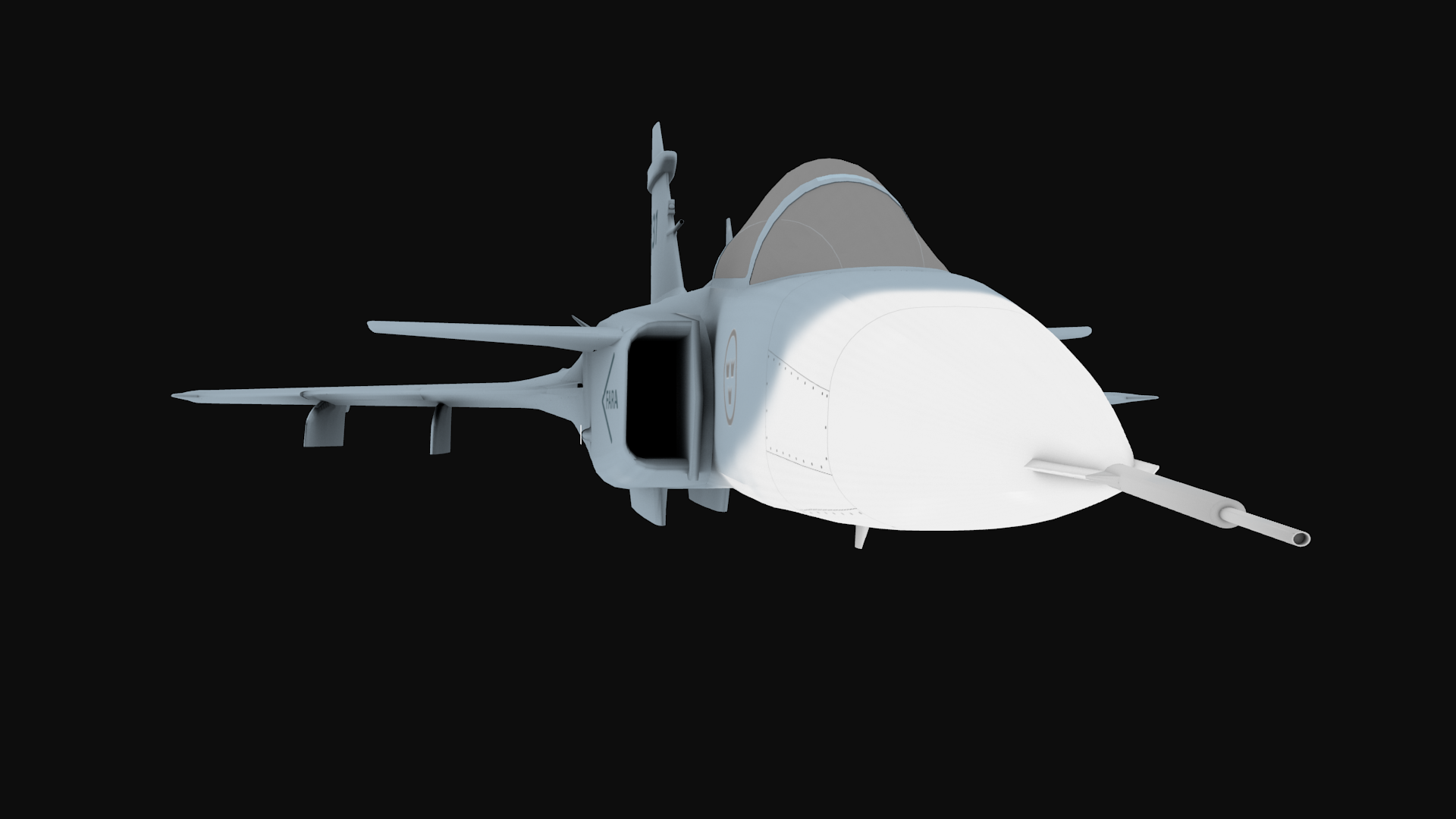
Fan.png
 
Hi F747fly!

I do not use AO baking anymore. You have much more control using dirty vertex colors.

Thanks, Kris
 
Hello...

AO Maps once created through Blender, you will need to save it out side of Blender and then place in a layer within your Diffuse Map, using a photo editor ( ex. GIMP or Photoshop, etc.). Once you have done this,... change that particular layer from "normal" to "Multiply" mode. You can then adjust it by using the "opacity".

The reason for doing this is because FSX, FSE and/ or P3D do not have an AO Map slot.

Keep in mind though the AO Map may not be needed for your Light Map or better known as your Night Map... so you might want to have 2 different versions of your Diffuse Map: one for starting out your Night Map and another for your Diffuse Map with the AO Map.

Hope this helps....
 
Last edited:
Back
Top