- Messages
- 24
- Country

Hello everyone, nice to join this community!
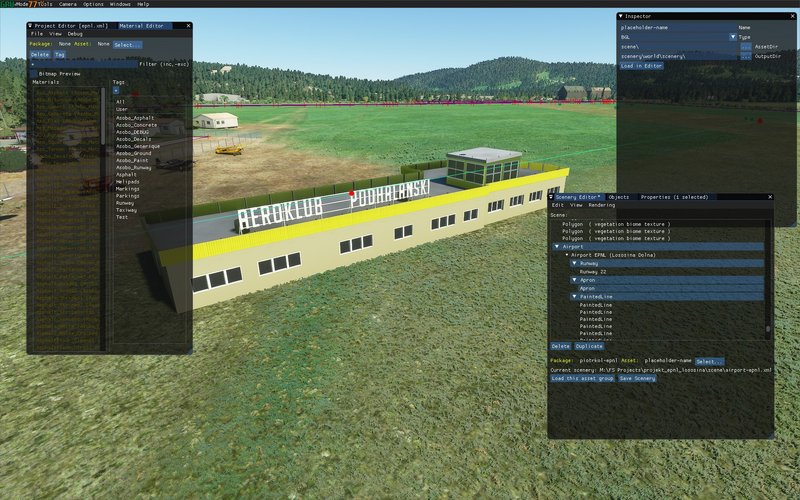
I decided to start this thread because I feel like I wasted enough hours now to get myself unstuck. Tried a bunch of things to not have to be that one guy who starts new topics on propably basic things, but I'm at the point where it's becoming irritating Long story short - Got back to FS and quickly decided to dust off my 3d design hobby to improve the scenery in FS. Got Blender, watched the donut tutorial, figured my way around and after a few hours I modelled my first ever airport building:

It got a bit rough after that though because I have no experience in texturing. But after watching a few tutorials and going through the forums I managed to unwrap my model and quickly designed a quick texture file in photoshop:
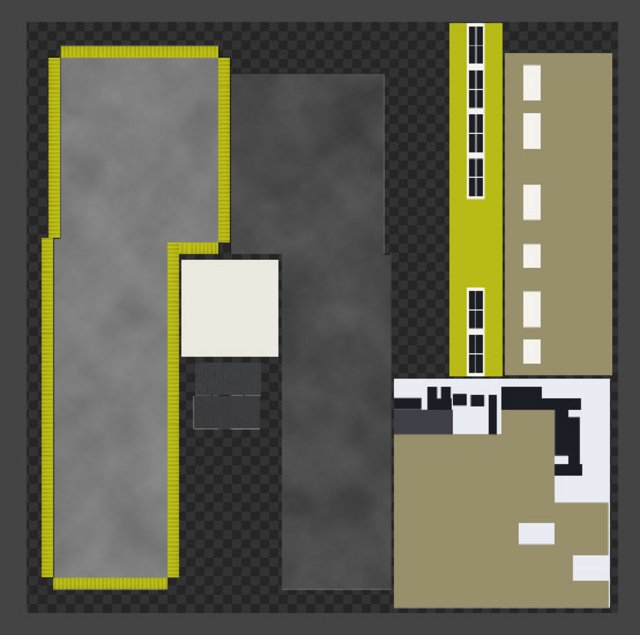
The model seems to be textured correctly in Blender.
But this is where it's getting a bit too complicated for me. I followed the great "Introduction to MSFS SDK (scenery)" document but of course the model did not appear in the game. Started reading around and got overwhelmed by things like Surface Painter, PBR, normal maps, comp maps, AO, baking the texture in etc...
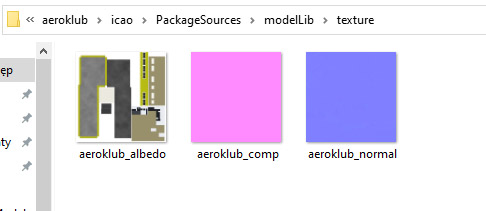
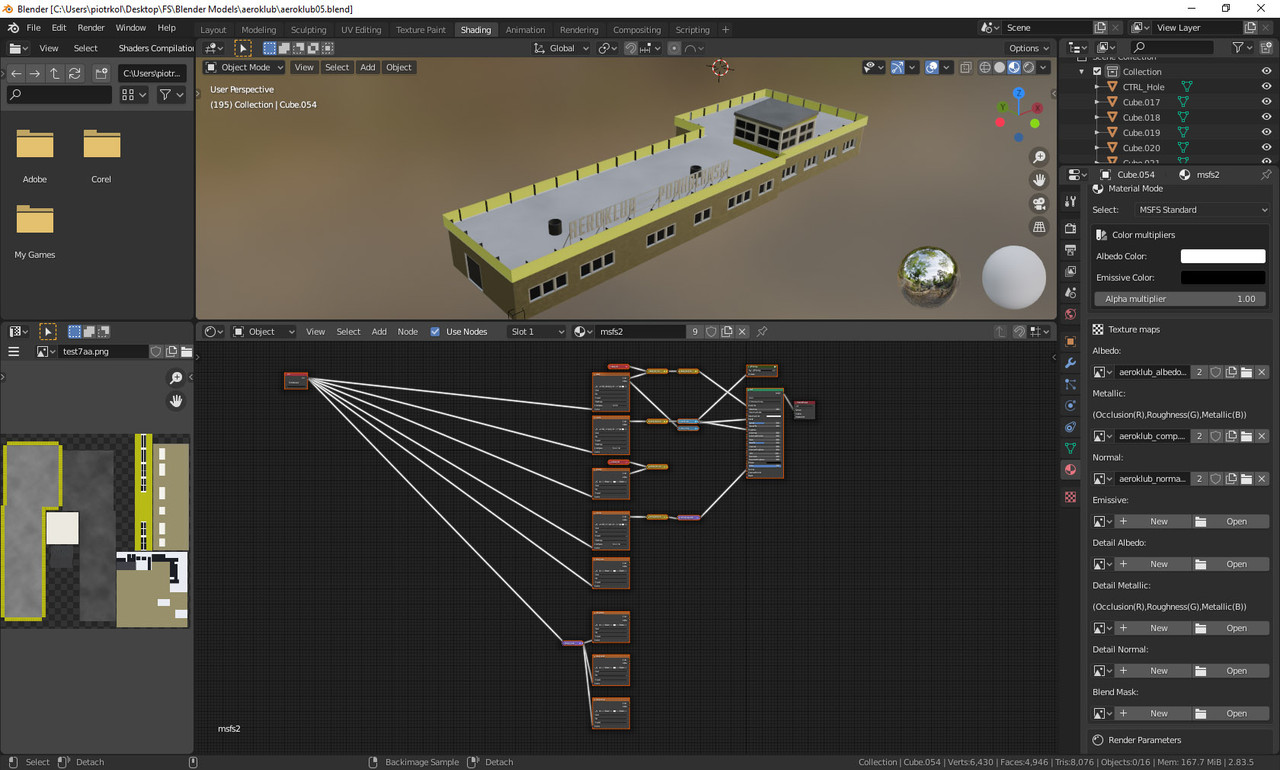
I attempted to cheat my way through so I used my texture png. as the Albedo map in the "MSFS material params", copied a comp and normal map from the FS SDK sample airport. I repeated the process of exporting and unsurprisingly that still did not work. This is what my blender screen looks like at the moment.The material "msfs2" is applied to all objects.
Getting to the bottom, I'm so lost I'm not even sure what questions to ask. Any help on setting me on my way to get that building textured correctly and into the game would be highly appreciated though.
Details such as glass in the windows will come next I suppose
Thanks in advance!
I decided to start this thread because I feel like I wasted enough hours now to get myself unstuck. Tried a bunch of things to not have to be that one guy who starts new topics on propably basic things, but I'm at the point where it's becoming irritating
Long story short - Got back to FS and quickly decided to dust off my 3d design hobby to improve the scenery in FS. Got Blender, watched the donut tutorial, figured my way around and after a few hours I modelled my first ever airport building:
It got a bit rough after that though because I have no experience in texturing. But after watching a few tutorials and going through the forums I managed to unwrap my model and quickly designed a quick texture file in photoshop:
The model seems to be textured correctly in Blender.
But this is where it's getting a bit too complicated for me. I followed the great "Introduction to MSFS SDK (scenery)" document but of course the model did not appear in the game. Started reading around and got overwhelmed by things like Surface Painter, PBR, normal maps, comp maps, AO, baking the texture in etc...
I attempted to cheat my way through so I used my texture png. as the Albedo map in the "MSFS material params", copied a comp and normal map from the FS SDK sample airport. I repeated the process of exporting and unsurprisingly that still did not work. This is what my blender screen looks like at the moment.The material "msfs2" is applied to all objects.
Getting to the bottom, I'm so lost I'm not even sure what questions to ask. Any help on setting me on my way to get that building textured correctly and into the game would be highly appreciated though.
Details such as glass in the windows will come next I suppose
Thanks in advance!