- Messages
- 662
- Country

I can't seem to find an answer to this anywhere, so I figured that someone around has rendering experience with very small scale models (as FS cockpits must be to export correctly). The problem I'm having involves Final Gather smearing away all of the details in my model and leaving an incorrectly-shaded, awful-looking image. I've tried adjusting the FG point density, number of rays, etc. and these don't seem to help much at all. Actually, the FG "splotches" that people sometimes complain about aren't even visible until I increase the point density to something crazy like 4 or 5. Using values all the way up to 500, 1000, even 10,000 rays per FG point doesn't fix this issue, and render times exceed several hours which is bonkers for something like this. The weird part about this is that I can see more detail during the Final Gather computation, before the actual renderer comes in and destroys everything.
My first thought was that the model was just too small, so I scaled everything up by 10,000% and attached it all to a box to reset any object scale transformations. This had absolutely no effect.
These are my settings for FG:
Initial FG point density: 4.0
Number of rays per FG point: 1000
Interpolate over Num. FG points: 100
Diffuse bounces: 6
Render time: ~45 minutes.
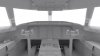
The first image below is during FG calculation and the second is the final image.
My first thought was that the model was just too small, so I scaled everything up by 10,000% and attached it all to a box to reset any object scale transformations. This had absolutely no effect.
These are my settings for FG:
Initial FG point density: 4.0
Number of rays per FG point: 1000
Interpolate over Num. FG points: 100
Diffuse bounces: 6
Render time: ~45 minutes.
The first image below is during FG calculation and the second is the final image.