• Which the release of FS2020 we see an explosition of activity on the forun and of course we are very happy to see this. But having all questions about FS2020 in one forum becomes a bit messy. So therefore we would like to ask you all to use the following guidelines when posting your questions:

    • Tag FS2020 specific questions with the MSFS2020 tag.
    • Questions about making 3D assets can be posted in the 3D asset design forum. Either post them in the subforum of the modelling tool you use or in the general forum if they are general.
    • Questions about aircraft design can be posted in the Aircraft design forum
    • Questions about airport design can be posted in the FS2020 airport design forum. Once airport development tools have been updated for FS2020 you can post tool speciifc questions in the subforums of those tools as well of course.
    • Questions about terrain design can be posted in the FS2020 terrain design forum.
    • Questions about SimConnect can be posted in the SimConnect forum.

    Any other question that is not specific to an aspect of development or tool can be posted in the General chat forum.

    By following these guidelines we make sure that the forums remain easy to read for everybody and also that the right people can find your post to answer it.

UV practice

F747fly

Resource contributor
Messages
1,713
Country
netherlands
So tonight Steam decided to let me down... So I thought I'd just go and practice some UV unwrapping on random objects and some basic texturing aswell :)

Two simple objects I started with, a dice:
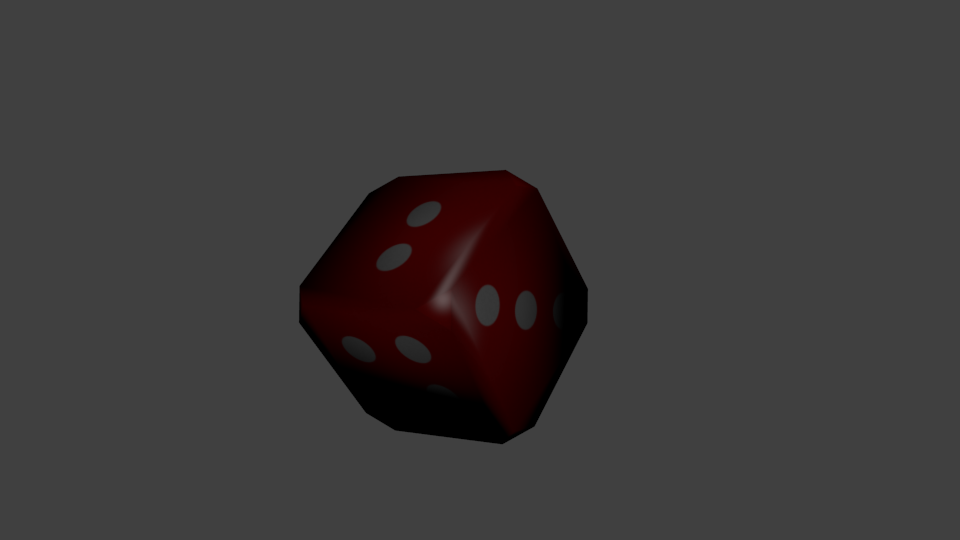
dice_succes_1.png


and a soda can...

Pepsi_can_succes_1.png


Anyone got anymore ideas for objects?
 
Hi Tom!

I woud actually be surprissed if Max cannot do this. mean it's just a curve with an boject following it, like this:

get a curve and shape it the way you want it.

tom_001.png


get a cylinder

tom_002.png


get the curve modifier, don't apply it. It will still be unwrappable as a cylinder.

tom_003.png


So blender recognizes how a shape is deformed and does the UV accordingly, which is nice!
Of course this would also pply for the following:

See these nice supplies?

tom_005.png


Let's cover them up with a blanket:

tom_006.png


We use a cloth modifier to drop it on there:

tom_007.png


But again as long as we don not apply the modifier the plane will still be unwrappable as a normal plane.

tom_008.png


and so if we drop it on there:

tom_009.png


Lovely! And now simply apply the cloth simulation.

I assuma Max also has a way to do this. I like that Blender can also dot this, it's one of those great things about Blender.
 
And an exmaple with a bit more FS purpose I guess:

Cargo_pallet.png


I'm just curious how that would turn out in FSX but I'm afraid I'll be disappointed...
 
Trefoil knot: How did you UV map this object?

The only way i can uv map long tubes that are curved is to add my uv mapping while it's still in a line tool format. Then when finished shaping i convert to poly.
 
Trefoil knot: How did you UV map this object?

The only way i can uv map long tubes that are curved is to add my uv mapping while it's still in a line tool format. Then when finished shaping i convert to poly.

Probably by creating a radial and longitudinal seam? Hit U, press Unwrap and there you go!
 
Trefoil knot: How did you UV map this object?

The only way i can uv map long tubes that are curved is to add my uv mapping while it's still in a line tool format. Then when finished shaping i convert to poly.

It's similar to that, I make a cylinder, delete the top and bottom and UV unwrap it. After that's done I apply the curve modifier to make it the shape I want.
 
I know that building. ;)

I'm glad you do :D Thought of buildings to do and came up with that one, no idea why. The texture on the "Ball" itself needs some rework but most of it went okay(-ish). Do you want to have the building for FS? I have no idea how to place it in-sim, so it'll just be sitting on my HD...
ADD: perhaps with some other Berlin Buildings...
 
Last edited:
I'm glad you do :D Thought of buildings to do and came up with that one, no idea why. The texture on the "Ball" itself needs some rework but most of it went okay(-ish). Do you want to have the building for FS? I have no idea how to place it in-sim, so it'll just be sitting on my HD...
ADD: perhaps with some other Berlin Buildings...

Nope. Aces and Sketchup already took care of it and quite an assortment of other buildings in the city.

http://fsdeveloper.com/forum/threads/the-german-iron-curtain.430698/#post-676960

I've since thrown them out of the scenery though because they were just too detailed and dragged down the framerate.


P.S: The ball part misses the two rows of windows.
 
Hi Tom!

I woud actually be surprissed if Max cannot do this. mean it's just a curve with an boject following it, like this:

get a curve and shape it the way you want it.

You can simply make the line tool convert to a cylinder without having to make another cylinder and combine them.

Turn on mesh settings and set values.
 
You can simply make the line tool convert to a cylinder without having to make another cylinder and combine them.

Turn on mesh settings and set values.
P.S: The ball part misses the two rows of windows.[/QUOTE]

So I was prittt close with my guess :P

Anyway, I was thinking to unwrap my "Static Aircraft Library" (which I made for an airport project I wanted to do but never completed) next. Those are a couple of aircraft so it may take some time.... :)
 
Back
Top