• Which the release of FS2020 we see an explosition of activity on the forun and of course we are very happy to see this. But having all questions about FS2020 in one forum becomes a bit messy. So therefore we would like to ask you all to use the following guidelines when posting your questions:

    • Tag FS2020 specific questions with the MSFS2020 tag.
    • Questions about making 3D assets can be posted in the 3D asset design forum. Either post them in the subforum of the modelling tool you use or in the general forum if they are general.
    • Questions about aircraft design can be posted in the Aircraft design forum
    • Questions about airport design can be posted in the FS2020 airport design forum. Once airport development tools have been updated for FS2020 you can post tool speciifc questions in the subforums of those tools as well of course.
    • Questions about terrain design can be posted in the FS2020 terrain design forum.
    • Questions about SimConnect can be posted in the SimConnect forum.

    Any other question that is not specific to an aspect of development or tool can be posted in the General chat forum.

    By following these guidelines we make sure that the forums remain easy to read for everybody and also that the right people can find your post to answer it.

Wiper gauge

Messages
10
Country
belgium
Hello,

I'm using a 32" monitor for exterior view in my cockpit :
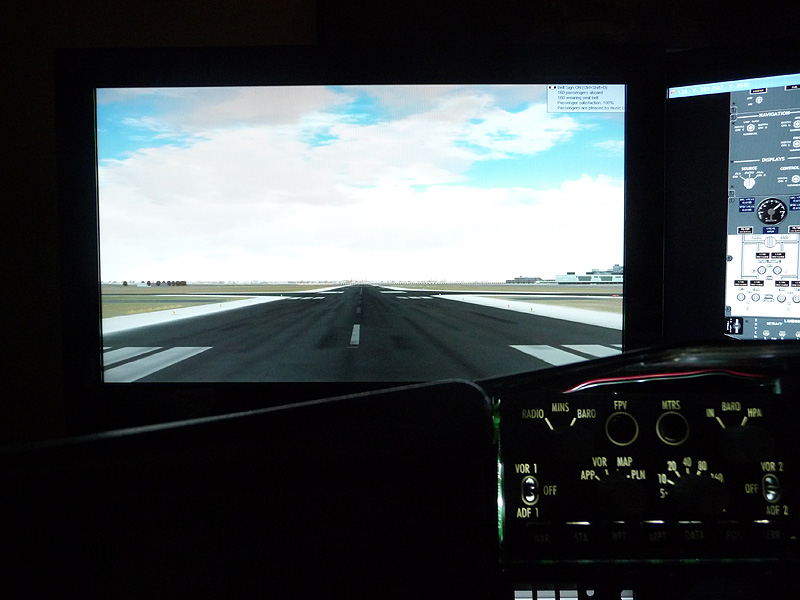
07-t-o10.jpg


Would it be possible to make a 2d gauge of a wiper that with a key press or fsuipc offset begins to make rotation movements over the screen ? I can make a wiper in photoshop but don't know if it's possible to animate it and make rotations to simulate a wiper.

Thanks,

Maxime.
 
Hi Maxime,
It is possible. I know Mick Posch's Piasecki H-21C http://www.mickposch.com/flightsim/fs_freeware.htmhas a windscreen wiper switch located on the overhead panel. You might want to take a look at the H-21's gauge files that come with it and you should be able to find your answer. The H-21's wipers only work for the virtual cockpit but I don't see why you shouldn't be able to do the same thing for 2d.
Hope it helps!
 
2D wipers

Maxime
I think I have done what you want. It takes two XML files, one for the switch and a second for the wiper blade.

This is the switch:

<Gauge Name="Wiper Switch" Version="1.0">
<Element>
<Select>
<Value>(L:WiperSwitch,bool)</Value>
<Case Value="0">
<Image Name="switch_off.bmp"/>
</Case>
<Case Value="1">
<Image Name="switch_on.bmp"/>
</Case>
</Select>
</Element>
<Mouse>
<Cursor Type="Hand"/>
<Tooltip>Wiper switch</Tooltip>
<Click> (L:WiperSwitch, bool) ! (&gt;L:WiperSwitch, bool) </Click>
</Mouse>
</Gauge>

"switch_on.bmp" and "switch_off.bmp" are the switch bitmaps.

Now for the wiper:

<Gauge Name="Wipers" Version="1.0">
<Image Name="WIPER_BACK.bmp" ImageSizes="160,160" Luminous="0"/>

<Element>
<Position X="79" Y="159"/>
<Image Name="WIPER_BLADE.bmp" Luminous="0" PointsTo="North" ImageSizes="11,280">
<Axis X="6" Y="279"/>
</Image>
<Rotate>
<Value>(L:WiperSwitch,bool) 1 == if{ (P:ABSOLUTE TIME,seconds) 2 * } cos</Value>
<Nonlinearity>
<Item Value="-1" X="1" Y="160"/> //end of sweep to left
<Item Value="-0.5" X="53" Y="1"/>
<Item Value="0.5" X="106" Y="1"/>
<Item Value="1" X="159" Y="155"/> //parking position right
</Nonlinearity>
<Delay DegreesPerSecond="200"/>
</Rotate>
</Element>
</Gauge>

"WIPER_BLADE.bmp" = the blade bitmap.
"WIPER_BACK.bmp" is a square of pure black (0,0,0). I used it so the gauge can work in FS 2002. I don't think it is needed in FSX but it won't do any harm.
You will need to play with the panel.cfg numbers to get it the right size and place in your windscreen. You will probably have to change the parking positions to suit.

If you need any more help just let me know

Alan
 
Back
Top