

- Messages
- 310
- Country

Hello everyone,
 Fire Fighting for X-Plane 12 (Windows) Presentation
I would like to introduce Fire Fighting, a plugin developed for X-Plane 12, currently available for Windows only.
Fires and extinguishing
• Create and manage fire spots, with one or multiple points.
• Progressive extinguishing: each drop counts until the fire is fully extinguished.
• Voice confirmation when the fire is out.
• The map updates automatically: the fire icon disappears once the fire has been extinguished.
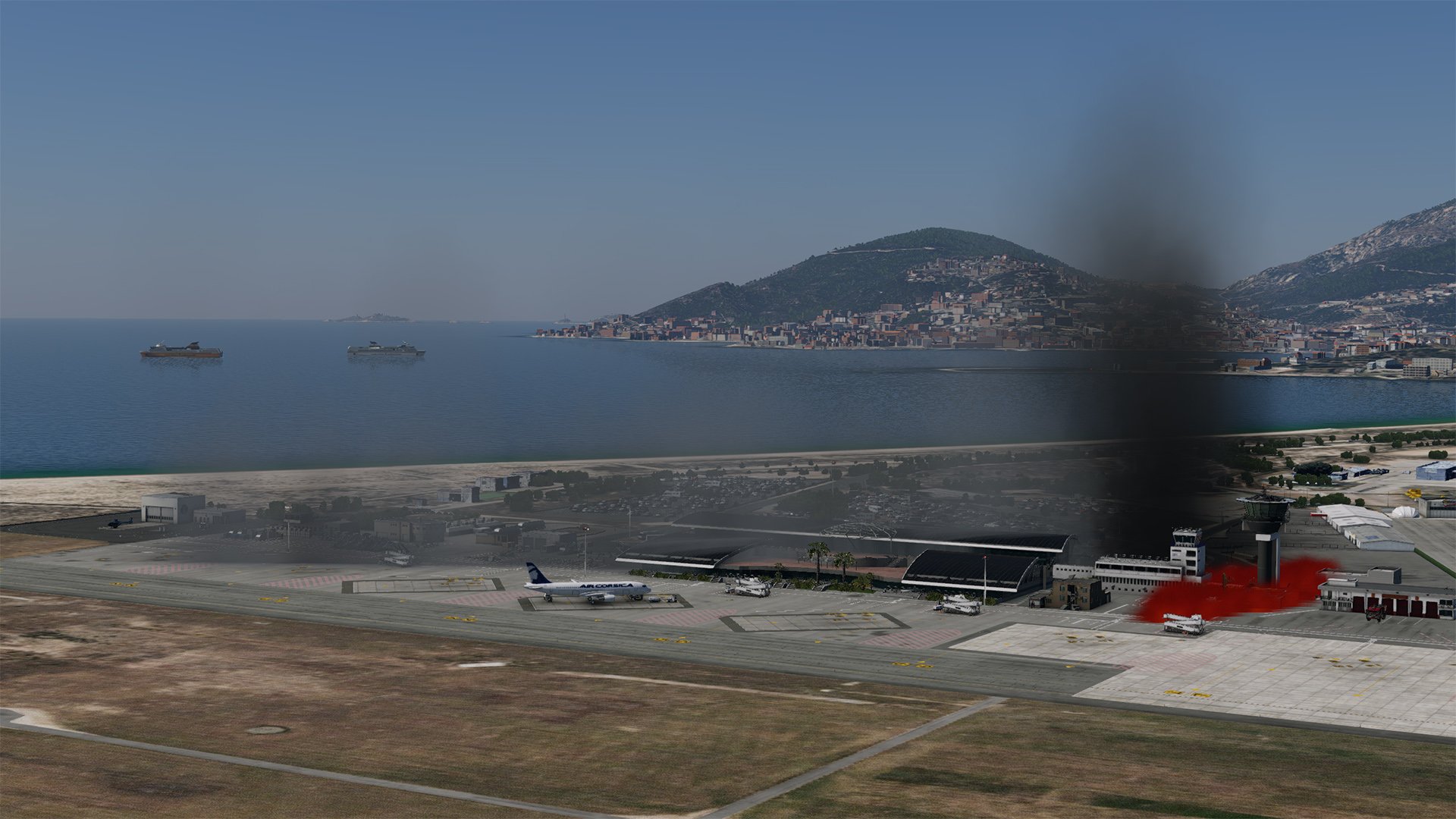
• Retardant with a realistic effect, visible during the drop phase and on the ground.
 Fire propagation according to wind
• Dynamic fire spread in the direction of the wind.
• Range and intensity influenced by weather conditions.
• Option can be enabled or disabled directly from the application through the Propagation menu.
 Built-in interactive map
• Real-time aircraft tracking: position, heading, and optional auto-centering.
• Tracking can be enabled or disabled in one click.
• Live Fires system based on NASA FIRMS / VIIRS, with fast import of real active fires around the aircraft’s position.
• Added a service vehicle placed near a fire, experimental feature.
 “Tanks” widget
• Small compact window at the bottom center, with animated filling up to 100%.
• Animated draining when dropping water.
• Guaranteed readability: the gauge remains clear regardless of the background.
• Easy-to-move window thanks to the small compass icon.
• Visual alert in Pro Mode: if you try to drop without full tanks, the gauge lights up red for a few seconds.
 Game modes
Practice, easy:
• You can drop at any time, even if the tanks are not full.
• Ideal for discovery, aircraft testing, and training.
• The drop sound is played only when a drop is actually triggered.
Pro, realistic:
• Drops are allowed only when the tanks are full.
• If the tanks are not full, the drop command is refused: no sound, no effect, and the gauge flashes red.
• After each drop, you must scoop again up to 100% before the next drop.
 Contextual audio
• “Water” alarm: starts when entering the water and stops when leaving it.
• If the tanks reach about 100%, the alarm will not restart until you have dropped the water.
• Drop sound played only when the drop is accepted.
• No sound if the attempt is refused in Pro Mode.
 Tracking and ease of use
• Optional map auto-centering on the aircraft.
• Discreet visual indicators: flashes and short messages.
• Automatic application closing when X-Plane is exited.
• Help window in French and English.
 Multiplayer
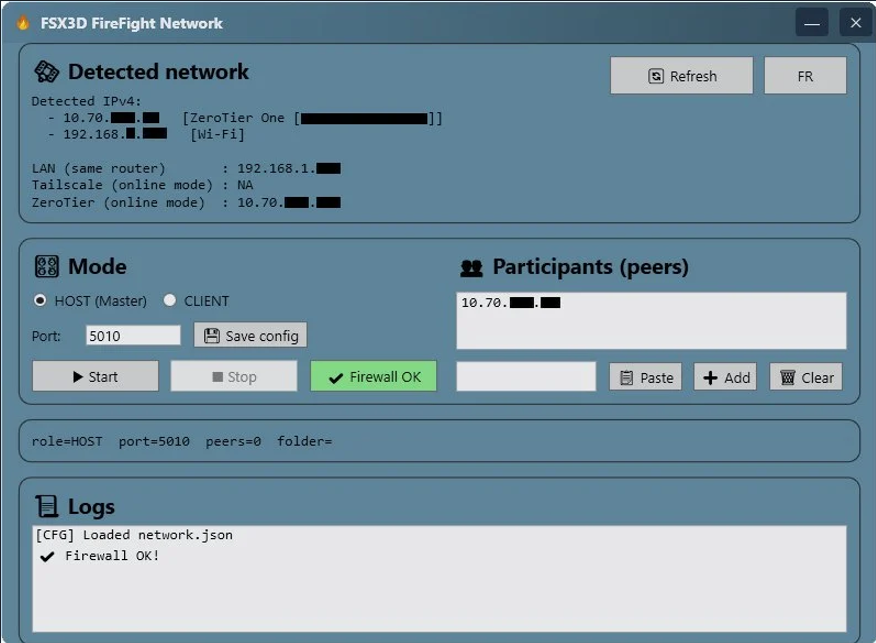
• Connect multiple pilots in the same session through FireFight Network.
• One Host PC can connect to one or more Client PCs.
• Participants can cooperate on the same mission and work together on the fires.
• Ideal for team flights, demonstrations, and more immersive missions.
• Works with ZeroTier, Tailscale, or any equivalent virtual network solution.
 Anti-spam and realistic feel
• Anti-double-press delay between two accepted drops, to avoid accidental repeated drops.
• Sound and visual logic are triggered only when the action is actually accepted.
• No “false positive” feedback.
 Quick usage summary
• Show the map and enable tracking if needed.
• Show the Tanks gauge to monitor the level in real time.
• Scoop water up to 100% in Pro Mode; the alarm indicates water entry and exit.
• Drop over the fire: sound and effect if the drop is accepted, then the icon disappears from the map once the fire is extinguished.
 Who is the plugin for?
• Practice: discovery, aircraft testing, and procedure training.
• Pro: realistic sessions, disciplined scooping, altitude and speed management, and strict drop control.
• Multiplayer: cooperative flights, demonstrations, and coordinated operations with multiple pilots.
 Here are two demonstration videos to give you an overview of the plugin in action.
Fire Fighting XP12 is available:
Here:
Fire Fighting XP12 on the FSX3D website
Here:
Fire Fighting XP12 on SimMarket
And here:
Fire Fighting XP12 on the .org Store
There is also this great free aircraft, fully functional in X-Plane 12:
Consolidated PBY-5A Catalina 9767
Have fun!
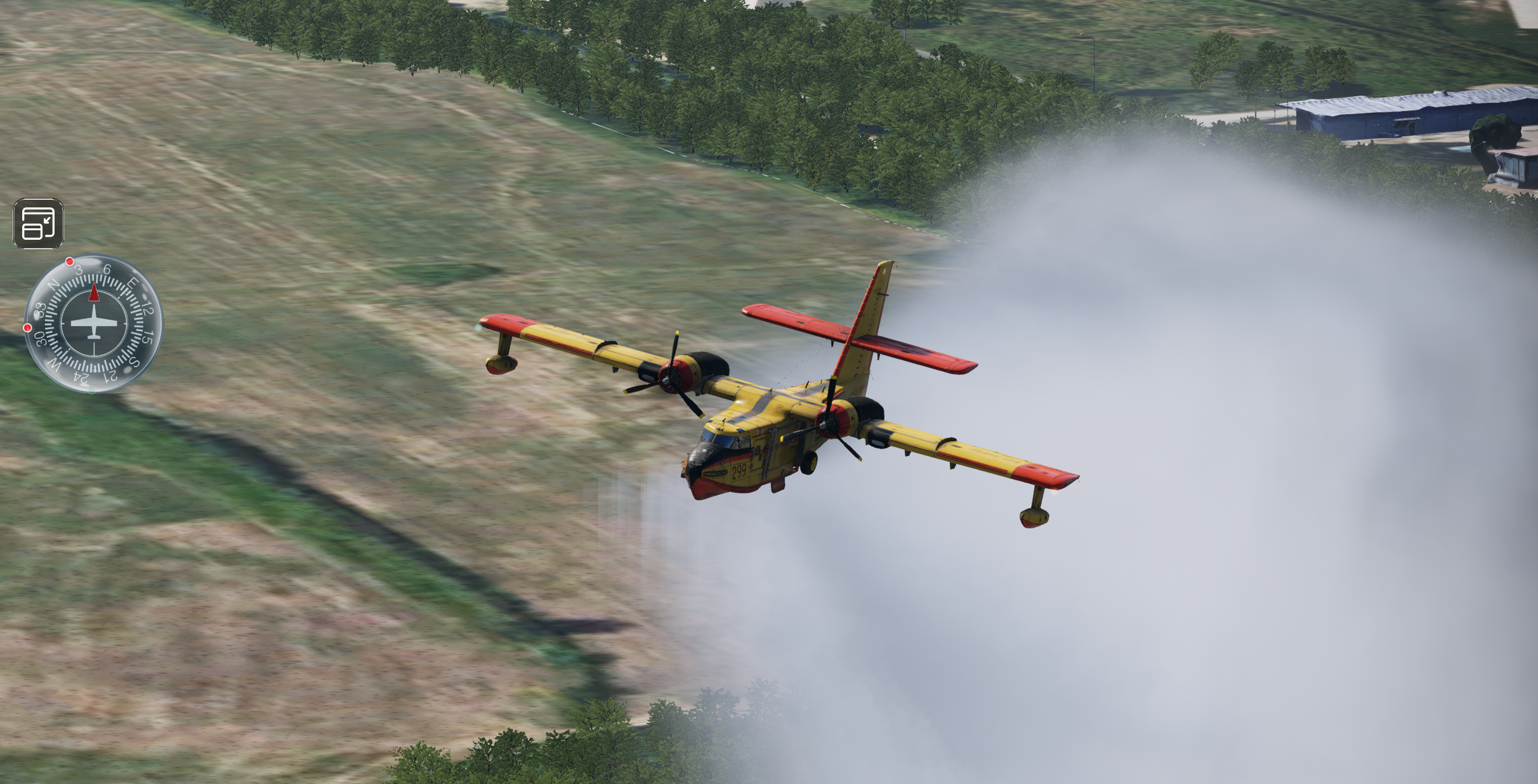

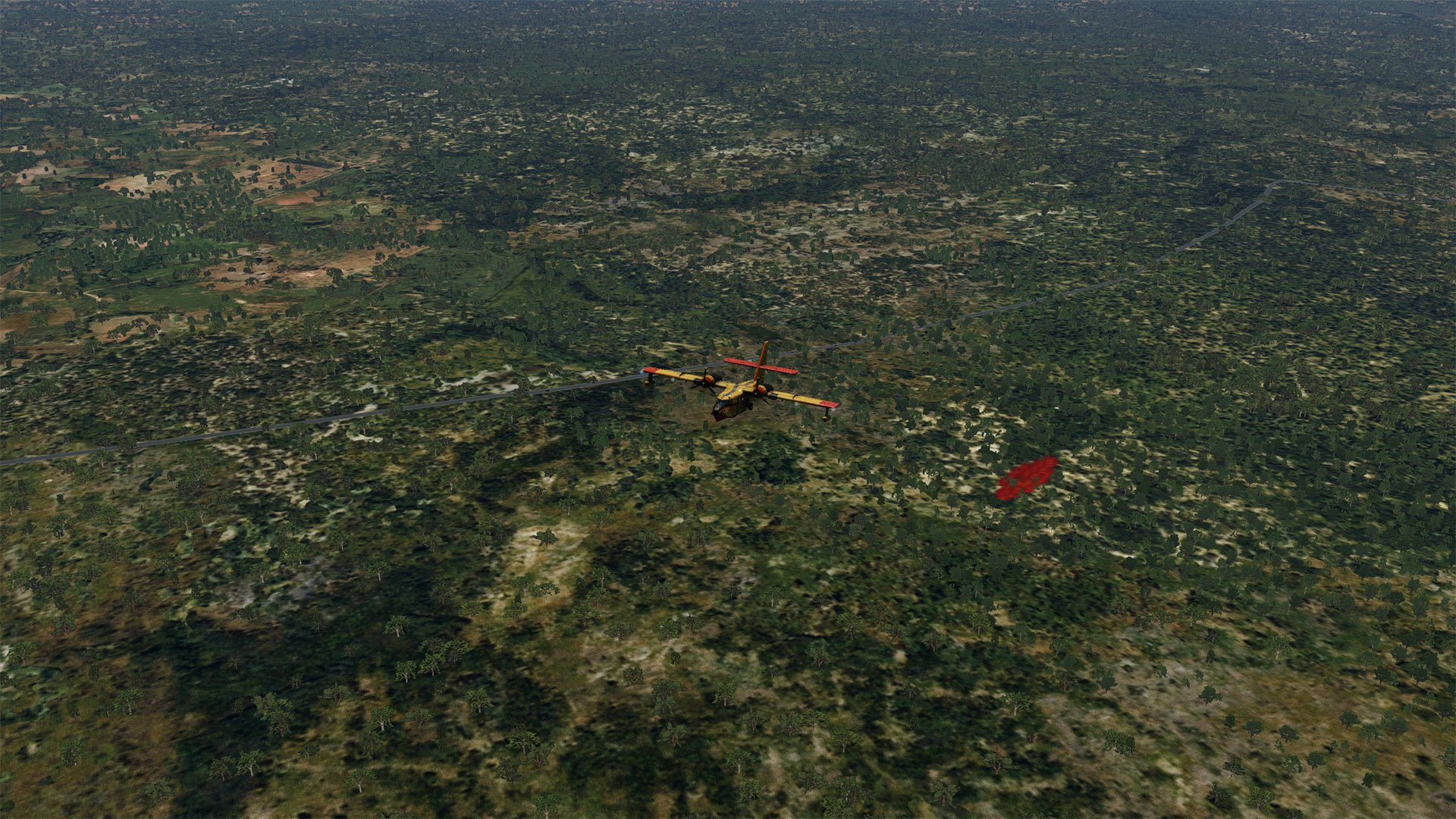
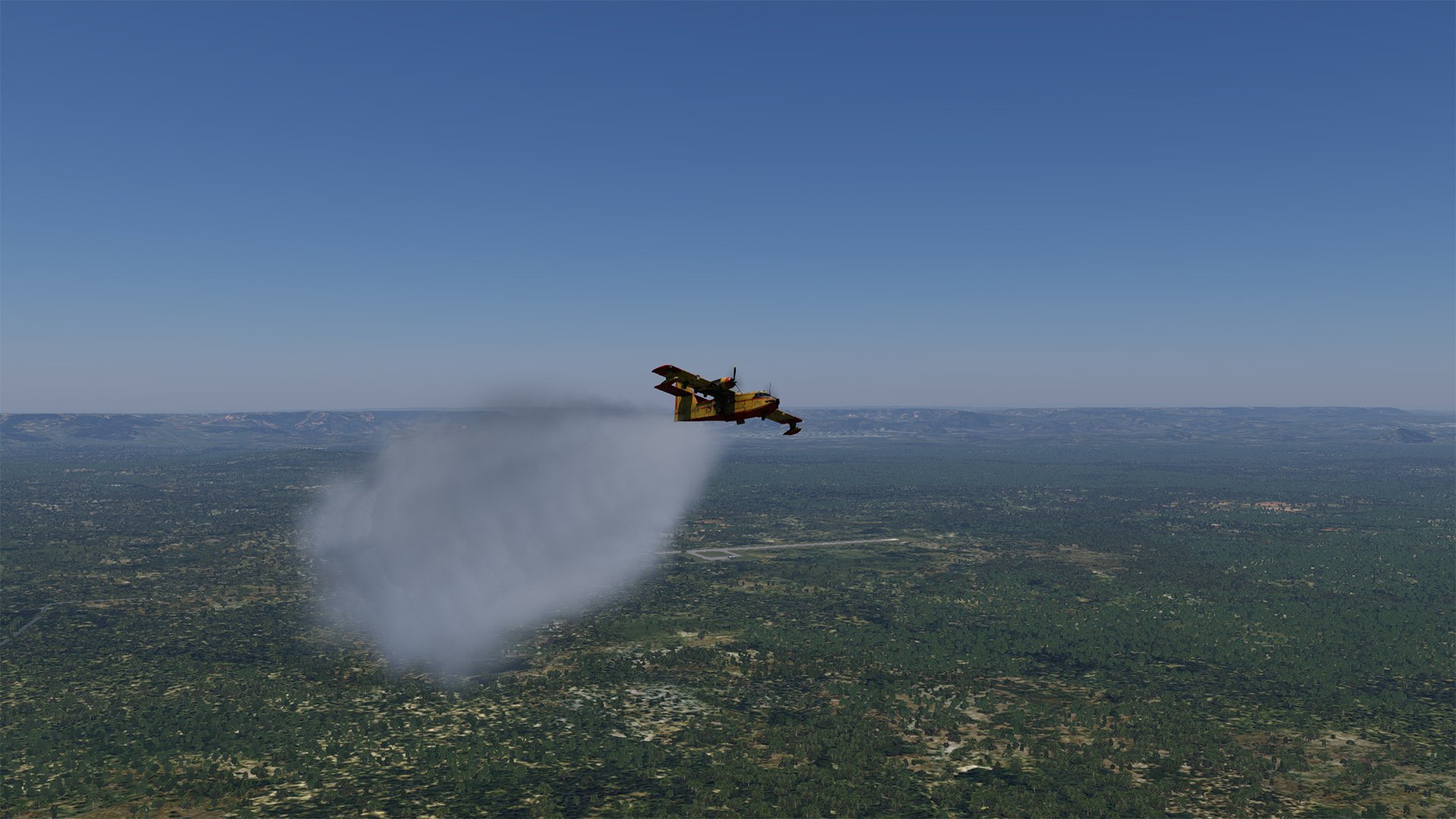
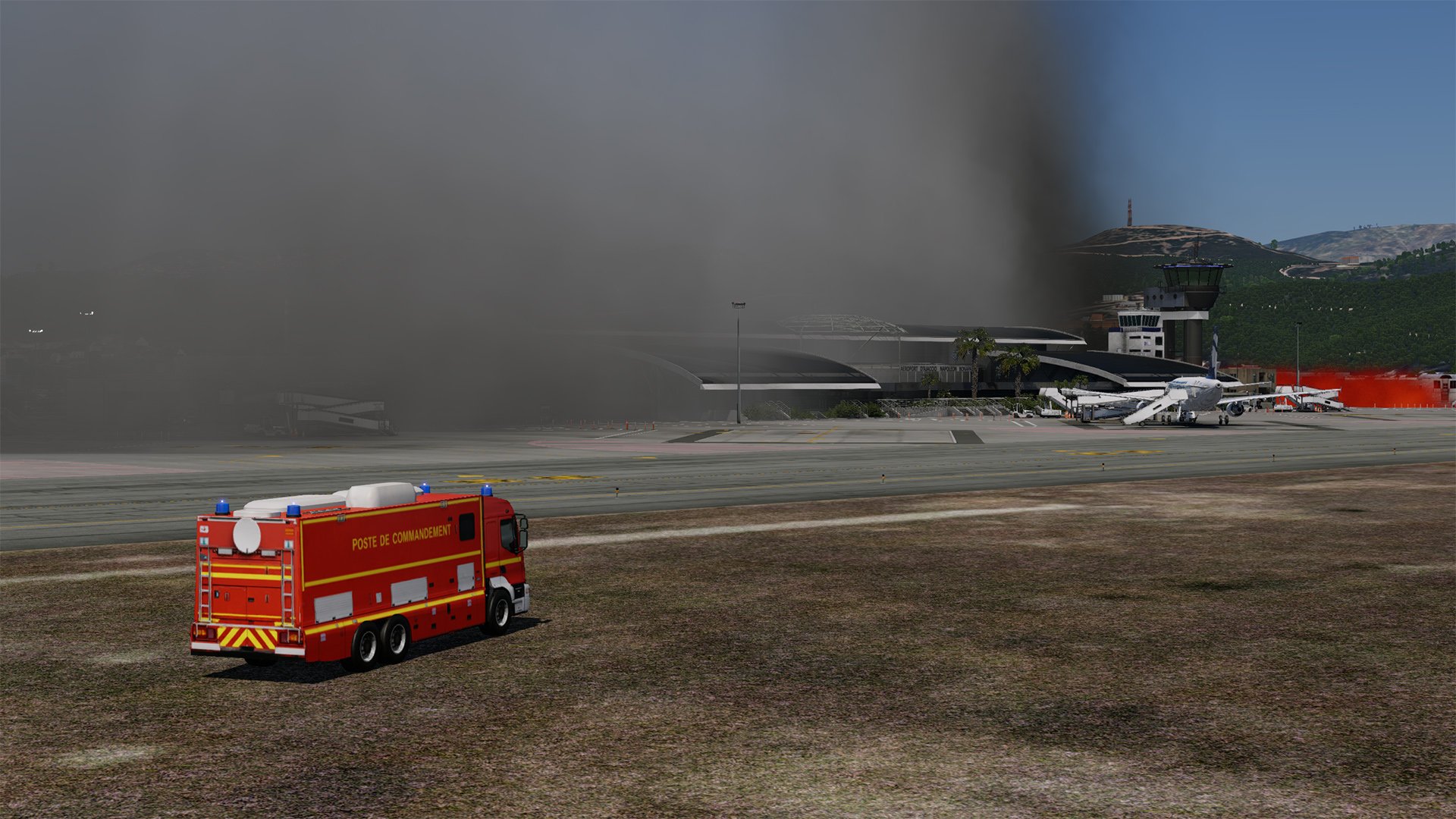

First of all, this plugin is compatible with any aircraft. The drop system and the water drop effect are independent of the aircraft; they are 100% handled by the plugin.
You can also use a third-party water bomber that uses its own features, such as water drops and water effects.
Fire Fighting for X-Plane 12 (Windows) PresentationI would like to introduce Fire Fighting, a plugin developed for X-Plane 12, currently available for Windows only.
Fires and extinguishing• Create and manage fire spots, with one or multiple points.
• Progressive extinguishing: each drop counts until the fire is fully extinguished.
• Voice confirmation when the fire is out.
• The map updates automatically: the fire icon disappears once the fire has been extinguished.
• Retardant with a realistic effect, visible during the drop phase and on the ground.
Fire propagation according to wind• Dynamic fire spread in the direction of the wind.
• Range and intensity influenced by weather conditions.
• Option can be enabled or disabled directly from the application through the Propagation menu.
Built-in interactive map• Real-time aircraft tracking: position, heading, and optional auto-centering.
• Tracking can be enabled or disabled in one click.
• Live Fires system based on NASA FIRMS / VIIRS, with fast import of real active fires around the aircraft’s position.
• Added a service vehicle placed near a fire, experimental feature.
“Tanks” widget• Small compact window at the bottom center, with animated filling up to 100%.
• Animated draining when dropping water.
• Guaranteed readability: the gauge remains clear regardless of the background.
• Easy-to-move window thanks to the small compass icon.
• Visual alert in Pro Mode: if you try to drop without full tanks, the gauge lights up red for a few seconds.
Game modesPractice, easy:
• You can drop at any time, even if the tanks are not full.
• Ideal for discovery, aircraft testing, and training.
• The drop sound is played only when a drop is actually triggered.
Pro, realistic:
• Drops are allowed only when the tanks are full.
• If the tanks are not full, the drop command is refused: no sound, no effect, and the gauge flashes red.
• After each drop, you must scoop again up to 100% before the next drop.
Contextual audio• “Water” alarm: starts when entering the water and stops when leaving it.
• If the tanks reach about 100%, the alarm will not restart until you have dropped the water.
• Drop sound played only when the drop is accepted.
• No sound if the attempt is refused in Pro Mode.
Tracking and ease of use• Optional map auto-centering on the aircraft.
• Discreet visual indicators: flashes and short messages.
• Automatic application closing when X-Plane is exited.
• Help window in French and English.
Multiplayer• Connect multiple pilots in the same session through FireFight Network.
• One Host PC can connect to one or more Client PCs.
• Participants can cooperate on the same mission and work together on the fires.
• Ideal for team flights, demonstrations, and more immersive missions.
• Works with ZeroTier, Tailscale, or any equivalent virtual network solution.
Anti-spam and realistic feel• Anti-double-press delay between two accepted drops, to avoid accidental repeated drops.
• Sound and visual logic are triggered only when the action is actually accepted.
• No “false positive” feedback.
Quick usage summary• Show the map and enable tracking if needed.
• Show the Tanks gauge to monitor the level in real time.
• Scoop water up to 100% in Pro Mode; the alarm indicates water entry and exit.
• Drop over the fire: sound and effect if the drop is accepted, then the icon disappears from the map once the fire is extinguished.
Who is the plugin for?• Practice: discovery, aircraft testing, and procedure training.
• Pro: realistic sessions, disciplined scooping, altitude and speed management, and strict drop control.
• Multiplayer: cooperative flights, demonstrations, and coordinated operations with multiple pilots.
Here are two demonstration videos to give you an overview of the plugin in action.Fire Fighting XP12 is available:
Here:
Fire Fighting XP12 on the FSX3D website
Here:
Fire Fighting XP12 on SimMarket
And here:
Fire Fighting XP12 on the .org Store
There is also this great free aircraft, fully functional in X-Plane 12:
Consolidated PBY-5A Catalina 9767
Have fun!
Last edited: