• Which the release of FS2020 we see an explosition of activity on the forun and of course we are very happy to see this. But having all questions about FS2020 in one forum becomes a bit messy. So therefore we would like to ask you all to use the following guidelines when posting your questions:

    • Tag FS2020 specific questions with the MSFS2020 tag.
    • Questions about making 3D assets can be posted in the 3D asset design forum. Either post them in the subforum of the modelling tool you use or in the general forum if they are general.
    • Questions about aircraft design can be posted in the Aircraft design forum
    • Questions about airport design can be posted in the FS2020 airport design forum. Once airport development tools have been updated for FS2020 you can post tool speciifc questions in the subforums of those tools as well of course.
    • Questions about terrain design can be posted in the FS2020 terrain design forum.
    • Questions about SimConnect can be posted in the SimConnect forum.

    Any other question that is not specific to an aspect of development or tool can be posted in the General chat forum.

    By following these guidelines we make sure that the forums remain easy to read for everybody and also that the right people can find your post to answer it.

FSXA Problem with Sloping Terrain Polygon

Messages
1,267
Hi Jon,

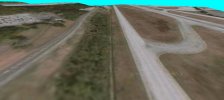
I've been trying to create my sloping polygon for about a week and hope that you can tell me why I'm having this problem. On one end of the sloped terrain, it looks fairly good. But on the other end, the terrain and road suddenly drops off, as though it caved in:

Road Drops Off Suddenly_1.jpg


Here's a screenshot of the sloping terrain:

Road Drops Off Suddenly_2.jpg


I don't understand why it's doing that and I've read your post on how to do this. I've attached my AD4 file below. Could you look at it and see if I did anything wrong. The sloping polygon is on the N.W. end of the runway with the road running to the N.E. You should see a red Guidline ion, and that is pointing to my sloping poly. The 2 position markers denote where the road and terrain drops off.

Ken.
 

Attachments

Hi Ken:

As you await a reply from Jon, I'll offer some info that IIRC, Jon has also explained "somewhere" (not sure whether it was in the ADE Manual, a 'ScreenSteps' Tutorial, or a discussion thread at FSDev).


A sloped CVX vector flatten such as you apparently wish to make- at the location you are attempting to place it- must utilize polygons with vertex points which exactly match the Altitude of the vertex points on edges of any adjacent central airport flatten polygon and/or any other adjacent level- or sloped- flatten polygons. :pushpin:

Additionally, the total number- and position- of vertex points for a sloped CVX vector flatten polygon must exactly match that of any adjacent central airport flatten polygon and/or any other adjacent central sloped flatten polygons.

If you do not configure the sloped CVX vector flatten polygon exactly as described above, the TIN (Triangulated Irregular Network) surface may be malformed, and when FS attempts to make a contiguous terrain surface using a mis-matched mix of elevation data points provided by adjacent CVX vector and terrain elevation vertices, anomalous pits and spikes are likely to occur...as you saw.

The complexity of what you are attempting to do in such a large extent area as KBHM is IMHO, far too impractical. :rolleyes:

I again recommend you instead use a detailed custom local terrain mesh BGL and CVX vector data BGLs such as UTX-USA. :alert:

FYI: This is the USGS 1 Meter LiDAR Elevation Data for KBHM area (2 tiles of LiDAR DTM draped with ESRI ArcGIS World Imagery):

kbhm_2013_1m_lidar_tnm_v2_gm_3d-jpg.75864


GaryGB
 

Attachments

  • KBHM_2013_1m_LIDAR_TNM_v2_GM_3D.jpg
    KBHM_2013_1m_LIDAR_TNM_v2_GM_3D.jpg
    103.4 KB · Views: 640
Last edited:
Hi Ken:

As you await a reply from Jon, I'll offer some info that IIRC, Jon has also explained "somewhere" (not sure whether it was in the ADE Manual, a 'ScreenSteps' Tutorial, or a discussion thread at FSDev).

I put in a keyword in the search and it did not turned up anything related to my problem.


A sloped CVX vector flatten such as you apparently wish to make- at the location you are attempting to place it- must utilize polygons with vertex points which exactly match the Altitude of the vertex points on edges of any adjacent central airport flatten polygon and/or any other adjacent level- or sloped- flatten polygons. :pushpin:

I don't know if you looked at my AD4 file, but there are 2 different types of polygons. One has the tag "airport background flatten mask class map exclude autogen." The other, which is my sloped polygon, is the airport background with the tag "flatten." I'm not really sure what you're saying but the vertex of my sloped polygon that is at the bottom of the hill is at the exact same altitude as the flatten mask class map exclude autogen polygon. The only vertex that have have different altitudes are the ones next to the road at the top of the hill, where the altitude varies as you go down the road. If I put in the same altitude for all those vertices at the top, my polygon would not slope, so I assume you're referring to the side of my polygon where the vertices are at the bottom of the hill at airport level.


Additionally, the total number- and position of- vertex points for a sloped CVX vector flatten polygon must exactly match that of any adjacent central airport flatten polygon and/or any other adjacent central sloped flatten polygons.

If you do not configure the sloped CVX vector flatten polygon exactly as described above, the TIN (Triangulated Irregular Network) surface may be malformed, and when FS attempts to make a contiguous terrain surface using a mis-matched mix of elevation data points provided by adjacent CVX vector and terrain elevation vertices, anomalous pits and spikes are likely to occur...as you saw.

It's strange why on one side, my sloping polygon looked fairly good but as you drive down the road, so to speak, it drops off suddenly on the other end, and I'm basically using the same number of vertices on both sides.


I again recommend you instead use a detailed custom local terrain mesh BGL and CVX vector data BGLs such as UTX-USA. :alert:

I'll take a look at it again. I wish there was a manual I can download so that I can take a look at it. I read over everything on their website. I've noticed in flight simulator how the terrain changes altitude around the surrounding areas, and I wish there was a good tutorial, or could find one, that would explain, in detail with pictures, how they go about doing all of that. I know there's one tutorial "Terrain Design for Flight Simulator" that's real good, but it doesn't go into sloping terrains. I've noticed in the ADE folder in the Shapes sub-folder, there's a bgl file with the name cvxwork.bgl. Should that file be placed in the scenery folder along with the other files? I wouldn't think so, since it creates the vcx bgl file, and the cvxwork.bgl is used for other things, like TMF Viewer and SbuilderX.

Ken.

 
Last edited:
Hi Ken:

This is FSX default terrain mesh for KBHM area with your airport and UTX-USA installed / set Active at maximum detail:

kmanning_ade_kbhm_fsx_default_terrain_mesh_utx-jpg.75872


Your CVX sloped flatten vertices must be configured as I described above to avoid FSX run time terrain surface anomalies. :pushpin:

While technically you could use any terrain mesh resolution, IIUC, you are trying to create terrain which matches KBHM IRL.

To achieve that via a practical work-flow, you also need to use a custom terrain mesh, as the FSX default is an older 30m DEM.


PS: I have attached (2) saved *.FLT files for Finney CH+ views I used; they can be un-ZIP-ed and double-clicked to load into FSX.

GaryGB
 

Attachments

Last edited:
Hi Ken:

This is FSX default terrain mesh for KBHM area with your airport and UTX-USA installed / set Active at maximum detail:

kmanning_ade_kbhm_fsx_default_terrain_mesh_utx-jpg.75872

Hi Gary,

Based on what I see in the image, everything still looks the same and I just don't see the benefit of having UTX USA installed.


Your CVX sloped flatten vertices must be configured as I described above to avoid FSX run time terrain surface anomalies. :pushpin:

But I still do not understand what you're describing. I need photos or pictures describing what you're saying. All I know is that I'm following the same flow described on page 139 of the ADE manual:


Sloping Terrain.jpg


In my case, for example, my slope would rise from 31 meters to 50 meters, and the 31 meters would remain the same all the way down to the other end, because in my case, it's level at the bottom of the slope. But at the top of the slope, the altitude varies as you drive along down the road, until it levels off at the other end. I do follow the very slight turns in the road and I'm not sure if I should do that or keep the polygon straight. I also noticed that in the right photo at about the 32 meter point, the terrain does suddenly drop off and the runway is covered by the sloping terrain.


While technically you could use any terrain mesh resolution, IIUC, you are trying to create terrain which matches KBHM IRL.

I thought that was the purpose for creating sloping terrains in ADE, to match the real world terrain.


To achieve that via a practical work-flow, you also need to use a custom terrain mesh, as the FSX default is an older 30m DEM.

What is the custom terrain mesh?


Ken.
 
Last edited:
Hi Gary,

Based on what I see in the image, everything still looks the same and I just don't see the benefit of having UTX USA installed.

If you intend to make your KBHM more closely match IRL, you will benefit from having all the UTX-USA custom Roads / Highway Interchange and Bridge Encasements etc. for use at / near KBHM airport, which would otherwise require you to create them if you are seeking more realism.

That process is complex, and requires a substantial additional learning curve and work, to create custom 3D models and CVX vectors, texture map them, and add them to Terrain.Cfg file in precise compliance with SDK requirements.

I do NOT recommend that you attempt this. :pushpin:

Your CVX sloped flatten vertices must be configured as I described above to avoid FSX run time terrain surface anomalies. :pushpin:

But I still do not understand what you're describing. I need photos or pictures describing what you're saying. All I know is that I'm following the same flow described on page 139 of the ADE manual:

{ Image not included in quote }

In my case, for example, my slope would rise from 31 meters to 50 meters, and the 31 meters would remain the same all the way down to the other end, because in my case, it's level at the bottom of the slope. But at the top of the slope, the altitude varies as you drive along down the road, until it levels off at the other end. I do follow the very slight turns in the road and I'm not sure if I should do that or keep the polygon straight. I also noticed that in the right photo at about the 32 meter point, the terrain does suddenly drop off and the runway is covered by the sloping terrain.

While technically you could use any terrain mesh resolution, IIUC, you are trying to create terrain which matches KBHM IRL.

I thought that was the purpose for creating sloping terrains in ADE, to match the real world terrain.

To achieve that via a practical work-flow, you also need to use a custom terrain mesh, as the FSX default is an older 30m DEM.

What is the custom terrain mesh ?


The image below is FSX with a custom 1m terrain mesh for KBHM area, your airport, and UTX-USA installed / set Active at maximum detail:

kmanning_ade_kbhm_fsx_custom_terrain_mesh_utx-jpg.75897


Note that the terrain anomaly still shows, due to your CVX vector vertex point configuration not being set up as I described above.

Additionally, CVX vector vertex points for polygons must be configured properly to blend into the surrounding terrain mesh.


An example image of a Airport Boundary / Background Polygon level / sloped / blending flatten TIN is attached in this older post:

https://www.fsdeveloper.com/forum/threads/blending-airports-into-custom-terrain.448048/post-850510


FYI: I have not yet located several older posts by Jon Masterson (aka "Scruffyduck") or George Davison (aka "GHD" and/or "Golf-Hotel Delta"), which explain the intricacies of how one must configure CVX vector vertex points for intersecting polygons used for both level and sloped flattens.

Alternatively, the closest example I can recall which IMHO is more likely to describe how to create sloped flattens, uses SBuilderX (not ADE):

https://www.fsdeveloper.com/forum/threads/flattens.425495/post-632954

https://www.fsdeveloper.com/forum/threads/flattens.425495/post-784142


Please keep in mind, a Cardinal Rule of working on scenery at / near airports in FS:

First:

* Exclude objects

...and then:

* Replace objects


If configuring vertex points for level or sloped flattens, they must coincide by quantity, location, and altitude where they overlap / intersect any other adjacent polygon which utilizes an assigned altitude attribute ex: Airport Boundary / Background and/or Hydro types.

To do this properly, IMHO, one must use CvxExtractor to derive from:

[FSX install path]\Scenery\0302\scenery\cvx2420.bgl

...a *.BLN file for reference as to assigned Altitudes, and *.SHP files to be Appended into SBuilderX.


I have previously described for you in detail, how to perform some of these tasks for Roads; please review this thread:

https://www.fsdeveloper.com/forum/t...ects-in-sbuilderx-for-katl.444877/post-817582


CAVEAT: This is an update to the process I linked to above, which I had posted previously.

Because the source files submitted to FSX / P3D Terrain SDK compilers must be in EPSG:4326 GIS projection format, all data output from CvxExtractor by de-compilation of CVX vector BGLs will also still be in that same GIS projection format, which does not match IRL. :alert:

Thus we must use a GIS application to re-project all data output from CvxExtractor from EPSG:4326 to EPSG:3857 so that it will not be "warped", and will align properly with any (non-warped) Background imagery Map displayed in the SBuilderX work-space, so it matches IRL.:duck:

The same principle applies to Add > Background image in the ADE work-space: all imagery must be in EPSG:3857 GIS projection format. ;)

Since your prior posts on this topic of making a realistic historical reconstruction of KBHM, emphasize your goal of making the resulting scenery more closely match the appearance of KBHM IRL in (3) prior date spans, you may benefit from keeping the work-load to a minimum.

This is why I recommend that you make use of a custom terrain mesh, purchase UTX-USA, then configure your CVX vector content to match IRL.

GaryGB
 

Attachments

  • Kmanning_ADE_KBHM_FSX_Custom_Terrain_Mesh_UTX.jpg
    Kmanning_ADE_KBHM_FSX_Custom_Terrain_Mesh_UTX.jpg
    410.6 KB · Views: 524
Last edited:
@kmanning

Hello Ken
It is perhaps easier to use SBX - as it's geared towards terrain more so than ADE - which is primarily an Airport ground tool - though I believe both allow you to add flattens.

The trick to creating sloped flattens is to always use triangles - like this...
TriangulatePolys.png

The top image shows the wrong way, where one would just create a large rectangle with a bunch of vertices down the side each changing in altitude - the sim will really struggle to render this (if it does at all)
The bottom image shows the correct way - as you see from the close up, it is requiring 10 polys and over double the amount of vertices - the sim will have no trouble rendering this, just as long there is no other terrain altering file nearby such as an airport flatten.

The close up - when creating sloped polys this way, it is important the 2 verts are as close as close can be

Remember, in the 3D world, everything is generated by triangles - force these on your custom polys - otherwise it may try to auto-triangulate through the compiling process and completely screw up your elevations - which is why it will either not show at all or only show half or it's just a large pit or cliff.. so it could end up looking like this:
TriangulatePolysMaybe.png

As you can probably tell, completely messy and obviously unable to give you the terrain profile you are seeking.

I hope this helps
 
If you intend to make your KBHM more closely match IRL, you will benefit from having all the UTX-USA custom Roads / Highway Interchange and Bridge Encasements etc. for use at / near KBHM airport, which would otherwise require you to create them if you are seeking more realism.

Hi Gary,

I'm not having any problems creating and placing the road vectors in ADE. It's the sloping polygons that I'm having trouble with. I may be wrong, but it appears to me that UTX is taylored to road vectors than creating or editing sloping terrains. I also have to bear in mind that the area just north outside the airport boundary is nothing to the way it looked in 1970, and the terrain is totally different, and I'm not sure if UTX takes that into consideration.


That process is complex, and requires a substantial additional learning curve and work, to create custom 3D models and CVX vectors

I realize that, but the problem is that there is no tutorial nor any information anywhere on the internet detailing these things and explaining, in laymans terms with the use of images.


The image below is FSX with a custom 1m terrain mesh for KBHM area, your airport, and UTX-USA installed / set Active at maximum detail:

kmanning_ade_kbhm_fsx_custom_terrain_mesh_utx-jpg.75897


Note that the terrain anomaly still shows, due to your CVX vector vertex point configuration not being set up as I described above.

I realized that, but what you're describing is what I don't understand without the use of pictures showing what you're describing.


Additionally, CVX vector vertex points for polygons must be configured properly to blend into the surrounding terrain mesh.

But one has to understand "how" to configure it properly to make it blend. I know you've sort of explained it and posted links.

Please keep in mind, a Cardinal Rule of working on scenery at / near airports in FS:

First:

* Exclude objects

...and then:

* Replace objects

Just be sure I understand correctly, which Exclude are you referring to? There are several of them, Exclude General, Exclude Specific, do I exclude everything, or a particular background or flatten? When I first started my project, I imported the stock airport file, saved it under my initials, renamed it, delete all the objects, and worked from that.


If configuring vertex points for level or sloped flattens, they must coincide by quantity, location, and altitude where they overlap / intersect any other adjacent polygon which utilizes an assigned altitude attribute ex: Airport Boundary / Background and/or Hydro types.


To do this properly, IMHO, one must use CvxExtractor to derive from:

[FSX install path]\Scenery\0302\scenery\cvx2420.bgl

...a *.BLN file for reference as to assigned Altitudes, and *.SHP files to be Appended into SBuilderX.

I know there's a SHP file but where is the BLN file, or what is it? I don't see it anywhere.


Ken.
 
@kmanning

Hello Ken
It is perhaps easier to use SBX - as it's geared towards terrain more so than ADE - which is primarily an Airport ground tool - though I believe both allow you to add flattens.

The trick to creating sloped flattens is to always use triangles - like this...
View attachment 75982

Hi Swan-UK

Thanks so much for explaining this. This is just about what I needed to help me understand this better. I've tried drawing these triangles as you've shown in the image on a continuous click, but they don't come out right:


Triangles_1.jpg


As you can see, the triangles are not perfect, and it appears that the very first vertex at the lower left or the last vertex at the top right is the culprit. If I delete that last top right vertex, indicated by the red arrow, they look more like triangles, and nothing is splitting them, so to speak:


Triangles_2.jpg


But it doesn't complete the top portion of the polygon. So here are some questions I have about these triangles:

1. Exactly how do I go about drawing these triangles? When I complete the lower portion of the polygon, do I just go back and draw the triangles for the top portions to complete the polygon?
2. Do I draw these triangles one at a time, or do I draw them all the way across the slope at the same time? When I use triangles, I noticed that only half of the polygon is filled, so I assume I go back and draw those for the other half.
3. Can I draw my sloping polygons over my airport background, or do I need to draw my airport background around the sloping polygon, since it's a flatten?

I do want to mention that I've tried this technique with the triangles, and it helped to some extent, but the road still had a small drop with bumps in the road. So, I've tried this. I drew the polygon as I usually do and added another flatten on the other side where I had the problem, and that seems to have corrected the problem Here's what I did in ADE:

Sloping Terrain.jpg


And here's what it looks like in the sim:

In FSX.jpg


That additional polygon helped out quite a bit, but it's just strange to me why it only does that in that position and not across the entire slope.

Ken.
 
Last edited:
No, the trick is to not use one big object but create triangles of separate poly objects to make up the flatten you desire
 
No, the trick is to not use one big object but create triangles of separate poly objects to make up the flatten you desire

Just to be sure I understand correctly, here's what I've done so far. I've only drew 4 triangles to show if I'm doing it correctly before I complete the entire area. The triangles were drawed one at a time, and there are 4 of them. Is this correct, and I just simply add all the triangles until I complete the entire poly?


Triangles.jpg


I'm showing this because there are several ways to do this based on what is said.

Ken.
 
Hi Ken:

Here is an example of how less complex- and non-triangulated- CVX vector sloped flatten polygons can work on custom terrain mesh:

https://www.fsdeveloper.com/forum/threads/creating-islands-for-fsx.432200/post-888238

It pretty much is exactly the same thing but SbuilderX doesn't need an airport nearby and you can do some advanced stuff with your polys like:

fill to QMID 11
slice to QMID 11 (or whichever QMID level you're working with at the time)
make line (where a line is made from the perimeter of a polygon - this becomes your perfectly matched shoreline effortlessly).
set as hole (you make a hydro poly that encompases a QMID 11, make another poly that represents the island and set it as a hole in the larger poly)
convert to poly (a line 100m wide and 500m long can become a poly 100m wide and 500m long)


I would personally use AB_Flatten for sloped polys rather that Legacy_LWM_Land _Flatten. I once needed a road grade reconstructed that was built after the mesh data was sourced. I made a line 75m wide with a vertex every 100m or so. I subtracted the lowest elevation from the highest and divided by the number of vertices, then I adjusted each vertex to the height of the previous one plus the calculated value so the line made a perfectly gradual slope as it wound it's way up through the canyon. I converted the line to a polygon and set it as AB_Flatten, the elevations from the points in the line remained intact. I spent a lot of time making other sloped polys to blend it in with the surrounding mesh but the result came out quite nice I thought:

north_hill_before_n_after-jpg.76022
north_hill_before_n_after.jpg

CVX vectors for the above scene:

65s_cvx_vectors_tmfviewer-jpg.76021


I also attached a Google Earth KMZ file in a ZIP; if Google Earth Desktop Edition is installed, double-click the KMZ to load here. ;)

GaryGB
 

Attachments

  • 65S_CVX_Vectors_TMFViewer.jpg
    65S_CVX_Vectors_TMFViewer.jpg
    517 KB · Views: 495
  • north_hill_before_n_after.jpg
    north_hill_before_n_after.jpg
    360.4 KB · Views: 440
  • 65S Road Slope_GE_KMZ.zip
    65S Road Slope_GE_KMZ.zip
    853 bytes · Views: 204
Last edited:
Well, here's the results of my work. Doing this by using triangles has not solved the problem:


Triangle Test.jpg


It only helped by a very small amount but the problem still exist. The thing that I don't like about using triangles is that it takes a lot of time making the triangles and then having to set them to the correct altitudes for every 3 triangles. I kept the vertex as close as I could, right over the other vertex, and I don't guess they have to be right on the dot. Here's the work I did in ADE:


ADE Final Work.jpg


There seems to be something about that area, indicated by the red position markers, that is causing this. It does not do this anywhere else. From what I understand, I should exclude everything in the stock file before saving it and starting my project. Now that I've been thinking about it, I never did exclude the stock airport before starting my project, unless it does that automatically. I just recall that I did delete some of the objects. The only thing that has fixed this problem was to place another flatten polygon at the same elevation on the opposite side of my sloping terrain where the anomaly is. Maybe there's something else you might know that I'm not aware of. I'll try this using SbuilderX and see how it works.

Ken.
 
Last edited:
Hi Ken:

Here is an example of how less complex- and non-triangulated- CVX vector sloped flatten polygons can work on custom terrain mesh:

https://www.fsdeveloper.com/forum/threads/creating-islands-for-fsx.432200/post-888238

Hi Gary,

I think I see now. Using simple polygons that are less complex can be used to create realistic sloping terrains without drawing triangles, as long as I keep my adjacent polygons with vertexes using the same altitude, number, and position. I've tried the technique of drawing the triangles, but it only helps to a very small extent. I placed all my triangle vertex that overlap in the same location and at the same altitude, and as you can see in post 14, it has made no difference for the most part, and I think now that the anomoly still exist because there's no flatten on that side where the anomoly is located. Thanks for posting this information.

Ken.
https://www.fsdeveloper.com/forum/threads/creating-islands-for-fsx.432200/post-888238
 
Hi Ken:

A 1 m LiDAR IRL KBHM RWY intersection altitude of 190.68 m is lower than altitudes of 196.291 m in FSX default and your ADE BGL.

If you intend to keep default airport approach coding intact, you may need to edit that in ADE ...if you use a custom terrain mesh.


CVX vector vertex point altitudes can be adjusted to match a custom terrain mesh ground surface if SBuilderX is linked to FSX via FSUIPC.

The image below is FSX with a custom 1m terrain mesh for KBHM area and your airport, but NO CVX or UTX-USA vectors:

kmanning_ade_kbhm_fsx_custom_terrain_mesh_no_cvx_or_utx_vectors-jpg.76055


The image below is FSX with a custom 1m terrain mesh for KBHM area but NO CVX / UTX-USA vectors, nor APX (AFAIK) or OBX:

kmanning_ade_kbhm_fsx_custom_terrain_mesh_no_cvx_or_utx_vectors_no_apx_no_obx-jpg.76067


GaryGB
 

Attachments

  • Kmanning_ADE_KBHM_FSX_Custom_Terrain_Mesh_No_CVX_or_UTX_Vectors.jpg
    Kmanning_ADE_KBHM_FSX_Custom_Terrain_Mesh_No_CVX_or_UTX_Vectors.jpg
    402.1 KB · Views: 520
  • Kmanning_ADE_KBHM_FSX_Custom_Terrain_Mesh_No_CVX_or_UTX_Vectors_No_APX_No_OBX.jpg
    Kmanning_ADE_KBHM_FSX_Custom_Terrain_Mesh_No_CVX_or_UTX_Vectors_No_APX_No_OBX.jpg
    390.6 KB · Views: 508
Last edited:
Hi Ken:

A 1 m LiDAR IRL KBHM RWY intersection altitude of 190.68 m is lower than altitudes of 196.291 m in FSX default and your ADE BGL.

Hi Gary,

Yes, I have noticed that, but I'm not sure if this is what you're referring to. When you say intersection, are you referring to the intersection of runways 6/24 and 36/18? I suppose you know that the elevation changes as you move about the airport field. And this intersection is most likely not the location where the airport elevation is derived from in the real airport chart. In the real airport chart, the airport elevation is 644 feet, which is where the default ADE altitude is derived from. Depending on your location on the field, the elevation at runway 24 is 650 feet. At runway 6, the elevation is 603 feet. At runway 18, it's 644 feet, which I supposed is the location where they derive the elevation in the airport chart. But I have always thought it was measured somewhere at the center of the field, and in ADE, that's where that little small pink cross with a circle is located. The thing that puzzles me is that why is it that when I'm on the airport field or taxing, the altimeter reads 650 feet instead of 644 feet. It should read 644 feet, and the altimeter is set to standard, 29.92 and standard temperature.


If you intend to keep default airport approach coding intact, you may need to edit that in ADE ...if you use a custom terrain mesh.

Yes, I do intend to keep the default airport approach coding, but I don't understand why I need to edit that when the airport elevation is already correct, and I have not changed the airport elevation from it's default.

Ken.
 
Hi Ken:

To verify the KBHM ARP FSX default APX Altitude versus IRL Altitude based on precise LiDAR scan results, please try this:


1.) Temporarily disable the files listed below, by copying into a ZIP archive within their original folder:

a.) Disable FSX default files:

[FSX install path]\Scenery\0302\scenery\APX24200.bgl

[FSX install path]\Scenery\0302\scenery\cvx2420.BGL


b.) Disable your own custom ADE / SBuilderX -derived KBHM BGL files:

[FSX install path]\Scenery\World\Scenery\KBHM 1970_B-W_ADEX_KM_ALT.BGL (this is output by ADE when airport compiles)

[EDITED]

KBHM 1970_B-W_ADEX_KM.bgl

KBHM 1970_B-W_ADEX_KM_CVX.bgl

KBHM 1970_B-W_ADEX_KM_GP.bgl

KBHM 1970_B-W_ADEX_KM_OBJ.bgl


c.) Delete original files after having been copied into ZIP file backups

[END_EDIT]

2.) Copy to an active FSX KBHM project \Scenery sub-folder, (2) educational demo BGL files I linked for you August 13, 2021 via PM:

KBHM_USGS_2013_LiDAR_1m_SRTMv3+EPSG-4326.bgl

KBHM_GE_30cm_EPSG-4326.bgl


3.) Start FSX in the Finney CH+ at KBHM (ex: via a double-click on one of the saved *.FLT files I attached above)

4.) In FSX, navigate, and enter the FSX default ARP coordinates:

FSX Menu > World > Map > Latitude: 33.56294442 Longitude: -86.753549874 Altitude: 0 > [OK] button

[EDITED]

5.) NOTE: KBHM ARP Geographic coordinate Altitude in Finney CH+ = 606.2 Feet / 184.7393 Meters AMSL, ...not 196.291 Meters.

[END_EDIT]

kmanning_ade_kbhm_fsx_arp_apx-jpg.76060


The thing that puzzles me is that why is it that when I'm on the airport field or taxing, the altimeter reads 650 feet instead of 644 feet. It should read 644 feet, and the altimeter is set to standard, 29.92 and standard temperature.

Are you certain that you do not still have a KBHM airport BGL file set active somewhere in your Scenery.Cfg file Area Layers ? :scratchch


Here is the ADE *_ALT.BGL ARP Altitude:

[FSX install path]\Scenery\World\Scenery\KBHM 1970_B-W_ADEX_KM_ALT.BGL (this is output by ADE when airport compiles)

kmanning_ade_kbhm_fsx_arp_ade_alt-jpg.76063


FYI: You can restore files disabled above with all file attributes intact, by un-ZIP-ing those ZIP archives within their original folders. :pushpin:

Yes, I do intend to keep the default airport approach coding, but I don't understand why I need to edit that when the airport elevation is already correct, and I have not changed the airport elevation from it's default.

Assuming your goal is to make at least (1) of your (3) KBHM historical reconstructions match IRL, do you intend to still use FSX default approach code and to still use a single (ARP) Altitude for all navigable surfaces so A.I. / Ground Vehicle Traffic works ? :scratchch

Or do you instead want to forego A.I. / Ground Vehicle Traffic ...so all your (3) KBHM historical reconstruction terrain matches IRL ? :idea:

IIUC, the latter may require editing FSX default KBHM Approach code in ADE to accommodate precise IRL Altitudes of a custom terrain mesh-derived ground surface of custom photo-real textured airport infrastructure objects such as RWYs, Taxiways, Aprons etc.. :alert:

GaryGB
 

Attachments

  • Kmanning_ADE_KBHM_FSX_ARP_APX.jpg
    Kmanning_ADE_KBHM_FSX_ARP_APX.jpg
    266.7 KB · Views: 470
  • Kmanning_ADE_KBHM_FSX_ARP_ADE_ALT.jpg
    Kmanning_ADE_KBHM_FSX_ARP_ADE_ALT.jpg
    207 KB · Views: 494
Last edited:
Hi Ken:

To verify the KBHM ARP FSX default APX Altitude versus IRL Altitude based on precise LiDAR scan results, please try this:


1.) Temporarily disable the files listed below, by copying into a ZIP archive within their original folder:

a.) Disable FSX default files:

[FSX install path]\Scenery\0302\scenery\APX24200.bgl

[FSX install path]\Scenery\0302\scenery\cvx2420.BGL

Can I just temporarily move the files, APX24200.bgl and cvx2420.bgl, over to another folder rather than zipping them into an archive? I know how to add files to winzip but not zipping the into archives. You said to disable and copy these files. When you said disable, do I need to delete them from their folders, since you had me to copy and zipping them into an archive to save them to replace later?


b.) Disable your own custom ADE / SBuilderX -derived KBHM BGL files:

[FSX install path]\Scenery\World\Scenery\KBHM 1970_B-W_ADEX_KM_ALT.BGL (this is output by ADE when airport compiles)

[install path]\Scenery\ADEX_KM\KBHM 1970_B-W_ADEX_KM.bgl

[install path]\Scenery\ADEX_KM\KBHM 1970_B-W_ADEX_KM_CVX.bgl

[install path]\Scenery\ADEX_KM\KBHM 1970_B-W_ADEX_KM_GP.bgl

[install path]\Scenery\ADEX_KM\KBHM 1970_B-W_ADEX_KM_OBJ.bgl

The only file I see in the path you indicated is the KBHM 1970_B-W_ADEX_KM_ALT.BGL.
These file do not show up in this path:

[install path]\Scenery\ADEX_KM\KBHM 1970_B-W_ADEX_KM.bgl
[install path]\Scenery\ADEX_KM\KBHM 1970_B-W_ADEX_KM_CVX.bgl
[install path]\Scenery\ADEX_KM\KBHM 1970_B-W_ADEX_KM_GP.bgl
[install path]\Scenery\ADEX_KM\KBHM 1970_B-W_ADEX_KM_OBJ.bgl

I let Windows do a search and it did not turn up anything. I don't know where ADEX KM\KBHM 1970_B-W_ADEX_KM_OBJ.bgl came from but it does not show up in my KBHM 1970 Scenery Folder.


5.) NOTE: KBHM ARP Geographic coordinate Altitude in Finney CH+ = 606.2 Meters / 184.7393 Feet AMSL, ...not 196.291 Meters.

Now here's where I'm confused. Should that be 606.2 feet and not 606..2. meters? And where you have 184.7393 feet, should that be in meters? I wanted to be sure because either 606.2 meters nor 184.7393 feet is not making since to me. If that is 184.7393 meters, that's a difference of 11.55 meters, or about 38 feet. So, does this mean that altitude indicated in ADE is wrong, and is actually 38 feet above the real world? That seems to explain some things here. The thing I've noticed in the first image in post 16 is that the runway and portions of the airport are sitting on a plateau while other portions are sitting in a valley 38 feet below. I wonder if this could play a part in the problems I'm having since the road and terrain are about 40 feet above the airport flatten.


Are you certain that you do not still have a KBHM airport BGL file set active somewhere in your Scenery.Cfg file Area Layers ? :scratchch

The only other KBHM I have is the SXAD Birmingham Airport, which is the latest Birmingham Airport Scenery, and I have it disabled, or turned off in the Scenery Library.


Assuming your goal is to make at least (1) of your (3) KBHM historical reconstructions match IRL, do you intend to still use FSX default approach code and to still use a single (ARP) Altitude for all navigable surfaces so A.I. / Ground Vehicle Traffic works ? :scratchch
Or do you instead want to forego A.I. / Ground Vehicle Traffic ...so all your (3) KBHM historical reconstruction terrain matches IRL ? :idea:
IIUC, the latter may require editing FSX default KBHM Approach code in ADE to accommodate precise IRL Altitudes of a custom terrain mesh-derived ground surface of custom photo-real textured airport infrastructure objects such as RWYs, Taxiways, Aprons etc.. :alert:

Well, I would like for AI and gournd vehicles traffic to work properly and reconstruct the terrain to the correct altitude, if that's possible. But I'll neeed to learn how to eidt those approach codes. I guess for editing the airport to the correct altitude, I would simply enter 184.7393 meters, or 606.1 feet in the Airport Properties altitude box, correct?


Ken.

 
Can I just temporarily move the files, APX24200.bgl and cvx2420.bgl, over to another folder rather than zipping them into an archive? I know how to add files to winzip but not zipping the into archives. You said to disable and copy these files. When you said disable, do I need to delete them from their folders, since you had me to copy and zipping them into an archive to save them to replace later?
[EDITED]

Hi Ken:

A ZIP by its very nature is an "archive"; your ZIPs containing copies of original files are all you need; delete 'original' specified files in the folder.

I recommend ZIP files as it prevents any change to file date / time etc. when it is un-ZIP-ed back into the folder it is located in ...to restore originals.

The only file I see in the path you indicated is the KBHM 1970_B-W_ADEX_KM_ALT.BGL.
These file do not show up in this path:

[install path]\Scenery\ADEX_KM\KBHM 1970_B-W_ADEX_KM.bgl
[install path]\Scenery\ADEX_KM\KBHM 1970_B-W_ADEX_KM_CVX.bgl
[install path]\Scenery\ADEX_KM\KBHM 1970_B-W_ADEX_KM_GP.bgl
[install path]\Scenery\ADEX_KM\KBHM 1970_B-W_ADEX_KM_OBJ.bgl

I let Windows do a search and it did not turn up anything. I don't know where ADEX KM\KBHM 1970_B-W_ADEX_KM_OBJ.bgl came from but it does not show up in my KBHM 1970 Scenery Folder.

I (have) edited the ADE-derived KBHM file / folder paths I posted above, which are likely different than ADE used in your computer, since I had installed ADE v1.79x using your initials to compile BGLs from your KBHM source file(s) attached above in this thread.

See my edits to the post above:

https://www.fsdeveloper.com/forum/threads/problem-with-sloping-terrain-polygon.453264/post-888349


Now here's where I'm confused. Should that be 606.2 feet and not 606..2. meters? And where you have 184.7393 feet, should that be in meters? I wanted to be sure because either 606.2 meters nor 184.7393 feet is not making since to me. If that is 184.7393 meters, that's a difference of 11.55 meters, or about 38 feet.

So, does this mean that altitude indicated in ADE is wrong, and is actually 38 feet above the real world?

Yes; ADE merely uses what is in ACES' FSX APX*.BGL airport data (...often decades old, and inaccurate :alert: ).

That seems to explain some things here. The thing I've noticed in the first image in post 16 is that the runway and portions of the airport are sitting on a plateau while other portions are sitting in a valley 38 feet below. I wonder if this could play a part in the problems I'm having since the road and terrain are about 40 feet above the airport flatten.

There was an editing error in my latter post above; the correct Altitude values are indeed 184.7393 Meters / 606.2 Feet based on precision LiDAR.


I guess for editing the airport to the correct altitude, I would simply enter 184.7393 meters, or 606.1 feet in the Airport Properties altitude box, correct?

Yes; and one must do so for both the main airport BGL and the 'stub' airport _ALT BGL (...located in):

[FSX install path]\Scenery\World\Scenery\KBHM 1970_B-W_ADEX_KM_ALT.BGL (this is output by ADE when airport compiles)


Well, I would like for AI and ground vehicles traffic to work properly and reconstruct the terrain to the correct altitude, if that's possible. But I'll need to learn how to edit those approach codes.

I shall not have an opportunity to prepare a reply to your latter question until later today (Sunday) ...at the earliest.

UPDATE:

To allow A.I. / Ground Vehicle Traffic to work in FS at run time requires one to use a single (ARP) Altitude for all navigable surfaces.

This means that the ground surface must be perfectly flat and level, which may- or may not- be represented in the FS 3D world when one uses a custom terrain mesh-derived ground surface underneath airport infrastructure objects such as RWYs, Taxiways, Aprons etc.

In such cases where one wishes to allow A.I. / Ground Vehicle Traffic to work in FS at run time, CVX vector flattens may be used.

However, it is not required that one use a large 1-piece 'central' airport boundary / background flatten polygon which is "level".

Instead, one may use multiple "level" airport boundary / background flatten polygons to allow use of A.I. / Ground Vehicle Traffic.


Jim Vile posted a definitive tutorial on how to utilize this work-flow when creating / enhancing FS airports.

https://www.fsdeveloper.com/forum/threads/landclass-visibility-problem.15173/post-815139


While Jim does emphasize texture material visibility as a primary goal by using multiple land class polygons, that may also apply to using multiple "level" flatten polygons in lieu of a large 1-piece 'central' airport boundary / background flatten polygon.


NOTE: Although some FS Developers have utilized taxiway paths underneath as a way to flatten to ARP Altitude, surfaces of airport infrastructure objects such as RWYs, Taxiways, Aprons etc., this may sometimes not work properly; be aware of these caveats:

https://www.fsdeveloper.com/forum/t...aterials-other-than-in-ade.436308/post-734046


Please also review this information we have previously discussed here:


FYI: If you are insistent upon allowing A.I. / Ground Vehicle Traffic to work in FS at run time, and the full contiguous multi-segment extent of your flat / level ground surface at ARP Altitude will not align with the underlying terrain mesh, you may need to raise the altitude of the ARP above that of the ground surface provided by that terrain mesh.

Any ARP change from FS default may require editing FSX default KBHM Approach code in ADE to accommodate ARP Altitude.

[END_EDIT]

GaryGB
 
Last edited:
Back
Top