Hi Gary,
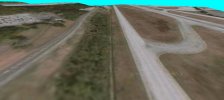
Based on what I see in the image, everything still looks the same and I just don't see the benefit of having UTX USA installed.
If you intend to make your KBHM more closely match IRL, you will benefit from having all the UTX-USA custom Roads / Highway Interchange and Bridge Encasements etc. for use at / near KBHM airport, which would otherwise require
you to create them if you are seeking more realism.
That process is complex, and requires a substantial additional learning curve and work, to create custom 3D models and CVX vectors, texture map them, and add them to Terrain.Cfg file in
precise compliance with SDK requirements.
I do
NOT recommend that you attempt this.

Your CVX sloped flatten vertices must be configured as I described above to avoid FSX run time terrain surface anomalies.
But I still do not understand what you're describing. I need photos or pictures describing what you're saying. All I know is that I'm following the same flow described on page 139 of the ADE manual:
{ Image not included in quote }
In my case, for example, my slope would rise from 31 meters to 50 meters, and the 31 meters would remain the same all the way down to the other end, because in my case, it's level at the bottom of the slope. But at the top of the slope, the altitude varies as you drive along down the road, until it levels off at the other end. I do follow the very slight turns in the road and I'm not sure if I should do that or keep the polygon straight. I also noticed that in the right photo at about the 32 meter point, the terrain does suddenly drop off and the runway is covered by the sloping terrain.
While technically you could use any terrain mesh resolution, IIUC, you are trying to create terrain which matches KBHM IRL.
I thought that was the purpose for creating sloping terrains in ADE, to match the real world terrain.
To achieve that via a practical work-flow, you also need to use a custom terrain mesh, as the FSX default is an older 30m DEM.
What is the custom terrain mesh ?
The image below is FSX with a custom 1m terrain mesh for KBHM area, your airport,
and UTX-USA installed / set Active at maximum detail:
Note that the terrain anomaly
still shows, due to your CVX vector vertex point configuration not being set up as I described above.
Additionally, CVX vector vertex points for polygons must be configured properly to blend into the surrounding terrain mesh.
An example image of a Airport Boundary / Background Polygon level / sloped / blending flatten TIN is attached in this older post:
https://www.fsdeveloper.com/forum/threads/blending-airports-into-custom-terrain.448048/post-850510
FYI: I have not yet located several older posts by Jon Masterson (aka "Scruffyduck") or George Davison (aka "GHD" and/or "Golf-Hotel Delta"), which explain the intricacies of how one must configure CVX vector vertex points for
intersecting polygons used for both level and sloped flattens.
Alternatively, the closest example I can recall which IMHO is more likely to describe how to create sloped flattens, uses SBuilderX (
not ADE):
https://www.fsdeveloper.com/forum/threads/flattens.425495/post-632954
https://www.fsdeveloper.com/forum/threads/flattens.425495/post-784142
Please keep in mind, a Cardinal Rule of working on scenery at / near airports in FS:
First:
*
Exclude objects
...
and then:
* Replace objects
If configuring vertex points for level or sloped flattens, they must coincide by quantity, location, and altitude where they overlap / intersect
any other adjacent polygon which utilizes an assigned altitude attribute
ex: Airport Boundary / Background and/or Hydro types.
To do this properly, IMHO, one must use CvxExtractor to derive from:
[FSX install path]\Scenery\0302\scenery\
cvx2420.bgl
...a
*.BLN file for reference as to assigned Altitudes, and
*.SHP files to be Appended into SBuilderX.
I have previously described for you in detail, how to perform some of these tasks for Roads; please review this thread:
https://www.fsdeveloper.com/forum/t...ects-in-sbuilderx-for-katl.444877/post-817582
CAVEAT: This is an update to the process I linked to above, which I had posted previously.
Because the source files submitted to FSX / P3D Terrain SDK compilers must be in EPSG:4326 GIS projection format, all data output from CvxExtractor by de-compilation of CVX vector BGLs will also
still be in that same GIS projection format, which does not match IRL.

Thus we must use a GIS application to re-project all data output from CvxExtractor from EPSG:4326 to EPSG:3857 so that it will not be "warped", and will align properly with any (non-warped) Background imagery Map displayed in the SBuilderX work-space, so it matches IRL.

The same principle applies to Add > Background image in the ADE work-space:
all imagery must be in EPSG:3857 GIS projection format.

Since your prior posts on this topic of making a realistic historical reconstruction of KBHM, emphasize your goal of making the resulting scenery more closely match the appearance of KBHM IRL in (3) prior date spans, you may benefit from keeping the work-load to a minimum.
This is why I recommend that you make use of a custom terrain mesh, purchase UTX-USA, then configure your CVX vector content to match IRL.
GaryGB