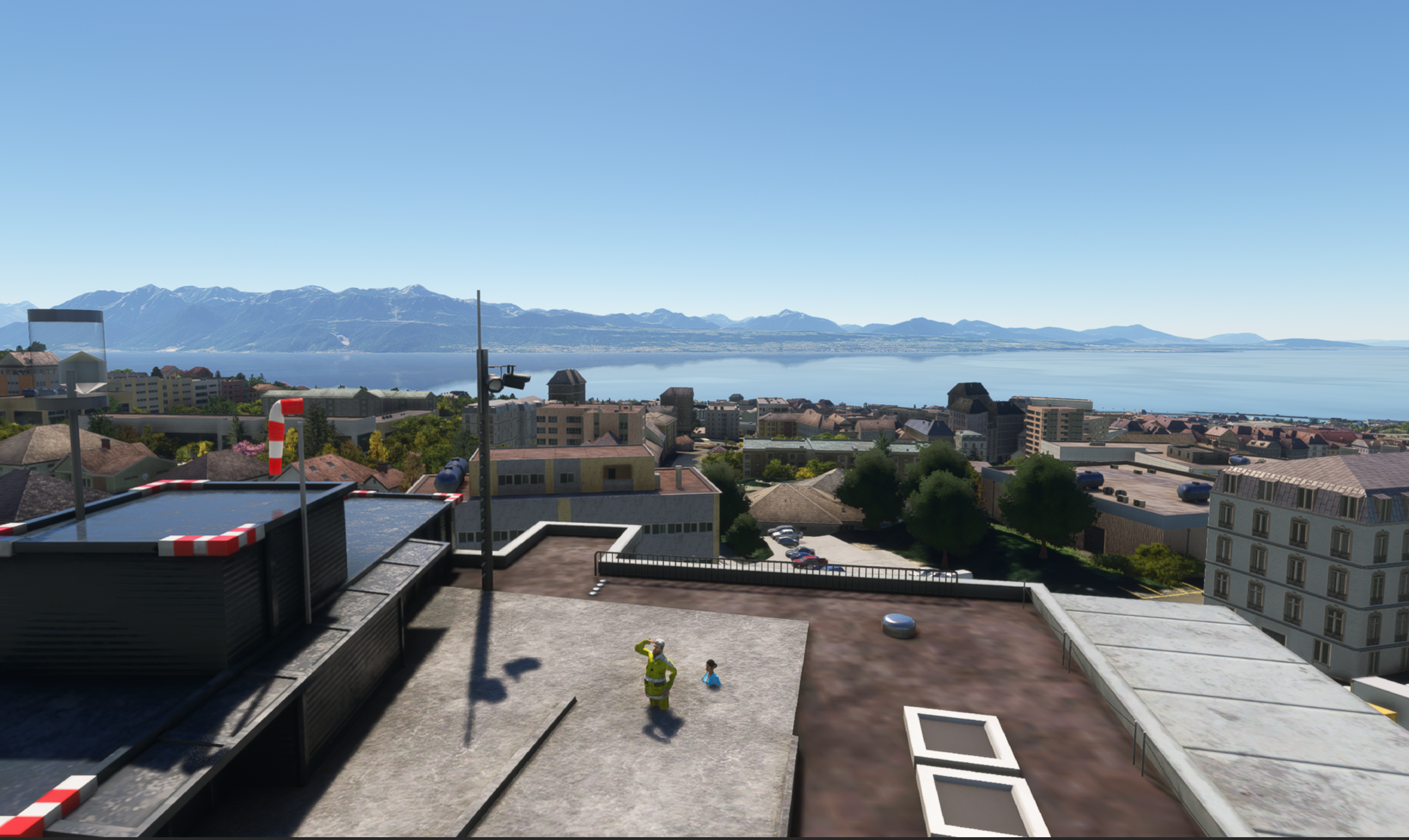
Hi everyone and GaryGB.
I came back to our conversation, because I was not able to exclude the sunken 3D People and search for help the last time.
I got a LSHV CHUV Hospital Scenery from Redwing Sim for MSFS2020 and there are sunken 3DPeople, maybe because they are not compatible with the World Updates for Switzerland.
The developer first was friendly and build a scenery folder, but for MSFS2024 and not for MSFS2020 as I told him, so we ended up with nothing and he said he has no time for that in the next months or so.
Hi Andreas:
I do not know if this add-on package actually has been updated (yet ?) by the author for MSFS 2020 compatibility.
This is an excellent add-on package; please be patient with the author, but do share your fix for placing these objects.
So I try to exclude the 3D People with the rectangle exclusion Method in dev mode, and when I did that in the dev mode, I see that the 3D People are disappearing while in dev mode.
But after I build the scenery folder the exclusion is not seeing in the sim after I load the file in the community folder named with zzz-LSHV-exclude after the main scenery, called redwing-LSHV.
So, as far as I know I did everything right but it doesn’t work and the Package Folder doesn’t contain a bgl file only xml.
So, have you any suggestions why this is not working?
Also snap to normal also did not work, it would be fine to elevate the 3D People but I don’t know how.
I had mentioned above, that
Snap To Normal would likely not work ...as an advisement to
not use it.

*
Snap To Ground must also be
disabled in your source XML code for correcting placement of the sunken 3D objects.
* You must then correct CHUV - LSHV Hospital Helipad Ramp surface Altitude (this becomes Altitude AMSL at the bottom of the sunken 3D objects):
That CHUV - LSHV Hospital Helipad Ramp top
surface Altitude is 71.5 Feet AGL which is 1,901.0672607422 Feet AMSL / 579.4453 Meters AMSL.
That 'should' become the corrected placement Altitude for the sunken 3D objects at the South end of the CHUV - LSHV Hospital Helipa
d Ramp
* Some fine tuning of that assigned Altitude AMSL may be required depending on your MSFS Terrain LOD Slider value.
* You may- or may not- be able to reduce "Scale" ...to correct sunken 3D objects 'sizes' at the South end of the CHUV - LSHV Hospital Helipad Ramp.
Hope you have some suggestions.
With regards
Andreas
In a Direct Message (aka "DM"), please attach / link to- the complete MSFS Project file you used attempting to 'correct' this scenery add-on package.
GaryGB