• Which the release of FS2020 we see an explosition of activity on the forun and of course we are very happy to see this. But having all questions about FS2020 in one forum becomes a bit messy. So therefore we would like to ask you all to use the following guidelines when posting your questions:

    • Tag FS2020 specific questions with the MSFS2020 tag.
    • Questions about making 3D assets can be posted in the 3D asset design forum. Either post them in the subforum of the modelling tool you use or in the general forum if they are general.
    • Questions about aircraft design can be posted in the Aircraft design forum
    • Questions about airport design can be posted in the FS2020 airport design forum. Once airport development tools have been updated for FS2020 you can post tool speciifc questions in the subforums of those tools as well of course.
    • Questions about terrain design can be posted in the FS2020 terrain design forum.
    • Questions about SimConnect can be posted in the SimConnect forum.

    Any other question that is not specific to an aspect of development or tool can be posted in the General chat forum.

    By following these guidelines we make sure that the forums remain easy to read for everybody and also that the right people can find your post to answer it.

P3D v4 3D grass Transparency

I see :scratchch
So i can let it on false for my other compilation ? I mean that won't affect the framerate for some buildings that actually don't need it ?

I'm not sure how it will affect framerate. For non transparent materials like on buildings I don't think it matters.
Other than that there are some cases where it actually makes sense to use it. An example are artificial structures that are substituted into a transparent texture, such as a fence.
 
I see :scratchch
So i can let it on false for my other compilation ? I mean that won't affect the framerate for some buildings that actually don't need it ?


I actually saw this trick (Alpha Gradient) for the first time in some Orbx sceneries and it looks very nice,


Like this we clearly see the "Impact" between the ground and the Grass texture that made it look kinda unrealistic, look at what i got, i wasn't really expecting such a beautifull result !:

1535476809-2018-8-28-17-39-37-536.jpg


1535476890-2018-8-28-18-6-51-728.jpg


1535476874-2018-8-28-17-24-59-492.jpg

The best grass would be a combination of both. At the leading edge you'd use a non transparent texture with a base that copies the tones of the photoreal ground texture for smooth blending. Photoshop works great at duplicating tones. Then behind the leading edge grass, you'd use another grass model with 5-7% transparency.
 
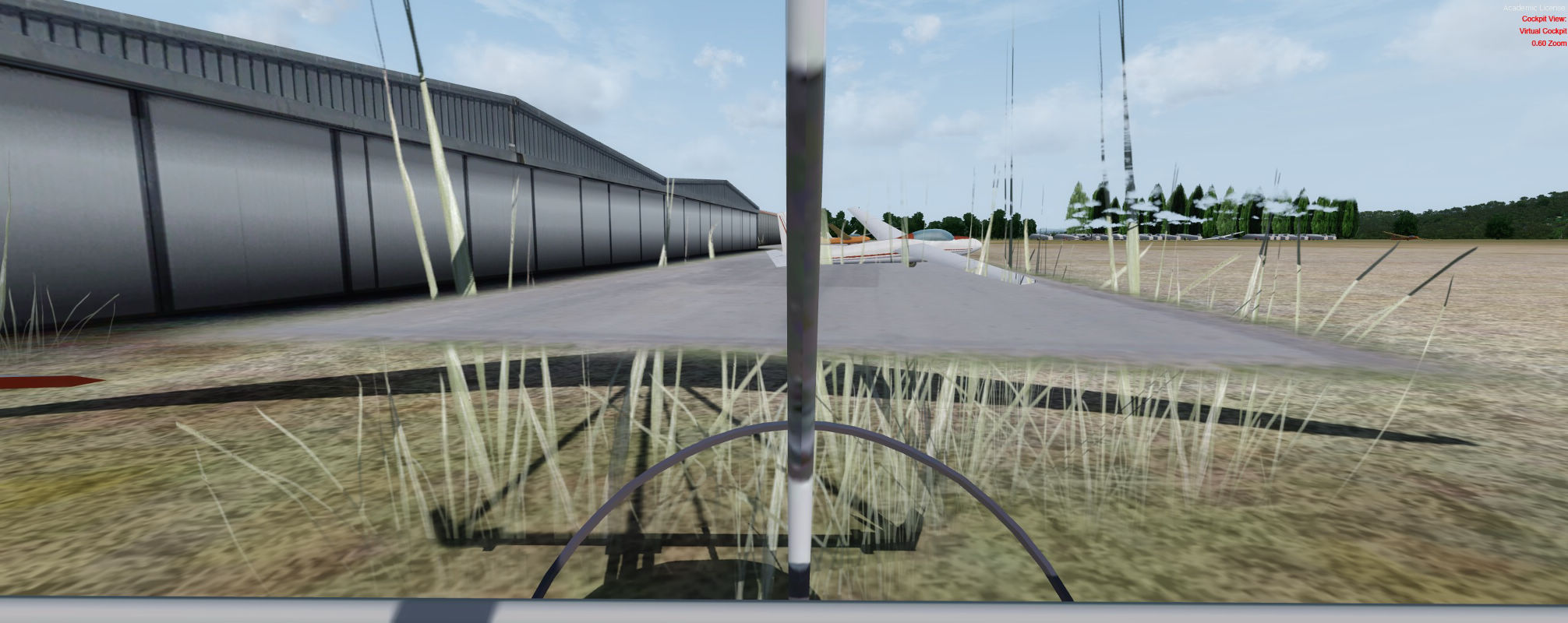
From the top it may look great but from a cockpit perspective it may look like grass is levitating.
 
The problem of copying the tone of the ground is that some photoground could have a lot of tones so it will match for some areas and not for some other, and you will need to create one texture for each area who have some different tones ...
 
To be honest I'd use the gradient for a much shorter distance. Yours is almost going halfway up your texture while I'd suggest 1/8 will do.
That will reduce the impression of floating grass.
 
Your advices are welcomes, and it's really easy to change so I moved it to about 1/4 of the texture, here is what it look like from a cockpit :

ln06.jpg
 
Maybe the grass itself is too tall, it’s about 1.3meters because under this I estimated that it was really too short.
 
The problem of copying the tone of the ground is that some photoground could have a lot of tones so it will match for some areas and not for some other, and you will need to create one texture for each area who have some different tones ...

True, but the same is true for the grass "blade" vs the photoreal. One size won't fit all. :-) That's why you make as many as needed.
 
Hello again !
I didn't paid attention to that, but the clouds are able to be seen through my objects with Z white Alpha on False and it's really annoying !
Is there a way to unsee them ?
 
Hello again !
I didn't paid attention to that, but the clouds are able to be seen through my objects with Z white Alpha on False and it's really annoying !
Is there a way to unsee them ?
Usually you can live with that because of the perspective making that occasion unlikely.
Can you show how you even managed to do it?
I don't think there is much you can do.
 
My grass was kinda big when i took the picture (I reduced the size) but the ground polygons can be seen throught too, and that's much more annoying than with the clouds :

ipwk.jpg


(Don't pay attention to the trees, i just put the Z white Alpha on False on thoses models who actually didn't needed it)
 
I just use Model Converter X Material Settings to "Set Default Transparent".

Then I don't have drawing order issues.
 
Just look on the internet for grass texture png or something like this. I took mine in my garden so ...
 
Back
Top